

Wapppress Builds Android Mobile App For Any WordPress Website
/Year
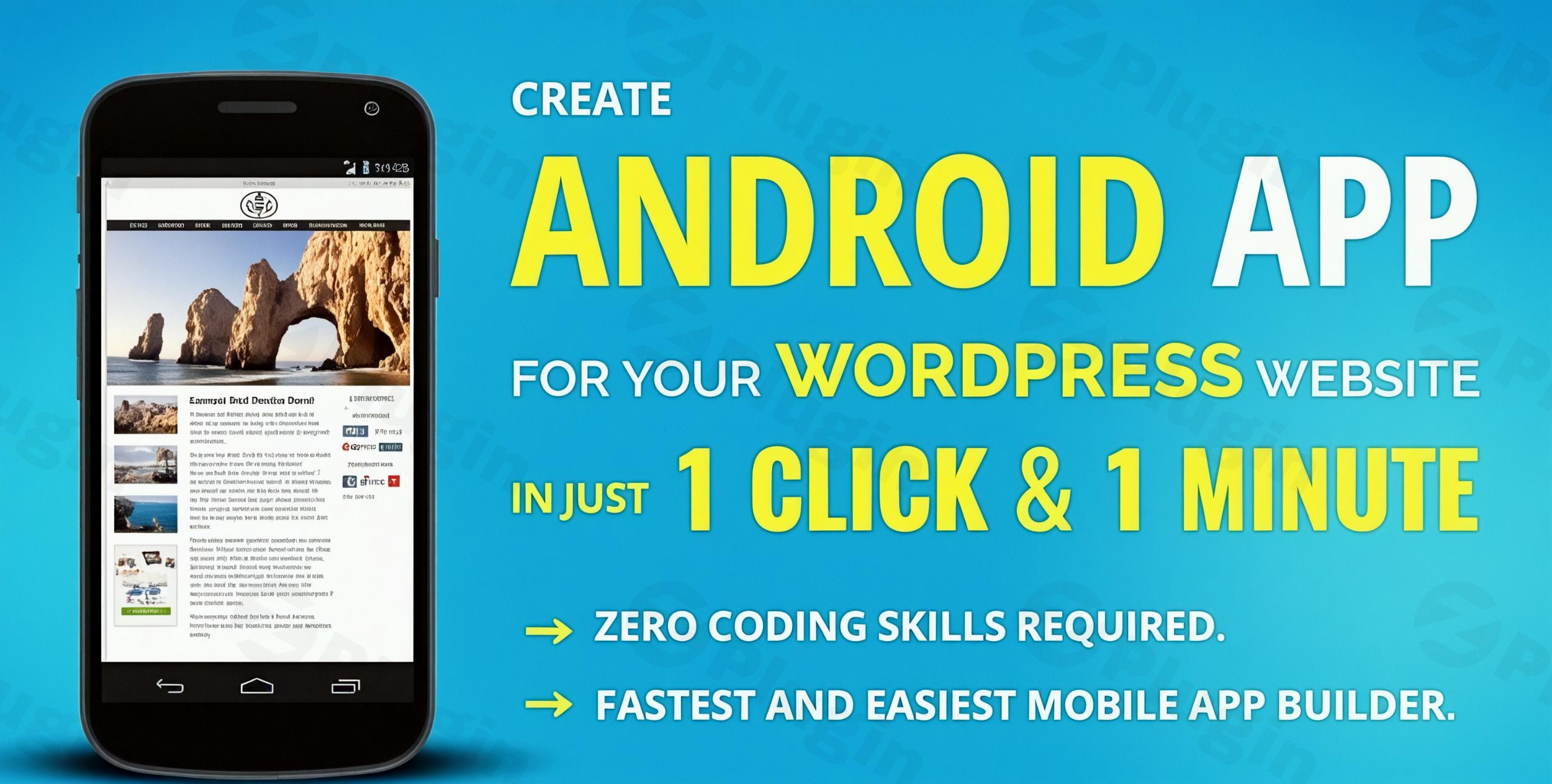
The digital landscape is overwhelmingly mobile-first, and businesses that fail to establish a strong mobile presence risk falling behind. With users spending an astounding 86% of their time on apps compared to just 14% on websites, the necessity of a dedicated mobile application for your brand has never been clearer. However, traditional app development can be a costly and time-consuming endeavor, often requiring thousands of dollars and months of work.This is where Wapppress steps in. Wapppress is the premier WordPress mobile app plugin designed to effortlessly transform any WordPress website into a fully functional, native Android mobile application. This powerful tool allows you to convert WordPress to an app with no coding, making app creation accessible, affordable, and incredibly fast for businesses, bloggers, and content creators of all sizes. With Wapppress, you can leverage the mobile app revolution to boost user engagement, enhance user experience, and gain a significant competitive edge without the usual development hurdles.
Key Features That Make Wapppress a Standout WordPress App Builder
Wapppress isn’t just about converting your site; it’s about providing a comprehensive suite of features to ensure your app is robust, engaging, and aligned with your brand. Here’s a breakdown of the core capabilities that make Wapppress an ideal affordable WordPress Android app solution:
- No Coding Required & Instant App Generation: The standout feature of Wapppress is its commitment to simplicity. You can build an Android app from WordPress in just a few clicks, without writing a single line of code. The plugin generates a ready-to-publish AAB (Android App Bundle) or APK file, significantly reducing development time and costs.
- Real-Time Synchronization: Keep your app users always up-to-date. Any content updates, new posts, or changes you make on your WordPress website are instantly reflected in your mobile app, ensuring a consistent and fresh user experience.
- Push Notifications: A critical tool for user engagement, Wapppress integrates push notifications (often via Firebase). This feature allows you to send timely alerts, updates, new content announcements, or promotional offers directly to your app users, fostering loyalty and driving repeat visits. Setting up Wapppress push notifications is straightforward, enabling you to connect directly with your audience.
- Customizable Branding & Design: Your app should be an extension of your brand. Wapppress provides extensive customization options:
- Launcher Icon: Easily upload and customize your app’s launcher icon to reflect your brand identity.
- Splash Screen: Design a captivating high-density splash screen that appears when your app launches, offering a polished first impression.
- Theme & Homepage Designer: Apply a unique theme and even set a different homepage specifically for your app, distinct from your website, to provide an optimized mobile browsing experience.
- AdMob Integration for Monetization: If you’re looking to generate revenue from your app, Wapppress supports Google AdMob Interstitial Ads. This integration (often a premium feature) opens up new monetization channels for your content.
- Offline Support: Enhance user experience by enabling content caching. Users can access essential information within your app even without an internet connection, ensuring uninterrupted access to your valuable content.
- Full Website Integration: The entire functionality and content of your WordPress site, including all posts, pages, and media, are seamlessly integrated within the app, delivering a holistic experience.
- Broad Compatibility: Wapppress is designed to work harmoniously with all existing WordPress themes and popular plugins, including major players like WooCommerce for eCommerce, BuddyPress for social networking, and Elementor for intuitive page building. This ensures your app can mirror the rich functionality of your current website.
- Deep Linking: Improve navigation and user flow by enabling deep linking, allowing specific pages, posts, or product links to open directly within your mobile application.This comprehensive Wapppress plugin features list showcases its capability as a powerful and user-friendly solution for extending your WordPress presence to the mobile app ecosystem.
Installation & Setup: How to Turn Your WordPress Website into an Android App Easily
Getting started with Wapppress is designed to be straightforward, even for those with no prior app development experience. Here’s a step-by-step guide on how to turn a WordPress website into an Android app easily:
- Purchase and Download: Obtain the Wapppress plugin file (typically a
.ziparchive) from a trusted source like ZeroPlugin.com, where you benefit from a GPL License, regular updates, and VirusTotal scanned files for safety. - Upload the Plugin:
- Log in to your WordPress admin dashboard.
- Navigate to
Plugins > Add New. - Click on the
Upload Pluginbutton at the top of the page. - Click
Choose File, select the Wapppress.zipfile you downloaded, and then clickInstall Now.
- Activate the Plugin: Once the plugin is uploaded and installed, click
Activate Pluginto enable Wapppress on your site. - Configure Wapppress:
- After activation, you’ll typically find a new
Wapppressmenu item or a dedicated section within your WordPress dashboard settings. - Navigate to the Wapppress settings panel. Here, you’ll configure your app’s details:
- App Name: Enter the desired name for your mobile application.
- Launcher Icon: Upload your brand’s app icon (ensure it meets Android icon guidelines for optimal display).
- Splash Screen: Upload your customized splash screen image.
- Homepage: Select which page or URL will serve as the app’s initial screen.
- Theme/Design: Customize the app’s visual theme.
- Push Notifications: Set up your push notification service (e.g., Firebase, if integrated).
- AdMob IDs: If monetizing, enter your Google AdMob IDs.
- Save your settings after making adjustments.
- After activation, you’ll typically find a new
- Generate Your App: Within the Wapppress interface, there will be an option (often a button) to “Generate App” or “Build App.” Click this button to initiate the app compilation process.
- Download Your App File: Once the compilation is complete, Wapppress will provide a link to download your AAB or APK file. This is your finished Android app package.With these steps, you’ve successfully used Wapppress to generate your Android mobile application!
Practical Usage & Best Practices for Your WordPress Mobile App
Wapppress is ideal for a diverse range of WordPress users looking to enhance their mobile reach. Here are a few concrete use cases and best practices:
- For Bloggers & Content Publishers:
- Use Case: A popular blog or news site uses Wapppress to create a dedicated app. Users can subscribe to push notifications for new articles, browse content offline, and experience faster loading times than a mobile website.
- Best Practice: Leverage push notifications strategically for new post alerts, daily digests, or breaking news. Ensure your app’s homepage is optimized for content discovery, perhaps highlighting featured articles or categories. This is the best way to enhance mobile presence for content consumption.
- For eCommerce Stores (WooCommerce Integration):
- Use Case: An online store built with WooCommerce converts its website into an app using Wapppress. Customers receive push notifications about sales, new product arrivals, or abandoned cart reminders, leading to higher conversion rates.
- Best Practice: Design the app’s homepage to showcase promotions or popular product categories. Integrate AdMob for additional revenue streams, and ensure seamless checkout flows within the app. Wapppress’s compatibility with WooCommerce makes it ideal for small businesses wanting a dedicated shopping app.
- For Agencies & Client Projects:
- Use Case: A web design agency uses Wapppress to offer clients an affordable and rapid solution for a mobile app alongside their WordPress website. This adds significant value without incurring large development costs.
- Best Practice: Standardize your Wapppress setup process for various client niches. Provide clear documentation for clients on how to manage their app’s content through WordPress. This positions Wapppress as an affordable WordPress Android app solution for agencies.
- For Forums & Community Sites (BuddyPress Integration):
- Use Case: A community forum running on BuddyPress uses Wapppress to offer a mobile app where users can engage in discussions, receive notifications for mentions or new messages, and connect with other members on the go.
- Best Practice: Emphasize push notifications for community activity to keep users engaged. Ensure the app’s design prioritizes easy navigation to forum topics and user profiles.By following these practical tips, you can maximize the value of your Wapppress-powered Android app, making it a valuable asset for your digital strategy.
FAQ & Troubleshooting for Your Wapppress Android App
Here are answers to common questions about the Wapppress plugin, helping you understand its capabilities and resolve potential issues.
Can Wapppress build iOS apps?
Wapppress’s primary focus and core functionality are designed for building native Android mobile applications. While some promotional materials might mention iOS, authoritative sources and explicit features confirm its strength lies in Android app generation. If you require both Android and iOS apps, you might need to consider other dedicated iOS solutions or cross-platform builders, or look for a combined offering from Wapppress in the future.
Is Wapppress compatible with WooCommerce?
Yes, Wapppress is fully compatible with WooCommerce. It is built to support popular WordPress themes and plugins, including major ones like WooCommerce for e-commerce, BuddyPress for social networking, and Elementor for page building. This ensures that your online store’s products, categories, and checkout process can function seamlessly within your Wapppress-generated Android app.
How much does Wapppress cost?
Wapppress is positioned as a highly cost-effective and affordable WordPress Android app solution compared to traditional, custom app development, which can run into thousands of dollars. While specific pricing details are often found on the vendor’s website (e.g., ZeroPlugin.com, which offers a GPL License), it’s designed to provide a budget-friendly alternative without compromising quality or essential features.
How to publish your Wapppress Android app to Google Play?
After generating your AAB or APK file with Wapppress, you can publish your WordPress app to Google Play by following these general steps:
- Create a Google Play Developer Account: If you don’t have one, register for a Google Play Developer account (there’s a one-time registration fee).
- Prepare App Listing: Gather your app’s name, short description, full description, screenshots, feature graphic, privacy policy URL, and category information.
- Upload the AAB/APK: Log in to your Google Play Console, create a new application, and upload the AAB (Android App Bundle is now preferred) or APK file generated by Wapppress.
- Configure Release: Set up your app’s release track (e.g., internal test, closed test, open test, or production), select countries/regions, and specify pricing if it’s a paid app.
- Review and Roll Out: Review all details carefully and then “Roll out release” to submit your app for review by Google. Once approved, your app will be live on the Google Play Store.
What are the Wapppress reviews and ratings like?
Wapppress generally receives positive feedback from users, particularly for its ease of use and affordability. On platforms like WordPress.org, it holds an average rating of around 3.6 out of 5 stars, with many recent reviews praising its “Fast, Easy, and Affordable” nature and “Exceptional Customer Support!” Users frequently highlight the no-coding requirement as a major advantage. While some older feedback might have contributed to a lower average rating historically, continuous updates by the developers have improved the plugin significantly, making it a reliable choice for dedicated Android app creation from WordPress.
Conclusion: Your Gateway to the Mobile App Revolution with Wapppress
In today’s mobile-centric world, having a robust app presence is no longer a luxury but a necessity for engaging your audience and staying competitive. Wapppress offers an unparalleled opportunity to transform your WordPress website into a dynamic Android mobile application quickly and affordably, without the need for complex coding.By choosing Wapppress, you’re investing in a powerful WordPress to Android app solution that prioritizes ease of use, real-time content synchronization, customizable branding, and essential features like push notifications and monetization options. Whether you’re a blogger, an eCommerce store owner, or an agency, Wapppress provides the tools to unlock new levels of user engagement and expand your digital reach. Don’t miss out on the incredible growth of the mobile app industry; empower your WordPress site with Wapppress and connect with your audience like never before.
I. Download Limits & Account Benefits
- Free Downloads: Each email address receives 3 downloads per day for free products
- Upgrade Benefits: Purchase any paid product to increase your daily download limit by 3 for each paid product
- No Account Required: You can download immediately by receiving the download link via email
- Account Recommended: Create an account for easier access to your order history and direct update downloads
II. Understanding GPL vs Official Versions
Important: The products available on WPPick are GPL-licensed versions, which differ from official developer versions. Before purchasing, please read our comprehensive guide: Understanding GPL & Official Differences at WPPick
Key Points:
- GPL versions may not include premium support from original developers
- Updates may be delayed compared to official releases
- Some premium features might have limitations
- Always consider your specific needs and support requirements
III. Support & Assistance
We’re here to help through multiple channels:
- Email Support: Direct email assistance for all inquiries
- Live Chat: Real-time support during business hours
- Comprehensive Documentation: Detailed guides and tutorials
IV. Order Tracking
Access your complete purchase history and download links anytime: Order History
V. Account Access
New to WPPick? Login or Create Account to manage your downloads and orders efficiently.
VI. Refund Protection
We stand behind our products with a clear refund policy. Review our terms: Refund Policy
VII. Privacy & Security
Your data security is our priority. Learn how we protect your information: Privacy Policy
VII. Terms of Service
Understanding our service terms ensures a smooth experience: Terms of Use
Quick Tips for Best Experience
- Verify Compatibility: Check plugin/theme compatibility with your WordPress version
- Backup First: Always backup your site before installing new plugins or themes
- Test Environment: Consider testing on a staging site first
- Stay Updated: Regularly check for updates in your account dashboard
- Read Documentation: Review any included documentation for optimal setup
Need Help?
If you have questions about downloads, licensing, or need technical assistance, don’t hesitate to contact our support team. We’re committed to ensuring you have the best possible experience with WPPick products.
Ready to get started? Your download adventure begins with just one click!