

Wc Vendors Pro – Marketplace Plugin For WordPress
/Year
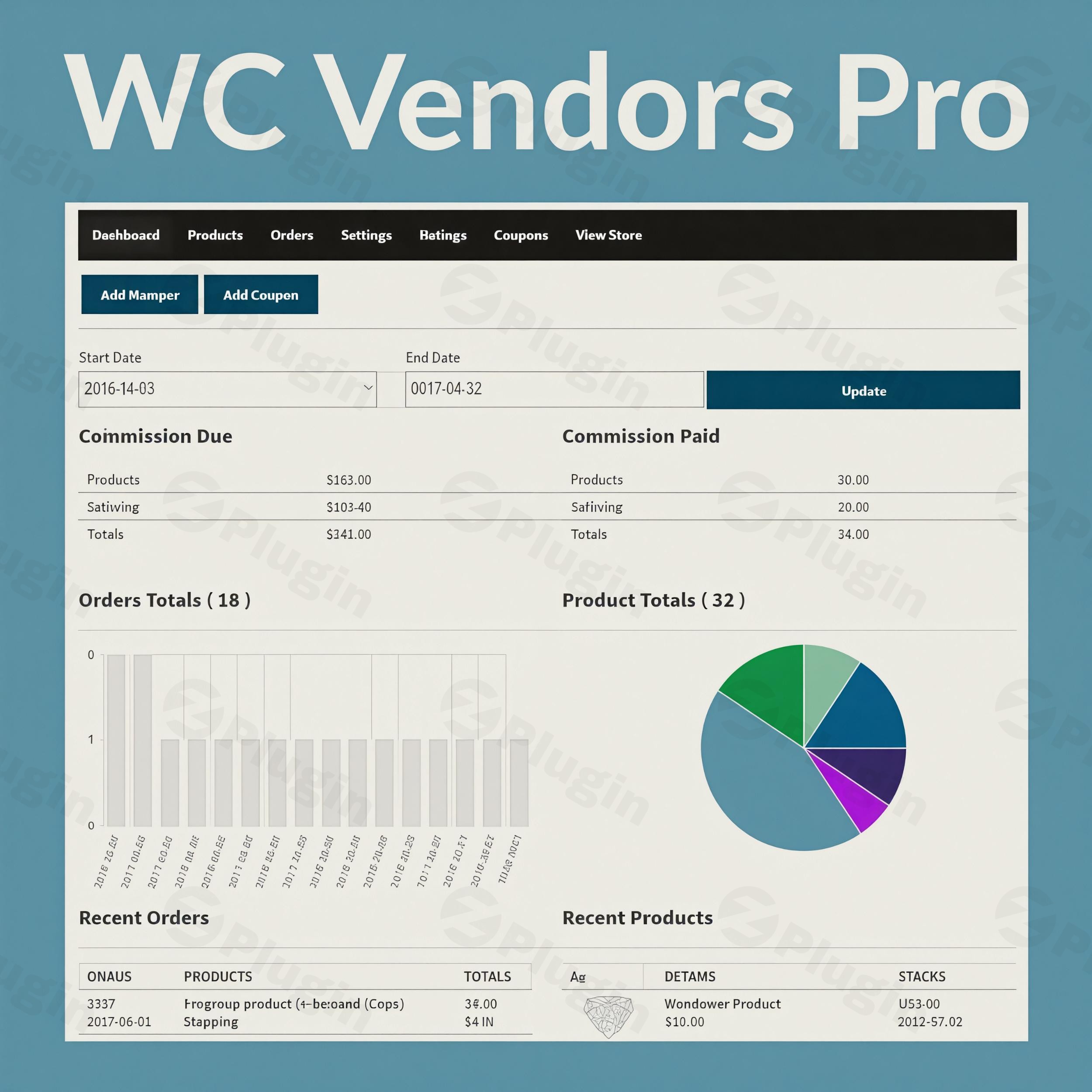
Transforming a standard WooCommerce store into a dynamic, multi-vendor marketplace requires a robust and intuitive solution. WC Vendors Pro is a premium WordPress multi-vendor plugin that seamlessly extends WooCommerce, providing an extensive suite of tools for both marketplace administrators and individual vendors. This powerful WooCommerce marketplace plugin empowers you to build a thriving eCommerce platform where multiple sellers can list and manage their products with ease, mirroring popular platforms like Etsy or eBay.Developed by a team with over a decade of experience in the WordPress ecosystem, WC Vendors Pro is designed for scalability, ease of use, and a rich feature set, making it an ideal choice for anyone looking to create a multi-vendor store with WooCommerce.
Key Features of WC Vendors Pro
WC Vendors Pro offers a comprehensive set of features engineered to streamline marketplace operations and enhance the experience for both administrators and vendors.
Intuitive Vendor Dashboard & Management
At the heart of WC Vendors Pro is its Pro Dashboard, providing vendors with a dedicated, user-friendly front-end interface. This eliminates the need for vendors to access the WordPress backend, significantly simplifying product and order management.
- Comprehensive Sales Reports: Vendors get detailed insights into their performance, including sales figures, order statuses, and earnings.
- Effortless Product Management: Vendors can add, edit, and manage products directly from their dashboard. This includes support for all standard WooCommerce product types: Simple, Grouped, Downloadable, and Variable products. With compatible add-ons, it also extends to WooCommerce Subscriptions, Bookings, and Simple Auctions.
- Vendor-Only Coupons: Empower vendors to create exclusive discount coupons for their specific products, fostering independent promotions and sales growth.
- Shipment Tracking: Vendors can easily add tracking numbers to orders, keeping customers informed and reducing support inquiries.
Flexible Commission Structures & Advanced Shipping
Monetizing your marketplace is straightforward with WC Vendors Pro’s adaptable commission system and vendor-controlled shipping options.
- Multiple Commission Types: Implement a variety of revenue-sharing models, including percentage, fixed fee, or hybrid models (e.g., percentage + fixed fee, sales tiers). This flexibility allows administrators to tailor earnings to their business model, whether it’s global, vendor-specific, or product-specific.
- Pro Shipping Module: Vendors can define their own shipping rules and costs. This includes setting per-product shipping rates and country-based table rates, giving sellers granular control over their logistics. While not directly supporting WooCommerce shipping zones for per-product shipping, it’s compatible with third-party shipping plugins for advanced needs.
Enhanced Vendor & Customer Experience
Building trust and fostering engagement are crucial for any marketplace. WC Vendors Pro includes features to cultivate a positive environment.
- eBay-Style Feedback System: Build trust and transparency with a robust system that allows customers to rate and review vendors. Vendors can also manage product reviews directly from their dashboard, boosting credibility.
- Customizable Vendor Storefronts: Each vendor receives a unique, customizable storefront. They can personalize their shop with custom banners, avatars, detailed descriptions, and product catalogs, complete with customizable templates for design and layout.
- Social Media Integration: Vendors can connect their storefronts to social media profiles like Facebook and Twitter, expanding their reach.
- Streamlined Order & Payment Processing: Vendors can view and manage their orders, mark items as shipped, and add tracking numbers. The plugin integrates seamlessly with popular payment gateways such as Stripe (via Stripe Connect Commissions & Gateway), PayPal, and WooCommerce Payments, facilitating instant, scheduled, or manual payouts to vendors.
Customization & Branding
Maintain your brand identity while allowing vendors their unique presence.
- Template Customization: Tailor the marketplace design to match your brand’s aesthetic. The plugin is designed to work seamlessly with any 100% WooCommerce-compatible WordPress theme.
- Integrated SEO Features: Vendors can set custom SEO titles, meta descriptions, and meta keywords for their individual stores and products, supporting organic visibility without necessarily requiring a separate SEO plugin. It’s also compatible with popular SEO plugins like Yoast SEO and Rank Math.
Comprehensive Admin Controls & Scalability
As the marketplace owner, you retain full control and the ability to scale your platform without performance concerns.
- Extensive Admin Controls: Administrators have granular control over vendor capabilities, including product submission, editing published products, approval workflows, order viewing, and export permissions, allowing for flexible moderation.
- Vendor Membership Plans: (Requires WC Vendors Membership add-on) Offer tiered benefits, restricted feature access, and recurring payment options by selling membership plans to vendors.
- Automated Tax Handling: Includes WC Vendors Tax for accurate sales tax rates, which vendors can also configure individually.
- Scalability: Built on the robust foundations of WordPress and WooCommerce, WC Vendors Pro supports an unlimited number of vendors and products, ensuring your marketplace can grow without performance degradation.
Installing & Setting Up Your WooCommerce Multi-Vendor Plugin
How to create a multi-vendor store with WooCommerce and WC Vendors Pro starts with a straightforward installation process. Before you begin, ensure your WordPress environment meets the minimum requirements for optimal performance and compatibility.
System Requirements for WC Vendors Pro:
- WordPress: Version 5.3+
- PHP: Version 7.4+
- MySQL: Version 5.6+ or MariaDB 10.1+
- WooCommerce: Version 4.0+ (must be installed and configured)
- WC Vendors Marketplace (free plugin): This free base plugin is required as WC Vendors Pro builds upon its features.For optimal performance, quality-managed hosting providers like Kinsta, Siteground, or WP Engine are recommended, offering features like staging sites and automatic backups.
Step-by-Step Installation:
- Install WooCommerce: If you haven’t already, install and activate the free WooCommerce plugin from the WordPress plugin repository. Complete the WooCommerce setup wizard.
- Install WC Vendors Marketplace (Free): Search for “WC Vendors Marketplace” in your WordPress dashboard under
Plugins > Add New. Install and activate this free base plugin. - Download WC Vendors Pro: Obtain the WC Vendors Pro plugin zip file from your purchase source (e.g., ZeroPlugin.com).
- Upload & Install WC Vendors Pro:
- Navigate to
Plugins > Add Newin your WordPress dashboard. - Click the “Upload Plugin” button at the top.
- Choose the WC Vendors Pro zip file you downloaded and click “Install Now.”
- Navigate to
- Activate the Plugin: Once installed, click “Activate Plugin.”
- Initial Setup: Follow the on-screen prompts for any initial WC Vendors Pro setup. This typically involves creating essential pages for vendor dashboards, store listings, and terms.
- Configure Settings: Go to
WC Vendors > Settingsin your WordPress dashboard to customize global marketplace options, including:- Commission settings: Define your default commission rates (percentage, fixed, or hybrid).
- Capabilities: Set permissions for vendors (e.g., can they publish products directly or require admin approval?).
- Pages: Assign the correct pages for vendor registration, dashboards, and store listings.
Practical Usage & Best Practices for Your WordPress Multi-Seller Website
Once installed, WC Vendors Pro provides the tools to manage and grow your WordPress multi-seller website. Here’s how to get the most out of it:
- Crafting Your Commission Strategy (WC Vendors Pro Commission Settings Explained):
- Global Defaults: Start by setting a reasonable global commission rate under
WC Vendors > Settings > Commissions. This will apply to all vendors and products by default. - Vendor-Specific Overrides: For high-volume vendors or those with special agreements, you can set individual commission rates directly within their vendor profile. This helps incentivize performance or account for different product margins.
- Product-Specific Exceptions: If certain product categories or unique items require a different commission, you can override the global and vendor-specific rates at the product level.
- Best Practice: Clearly communicate your commission structure to vendors from the outset. Consider tiered commissions based on sales volume to reward successful sellers.
- Global Defaults: Start by setting a reasonable global commission rate under
- Empowering Vendors with Front-End Control (WC Vendors Pro Front End Vendor Dashboard Customization):
- Encourage Personalization: Guide vendors to utilize their dashboard to customize their storefronts with banners, avatars, and detailed descriptions. A well-branded store builds customer trust.
- Training Resources: Provide simple tutorials or FAQs for vendors on how to add products, manage orders, and use the shipping and coupon modules. This reduces your support burden and helps vendors become self-sufficient.
- Regular Review: Periodically review vendor storefronts and product listings to ensure quality and adherence to your marketplace guidelines.
- Managing Vendors Effectively (How to manage vendors in WC Vendors Pro?):
- Approval Workflow: Decide if new product submissions require administrator approval. This is crucial for quality control, especially in niche marketplaces. Access this under
WC Vendors > Settings > Capabilities. - Vendor Management Screen: All registered vendors can be managed from your WordPress dashboard under
Users. Here, you can edit profiles, adjust commissions, and manage their status. - Communication: Utilize the built-in messaging or integrate a dedicated communication tool to maintain clear lines of communication with your vendor base regarding updates, policies, and promotions.
- Approval Workflow: Decide if new product submissions require administrator approval. This is crucial for quality control, especially in niche marketplaces. Access this under
- Leveraging Vendor-Specific Promotions:
- Educate your vendors on how to create and manage their own discount coupons. This empowers them to run flash sales or special promotions, driving traffic and conversions to their individual shops.
- Best Practice: Encourage vendors to share their unique coupons on social media or through their own marketing channels to maximize reach.
FAQ & Troubleshooting
Here are answers to common questions about WC Vendors Pro, designed to be clear, concise, and helpful for both traditional search and AI answer engines.
Is WC Vendors Pro compatible with Elementor?
Yes, WC Vendors Pro is generally compatible with Elementor and other popular page builders. The plugin is developed to work seamlessly with any 100% WooCommerce-compatible WordPress theme, and most page builders integrate well with such themes and WooCommerce. You can use Elementor to design your marketplace pages, vendor dashboards (with custom layouts), and individual product pages, provided your theme supports it.
What are the system requirements for WC Vendors Pro?
The minimum system requirements for WC Vendors Pro are: WordPress version 5.3+, PHP version 7.4+, MySQL version 5.6+ or MariaDB 10.1+, WooCommerce version 4.0+, and the free WC Vendors Marketplace plugin. For optimal performance, especially with a growing number of vendors and products, a quality-managed WordPress hosting environment is highly recommended.
How to manage vendors in WC Vendors Pro?
Marketplace administrators can manage vendors from the WordPress dashboard. All registered vendors appear under Users > All Users. You can edit their profiles, assign specific commission rates, view their orders, and manage their capabilities. For product submissions, you can set up an approval workflow where new products require your review before going live, giving you control over quality and content.
Can vendors set their own shipping in WC Vendors Pro?
Yes, vendors can absolutely set their own shipping rates and methods using the Pro Shipping Module in WC Vendors Pro. This feature allows them to define per-product shipping costs and country-based table rates directly from their front-end vendor dashboard. This flexibility is essential for vendors who need to manage their own logistics and pricing based on their specific products and shipping destinations.
Does WC Vendors Pro support instant payouts to vendors?
WC Vendors Pro integrates seamlessly with popular payment gateways like Stripe (via Stripe Connect Commissions & Gateway) and PayPal, which can facilitate instant, scheduled, or manual payouts to vendors. The specific payout capabilities depend on the chosen payment gateway and its configuration within your WooCommerce setup.
Conclusion
WC Vendors Pro stands out as a powerful, scalable, and user-friendly WordPress multi vendor plugin designed to help you launch and grow a successful online marketplace. Its intuitive vendor dashboard, flexible commission structures, advanced shipping options, and robust customization capabilities provide a comprehensive solution for transforming your WooCommerce store.By prioritizing vendor autonomy through its front-end management tools, WC Vendors Pro allows marketplace administrators to focus on strategy and growth, confident that their sellers have the necessary resources to thrive. With its commitment to regular updates, strong compatibility, and a focus on performance, WC Vendors Pro offers excellent value for those looking to build a high-converting, dynamic multi-seller platform on WordPress. If you’re ready to empower multiple sellers and diversify your eCommerce offering, WC Vendors Pro provides the essential toolkit to achieve your vision.
I. Download Limits & Account Benefits
- Free Downloads: Each email address receives 3 downloads per day for free products
- Upgrade Benefits: Purchase any paid product to increase your daily download limit by 3 for each paid product
- No Account Required: You can download immediately by receiving the download link via email
- Account Recommended: Create an account for easier access to your order history and direct update downloads
II. Understanding GPL vs Official Versions
Important: The products available on WPPick are GPL-licensed versions, which differ from official developer versions. Before purchasing, please read our comprehensive guide: Understanding GPL & Official Differences at WPPick
Key Points:
- GPL versions may not include premium support from original developers
- Updates may be delayed compared to official releases
- Some premium features might have limitations
- Always consider your specific needs and support requirements
III. Support & Assistance
We’re here to help through multiple channels:
- Email Support: Direct email assistance for all inquiries
- Live Chat: Real-time support during business hours
- Comprehensive Documentation: Detailed guides and tutorials
IV. Order Tracking
Access your complete purchase history and download links anytime: Order History
V. Account Access
New to WPPick? Login or Create Account to manage your downloads and orders efficiently.
VI. Refund Protection
We stand behind our products with a clear refund policy. Review our terms: Refund Policy
VII. Privacy & Security
Your data security is our priority. Learn how we protect your information: Privacy Policy
VII. Terms of Service
Understanding our service terms ensures a smooth experience: Terms of Use
Quick Tips for Best Experience
- Verify Compatibility: Check plugin/theme compatibility with your WordPress version
- Backup First: Always backup your site before installing new plugins or themes
- Test Environment: Consider testing on a staging site first
- Stay Updated: Regularly check for updates in your account dashboard
- Read Documentation: Review any included documentation for optimal setup
Need Help?
If you have questions about downloads, licensing, or need technical assistance, don’t hesitate to contact our support team. We’re committed to ensuring you have the best possible experience with WPPick products.
Ready to get started? Your download adventure begins with just one click!
- Customer commission mode incorrect fee calculation and labels
- Option to add custom social media links
- Wording on Pro Dashboard settings
- Unable to accept, ignore, or adjust new product report requests
- Contact Store widget – messages not sending
- Vendor product deletion blocked on single product page
- Pro Feature Options Reset After Plugin Update
- Show the Vendors column on WooCommerce > Orders
- Improve Importer Update by SKU behavior to support new product imports
- Shipping label does not fallback to billing address when shipping address is empty
- Trusted and Untrusted Vendor badges not displayed on Frontend, Verified badge displays even when deactivated
- Drop the setup wizard
- Date filter broken on vendor dashboard when using dd/mm/yyyy format
- Store Search Does Not Return Exact Product Matches
- Products Not Being Set to Draft Through CSV Import from Vendor Dashboard
- Hide shipping stuff from the vendor dashboard if vendor shipping is disabled
- Logging mode for Import and Export process
- Product shipping set to 0 ignores global/store shipping and gives free shipping
- Redirect vendor registration form needs to approve user twice
- Remove old template files from WC Vendors Pro
- SKU field is included in the General tab group instead of the Inventory tab group
- SKU lookup conflicts during product import due to orphaned product meta lookup records
- The changes made to the vendor shipping fee settings are not reflected on the cart page
- Vendor shipping setting does not hide Shipping tab from frontend
- Vendors are able to create memberships via wp-admin
- Add WooCommerce GTIN Field
- Incorrect Product Import Count - Variations Counted as Products
- License Activation Fails When The Post Grid Blocks Plugin is Active
- Undefined array key max_staging_activations_reached when maximum staging activations are reached
- Report Item Button Too Large
- Some Variations Are Skipped During CSV Import via Vendor Dashboard
- Simple Product Editor Form, Can't Upload Gallery If Price is disabled
- License Activation Fails When Otter Blocks Plugin is Active
- When the "Publish Approval" option is disabled, if the admin imports variable products, they will be marked as "Pending" and "Out of Stock"
- Free national/international shipping on the global and the vendor store settings not working properly
- Vendors can publish products via CSV product import even when the "Publish Approval" is disabled
- Hide settings for the payout selection not working