

WCFM – WooCommerce Frontend Manager – Ultimate
/Year
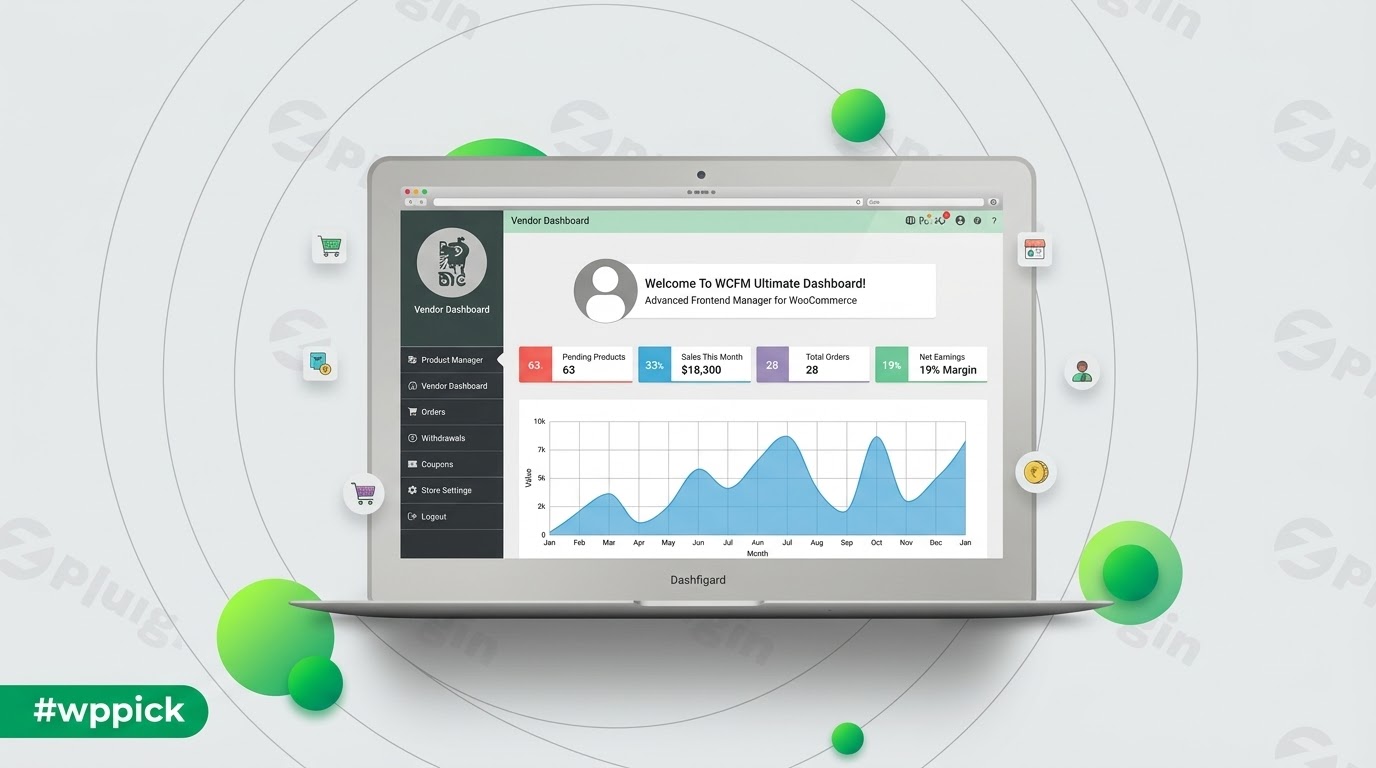
Empower Vendors with WCFM Ultimate
WCFM Ultimate elevates multi-vendor marketplaces by removing the necessity for vendors to interact with the backend of WordPress. Instead, it provides a feature-rich, intuitive frontend dashboard where vendors can manage every aspect of their virtual shops autonomously. By transferring core administrative utilities to the presentation layer, marketplace owners secure their backends while providing a clean workspace that encourages self-sufficiency among sellers.
What WCFM Ultimate Does
This extension operates as an administrative layer over multi-vendor configurations, integrating smoothly with prominent marketplace core platforms. It centralizes order fulfillment, product generation, customer interaction, and detailed reporting frameworks into an accessible frontend interface. Vendors gain access to administrative capabilities typically reserved for backend managers, allowing them to optimize operations without technical assistance.
Who Is This Plugin For?
This extension serves multi-vendor digital malls, multi-author asset networks, service directories, and local vendor conglomerates. It fits marketplace orchestrators seeking to streamline support burdens, minimize dashboard confusion, and increase security by restricting backend database access. Merchants operating within these ecosystems benefit from an un-cluttered interface that focuses solely on store operations.
Key Capabilities and Features
- Frontend Product Authoring: Enables complete structural layout modifications for simple, variable, grouped, and affiliate inventory items.
- Order & Shipment Workflow: Offers comprehensive tools for managing order tracking updates, generating localized PDF packing slips, and handling returns.
- Direct Customer Engagement: Integrates live chat capabilities alongside structured customer support ticketing to resolve buyer issues quickly.
- Sophisticated Promotions: Grants sellers autonomous control over personalized store coupons, cross-selling blocks, up-selling configurations, and flash sales.
- Operational Statistics: Delivers visual representations of net distributions, top-grossing items, commission tallies, and store performance trends.
Practical WordPress Use Cases
- Local Artisan Directives: A regional food or craft community market can allow creators to independently track daily orders and manage fresh inventory from mobile devices.
- Digital Asset Hubs: A stock imagery or software template marketplace can enable creators to upload complex files, handle license configurations, and review variable licensing pricing on the fly.
- Service and Booking Collectives: When combined with compatible appointment add-ons, freelance networks can manage availability blocks, time allocations, and reservation adjustments via the frontend dashboard.
Setup and Compatibility Notes
WCFM Ultimate is built to act as an extension layer. It requires the base WooCommerce plugin and a compatible base multi-vendor framework to function correctly. Installation requires no custom database modifications; the framework adapts to existing configuration records upon activation. To preserve style uniformity, the frontend application adapts to your active WordPress theme styles while maintaining responsive breakpoints across tablets and mobile viewports.
Why Choose WCFM Ultimate on WPPick?
Procuring your marketplace tools through WPPick ensures access to clean, reliable software assets verified against deployment issues. Users skip complex, long-term subscription funnels while maintaining the flexibility to test multi-vendor capabilities across local staging areas and active multi-vendor domains. This approach simplifies development budgets while delivering essential features to your sellers.
Latest Version Context
The system current distribution reflects version 6.7.7. Detailed release notes are not available from the provided sources. Market operators are advised to test structural modifications within isolated staging areas before completing direct updates on live commercial infrastructure to ensure uninterrupted vendor access.
Frequently Asked Questions
Does WCFM Ultimate completely hide the WordPress dashboard from vendors?
Yes, the tool is specifically designed to isolate your marketplace contributors from the administrative backend. Sells execute inventory edits, fulfillment workflows, and verification requests within a dedicated frontend interface, protecting core site settings.
Which multi-vendor marketplace frameworks work with this extension?
The system establishes structural compatibility with core marketplace architectures including WCFM Marketplace, Dokan, WC Vendors, and WC Marketplace, acting as an advanced feature module for those core engines.
Can vendors manage product variations through the frontend panel?
Yes, vendors can generate variable structures, modify individual pricing attributes, manage separate SKU tracking codes, and assign dedicated image variations directly through the frontend dashboard wrapper.
How are customer support tickets managed?
Buyers submit inquiries from their public order pages or dedicated store tabs. These requests route straight to the responsible vendor’s dashboard panel, allowing direct communication without admin intervention.
I. Download Limits & Account Benefits
- Free Downloads: Each email address receives 3 downloads per day for free products
- Upgrade Benefits: Purchase any paid product to increase your daily download limit by 3 for each paid product
- No Account Required: You can download immediately by receiving the download link via email
- Account Recommended: Create an account for easier access to your order history and direct update downloads
II. Understanding GPL vs Official Versions
Important: The products available on WPPick are GPL-licensed versions, which differ from official developer versions. Before purchasing, please read our comprehensive guide: Understanding GPL & Official Differences at WPPick
Key Points:
- GPL versions may not include premium support from original developers
- Updates may be delayed compared to official releases
- Some premium features might have limitations
- Always consider your specific needs and support requirements
III. Support & Assistance
We’re here to help through multiple channels:
- Email Support: Direct email assistance for all inquiries
- Live Chat: Real-time support during business hours
- Comprehensive Documentation: Detailed guides and tutorials
IV. Order Tracking
Access your complete purchase history and download links anytime: Order History
V. Account Access
New to WPPick? Login or Create Account to manage your downloads and orders efficiently.
VI. Refund Protection
We stand behind our products with a clear refund policy. Review our terms: Refund Policy
VII. Privacy & Security
Your data security is our priority. Learn how we protect your information: Privacy Policy
VII. Terms of Service
Understanding our service terms ensures a smooth experience: Terms of Use
Quick Tips for Best Experience
- Verify Compatibility: Check plugin/theme compatibility with your WordPress version
- Backup First: Always backup your site before installing new plugins or themes
- Test Environment: Consider testing on a staging site first
- Stay Updated: Regularly check for updates in your account dashboard
- Read Documentation: Review any included documentation for optimal setup
Need Help?
If you have questions about downloads, licensing, or need technical assistance, don’t hesitate to contact our support team. We’re committed to ensuring you have the best possible experience with WPPick products.
Ready to get started? Your download adventure begins with just one click!