
Webnus Modern Events Calendar Pro
/Year
Advanced WordPress Event and Ticketing Management
Webnus Modern Events Calendar Pro is a complete event management system designed for WordPress websites. It provides organizations, venues, educators, and businesses with the digital tools required to publish, schedule, and monetize gatherings. Built with modern design principles and semantic coding standards, this plugin handles everything from simple single-day meetings to complex recurring multi-venue conferences. It removes the friction of event deployment by offering an intuitive interface alongside deep customization options.
What Modern Events Calendar Pro Does
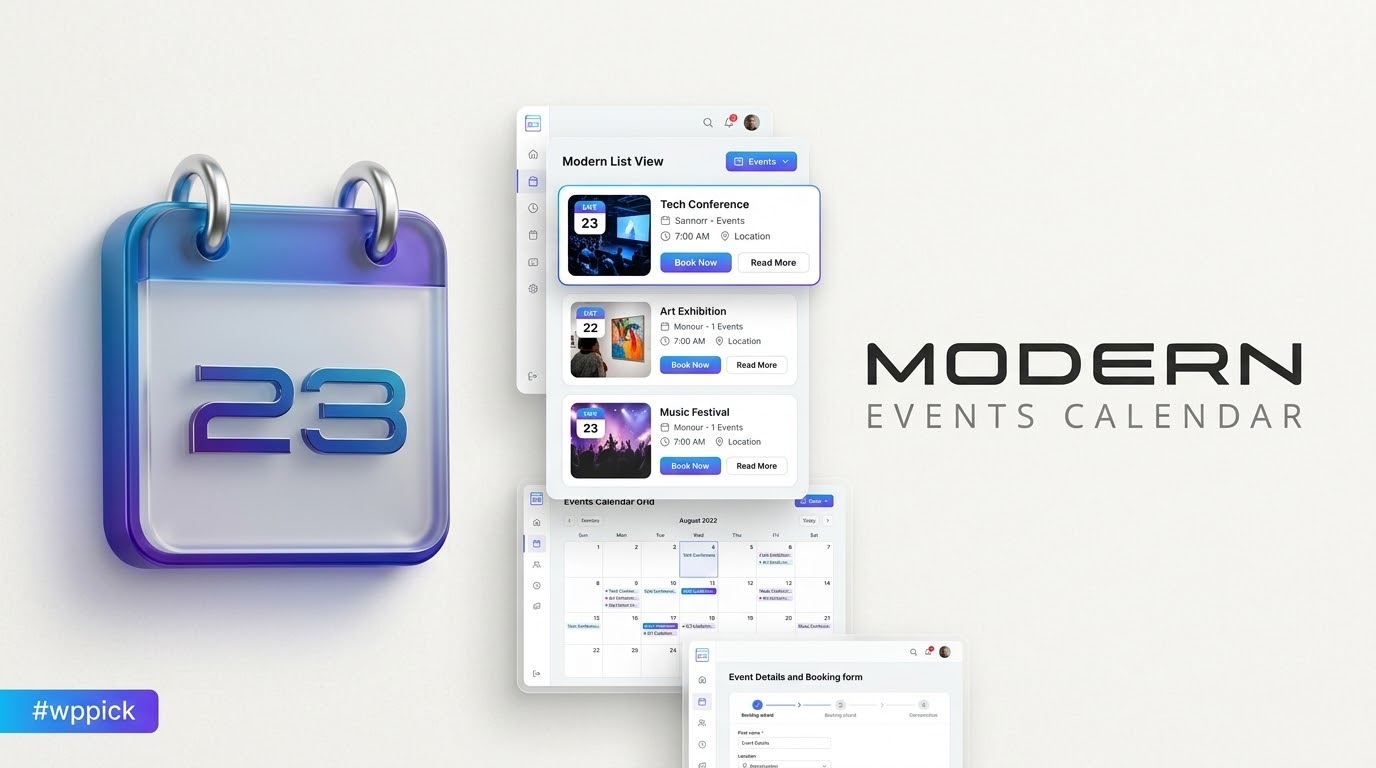
The plugin serves as a centralized hub for creating events, managing ticketing, and tracking attendee registrations directly inside the WordPress dashboard. Users can generate highly customizable calendars and display lists using over 50 distinct calendar views, including grid, masonry, list, map, and carousel layouts. Beyond simple display, it incorporates a fully operational booking infrastructure that allows site owners to sell tickets, set custom registration forms, process localized payments, and distribute automated confirmation emails with downloadable PDF invoices.
Who This Plugin Is For
This software is tailored for specific business models and website operators who need dependable scheduling workflows:
- Educational institutions and independent tutors conducting classes, workshops, or virtual webinars.
- Community centers, religious organizations, and non-profits managing local gatherings and recurring meetups.
- Entertainment venues, theaters, and festival organizers requiring robust ticketing limits and seat management.
- Corporate entities organizing internal training sessions, international conferences, or business roundtables.
- Digital agencies seeking an extensible, developer-friendly calendar solution for client sites.
Key System Capabilities
Modern Events Calendar Pro expands on basic calendar features with highly specialized components:
- Comprehensive Recurring System: Set up complex repeating rules based on daily, weekly, monthly, or customized interval factors.
- Extensive Display Layouts: Choose from diverse responsive skins that naturally adapt to desktop, tablet, and mobile dimensions.
- Advanced Booking Module: Implement custom fields, dynamic ticket pricing tiers, coupon codes, and maximum ticket limitations per checkout.
- Payment Gateways: Process transactions directly through built-in support for popular methods like Stripe Connect and PayPal.
- Frontend Event Submission: Allow trusted partners, community members, or public users to submit events through an engineered frontend form with strict moderation controls.
Practical WordPress Use Cases
In real-world deployment, the plugin adapts readily to various niche operations. For instance, a local fitness studio can utilize the system to list weekly yoga classes while blocking out specific capacities for drop-in attendees. A regional business summit can make use of the map integration module to showcase multiple event venues alongside speaker details and chronological timetables. Additionally, non-profit organizations leverage the frontend submission features to crowdsource charity drives, ensuring all data passes through administrative review before going live.
Setup and Compatibility Context
Modern Events Calendar Pro functions smoothly across standardized WordPress architectures. It integrates with popular page builders like Elementor, Divi, WPBakery, and the block editor via dedicated widgets and parameters. It supports multilingual configurations through WPML compatibility, making it accessible for international audiencies. For smooth operation, websites should run on PHP 7.4 or higher, with ample database optimization to handle extensive logs during peak registration periods.
Why Choose It on WPPick
Acquiring this event manager via WPPick grants webmasters clean, verified files free of malicious injection or unauthorized trackers. Users obtain a secure, installable version suitable for development, staging, or live optimization environments without restrictive licensing blocks. It allows you to build full-scale reservation systems and design immersive event calendars while keeping overhead low and maintaining total layout authority.</p
Latest Version Context
Detailed release notes are not available from the provided sources. Third-party repository logs confirm the arrival of version 7.34.2 around late June 2026, pointing to a cycle focused on underlying codebase maintenance and fine-tuning. Regular updates ensure the application remains aligned with evolving WordPress security criteria, database standards, and modern script handling.
Frequently Asked Questions
Can I limit the number of tickets available for an event?
Yes. The plugin allows clear capacity controls for every listing. Site administrators can establish a global attendance limit or define specific ticket quantities for individual tiers, preventing overbooking and displaying automated sold-out statuses when maximum capacity is met.
Does the plugin support physical and virtual event venues?
Yes. You can input physical geographic locations complete with interactive maps, or designate listings as virtual events. For digital gatherings, you can insert specific links to video streaming platforms, webinar rooms, or online communication channels inside the layout.
Is it possible to let external users submit events to the site?
Yes. The frontend event submission module enables external users or community organizers to fill out a structured form to list their items. Administrators can define whether these submissions require manual approval or publish automatically based on user roles.
Can I export attendee data for external check-in systems?
Yes. The backend interface includes built-in reporting options that let administrators view, filter, and export attendee lists. This data can be downloaded in structured formats like CSV to help organize physical check-in desks, name tags, or external marketing efforts.
How are booking notifications and receipts handled?
The system features an automated notification engine that triggers confirmation messages immediately upon successful registration. These transactional emails can be customized with dynamic placeholders and can include attached PDF invoices containing itemized details.
I. Download Limits & Account Benefits
- Free Downloads: Each email address receives 3 downloads per day for free products
- Upgrade Benefits: Purchase any paid product to increase your daily download limit by 3 for each paid product
- No Account Required: You can download immediately by receiving the download link via email
- Account Recommended: Create an account for easier access to your order history and direct update downloads
II. Understanding GPL vs Official Versions
Important: The products available on WPPick are GPL-licensed versions, which differ from official developer versions. Before purchasing, please read our comprehensive guide: Understanding GPL & Official Differences at WPPick
Key Points:
- GPL versions may not include premium support from original developers
- Updates may be delayed compared to official releases
- Some premium features might have limitations
- Always consider your specific needs and support requirements
III. Support & Assistance
We’re here to help through multiple channels:
- Email Support: Direct email assistance for all inquiries
- Live Chat: Real-time support during business hours
- Comprehensive Documentation: Detailed guides and tutorials
IV. Order Tracking
Access your complete purchase history and download links anytime: Order History
V. Account Access
New to WPPick? Login or Create Account to manage your downloads and orders efficiently.
VI. Refund Protection
We stand behind our products with a clear refund policy. Review our terms: Refund Policy
VII. Privacy & Security
Your data security is our priority. Learn how we protect your information: Privacy Policy
VII. Terms of Service
Understanding our service terms ensures a smooth experience: Terms of Use
Quick Tips for Best Experience
- Verify Compatibility: Check plugin/theme compatibility with your WordPress version
- Backup First: Always backup your site before installing new plugins or themes
- Test Environment: Consider testing on a staging site first
- Stay Updated: Regularly check for updates in your account dashboard
- Read Documentation: Review any included documentation for optimal setup
Need Help?
If you have questions about downloads, licensing, or need technical assistance, don’t hesitate to contact our support team. We’re committed to ensuring you have the best possible experience with WPPick products.
Ready to get started? Your download adventure begins with just one click!
- Fixed: An issue with HTML content in notification settings not being properly preserved.
- Fixed: A styling issue in the classic calendar view within booking calendar.
- Fixed: An issue in Novel style of the monthly view skin.
- Added: A new feature in shortcodes to display only events, only appointments, or both at the same time.
- Added: An interface to manage event colors.
- Added: More details to PayPal transactions.
- Added: An option to control visibility of ticket fields (minimum ticket, maximum ticket, stop selling) in Frontend Event Submission.
- Fixed: A date format issue in map module.
- Fixed: An issue in XML import of events.
- Fixed: A localization issue in General calendar.
- Fixed: An issue in bulk actions of MEC backend in large scale websites.
- Fixed: An issue in displaying true seats in exports.
- Fixed: Some PHP issues.
- Fixed: A date format issue in Masonry skin.
- Fixed: An issue in Stripe connect gateway.
- Fixed: An issue in displaying booking data in PDF invoices.
- Fixed: Some issues in invalid single event pages.
- Fixed: Centered the wizard popup on all screen sizes.
- Enhanced: MEC security by hardening some sections.
- Improved: The search module functionality.
- Enhanced: Accessibility of frontend calendars.
- Improved: MEC Restful API by adding new endpoints for category, label, speaker, tag, and sponsor management.
- Improved: Accessibility of social share module.
- Enhanced: The search functionality to include multiple day events in applicable months.
- Improved: WooCommerce integration.
- Improved: The ticket section UX in Frontend Event Submission with labels and tooltips.
- Improved: The Booking Express Calendar with a new design.
- Enhanced: MEC security by hardening some sections.
- Added: An option to import appointment services from Bookly and Amelia plugins.
- Added: An ability to display appointment time slots in shortcakes.
- Added: An option to change the notification send intervals per event.
- Enhanced: MEC Backend menus for better speed and resource usage.
- Enhanced: Some SQL queries.
- Fixed: Some issue in masonry skin.
- Fixed: Some issues in displaying Multiple Day Events.
- Fixed: An issue in date filter of search module when using some certain date formats.
- Fixed: Some issues in booking cancellation and attendee reports notifications.
- Fixed: Some issues in MEC user creation flow.
- Fixed: Some PHP notice and warning issues.
- Fixed: Invalid characters/whitespace
- An advanced feature to apply the search criteria to the browser URL.
- An option to disable default invoice attached to the booking notifications.
- The codes to be integrated with WordPress 6.9
- The default validation rules of name field in booking module.
- The event schema for having event time in addition to event date.
- Event/Appointment switcher style.
- Some issues in Stripe Connect gateway.
- An issue in displaying time of search bar.
- An issue in displaying ticket prices when the price label is not inserted.
- Some issues in iCal rrule generation for advanced events.
- Some minor issues.
- A new delivery method for new event notification.
- Active and expired filter for Frontend Event Submission.
- Custom regex for booking fields.
- Archive events method.
- "Export & Purge" feature for booking maintenance.
- An issue in displaying errors in booking module.
- A cart empty issue in MEC Cart system.
- Some issues in constant contact integration.
- Some issues in dropdown of search module.
- An issue regarding attachments and some notifications placeholders.
- An issue in view attendees link of admin calendar view.
- Hide ticketing labels when event is expired.
- Attachable invoice to the booking confirmation email.
- The sort ability to tickets, fees, ticket variations and FAQ.
- Event duration to the iCal feed.
- The shortcode builder by adding some select2 fields.
- The quantity display in Woo Cart.
- The MEC storage for WP options.
- The MEC single page for better caching and better load speed.
- Some PHP notices and warnings.
- An issue about loading non public events in iCal feed.
- An issue in JSON-LD Schema.
- An issue in the search bar.
- An issue in the get events API.
- An issue in multilingual MEC carts.
- An issue in displaying maximum buyable tickets in the booking module.
- Missing label for Search Input field causing accessibility warning.
- Some minor issues.