

Weddingsaas Membership Pro
/Year
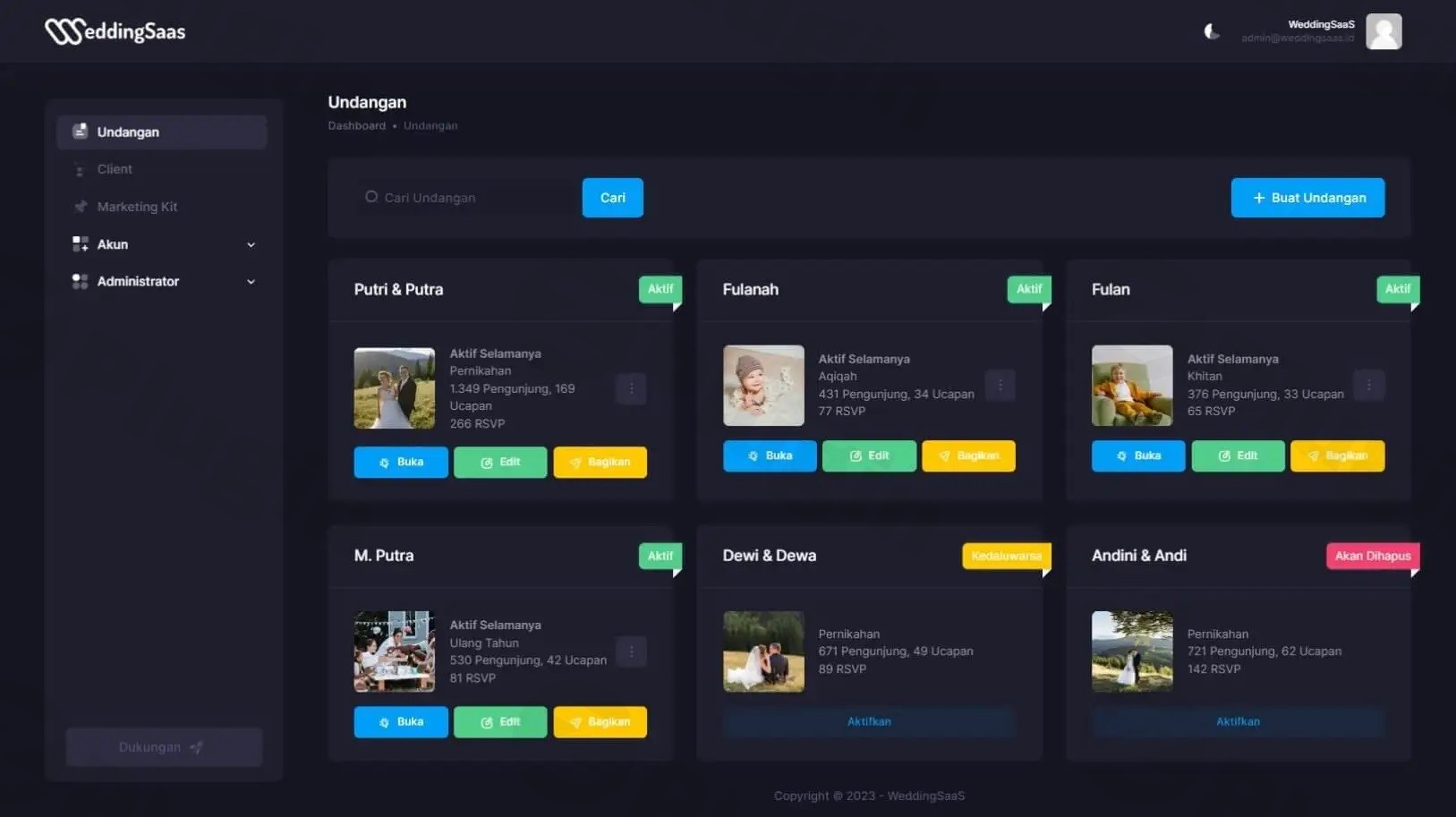
Running a successful wedding business requires more than just a portfolio; it requires a scalable way to manage clients, protect premium content, and automate recurring revenue. WeddingSaas Membership Pro is a specialized wedding membership plugin designed to help wedding professionals and vendors create and manage customizable membership systems directly within WordPress.
Whether you are looking to build a digital invitation membership platform or a comprehensive vendor directory, this plugin provides the technical framework to transition a traditional wedding service into a modern SaaS wedding business. By streamlining member management and payment processing, it allows business owners to focus on their clients rather than manual administrative tasks.
Key Features of WeddingSaas Membership Pro
The WeddingSaas Membership Pro plugin offers a robust suite of tools tailored specifically to the unique needs of the wedding industry. Here is a breakdown of the core benefits and features:
1. Flexible Membership Tiers
You can create multiple membership levels with distinct benefits. This is ideal for wedding vendor memberships, where you might offer a “Basic” tier for simple listings and a “Premium” tier for featured placement and advanced lead tracking.
2. Comprehensive Member & Content Management
- Member Tracking: Effortlessly track renewals, cancellations, and engagement metrics from a central dashboard.
- Content Restriction: Securely restrict access to specific pages, posts, or digital invitation templates based on the user’s subscription level.
- Post & User Expiration: Automatically manage the lifecycle of invitations or vendor posts based on the specific duration of the purchased plan.
3. Professional SaaS & Optimization Tools
This plugin is “SaaS Ready,” meaning it is built to handle the high-volume needs of a software-as-a-service model. To keep your site running fast, it includes built-in optimization tools:
- Revision Limits: Keeps your database lean.
- Auto-Removal: Automatically deletes draft posts and unlinked attachments to improve site performance.
4. Secure Payment Gateway Integration
To ensure a smooth checkout experience, WeddingSaas Membership Pro integrates seamlessly with industry leaders:
- Stripe
- PayPal
- Authorize.Net
WeddingSaas Membership Pro Setup Guide
Setting up your WordPress membership for wedding planners or vendors is straightforward. Follow these steps to get your membership site live:
- Installation: Download the plugin ZIP file. Log in to your WordPress dashboard, navigate to Plugins > Add New > Upload Plugin, and select the file.
- Activation: Once uploaded, click Activate. You will see a new “WeddingSaas” or “Membership Pro” menu item in your sidebar.
- Configure Payment Gateways: Go to the plugin settings and navigate to the “Payments” tab. Enter your API keys for Stripe or PayPal to begin accepting transactions.
- Create Membership Tiers: Under the “Memberships” section, define your tiers (e.g., Silver, Gold, Platinum). Set the pricing, duration, and access permissions for each.
- Customize Registration: Use the built-in form builder to create a personalized sign-up experience for your members, ensuring you collect the specific details needed for your wedding niche.
- Set Restriction Rules: Go to your pages or posts and use the WeddingSaas meta-box to define which membership tiers can view that specific content.
Practical Usage & Best Practices
To get the most ROI from WeddingSaas Membership Pro, consider these real-world workflows:
How to Create Membership Tiers for Wedding Vendors
The most successful vendor sites use a tiered approach. Use the plugin to offer a “Free” tier that includes a basic business name and phone number, a “Silver” tier for a full gallery and link to their website, and a “Gold” tier that grants them “Featured” status on your homepage and allows them to post unlimited “Special Offers” to engaged couples.
Building a Digital Invitation Membership
If you sell digital assets, use the plugin to create a subscription model. Instead of selling one-off templates, offer a monthly membership where users can access a library of invitations. Use the Post Expiration Management feature to ensure that once their wedding date passes or their subscription ends, their access is automatically adjusted.
Ideal For:
- Wedding Planners: Creating a private “Planning Portal” for clients with exclusive checklists and vendor discounts.
- Photography Studios: Managing client galleries with password-protected, tier-based access.
- Venue Owners: Offering a “Vendor Pro” area for preferred partners to manage their own listings.
FAQ & Troubleshooting
What features does WeddingSaas Membership Pro offer?
WeddingSaas Membership Pro provides multi-tier membership creation, content restriction, automated member management, SaaS-ready integrations, and performance optimization tools like auto-deleting draft posts. It also supports integrated reporting to track your business growth.
How to integrate WeddingSaas Membership Pro with PayPal?
To integrate PayPal, navigate to the plugin Settings > Payment Gateways. Select PayPal from the list, enter your PayPal Merchant ID or API credentials, and save the settings. Ensure you enable IPN (Instant Payment Notification) in your PayPal account to sync payment status with your WordPress site automatically.
Is the plugin mobile-responsive?
Yes. The plugin is designed with a responsive architecture, ensuring that registration forms, member dashboards, and restricted content pages display perfectly on desktops, tablets, and smartphones.
How do I manage post-expiration for digital invitations?
Inside the plugin settings, you can define “Expiration Rules” linked to specific membership products. When a user’s membership expires or a set timeframe (like the wedding date) is reached, the plugin will automatically change the status of their posts or invitations to “Expired” or “Draft.”
Final Verdict: Is It Worth It?
WeddingSaas Membership Pro is a powerful, niche-specific solution that outperforms generic membership plugins by focusing on the specific workflows of the wedding industry. It effectively solves the problem of manual member tracking and provides a professional, SaaS-like experience for both vendors and couples.
If you are looking for the best membership plugin for digital wedding invitations or want to scale a wedding directory, this plugin offers the specialized features (like post-expiration and site optimization) that generic alternatives lack. It is a solid investment for any professional looking to build a high-performance wedding business on WordPress.
I. Download Limits & Account Benefits
- Free Downloads: Each email address receives 3 downloads per day for free products
- Upgrade Benefits: Purchase any paid product to increase your daily download limit by 3 for each paid product
- No Account Required: You can download immediately by receiving the download link via email
- Account Recommended: Create an account for easier access to your order history and direct update downloads
II. Understanding GPL vs Official Versions
Important: The products available on WPPick are GPL-licensed versions, which differ from official developer versions. Before purchasing, please read our comprehensive guide: Understanding GPL & Official Differences at WPPick
Key Points:
- GPL versions may not include premium support from original developers
- Updates may be delayed compared to official releases
- Some premium features might have limitations
- Always consider your specific needs and support requirements
III. Support & Assistance
We’re here to help through multiple channels:
- Email Support: Direct email assistance for all inquiries
- Live Chat: Real-time support during business hours
- Comprehensive Documentation: Detailed guides and tutorials
IV. Order Tracking
Access your complete purchase history and download links anytime: Order History
V. Account Access
New to WPPick? Login or Create Account to manage your downloads and orders efficiently.
VI. Refund Protection
We stand behind our products with a clear refund policy. Review our terms: Refund Policy
VII. Privacy & Security
Your data security is our priority. Learn how we protect your information: Privacy Policy
VII. Terms of Service
Understanding our service terms ensures a smooth experience: Terms of Use
Quick Tips for Best Experience
- Verify Compatibility: Check plugin/theme compatibility with your WordPress version
- Backup First: Always backup your site before installing new plugins or themes
- Test Environment: Consider testing on a staging site first
- Stay Updated: Regularly check for updates in your account dashboard
- Read Documentation: Review any included documentation for optimal setup
Need Help?
If you have questions about downloads, licensing, or need technical assistance, don’t hesitate to contact our support team. We’re committed to ensuring you have the best possible experience with WPPick products.
Ready to get started? Your download adventure begins with just one click!
- Update callback date format.
- Improve session.
- Fix url preview catalog.
- Fix keyboard after submit.
- Fix & teks pengantar.
- Update migrasi database ke v2
- Update catalog widget: multiple preview & checkout.
- Update exclude .mp4 & url from auto bold & italic dynamic tag.
- Update shortcode [payment-methods] for admin notification.
- Update site title share page reseller.
- Fix wdk rsvp count.