

Weepie Cookie Allow – Complete Gdpr Cookie Consent Solution For WordPress
/Year
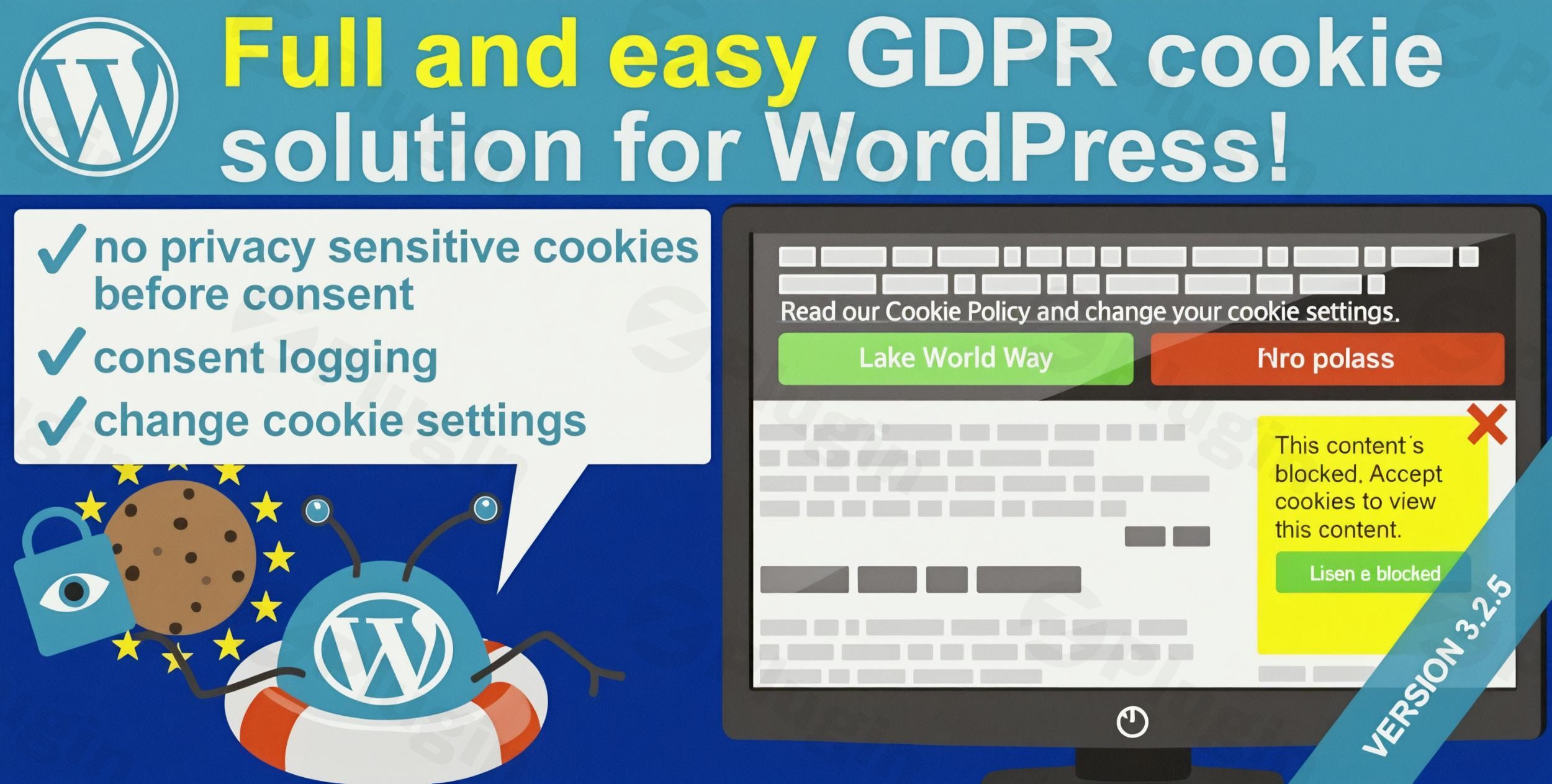
Navigating the complex landscape of global data privacy regulations can be a daunting task for any WordPress website owner. The WeePie Cookie Allow plugin emerges as a comprehensive and flexible WordPress GDPR cookie consent plugin, designed to simplify compliance with critical regulations like GDPR, CCPA, AVG, and specific national cookie laws across the UK, Italy, Netherlands, and Germany. This robust solution ensures your website not only meets legal requirements but also fosters trust with your visitors by giving them control over their data.WeePie Cookie Allow tackles the core problem of pre-consent cookie placement by automatically blocking privacy-sensitive and third-party cookies before a user gives their explicit consent. This proactive approach is essential for true GDPR compliance in WordPress and helps avoid potential legal pitfalls, making it an indispensable tool for anyone operating a website that serves European or Californian audiences.
Key Features for Complete WordPress Cookie Management
WeePie Cookie Allow provides a powerful suite of features that go beyond basic cookie banners, offering granular control and robust compliance mechanisms.
Multi-Regulatory Compliance for Global Reach
The plugin is engineered to meet the stringent demands of various international privacy laws. This includes the EU General Data Protection Regulation (GDPR), the California Consumer Privacy Act (CCPA), and the Dutch Algemene Verordening Gegevensbescherming (AVG), alongside specific mandates for cookie laws in the UK, Italy, and Germany. This broad coverage means you can manage consent effectively for a diverse, international audience.
Automatic Cookie Blocking Before Consent
A standout feature is the plugin’s ability to function as an automatic cookie blocker WordPress solution. It intelligently identifies and blocks privacy-sensitive and third-party cookies (e.g., from Google Analytics, Google Tag Manager, Facebook Pixel, YouTube, Vimeo, Hotjar, Disqus, and social media embeds) before a visitor grants consent. This ensures your site is legally compliant from the very first page view, making it a leading WordPress plugin to block third-party cookies before consent.
Customizable Cookie Notice
Tailor your cookie consent notice to perfectly match your brand’s aesthetics and user experience. WeePie Cookie Allow allows you to choose between a flexible cookie bar or a more prominent box layout. You have full control over styling, messaging, and the option to include reconsideration icons, enabling a seamless integration with your website’s design.
Detailed Consent Management & User Control
Empower your visitors with explicit choices. The plugin supports “Accept” and “Decline” buttons, or you can configure implied consent via scrolling. Users can easily adjust their preferences at any time through a dedicated icon or link. For advanced control, it allows for WordPress cookie categories, letting users select which specific types of cookies (e.g., necessary, analytics, marketing) they wish to accept or reject.
Comprehensive Consent Logging
To aid in compliance auditing, WeePie Cookie Allow maintains a detailed log of visitor consent choices. This “weepie cookie allow consent logging feature” provides an invaluable record, demonstrating your commitment to data privacy and offering tangible proof of consent should it ever be required.
Geo-Targeting for EU-Specific Consent
Optimize your compliance efforts with geo-targeting cookie consent. This feature allows you to display the cookie consent notice only to visitors originating from the EU, effectively disabling it for non-EU traffic. This intelligent approach helps streamline the user experience and ensures compliance efforts are focused where they’re legally required.
CCPA-Specific Features for Californian Audiences
For websites serving Californian residents, the plugin offers dedicated CCPA features. This includes a “Notice at Collection” bar/box and the crucial ability to add a link to a “Do Not Sell My Personal Information (DNSMPI)” page. It also facilitates an opt-out mechanism for the placement of third-party cookies, essential for CCPA Cookie Consent WordPress compliance.
Multi-Language Support & WPML Compatibility
Reach a global audience with support for multiple languages. The plugin is compatible with WPML, allowing you to easily translate all cookie consent texts and provide an inclusive experience for visitors worldwide.
Google Consent Mode v2 Compatibility
For sites leveraging Google’s advertising and analytics services, WeePie Cookie Allow offers compatibility with Google Consent Mode v2. This integration ensures that your Google Tag Manager (GTM) dataLayer is updated with visitors’ consent choices, allowing Google services to adjust their behavior dynamically based on user preferences.
Export/Import Settings for Efficiency
Streamline your workflow across multiple websites. The plugin allows you to export all your meticulously configured settings to a .txt file, which can then be easily imported onto other WordPress installations, ensuring consistent compliance configurations.
Installation & Setup: How to Add GDPR Cookie Consent to Your WordPress Website
Installing and setting up WeePie Cookie Allow is a straightforward process, even for those without deep technical knowledge. Here’s a step-by-step guide:
- Purchase and Download: Obtain the WeePie Cookie Allow plugin from a trusted provider like ZeroPlugin.com, ensuring you get a genuine GPL-licensed copy. You’ll receive a
.zipfile. - Upload the Plugin:
- Log in to your WordPress admin dashboard.
- Navigate to Plugins > Add New.
- Click on the “Upload Plugin” button at the top of the page.
- Click “Choose File”, select the
weepie-cookie-allow.zipfile you downloaded, and then click “Install Now”.
- Activate the Plugin: Once installed, WordPress will prompt you to activate the plugin. Click “Activate Plugin”.
- Configure Initial Settings: After activation, you’ll typically find a new menu item in your WordPress dashboard, often under “Settings” or its own dedicated menu (e.g., “WeePie Cookie Allow”).
- General Settings: Start by defining your basic compliance needs. Select the regulations you need to comply with (GDPR, CCPA, etc.).
- Cookie Bar/Box: Customize the appearance, text, and positioning of your cookie notice. Decide on a bar or box, colors, fonts, and the specific message displayed to users.
- Cookie Categories: Set up different categories for cookies (e.g., “Necessary,” “Analytics,” “Marketing”) and provide clear descriptions for each. This is crucial for granular consent.
- Automatic Blocking: Verify that automatic blocking for common third-party services (Google Analytics, YouTube, etc.) is enabled. You may need to manually add custom scripts if they are not automatically detected.
- Cookie Policy Page: Link to your detailed cookie policy page. If you don’t have one, create a new page in WordPress outlining your cookie usage.
- Consent Logging: Ensure this feature is active to record user consent.
- Geo-Targeting: If applicable, enable geo-targeting to show the consent notice only to EU visitors.
- CCPA Options: If targeting Californian users, configure the “Notice at Collection” bar/box and link to your “Do Not Sell My Personal Information” page.
- Test Your Configuration: After saving your settings, visit your website in an incognito or private browsing window to see how the cookie consent notice appears. Verify that cookies are blocked before consent and that user choices are correctly registered.This comprehensive setup ensures you effectively add GDPR cookie consent to your WordPress website with WeePie Cookie Allow.
Practical Usage & Best Practices for Cookie Compliance
WeePie Cookie Allow is ideal for a variety of WordPress users, offering a robust solution for ensuring legal compliance and building user trust.
1. E-commerce Stores Targeting EU/California Customers
If you run an online shop on WordPress with WooCommerce and serve customers in the European Union or California, WeePie Cookie Allow is an essential tool. It ensures that tracking cookies from analytics, advertising platforms (like Facebook Pixel), and third-party payment gateways are only loaded after explicit customer consent. This prevents non-compliance fines and fosters a trustworthy shopping environment, which is crucial for conversion rates. Implement geo-targeting to tailor consent notices specifically for these regions, streamlining the experience for other visitors.
2. Content Creators and Bloggers with International Audiences
Bloggers and content creators often use various embedded content (YouTube videos, social media feeds) and analytics tools (Google Analytics). For those with a global readership, especially from the EU, GDPR compliance WordPress becomes vital. WeePie Cookie Allow automatically blocks these privacy-sensitive elements until consent is given. Using the multi-language support ensures your consent notice is understandable to all visitors, enhancing user experience and legal adherence.
3. Web Agencies Managing Client Sites
For agencies, consistency and efficiency are key. The export/import settings feature of WeePie Cookie Allow is a game-changer. You can configure a standard compliant cookie setup once and then easily deploy it across multiple client websites, saving significant time and ensuring uniform compliance standards. This makes it an excellent choice for a “best way to” manage cookie consent across a portfolio of WordPress sites.
4. Websites Using Google Analytics & Google Tag Manager
Many websites rely heavily on Google’s analytics and marketing tools. With the increasing importance of Google Consent Mode v2, integrating a compatible WordPress GDPR plugin like WeePie Cookie Allow is paramount. This ensures that your website accurately relays consent signals to Google services, allowing for better data privacy practices while still gathering essential insights (albeit in a privacy-preserving manner). Configure the plugin to categorize your analytics cookies, giving users clear control.
FAQ & Troubleshooting
Here are answers to common questions about WeePie Cookie Allow, designed to provide clear, actionable information.
Q: Is WeePie Cookie Allow GDPR compliant?
A: Yes, WeePie Cookie Allow is specifically designed to ensure comprehensive GDPR compliance for WordPress websites. It includes essential features like automatic cookie blocking before consent, detailed consent logging, customizable consent notices, and support for granular cookie categories, all crucial elements for adhering to GDPR requirements.
Q: How do I configure WeePie Cookie Allow for CCPA?
A: To configure WeePie Cookie Allow for CCPA, navigate to the plugin’s settings in your WordPress dashboard. Look for options related to CCPA, where you can enable the “Notice at Collection” bar/box and provide a link to your “Do Not Sell My Personal Information (DNSMPI)” page. The plugin also facilitates an opt-out mechanism for third-party cookie placement, which is vital for CCPA adherence.
Q: Does WeePie Cookie Allow support Google Consent Mode v2?
A: Yes, WeePie Cookie Allow is compatible with Google Consent Mode v2. This means it can integrate with your Google Tag Manager (GTM) setup to update the dataLayer with visitors’ consent choices, allowing Google services (like Analytics and Ads) to adjust their behavior based on user consent in a privacy-preserving manner.
Q: How can I handle multi-language cookie consent with WeePie Cookie Allow?
A: WeePie Cookie Allow supports multiple languages and is compatible with the WPML plugin. You can translate all the cookie consent texts (e.g., banner messages, button labels, cookie category descriptions) through the plugin’s settings, often in conjunction with WPML’s string translation features, to provide a localized experience for your international audience.
Q: What types of cookies does WeePie Cookie Allow block automatically?
A: WeePie Cookie Allow automatically blocks a wide range of privacy-sensitive and third-party cookies before user consent. This includes cookies from popular services such as Google Analytics, Google Tag Manager, Facebook Pixel, YouTube, Vimeo, Hotjar, Disqus, Instagram, LinkedIn, Twitter, Spotify, Matomo (Piwik), and Pinterest embeds. You can also configure it to block other custom scripts as needed.
Conclusion
The WeePie Cookie Allow plugin stands out as an indispensable WordPress GDPR cookie consent plugin for any website operating in today’s privacy-conscious digital landscape. By offering robust features like automatic pre-consent blocking, multi-regulatory compliance (GDPR, CCPA, AVG), geo-targeting, and Google Consent Mode v2 compatibility, it empowers site owners to achieve and maintain legal compliance with confidence.Whether you’re an e-commerce store, a content creator, or an agency, WeePie Cookie Allow provides the flexibility, control, and peace of mind needed to manage cookie consent effectively. It simplifies a complex legal challenge into a manageable workflow, allowing you to focus on your core business while building a foundation of trust with your website visitors. Investing in WeePie Cookie Allow means investing in your website’s legal security and user reputation.
I. Download Limits & Account Benefits
- Free Downloads: Each email address receives 3 downloads per day for free products
- Upgrade Benefits: Purchase any paid product to increase your daily download limit by 3 for each paid product
- No Account Required: You can download immediately by receiving the download link via email
- Account Recommended: Create an account for easier access to your order history and direct update downloads
II. Understanding GPL vs Official Versions
Important: The products available on WPPick are GPL-licensed versions, which differ from official developer versions. Before purchasing, please read our comprehensive guide: Understanding GPL & Official Differences at WPPick
Key Points:
- GPL versions may not include premium support from original developers
- Updates may be delayed compared to official releases
- Some premium features might have limitations
- Always consider your specific needs and support requirements
III. Support & Assistance
We’re here to help through multiple channels:
- Email Support: Direct email assistance for all inquiries
- Live Chat: Real-time support during business hours
- Comprehensive Documentation: Detailed guides and tutorials
IV. Order Tracking
Access your complete purchase history and download links anytime: Order History
V. Account Access
New to WPPick? Login or Create Account to manage your downloads and orders efficiently.
VI. Refund Protection
We stand behind our products with a clear refund policy. Review our terms: Refund Policy
VII. Privacy & Security
Your data security is our priority. Learn how we protect your information: Privacy Policy
VII. Terms of Service
Understanding our service terms ensures a smooth experience: Terms of Use
Quick Tips for Best Experience
- Verify Compatibility: Check plugin/theme compatibility with your WordPress version
- Backup First: Always backup your site before installing new plugins or themes
- Test Environment: Consider testing on a staging site first
- Stay Updated: Regularly check for updates in your account dashboard
- Read Documentation: Review any included documentation for optimal setup
Need Help?
If you have questions about downloads, licensing, or need technical assistance, don’t hesitate to contact our support team. We’re committed to ensuring you have the best possible experience with WPPick products.
Ready to get started? Your download adventure begins with just one click!
- 3rd party: TikTok
- 3rd party: TikTok pixel
- Incorrect spelling for PixelYourSite in the 3rd party list
- Users getting a GEO DB error while having the zip file extracted
- The settings export does not contain cookie category (label and description) data
- The WP Google Maps plugin is now "WP Go Maps"
- Compatibility with the WP Go Maps plugin
- The "Close X color" settings is now visible while "Show a close (X)" is disabled
- jqmigrate warning regarding `jQuery.isArray` is deprecated
- (WeePie Framework) WPML helper class contained an unused method
- (WeePie Framework) the `WpieMultilangHelper::loadPluginTextDomain()` method was implemented wrong
- (WeePie Framework) added compatibility for the `wp_unique_id_from_values()` WordPress function
- (WeePie Framework) export settings file names having `wpca` namespace hardcoded
- (WeePie Framework) jqmigrate warning regarding `jQuery.isArray` is deprecated
- Accessibility by adding `
- Added "X" to the Twitter 3rd party
- Added "X" to the Twitter 3rd party
- Local request logic
- (WeePie Framework) PHP warning function _load_textdomain_just_in_time was called incorrectly
- (WeePie Framework) GTM message doesn’t dissapear
- wpca_fix_src_ampersand hook throws PHP warning