

Whatsapp Chat Support Pro WordPress Plugin
/Year
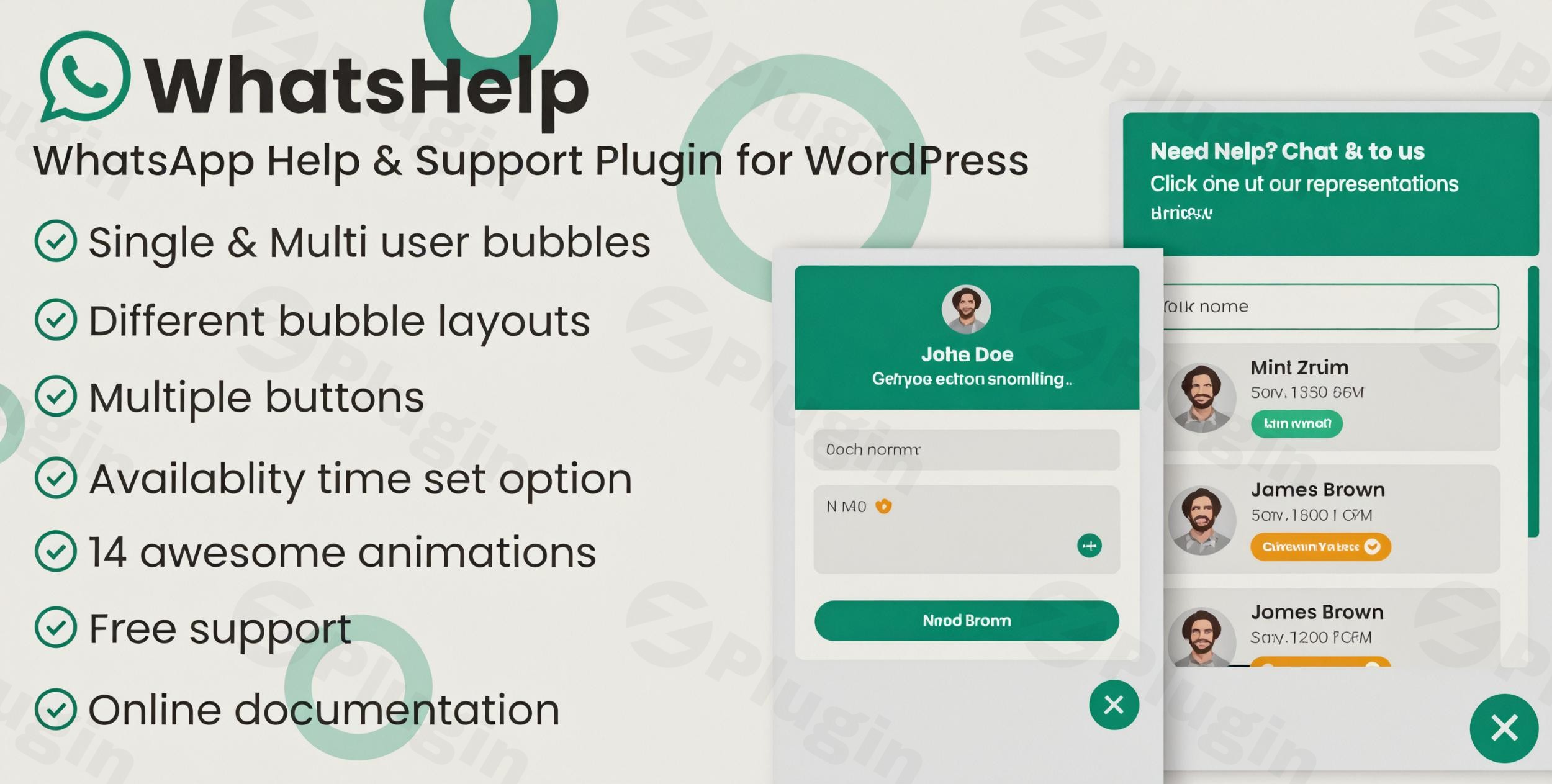
In today’s fast-paced digital landscape, speed of communication is the key to conversion. If a visitor has to wait 24 hours for an email reply, they’ve already moved on to your competitor. This is where a WordPress WhatsApp chat plugin becomes essential. By integrating a familiar, real-time messaging tool directly into your site, you remove friction from the buying process.
WhatsApp Chat Support Pro is a premium solution designed to bridge the gap between businesses and customers. Whether you are a solo blogger or a large e-commerce store, this plugin allows you to provide instant support, build trust, and ultimately boost your sales by meeting customers where they already spend their time: on WhatsApp.
Key Features of WhatsApp Chat Support Pro
Choosing the right WhatsApp support plugin means looking for flexibility and professional aesthetics. Here is why this plugin stands out as a top-tier WhatsApp business plugin for WordPress users:
1. Unlimited Multi-Agent Support
Unlike basic versions that limit you to one contact, the Pro version allows you to add unlimited agents. You can categorize agents by department (e.g., Sales, Technical Support, Billing), allowing visitors to choose exactly who they need to talk to.
2. Intelligent Availability & Timezone Settings
One of the biggest “gotchas” in customer service is appearing online when you are actually asleep. This plugin allows you to set specific availability times for each agent based on their local timezone. If an agent is off-clock, the plugin can automatically hide the button or display an “offline” message.
3. Fully Customizable Buttons & Animations
To ensure the WordPress chat widget matches your branding, you can customize:
- Button Designs: Choose from various professional layouts.
- Floating Bubble Animations: Grab attention with subtle entry animations.
- Placement: Position the widget anywhere on the screen (bottom-right, bottom-left, etc.).
4. Privacy & GDPR Compliance
Data privacy is non-negotiable. WhatsApp Chat Support Pro includes a built-in GDPR compliance checkbox. This requires users to agree to your privacy terms before the chat is initiated, keeping your site compliant with international regulations.
5. Device-Specific Visibility
You have total control over where the chat button appears. You can choose to show it only on mobile devices (where WhatsApp is most native), only on desktops, or across all platforms.
How to Set Up WhatsApp Chat Support Pro on WordPress
If you’re wondering how to add WhatsApp chat to WordPress, the process is straightforward and requires zero coding knowledge. Follow these steps:
- Installation: Purchase the plugin and download the ZIP file. In your WordPress dashboard, go to Plugins > Add New > Upload Plugin and select the file. Click Install and then Activate.
- Add Your First Agent: Navigate to the plugin settings and click on “Add New Agent.” Enter the agent’s name, their WhatsApp phone number (including country code), and a custom greeting message.
- Configure Availability: Within the agent settings, toggle the “Work Hours” feature. Set the start and end times and select the correct timezone to ensure the button only appears when the agent is ready to respond.
- Design the Widget: Go to the “Style” or “Settings” tab to choose your button colors, bubble animations, and positioning.
- Enable GDPR (Optional but Recommended): Turn on the GDPR notice feature and enter the text you want users to see before they click the “Start Chat” button.
Practical Usage & Best Practices
To get the most out of WhatsApp Chat Support Pro, consider these real-world workflows:
- For E-commerce (WooCommerce): Use the plugin to answer product-specific questions. Position the chat button clearly on product pages to reduce cart abandonment. This is often the best way to use WhatsApp for small business growth.
- For Service-Based Agencies: Use the multi-agent feature to route “New Lead” inquiries to a sales rep and “Support” inquiries to a technical agent.
- For Global Businesses: Take full advantage of the timezone settings. If you have a support rep in London and another in New York, the plugin will seamlessly switch between them as their respective workdays begin and end.
- Best Practice: Always use a professional profile picture for your agents. Seeing a real human face significantly increases the likelihood of a user clicking the chat button.
FAQ & Troubleshooting
Can I add WhatsApp chat to my WordPress site for multiple departments?
Yes. WhatsApp Chat Support Pro allows for Multiple Agents Support. You can create separate profiles for Sales, Support, and General Inquiries, and visitors can select the appropriate person from a menu.
Is the plugin GDPR compliant?
Yes. The plugin includes a dedicated GDPR compliance checkbox option. When enabled, users must check a box to give consent before the plugin redirects them to the WhatsApp application.
Will this plugin slow down my website?
No. The plugin is built using lightweight JavaScript, CSS, and HTML. It is designed to load efficiently without bloating your site’s code, ensuring your performance scores remain high.
Does it work on both mobile and desktop?
Absolutely. You can configure the plugin to show on all devices, or use the Device-Specific Views feature to toggle visibility on or off for mobile, tablet, or desktop users specifically.
What should I do if the chat button doesn’t appear?
First, check your Availability Settings. If you have set specific work hours and you are checking the site outside of those hours, the button will be hidden. Also, ensure your WhatsApp number is entered with the correct international country code without the “+” sign or spaces.
Final Verdict
WhatsApp Chat Support Pro is a powerful, user-friendly tool for anyone looking to modernize their customer service. By providing a direct, instant line of communication, it removes the barriers that often prevent sales. With its one-time purchase model and lifetime updates, it offers an excellent ROI for businesses that prioritize customer engagement.
If you are looking for a reliable WordPress WhatsApp chat plugin that balances deep customization with ease of use, this is a top-tier choice for your wppick.com powered website.
I. Download Limits & Account Benefits
- Free Downloads: Each email address receives 3 downloads per day for free products
- Upgrade Benefits: Purchase any paid product to increase your daily download limit by 3 for each paid product
- No Account Required: You can download immediately by receiving the download link via email
- Account Recommended: Create an account for easier access to your order history and direct update downloads
II. Understanding GPL vs Official Versions
Important: The products available on WPPick are GPL-licensed versions, which differ from official developer versions. Before purchasing, please read our comprehensive guide: Understanding GPL & Official Differences at WPPick
Key Points:
- GPL versions may not include premium support from original developers
- Updates may be delayed compared to official releases
- Some premium features might have limitations
- Always consider your specific needs and support requirements
III. Support & Assistance
We’re here to help through multiple channels:
- Email Support: Direct email assistance for all inquiries
- Live Chat: Real-time support during business hours
- Comprehensive Documentation: Detailed guides and tutorials
IV. Order Tracking
Access your complete purchase history and download links anytime: Order History
V. Account Access
New to WPPick? Login or Create Account to manage your downloads and orders efficiently.
VI. Refund Protection
We stand behind our products with a clear refund policy. Review our terms: Refund Policy
VII. Privacy & Security
Your data security is our priority. Learn how we protect your information: Privacy Policy
VII. Terms of Service
Understanding our service terms ensures a smooth experience: Terms of Use
Quick Tips for Best Experience
- Verify Compatibility: Check plugin/theme compatibility with your WordPress version
- Backup First: Always backup your site before installing new plugins or themes
- Test Environment: Consider testing on a staging site first
- Stay Updated: Regularly check for updates in your account dashboard
- Read Documentation: Review any included documentation for optimal setup
Need Help?
If you have questions about downloads, licensing, or need technical assistance, don’t hesitate to contact our support team. We’re committed to ensuring you have the best possible experience with WPPick products.
Ready to get started? Your download adventure begins with just one click!
- General codebase improvements