

White Label Pro
/Year
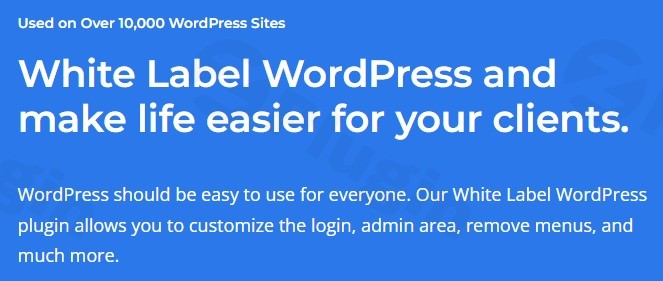
WordPress, at its core, is a powerful and versatile content management system. However, for agencies, developers, and freelancers managing multiple client sites, the default WordPress branding can often detract from a professional, custom-tailored experience. This is where White Label Pro steps in – a premium WordPress plugin meticulously designed to transform the standard WordPress backend into a seamless, custom-branded environment that reflects your agency’s identity.White Label Pro is more than just a cosmetic change; it’s a strategic tool that empowers you to deliver an intuitive, simplified, and professionally branded experience to your clients. By allowing extensive customization of the WordPress admin area, login pages, and even popular third-party plugins, White Label Pro ensures that your clients interact with an interface that feels truly bespoke, enhancing their satisfaction and reinforcing your brand authority.
The Value Proposition: Why White Label Pro is Indispensable
In a competitive digital landscape, delivering a consistent brand experience is paramount. White Label Pro provides significant advantages for both technical and non-technical users:
- For Agencies & Developers: Streamline client onboarding, reduce support requests by simplifying the interface, and strengthen client relationships by providing a truly custom solution. It’s a powerful asset for maintaining brand consistency across all your projects.
- For Clients: Experience a cleaner, less cluttered WordPress dashboard tailored to their specific needs. By removing extraneous menus and branding, clients can focus on content creation and site management without unnecessary distractions, boosting their confidence and efficiency.
- Enhanced Security: The ability to hide specific plugins and themes prevents clients from accidentally deleting or updating critical components, safeguarding your work and the site’s integrity.While a basic free version of White Label exists, White Label Pro is a premium solution offering a significantly expanded feature set and dedicated support, ensuring reliability and access to advanced functionalities critical for professional use. Be cautious of unofficial “free” or “nulled” versions, as these often compromise security, lack updates, and provide no support, posing significant risks to your website.
Key Features & Capabilities of White Label Pro
White Label Pro offers a comprehensive suite of features designed to provide unparalleled control over the WordPress admin experience:
Custom Login Page
Tailor the WordPress login page to match your brand perfectly. Customize logos, colors, background images, and overall layouts. You can also remove distracting elements like the “Remember Me” checkbox, language switcher, and various links, and inject custom CSS for complete design flexibility.
Custom Dashboard
Craft a personalized dashboard experience for your clients. Remove default WordPress widgets that may be irrelevant and replace the standard welcome panel with a custom one, providing tailored information or quick links.
Admin Menu Customization
Take precise control over the WordPress admin menu. Rename, reorder, and completely hide menu items based on specific user roles. This allows you to simplify the interface, removing unnecessary options for clients and preventing potential confusion.
White Label Branding
Replace all instances of WordPress logos, icons, and footer text with your own agency’s branding. Customize the admin color schemes to align with your brand guidelines, ensuring a consistent and professional look throughout the backend.
Plugin and Theme Management
Maintain a secure and organized environment by hiding specific plugins and themes from client view. This crucial feature prevents accidental deletions or updates that could disrupt site functionality. You can also modify plugin and theme details, such as names, descriptions, and links, to further brand these elements.
White Label Integration with Popular Plugins
White Label Pro extends its branding capabilities to widely used plugins, offering a truly integrated experience:
- Elementor: Modify the Elementor page builder experience by hiding its logo, changing the editor’s color scheme, and removing “Pro upgrade” notifications.
- Yoast SEO: White Label Yoast SEO by customizing its branding and hiding various notifications, ensuring a clean and consistent appearance.
- Gravity Forms: Hide panels and links from the main settings screen within Gravity Forms, streamlining its interface for clients.
Admin Bar Customization
Customize the admin bar that appears at the top of the WordPress interface. Hide or rename admin bar items and even remove the front-end admin bar entirely for a cleaner user experience.
Multisite Support
For those managing a network of sites, White Label Pro offers Multisite support, allowing you to apply consistent White Label settings from your main site across every site on your WordPress Multisite network.
Other Customizations
Further enhance the admin area with additional functionalities:
- Add custom JavaScript to inject dynamic behaviors.
- Change the default WordPress login URL for added security.
- Customize the admin footer text.
- Import and export your White Label settings, making it easy to replicate configurations across multiple client sites.
Technical Specifications & Compatibility
White Label Pro is built to be robust and compatible with modern WordPress environments:
- WordPress Compatibility: Fully compatible with WordPress version 3.3 or higher and rigorously tested up to version 6.8.2.
- PHP Compatibility: Requires PHP version 5.4 or higher, ensuring broad server compatibility.While specific server requirements are minimal, it’s always a best practice to test any new plugin, especially a premium one like White Label Pro, in a staging environment before deploying it to a live production site to ensure optimal performance and compatibility with your existing setup.
Setup and Installation: Getting Started with White Label Pro
Installing White Label Pro follows the standard WordPress plugin installation process, ensuring a smooth setup:
- Purchase & Download: Obtain the White Label Pro plugin package from the official developer’s website. You will receive a
.zipfile. - Upload to WordPress: Log in to your WordPress dashboard. Navigate to Plugins > Add New > Upload Plugin. Choose the
.zipfile you downloaded and click “Install Now.” - Activate Plugin: Once installed, click “Activate Plugin.”
- Configure Settings: After activation, a new menu item, typically labeled “White Label Pro” or similar, will appear in your WordPress admin menu. Click on this to access the plugin’s settings panel, where you can begin customizing all the features outlined above.
- Test & Refine: Start with core branding elements like the login page and admin logo. Gradually work through other settings, testing changes in a private browser window or incognito mode to see the experience your clients will have.
Conclusion
White Label Pro is an essential premium plugin for any web professional aiming to deliver a polished, consistent, and user-friendly WordPress experience to their clients. Its comprehensive features, from extensive branding options to deep integration with popular plugins, position it as a leading solution in its category. By simplifying the backend, reinforcing your brand, and offering robust control over the client’s interface, White Label Pro not only elevates your professionalism but also significantly enhances client satisfaction. Invest in White Label Pro to streamline your workflow and solidify your agency’s reputation as a provider of top-tier, custom WordPress solutions.
I. Download Limits & Account Benefits
- Free Downloads: Each email address receives 3 downloads per day for free products
- Upgrade Benefits: Purchase any paid product to increase your daily download limit by 3 for each paid product
- No Account Required: You can download immediately by receiving the download link via email
- Account Recommended: Create an account for easier access to your order history and direct update downloads
II. Understanding GPL vs Official Versions
Important: The products available on WPPick are GPL-licensed versions, which differ from official developer versions. Before purchasing, please read our comprehensive guide: Understanding GPL & Official Differences at WPPick
Key Points:
- GPL versions may not include premium support from original developers
- Updates may be delayed compared to official releases
- Some premium features might have limitations
- Always consider your specific needs and support requirements
III. Support & Assistance
We’re here to help through multiple channels:
- Email Support: Direct email assistance for all inquiries
- Live Chat: Real-time support during business hours
- Comprehensive Documentation: Detailed guides and tutorials
IV. Order Tracking
Access your complete purchase history and download links anytime: Order History
V. Account Access
New to WPPick? Login or Create Account to manage your downloads and orders efficiently.
VI. Refund Protection
We stand behind our products with a clear refund policy. Review our terms: Refund Policy
VII. Privacy & Security
Your data security is our priority. Learn how we protect your information: Privacy Policy
VII. Terms of Service
Understanding our service terms ensures a smooth experience: Terms of Use
Quick Tips for Best Experience
- Verify Compatibility: Check plugin/theme compatibility with your WordPress version
- Backup First: Always backup your site before installing new plugins or themes
- Test Environment: Consider testing on a staging site first
- Stay Updated: Regularly check for updates in your account dashboard
- Read Documentation: Review any included documentation for optimal setup
Need Help?
If you have questions about downloads, licensing, or need technical assistance, don’t hesitate to contact our support team. We’re committed to ensuring you have the best possible experience with WPPick products.
Ready to get started? Your download adventure begins with just one click!
- Elementor settings
- Yoast SEO settings
- New "Recently Edited" feature under "Elementor Editor Navigation" settings.
- Settings for Elementor "Colors" now apply to the "Publish" and "Save Options" buttons in the editor.
- Bug fixes for Yoast SEO settings.
- Bug fixes and improvements for the Login URL feature.