

Wicked Folders Pro
/Year
Streamline Your Content Administration Framework
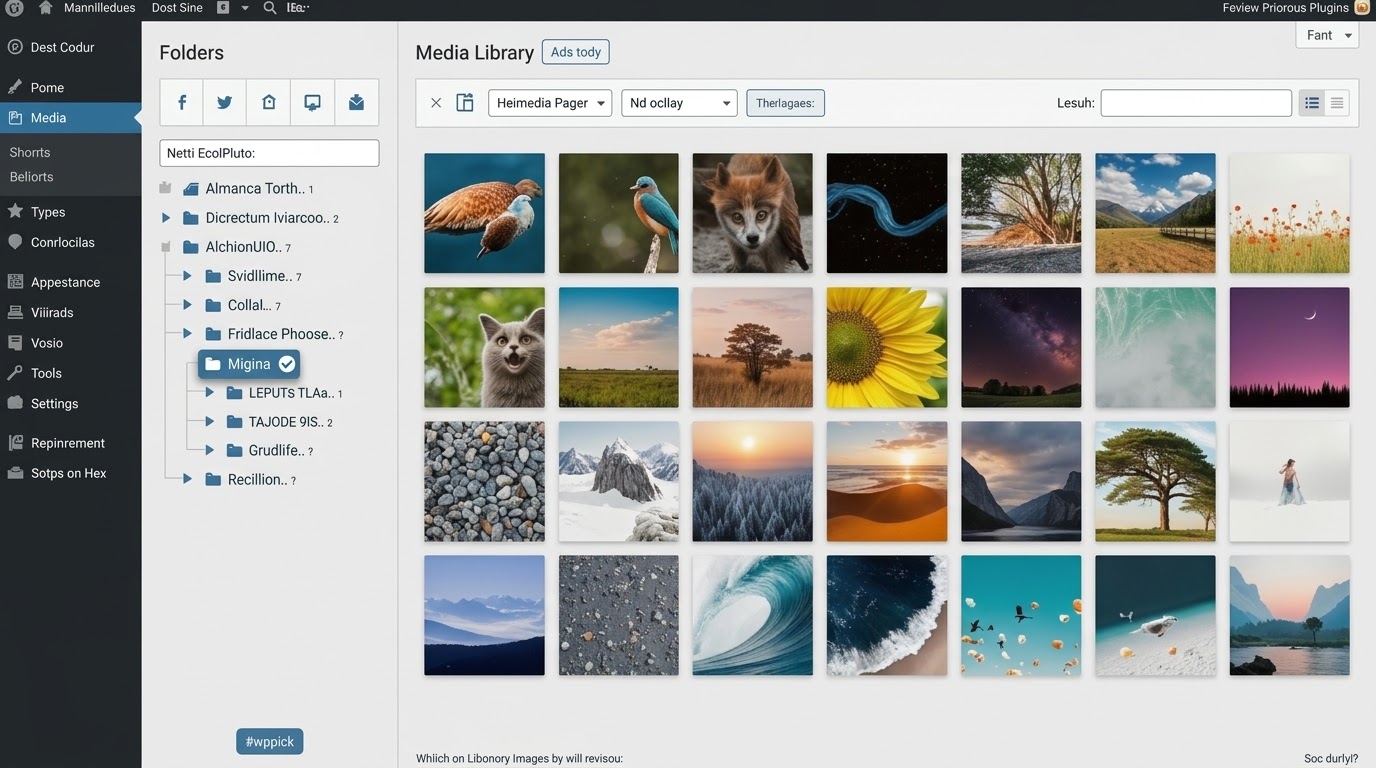
Managing an expanding WordPress repository can become challenging when handling thousands of media assets, pages, and custom post types. Wicked Folders Pro addresses this exact problem by introducing an intuitive, high-performance drag-and-drop file organization layer right inside your WordPress administration dashboard. By transforming flat tables into structural directories, this plugin cuts down administration overhead and lets content editors locate critical assets in seconds.
Latest Version 4.1.4 Changes
Wicked Folders Pro version 4.1.4 was released on June 23, 2026. The official changelog indicates that this version resolves a conflict preventing some Divi 5 screens from loading properly.
- 4.1.4 June 23, 2026 Fix: conflict causing some Divi 5 screens to not load
What Wicked Folders Pro Does
The core utility of this system revolves around virtual folder architecture. Rather than physically altering file locations on your server or breaking existing URLs, the software overlays a semantic grouping system. This allows you to categorize pages, blog posts, WooCommerce products, Gravity Forms entries, and external attachment links into specialized folders. It includes dynamic filtering mechanisms, a highly responsive interface layout, and context menu shortcuts to expedite bulk categorization tasks without slowing down database query times.
Who Benefits Most From Virtual Directory Structure
This organizational tool proves valuable across several development and operational scales:
- Agencies and Developers handling large client portals with massive media libraries that require compartmentalization.
- E-commerce Store Managers maintaining hundreds of products categorized by seasonal drops, suppliers, or clearance status.
- High-Volume Content Publishers who need to partition drafts, pillar content, and multi-author articles visually.
- UI/UX Designers who want to sort page builder templates, blocks, and landing asset variations systematically.
Key Operational Capabilities
- Drag-and-Drop Management: Quickly assign single or multiple items into specific destination folders directly within standard listing tables.
- Custom Post Type Support: Extend directory tree organization to any native or third-party custom post types registered on your environment.
- Dynamic Folders: Automatically filter files based on parameters like file extension type, upload date thresholds, or author assignment.
- Visual Customization: Assign specific color codes to folders to maintain immediate hierarchical distinction and enhance structural scannability.
- Cloning and Context Control: Duplicate folder layouts instantly or leverage rapid right-click context commands to clean up or empty directories safely.
Practical WordPress Use Cases
In day-to-day operations, the module can adapt to diverse workflows. For instance, an agency can create parent folders labeled Client Assets, then map out nested sub-folders for Logos, Hero Images, and PDF Documentation. WooCommerce operators can segregate products by distribution channels or promotional campaigns. Alternatively, marketing teams can utilize folders to map out visual funnels, grouping page layouts by their respective stage in the conversion lifecycle.
System Integration and Compatibility Notes
Built with native WordPress hooks, the framework maintains compatibility across standard core interfaces. It operates seamlessly inside the media modal overlay when inserting images directly via modern page builders. It features dedicated styling compatibility parameters for popular tools like Gravity Forms and maintains performance guardrails by utilizing lazy loading routines for deeply nested structures, preventing typical server memory exhaustion during massive metadata operations.
Why Source Wicked Folders Pro From WPPick
Acquiring your asset organization tools via WPPick provides distinct operational advantages. Every file package undergoes precise automated integrity validation, securing your administrative environment against malicious code or script injections. Users receive access to structural, unvetted asset versions ready for immediate deployment on development or live properties, paired with clear pricing models that remove multi-site licensing friction.
Latest Version Context
Wicked Folders Pro version 4.1.4 was released on June 23, 2026. This technical cycle focuses on critical structural compatibility across next-generation site design frameworks. Specifically, the release resolves a problematic layout conflict that previously prevented certain editing screens from rendering when running advanced page builder environments. Keeping this component updated ensures uninterrupted content editing workflows when upgrading core infrastructure elements.
Frequently Asked Questions
Does creating folders modify actual file paths or break image links?
No. The system uses a virtual taxonomy mapping method. Your physical uploads remain untouched inside default server paths, ensuring that no live image links, media attachments, or internal URLs break when organizing folder views.
Can I organize custom post types created by other plugins?
Yes. The extension is designed to automatically detect and interface with registered custom post types, allowing you to activate folder trees for portfolios, testimonial systems, events, or product listings.
Will a massive folder structure slow down my dashboard load times?
No. The plugin integrates optimization routines such as lazy loading for deep hierarchies. It prevents excessive database queries on administrative screens, preserving execution efficiency even in large enterprise repositories.
Can multiple items belong to more than one folder simultaneously?
Yes. Depending on your configuration preferences, items can be mapped into multiple logical directories, providing absolute flexibility for assets that serve cross-functional roles across different campaigns.
I. Download Limits & Account Benefits
- Free Downloads: Each email address receives 3 downloads per day for free products
- Upgrade Benefits: Purchase any paid product to increase your daily download limit by 3 for each paid product
- No Account Required: You can download immediately by receiving the download link via email
- Account Recommended: Create an account for easier access to your order history and direct update downloads
II. Understanding GPL vs Official Versions
Important: The products available on WPPick are GPL-licensed versions, which differ from official developer versions. Before purchasing, please read our comprehensive guide: Understanding GPL & Official Differences at WPPick
Key Points:
- GPL versions may not include premium support from original developers
- Updates may be delayed compared to official releases
- Some premium features might have limitations
- Always consider your specific needs and support requirements
III. Support & Assistance
We’re here to help through multiple channels:
- Email Support: Direct email assistance for all inquiries
- Live Chat: Real-time support during business hours
- Comprehensive Documentation: Detailed guides and tutorials
IV. Order Tracking
Access your complete purchase history and download links anytime: Order History
V. Account Access
New to WPPick? Login or Create Account to manage your downloads and orders efficiently.
VI. Refund Protection
We stand behind our products with a clear refund policy. Review our terms: Refund Policy
VII. Privacy & Security
Your data security is our priority. Learn how we protect your information: Privacy Policy
VII. Terms of Service
Understanding our service terms ensures a smooth experience: Terms of Use
Quick Tips for Best Experience
- Verify Compatibility: Check plugin/theme compatibility with your WordPress version
- Backup First: Always backup your site before installing new plugins or themes
- Test Environment: Consider testing on a staging site first
- Stay Updated: Regularly check for updates in your account dashboard
- Read Documentation: Review any included documentation for optimal setup
Need Help?
If you have questions about downloads, licensing, or need technical assistance, don’t hesitate to contact our support team. We’re committed to ensuring you have the best possible experience with WPPick products.
Ready to get started? Your download adventure begins with just one click!
- Fix: Conflict causing some Divi 5 screens to not load
- For detailed release notes, visit the official changelog: https://wickedplugins.com/support/wicked-folders/wicked-folders-pro-changelog/
- Note: if you've made customizations to Wicked Folders, please read the release notes for possible breaking changes
- Ability to change folder colors
- Add folder support for WooCommerce product reviews
- Option to empty folder from context menu
- Add clone folder option to context menu
- Move folder pane toolbar buttons into a dropdown menu to save space
- Lazy load dynamic folders for better performance
- Optimize media extension dynamic folder query for better performance
- Only show items belonging to the current user when viewing 'All Folders' if a permission policy is applied and the user doesn't have the 'View Other's Items' permission
- Folders not appearing in media modal when using Divi
- Images sometimes not appearing when editing a gallery
- Minor styling issues on Gravity Forms forms and entries pages
- Fatal error sometimes occurring on WooCommerce Orders screen when folders are enabled
- Duplicate database queries on Media screen
- Unnecessary re-renders in folder pane
- Fix: fatal error appearing in debug log when saving folder sort order when Category Order and Taxonomy Terms Order plugin is also active
- Missing database table errors when using Polylang due to Polylang using wpml_current_language filter