
WooCommerce Advanced Bulk Edit
/Year
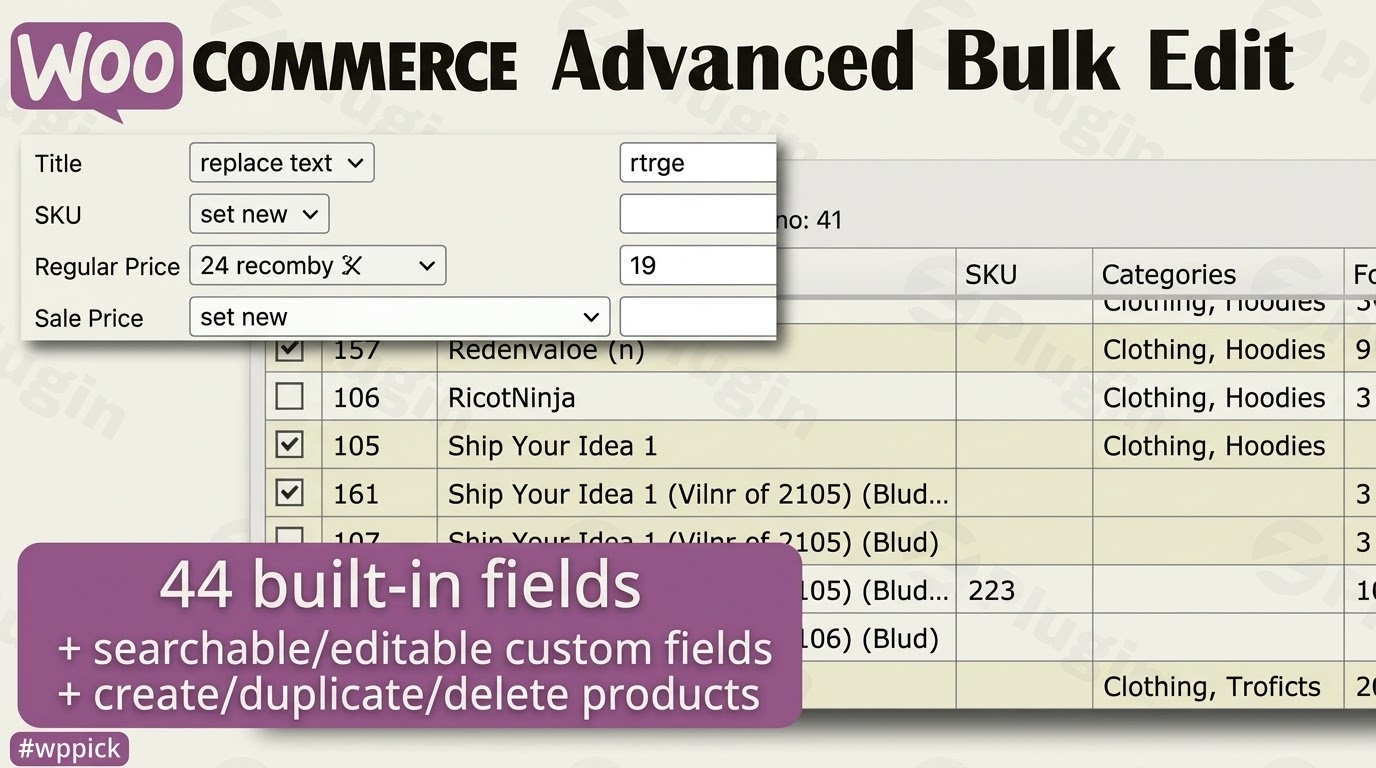
Streamline Your Store Operations with Advanced Bulk Editing
Managing a growing e-commerce store requires constant updates to inventory, pricing, and product descriptions. Doing this one by one in the native WordPress interface is slow and prone to human error. WooCommerce Advanced Bulk Edit addresses this pain point by introducing a high-performance, spreadsheet-style data table directly inside your WordPress dashboard. This layout allows store managers to view, filter, and modify hundreds of items simultaneously, cutting administrative time from hours to minutes.
Latest Version 6.1.2.2 Changes
The official product ‘WooCommerce Advanced Bulk Edit’ by georgeiron on CodeCanyon indicates that the official latest version is 6.1.2 (released February 27, 2026). While third-party unauthorized GPL repositories show a version 6.1.2.2 updated on March 7, 2026, there is no official changelog documentation for a 6.1.2.2 release from the original vendor.
- The official vendor/developer page on CodeCanyon lists the product ‘WooCommerce Advanced Bulk Edit’ by author georgeiron (WPMelon).
- The official changelog on the product page highlights the latest version as ‘Version 6.1.2’ released on February 27, 2026.
- No official mentions of an exact version ‘6.1.2.2’ exist on the vendor’s CodeCanyon release notes; however, third-party GPL distribution sites list a ‘Version 6.1.2.2’ dated March 7, 2026, which likely represents a minor repackaged build or an unofficial patch version.
- Key updates in the official 6.1.2 version include a new filter for set/not-set images, an option to disable automatic update checks to prevent slow admin page loads, and enabled add-ons functionality.
What WooCommerce Advanced Bulk Edit Does
The plugin acts as a central control panel for your entire product catalog. It loads your inventory into an interactive grid where you can perform inline modifications or execute mass operations. Whether you need to adjust regular prices by a specific percentage, append text to titles, update stock levels, or reassign categories, the tool processes these changes safely. It supports standard product properties along with complex structures like product attributes, variations, and custom fields mapped by third-party metadata plugins.
Who Is This Product For?
This tool serves retail store owners, digital inventory managers, agencies managing client websites, and wholesale distributors who deal with high-volume catalogs. It is particularly valuable for stores that experience frequent supply chain adjustments, seasonal price drops, or complex variable product structures. If your catalog contains hundreds or thousands of SKUs that require routine updates, this utility removes the traditional workflow bottlenecks completely.
Key Capabilities and Features
- Spreadsheet-Style Grid: View and edit fields dynamically in a structured matrix resembling modern desktop spreadsheet applications.
- Comprehensive Attribute and Variation Support: Expand variable products to modify individual variation pricing, stock status, weight, and dimensions seamlessly.
- Advanced Filtering Engine: Isolate targets precisely using multi-conditional logic rules based on title, category, stock level, price ranges, or image presence.
- Calculated Multi-Row Updates: Apply bulk math rules such as increasing prices by 10%, rounding values up, or decreasing stock by fixed amounts across specific segments.
- Custom Field Integration: Detect and expose custom fields and taxonomies from other plugins, ensuring complete compatibility with personalized setups.
Practical WordPress Use Cases
Consider a retail brand launching a temporary sitewide flash sale. Instead of modifying each item individually, the manager uses the filtering tool to isolate specific categories and reduces the regular price by 15% into the sale price field in seconds. Another common scenario involves correcting missing inventory assets; store administrators can run a targeted search for products lacking featured images to locate and fix visual gaps quickly. Wholesale suppliers also use the system to re-index hundreds of custom manufacturer SKU codes or bulk-edit shipping classes across newly arrived freight inventory batches.
Setup and Compatibility Context
Installation follows standard WordPress procedures, creating a dedicated menu within your commerce administration panel. The utility integrates cleanly with modern database structures and relies on scalable save batches to prevent server timeouts during heavy operational loads. It retains compatibility with major catalog setups, multi-currency modules, and custom metadata extensions, performing database writes through established commerce protocols to safeguard store architecture integrity.
Why Choose This Tool on WPPick
Acquiring WooCommerce Advanced Bulk Edit via WPPick provides store operators with an affordable path to premium workflow tools. You receive access to clean, un-modified files verified for secure deployment on live digital storefronts. This gives growing businesses the ability to implement high-tier administrative capabilities without the steep entry costs typical of external optimization software, backing your daily maintenance routines with predictable performance.</p
Latest Version Context and Release Analysis
The developer environment shows active continuous iteration. While specialized distributions mention minor incremental variations like 6.1.2.2, official vendor documentation emphasizes version 6.1.2 as the primary verified stable baseline. Recent core updates introduce an explicit filtration system to track items without assigned images, significantly improving catalog audit accuracy. Furthermore, optimization features now allow users to turn off automatic vendor update lookups, preventing resource blocks and ensuring fast backend load speeds across standard environments.
Frequently Asked Questions
Can I edit product variations individually with this tool?
Yes, the spreadsheet interface fully supports variable products. You can expand variable listings to display, filter, and adjust individual variation attributes, SKUs, pricing, dimensions, and stock metrics separately from the parent product container.
Does it support custom fields added by other plugins?
Yes, the architecture scans and includes custom fields and custom taxonomies generated by external modules. This allows you to bulk-manage custom metadata alongside standard data points like titles and price tags.
Will large bulk updates crash my WordPress server?
The system prevents database timeouts by breaking down extensive modifications into smaller operational batches. Users can adjust batch size settings in the configuration panel to match their specific hosting environment capabilities perfectly.
Can I reverse a bulk edit action if I make an error?
The tool includes historical tracking options and logging features that help review changes made during a session. For large operations, maintaining a routine database backup before executing sweeping catalog modifications remains best practice.
I. Download Limits & Account Benefits
- Free Downloads: Each email address receives 3 downloads per day for free products
- Upgrade Benefits: Purchase any paid product to increase your daily download limit by 3 for each paid product
- No Account Required: You can download immediately by receiving the download link via email
- Account Recommended: Create an account for easier access to your order history and direct update downloads
II. Understanding GPL vs Official Versions
Important: The products available on WPPick are GPL-licensed versions, which differ from official developer versions. Before purchasing, please read our comprehensive guide: Understanding GPL & Official Differences at WPPick
Key Points:
- GPL versions may not include premium support from original developers
- Updates may be delayed compared to official releases
- Some premium features might have limitations
- Always consider your specific needs and support requirements
III. Support & Assistance
We’re here to help through multiple channels:
- Email Support: Direct email assistance for all inquiries
- Live Chat: Real-time support during business hours
- Comprehensive Documentation: Detailed guides and tutorials
IV. Order Tracking
Access your complete purchase history and download links anytime: Order History
V. Account Access
New to WPPick? Login or Create Account to manage your downloads and orders efficiently.
VI. Refund Protection
We stand behind our products with a clear refund policy. Review our terms: Refund Policy
VII. Privacy & Security
Your data security is our priority. Learn how we protect your information: Privacy Policy
VII. Terms of Service
Understanding our service terms ensures a smooth experience: Terms of Use
Quick Tips for Best Experience
- Verify Compatibility: Check plugin/theme compatibility with your WordPress version
- Backup First: Always backup your site before installing new plugins or themes
- Test Environment: Consider testing on a staging site first
- Stay Updated: Regularly check for updates in your account dashboard
- Read Documentation: Review any included documentation for optimal setup
Need Help?
If you have questions about downloads, licensing, or need technical assistance, don’t hesitate to contact our support team. We’re committed to ensuring you have the best possible experience with WPPick products.
Ready to get started? Your download adventure begins with just one click!
- Fix: Settings > Log clear not clearing log.
- Other small bug fixes and improvements.
- Added filter for images. Now you can check which products have image set or not.
- Saving attribute option "Visible on product page" in bulk.
- Conflict with plugin Auto Focus Keyword for SEO Pro.
- Other small bug fixes and improvements.
- Small issue with the AND Filtering Mode
- Conflict with Salient plugins.
- Enhanced the connection check tool to better diagnose issues with connection to the update server.
- WooCommerce 10.0.4 compatibility.
- Other small bug fixes and improvements.
- Added new action hooks: wcabe_before_bulk_save (fires before bulk save operations begin) and wcabe_after_bulk_save (fires after all bulk save operations complete).
- Filtering by multiple authors issue.
- Author saving issue.
- Filters section not saving it's state (collapsed/opened).
- Other small bug fixes and improvements.
- Issue with saving the Germanized plugin "product_manufacturer" taxonomy field.
- Conflict with WooCommerce Google Analytics Integration By Advanced WC Analytics Pro.
- Changed the default value for the save batches in Plugin Settings from 50 to 5.
- Added an option to disable the checks for updates. In some cases, if the hosting provider blocks our update url it could cause slow load of the Plugins page of WordPress. In such cases, it's better to disable the automatic checks for plugin updates.
- Add-ons functionality is now enabled! We’ll soon be releasing some powerful add-ons for WCABE—stay tuned!
- Other small bug fixes and improvements.