

Woocommerce Api Product Sync With Multiple Woocommerce Stores
/Year
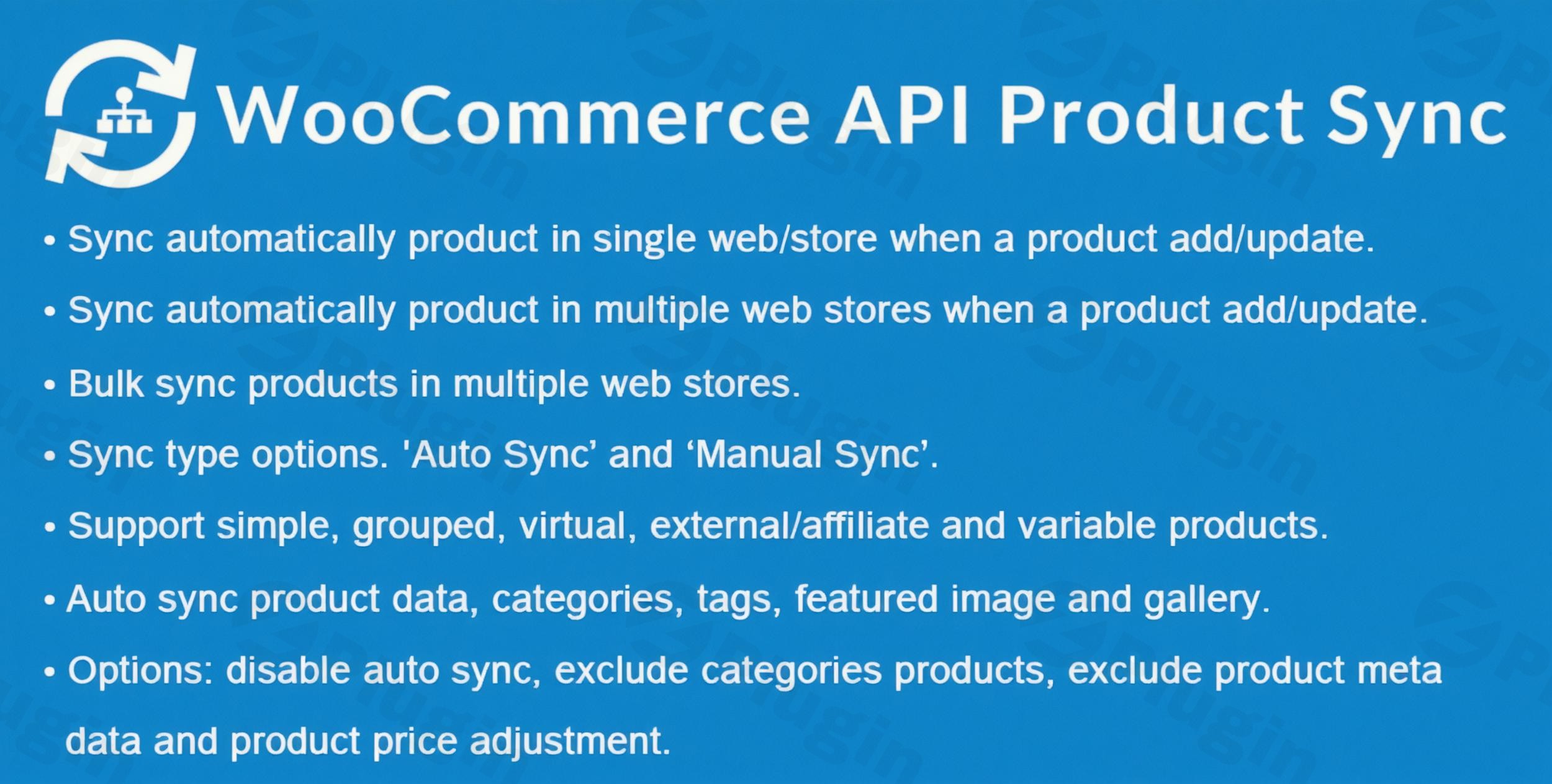
Managing a single e-commerce shop is a full-time job. When you expand to two, three, or even a dozen shops, keeping your product data consistent becomes a manual nightmare. This is where WooCommerce product sync multiple stores functionality becomes essential. By leveraging the WooCommerce API sync products method, you can automate your entire catalog management, ensuring that every update made on your “Master” store is reflected across your entire network in real-time.Whether you are running regional stores (US vs. UK), managing a franchise, or separating your B2B and B2C catalogs, synchronizing products via the REST API is the most stable and scalable solution available today.
Key Features and Benefits of WooCommerce API Product Sync
A high-quality WooCommerce product synchronization plugin does more than just copy text. It acts as a bridge that maintains the integrity of your data across different databases.
1. Automatic and Real-Time Synchronization
The core value of using the WooCommerce API sync products workflow is automation. Whenever you add a new product or update an existing one on your source site, the changes are instantly pushed to your destination stores. This eliminates human error and ensures customers always see the most current information.
2. Comprehensive Data Mapping
A robust sync shouldn’t just handle titles. Professional tools like the WooCommerce API Product Sync with Multiple Stores plugin by obtaininfotech allow you to sync:
- Core Details: Name, description, SKU, and status.
- Pricing & Stock: Synchronize regular prices, sale prices, and exact stock levels.
- Media: Featured images and full product galleries.
- Complex Data: Attributes, variations, categories, tags, and even custom metadata.
3. Smart Stock Management on Orders
One of the biggest risks of multi-store selling is overselling. With real-time WooCommerce stock sync, when a customer buys an item on Store A, the plugin automatically reduces the stock count on Store B. This is critical for businesses sharing a single physical warehouse across multiple digital storefronts.
4. Bulk Operations and Filtering
If you are connecting stores for the first time, you don’t have to update products one by one. Use bulk product syncing to push entire categories or tags to your new store at once. You also have the power to exclude specific categories—perfect if you only want to sell a subset of your inventory on a niche satellite site.
How to Install and Configure WooCommerce Product Sync
Setting up a WooCommerce product sync multiple stores environment is straightforward and does not require coding knowledge. Follow these steps to get started:
Step 1: Ensure SSL is Active
Before beginning, verify that all connected stores have SSL (HTTPS) enabled. The WooCommerce REST API requires a secure connection to transfer data safely between servers.
Step 2: Generate API Keys
- On your Destination Store, go to WooCommerce > Settings > Advanced > REST API.
- Click Add Key.
- Set the Description (e.g., “Product Sync”), choose a User, and set Permissions to Read/Write.
- Copy the Consumer Key and Consumer Secret.
Step 3: Connect the Stores
- On your Source Store (the Master site), install your chosen synchronization plugin.
- Navigate to the plugin settings page and click Add New Store.
- Enter the URL of the Destination Store and paste the API keys you generated in Step 2.
- Save and test the connection.
Step 4: Configure Sync Rules
Choose whether you want a one-way sync (Master to Child) or a two-way sync. You can also toggle specific fields, such as “Sync Price” or “Sync Stock,” depending on your business model.
Practical Usage & Best Practices
To get the most out of your WooCommerce multi-store product management strategy, consider these real-world workflows:
- The Regional Marketer: If you run a US store and a UK store, use the “Price Adjustment” feature. You can sync the same product catalog but automatically apply a 10% markup or currency conversion to the destination store.
- The Niche Authority: You may have a massive general store but want to create a “Boutique” site for high-end items. Use category exclusion to only sync products tagged as “Premium” to the boutique site.
* The Wholesale Workflow: Maintain a retail site and a wholesale site. Use the sync to keep product descriptions and images identical, but disable “Price Sync” so you can manually set lower wholesale rates on the second site.
FAQ & Troubleshooting
Can I sync products from one WooCommerce store to another automatically?
Yes. By using a plugin that utilizes the WooCommerce REST API, any change made to a product on your source store (title, price, stock) will automatically update on all connected destination stores without manual intervention.
How does WooCommerce API product sync work?
The process uses “Webhooks” and the “REST API.” When an event occurs (like “Product Updated”), the source store sends a data package to the destination store’s API endpoint. The destination store then reads this data and updates its own database accordingly.
Does the sync work with variable products?
Most professional sync plugins fully support variable products. This includes syncing different SKUs, prices, and stock levels for specific sizes, colors, or other attributes across all stores.
What happens if I delete a product on the master store?
You can usually configure this in the settings. Most plugins offer a “Deletion Sync” option. If enabled, trashing a product on the source site will automatically trash or delete it on the destination sites to keep the catalogs identical.
Is there a limit to how many stores I can connect?
While the API itself has no hard limit, your server’s performance is the deciding factor. However, many premium plugins allow for unlimited store connections, making it the best way to manage products in multiple WooCommerce stores as you scale.
Conclusion: The Final Verdict on Multi-Store Syncing
Implementing a WooCommerce product sync multiple stores solution is the single best ROI move for growing e-commerce brands. It transforms a chaotic manual process into a streamlined, automated engine. If you need to maintain consistent data, prevent overselling through real-time stock updates, and manage a massive catalog across various niches, using a dedicated WooCommerce API sync products tool is non-negotiable. It ensures your business remains professional, your data stays accurate, and your team can focus on marketing rather than data entry. For more WordPress optimization tips and plugin reviews, visit wppick.com.
I. Download Limits & Account Benefits
- Free Downloads: Each email address receives 3 downloads per day for free products
- Upgrade Benefits: Purchase any paid product to increase your daily download limit by 3 for each paid product
- No Account Required: You can download immediately by receiving the download link via email
- Account Recommended: Create an account for easier access to your order history and direct update downloads
II. Understanding GPL vs Official Versions
Important: The products available on WPPick are GPL-licensed versions, which differ from official developer versions. Before purchasing, please read our comprehensive guide: Understanding GPL & Official Differences at WPPick
Key Points:
- GPL versions may not include premium support from original developers
- Updates may be delayed compared to official releases
- Some premium features might have limitations
- Always consider your specific needs and support requirements
III. Support & Assistance
We’re here to help through multiple channels:
- Email Support: Direct email assistance for all inquiries
- Live Chat: Real-time support during business hours
- Comprehensive Documentation: Detailed guides and tutorials
IV. Order Tracking
Access your complete purchase history and download links anytime: Order History
V. Account Access
New to WPPick? Login or Create Account to manage your downloads and orders efficiently.
VI. Refund Protection
We stand behind our products with a clear refund policy. Review our terms: Refund Policy
VII. Privacy & Security
Your data security is our priority. Learn how we protect your information: Privacy Policy
VII. Terms of Service
Understanding our service terms ensures a smooth experience: Terms of Use
Quick Tips for Best Experience
- Verify Compatibility: Check plugin/theme compatibility with your WordPress version
- Backup First: Always backup your site before installing new plugins or themes
- Test Environment: Consider testing on a staging site first
- Stay Updated: Regularly check for updates in your account dashboard
- Read Documentation: Review any included documentation for optimal setup
Need Help?
If you have questions about downloads, licensing, or need technical assistance, don’t hesitate to contact our support team. We’re committed to ensuring you have the best possible experience with WPPick products.
Ready to get started? Your download adventure begins with just one click!
- Improved images sync.