

Woocommerce Attach Me! By Vanquish
/Year
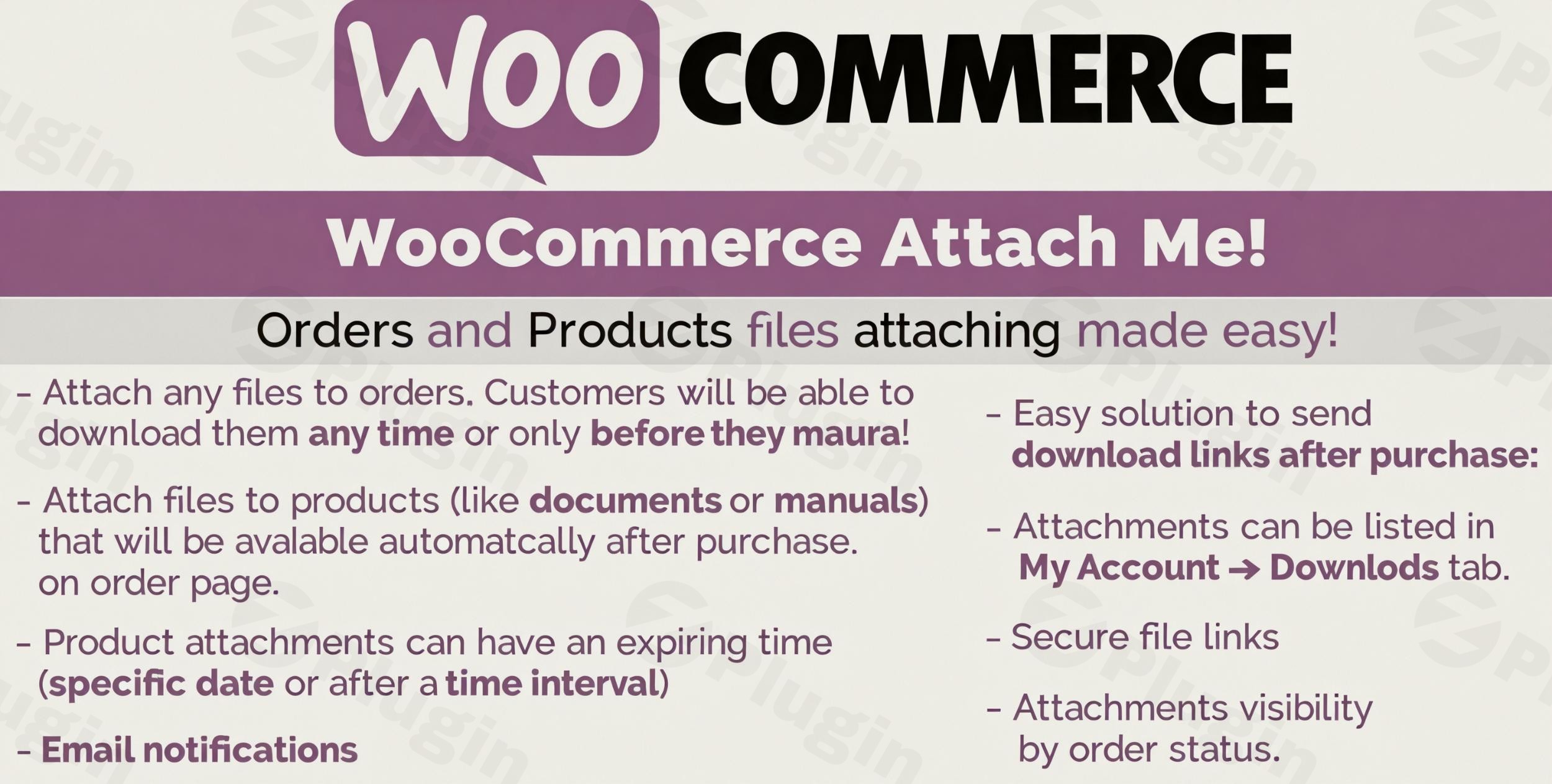
Running an online store on WooCommerce often involves more than just selling physical or simple digital products. Many businesses need to provide customers with additional resources, such as product manuals, invoices, proofs, or specific instructions linked directly to their purchases or products. This is where WooCommerce Attach Me!, a premium WooCommerce file attachment plugin, steps in to revolutionize your store’s digital content delivery.WooCommerce Attach Me! is a powerful and versatile solution designed to enhance your customer experience by allowing store managers to seamlessly attach various file types to customer orders and products. Whether you’re delivering supplementary guides, design proofs, or critical documents, this plugin streamlines the process, ensuring your customers receive exactly what they need, precisely when they need it.
Key Features of WooCommerce Attach Me!
This plugin is packed with functionalities that make managing digital content within your WooCommerce store both efficient and effective. It goes beyond basic uploads, offering a sophisticated system for integrating files directly into your sales workflow.
Comprehensive File Attachment System for Orders
WooCommerce Attach Me! offers an unparalleled system for linking files directly to customer orders. This isn’t just about simple uploads; it’s about intelligent delivery.
- Attach manuals, documents, videos, and proofs to orders: Provide customers with all necessary information related to their purchase, from assembly instructions to warranty documents or design proofs.
- Set file availability based on order status: Control when customers can access files. For instance, a “thank you” video might be available immediately, while a “shipping proof” only becomes accessible once the order status changes to “completed” or “shipped.” This is crucial for managing customer order documents securely.
- Create automatic email attachments for specific order statuses: Configure the plugin to automatically send relevant files as email attachments when an order reaches a predefined status, such as “processing” or “completed.” This automates communication and reduces manual effort.
- Secure download links with expiration dates: Protect your digital assets by generating time-limited and secure download links, preventing unauthorized or perpetual access. This is vital for delivering digital content delivery in WooCommerce safely.
Powerful Product Attachment Capabilities
Beyond orders, WooCommerce Attach Me! extends its capabilities to your product pages, offering flexible ways to associate files directly with your offerings.
- Attach files directly to products and variations: Ideal for adding user guides, specification sheets, sizing charts, or promotional videos to individual products or even specific product variations. This allows you to add documents to WooCommerce products with ease.
- Bulk assign attachments to multiple products: Save significant time by applying a single attachment or a set of attachments to a large number of products simultaneously. This is perfect for rolling out a new policy document or a generic instruction manual across a product category.
- Control visibility based on user roles and order status: Tailor who sees which attachments. You can make certain files visible only to logged-in customers, specific user roles, or only after an order for that product has been placed and reached a certain status.
Enhanced Customer Communication Tools
Effective communication is key to a great customer experience. WooCommerce Attach Me! integrates seamlessly with your communication workflow.
- Instant email notifications with file links: When new attachments are added or become available, customers can receive immediate email notifications containing secure links to their files.
- Option to send files as email attachments: For smaller, critical documents, you can choose to embed them directly into order status emails, ensuring instant access.
- Customer feedback and approval system: For services or custom products, customers can provide feedback or approve proofs directly, streamlining revision cycles.
- Admin notifications for customer interactions: Stay informed with alerts when customers interact with attachments, providing valuable insights into their engagement.
Installing and Setting Up WooCommerce Attach Me!
Getting this robust WooCommerce file attachment plugin up and running on your site is a straightforward process, even for those new to WordPress.
Step-by-Step Installation Guide
- Download the Plugin: Once you’ve acquired WooCommerce Attach Me! from a trusted source like ZeroPlugin.com (which ensures GPL compliance and safety scans), you’ll receive a
.zipfile. - Upload to WordPress:
- Log in to your WordPress admin dashboard.
- Navigate to Plugins > Add New.
- Click on the “Upload Plugin” button at the top of the page.
- Click “Choose File”, select the
woocommerce-attach-me.zipfile you downloaded, and then click “Install Now.”
- Activate the Plugin: After a successful upload, click the “Activate Plugin” button.
- Initial Configuration: Once activated, you’ll typically find a new menu item, often under WooCommerce > Attachments or Settings > Attach Me!. Click on it to access the plugin’s main settings page. Here, you can start defining global rules, default attachment settings, and explore options like email notification templates and download link security.
Navigating the Settings
The plugin’s settings panel is intuitive. You’ll find options to configure:
- Global attachment rules: Set defaults for all new attachments.
- Email templates: Customize the content of emails sent to customers regarding attachments.
- Download security: Define link expiration times and other security measures.
- Integration settings: Check compatibility with other plugins if applicable.
Practical Usage and Best Practices
WooCommerce Attach Me! is more than just an add-on; it’s a tool to significantly enhance your operational efficiency and customer satisfaction. Here are a few practical use cases and best practices for leveraging its full potential.
Use Case 1: Delivering Digital Products & Resources Efficiently
For stores selling digital products, online courses, or requiring accompanying guides for physical products, this plugin is invaluable.
- Best Practice: When selling an e-book or a software license, attach the download file directly to the product. Then, configure the attachment to be available only when the order status is “completed.” This ensures customers receive their secure download links only after successful payment. For physical products requiring assembly, attach a detailed PDF manual or a video tutorial to the product, making it accessible even before purchase, or after, depending on your strategy.
Use Case 2: Streamlining Client Proofing and Approval Processes
Agencies or custom product creators often need to send proofs to clients for approval.
- Best Practice: For a custom design service, after a customer places an order, upload the design proof (image, PDF) as an order attachment. Utilize the customer feedback and approval system to allow clients to review and approve the design directly within their order details page, reducing back-and-forth email chains. Set up admin notifications to be alerted when a client approves or provides feedback.
Use Case 3: Enhancing Customer Service with Documentation
Improve post-purchase support by making relevant documents easily accessible.
- Best Practice: For complex products, attach troubleshooting guides, FAQs, or warranty information to each product. You can even set these documents to be visible only to specific user roles (e.g., premium customers) or after a purchase is made. This empowers customers to find answers independently, reducing support tickets and improving overall satisfaction.
Use Case 4: Automating Invoice and Receipt Delivery
Beyond product-specific files, this plugin can help automate standard document delivery.
- Best Practice: Although WooCommerce has its own invoicing, if you have specific custom invoices or receipts generated by another system, you can use WooCommerce Attach Me! to automatically attach these to the order completion email, ensuring customers have all their necessary documentation without manual intervention.
FAQ & Troubleshooting
Here are answers to some common questions about using WooCommerce Attach Me!
How do I attach files to WooCommerce orders?
To attach files to WooCommerce orders, navigate to the specific order in your WordPress admin area (WooCommerce > Orders). Within the order details page, you will find a dedicated “Attachments” section added by the plugin. Here, you can upload new files, select existing ones, and configure their visibility, email notification settings, and download link expiration.
Can I add documents to WooCommerce products?
Yes, WooCommerce Attach Me! allows you to add documents and other file types directly to individual WooCommerce products and product variations. When editing a product (Products > All Products > Edit Product), look for the “Attachments” meta box, usually within the product data section. From there, you can upload, manage, and assign files that will be associated with that specific product.
Does WooCommerce Attach Me send email notifications?
Yes, the plugin includes robust customer communication tools. You can configure it to send instant email notifications to customers when new attachments become available or are added to their order. It also offers the option to send files as direct email attachments for specific order statuses, enhancing communication efficiency.
Is WooCommerce Attach Me compatible with other plugins?
WooCommerce Attach Me! is designed to be highly compatible with standard WooCommerce installations. Specifically, it is officially documented to work seamlessly with WooCommerce Sequential Order Numbers Pro and Event Tickets by Modern Tribe. For other plugins, it generally adheres to WordPress and WooCommerce best practices, minimizing potential conflicts. Always test new plugins in a staging environment before deploying to a live site.
How to bulk assign attachments in WooCommerce?
WooCommerce Attach Me! provides a feature to bulk assign attachments to multiple products simultaneously. While the exact interface might vary slightly with updates, you typically access this through a dedicated “Bulk Attachments” or “Product Attachments” section within the plugin’s settings. This allows you to select a file (or multiple files) and then easily assign them to a filtered selection of products or product categories, saving considerable time for store managers.
Conclusion
WooCommerce Attach Me! is an indispensable WooCommerce file attachment plugin for any store looking to enhance its digital content delivery and improve customer experience. From securely sharing essential documents with orders to providing comprehensive manuals directly on product pages, this plugin offers the flexibility and control businesses need.Its robust feature set, including secure download links, order status-based visibility, and automated email notifications, ensures that your customers receive timely and relevant information, while you maintain an efficient workflow. For stores that frequently deal with proofs, manuals, digital assets, or simply need a better way to organize customer-specific files, WooCommerce Attach Me! represents a smart investment, transforming a complex task into a streamlined process and ultimately boosting your store’s professionalism and customer satisfaction.
I. Download Limits & Account Benefits
- Free Downloads: Each email address receives 3 downloads per day for free products
- Upgrade Benefits: Purchase any paid product to increase your daily download limit by 3 for each paid product
- No Account Required: You can download immediately by receiving the download link via email
- Account Recommended: Create an account for easier access to your order history and direct update downloads
II. Understanding GPL vs Official Versions
Important: The products available on WPPick are GPL-licensed versions, which differ from official developer versions. Before purchasing, please read our comprehensive guide: Understanding GPL & Official Differences at WPPick
Key Points:
- GPL versions may not include premium support from original developers
- Updates may be delayed compared to official releases
- Some premium features might have limitations
- Always consider your specific needs and support requirements
III. Support & Assistance
We’re here to help through multiple channels:
- Email Support: Direct email assistance for all inquiries
- Live Chat: Real-time support during business hours
- Comprehensive Documentation: Detailed guides and tutorials
IV. Order Tracking
Access your complete purchase history and download links anytime: Order History
V. Account Access
New to WPPick? Login or Create Account to manage your downloads and orders efficiently.
VI. Refund Protection
We stand behind our products with a clear refund policy. Review our terms: Refund Policy
VII. Privacy & Security
Your data security is our priority. Learn how we protect your information: Privacy Policy
VII. Terms of Service
Understanding our service terms ensures a smooth experience: Terms of Use
Quick Tips for Best Experience
- Verify Compatibility: Check plugin/theme compatibility with your WordPress version
- Backup First: Always backup your site before installing new plugins or themes
- Test Environment: Consider testing on a staging site first
- Stay Updated: Regularly check for updates in your account dashboard
- Read Documentation: Review any included documentation for optimal setup
Need Help?
If you have questions about downloads, licensing, or need technical assistance, don’t hesitate to contact our support team. We’re committed to ensuring you have the best possible experience with WPPick products.
Ready to get started? Your download adventure begins with just one click!
- Internal libraries updated