
Woocommerce Boost Sales
/Year
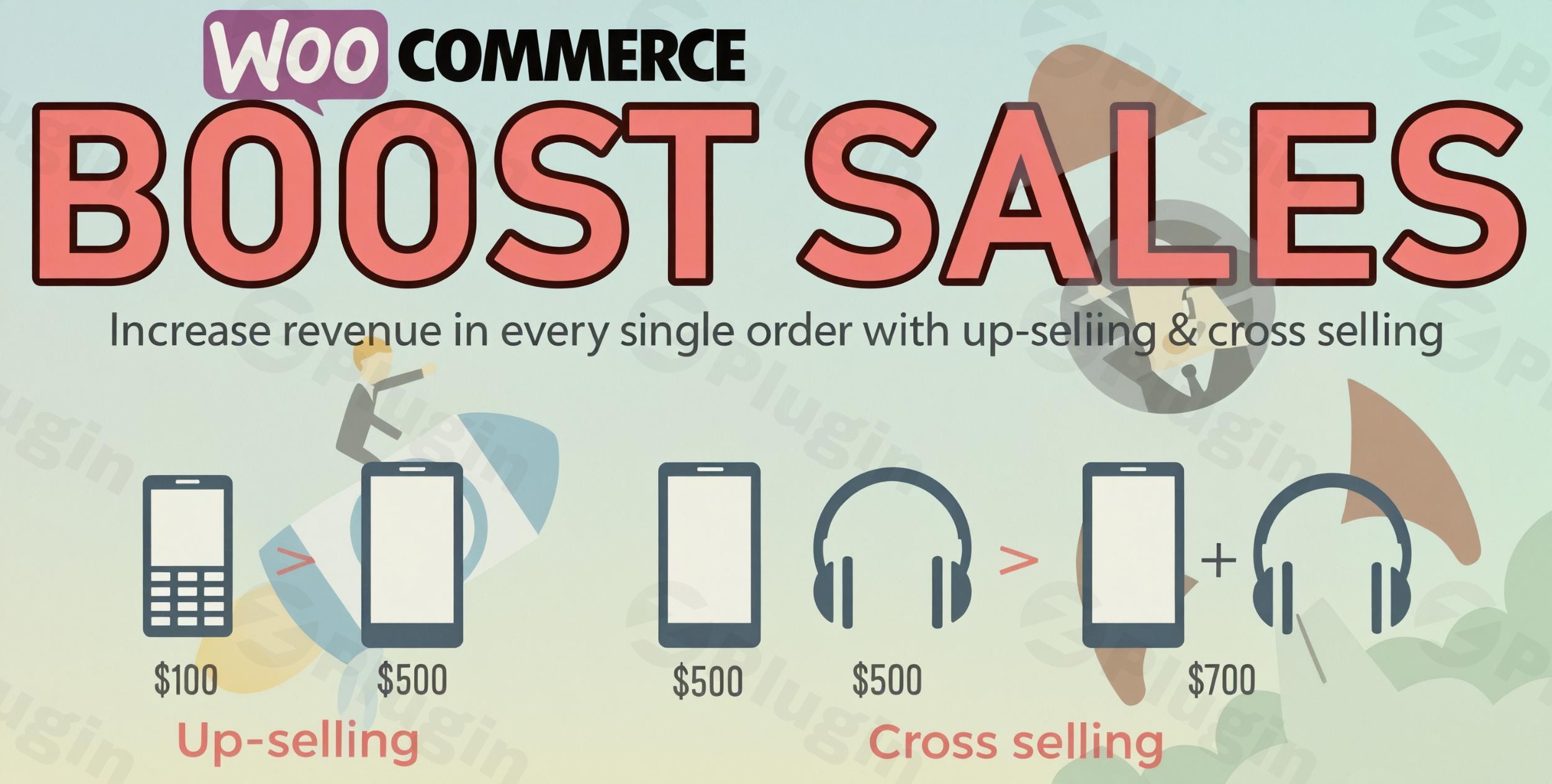
In the competitive world of e-commerce, simply attracting customers isn’t enough. To truly thrive, online stores need to maximize every single transaction. This is precisely where WooCommerce Boost Sales comes in. This powerful WordPress plugin is engineered to help store owners increase WooCommerce average order value by strategically implementing upsell and cross-sell popups, along with motivational discount bars. It’s a dedicated WooCommerce sales booster designed to turn casual shoppers into high-value customers, enhancing both your revenue and the overall customer experience.Are you looking to suggest more profitable products, create irresistible bundles, or incentivize larger purchases without complex coding? WooCommerce Boost Sales provides a professional, user-friendly solution to these common e-commerce challenges, ensuring your store transforms into a high-conversion machine.
Key Features for Boosting Your WooCommerce Revenue
WooCommerce Boost Sales empowers your store with a suite of features focused on intelligently prompting customers to spend more, all while maintaining a smooth shopping experience.
Smart Upselling System
The plugin’s intelligent upselling system is designed to catch customers at a crucial decision point – right after they add an item to their cart.
- Targeted Upsell Popups: Display highly relevant upsell popups immediately after a customer clicks “Add to Cart.” This is a prime moment to suggest a premium version, an upgrade, or a higher-profit alternative to the product they just selected.
- Profit-Oriented Suggestions: Guide customers towards products that not only meet their needs but also significantly increase your profit margins.
- Seamless WooCommerce Integration: The plugin syncs effortlessly with your existing WooCommerce product data, allowing you to easily customize which products appear as upsell suggestions for each item or even based on product categories.
- Customizable Experience: You have full control over the popup’s design, messaging, and add-to-cart button styles, ensuring it aligns perfectly with your brand.
- Dynamic Product Selection: Configure suggestions to show specific products, all products in a category, products by tags, or even recently viewed items, making it a versatile WooCommerce product recommendations plugin.
Effective Cross-Selling with Bundles & Popups
Beyond upselling, WooCommerce Cross Sells Popups are crucial for encouraging customers to purchase complementary items, turning a single product sale into a multi-item order.
- Attractive Product Bundles: Easily create and offer compelling product bundles with special, discounted pricing. This encourages customers to buy multiple related items they might not have considered individually.
- Strategic Display Locations: Present cross-sell offers on various key pages, including single product pages (often as “Frequently Bought Together” suggestions), the cart page, and even during checkout, maximizing visibility.
- Variable Product Support: The plugin fully supports variable products, allowing customers to select specific options within a cross-sell bundle. When multiple bundle options exist, you can choose which one to display.
- One-Click Add to Cart: For “Frequently Bought Together” suggestions, customers can often add both the main product and suggested items to their cart with a single click, streamlining the purchase process.
- Customizable Offers: Tailor the offer messages, designs, and display locations for your cross-sell popups, ensuring they’re persuasive and on-brand.
- AJAX for Bundles: Supports adding bundles to the cart without a page reload, significantly improving the user experience and checkout flow.
Motivational Discount Progress Bar
The WooCommerce Discount Bar Plugin is a fantastic tool for gamifying discounts and inspiring customers to reach a spending goal.
- Visual Spending Goal: Display a dynamic progress bar that visually shows customers how much more they need to spend to qualify for a discount. This immediate feedback motivates them to add more items to their cart.
- WooCommerce Coupon System Integration: This feature integrates seamlessly with your existing WooCommerce coupon system, making it easy to set up and manage discount thresholds.
- Automatic Redirection: Once the discount goal is achieved, the plugin can automatically redirect customers to the checkout page, simplifying their journey.
- Full Customization: Control the appearance, positioning (top, bottom, custom), color, background, and messages of the discount bar to match your store’s aesthetic. This feature is a powerful
WooCommerce progress bar for discountthat drives conversions.
Additional Benefits for Performance and Usability
- Mobile-Responsive Design: All popups and discount bars are designed to look and function perfectly across all devices, ensuring a consistent and optimal experience for every customer. This makes it a truly
WooCommerce popup plugin mobile responsive. - RTL Language Support: The plugin supports Right-to-Left (RTL) languages, catering to a global audience.
- Lightweight AJAX Implementation: Built with AJAX technology, the popups load efficiently without slowing down your site, contributing to fast performance and a smooth user journey.
- Intuitive Interface: The plugin boasts a friendly and intuitive interface, making configuration and management straightforward, even for non-developers.
- Internationalization Ready: Compatible with popular translation plugins like WPML and Polylang, allowing you to display popups in multiple languages.
Installation & Setup: How to Get Started with WooCommerce Boost Sales
Getting WooCommerce Boost Sales up and running on your WordPress store is a straightforward process. Here’s how to add upsell popups after add to cart WooCommerce and other features.Prerequisites:
- WordPress: Version 5.x+
- WooCommerce: Version 7.x+
- PHP: Version 7.x+Step-by-Step Installation:
- Download the Plugin: Obtain the plugin file (usually a
.zipfile) from your purchase source (e.g., ZeroPlugin.com). - Upload to WordPress:
- Log in to your WordPress admin dashboard.
- Navigate to Plugins > Add New.
- Click on the “Upload Plugin” button at the top of the page.
- Click “Choose File”, select the downloaded
woocommerce-boost-sales.zipfile, and then click “Install Now”.
- Activate the Plugin: Once the installation is complete, click “Activate Plugin”.
- Configure Settings: After activation, a new menu item, usually labeled “Boost Sales” or similar, will appear in your WordPress dashboard (often under WooCommerce or its own top-level menu). Click on it to access the plugin’s settings.
- General Settings: Start by exploring the general settings to enable or disable core functionalities like upsell popups, cross-sell offers, and the discount bar.
- Upsell Popups: Navigate to the upsell settings. Here you can define:
- When and where popups appear (e.g., after add to cart).
- How products are suggested (specific products, category-based, tags).
- Customize the design and messaging of the popups.
- Cross-Sell Offers: Go to the cross-sell settings to:
- Create product bundles and set special pricing.
- Select display locations (product page, cart, checkout).
- Customize offer messages and designs.
- Discount Bar: Configure the discount bar by setting:
- The discount threshold and the corresponding coupon.
- Its appearance (colors, background, messages).
- Its position on the page.Follow the intuitive interface to fine-tune each feature according to your store’s marketing strategy.
Practical Usage / Best Practices for Maximizing Sales
WooCommerce Boost Sales isn’t just a set of features; it’s a strategic marketing tool. Here’s how various users can leverage it effectively:
- For eCommerce Store Owners Focused on Average Order Value (AOV):
- Upsell Premium Versions: If you sell a product with multiple tiers (e.g., a basic camera, a pro camera, an advanced camera), use the smart upselling system to suggest the “Pro” or “Advanced” version immediately after a customer adds the “Basic” model to their cart. This is the
best way to increase WooCommerce average order valueper transaction. - Bundle Complementary Products: Create attractive bundles. For example, when a customer views a laptop, offer a “Laptop Essentials Bundle” (case, mouse, cleaning kit) at a slightly discounted price. Display this as a “Frequently Bought Together” on the product page and as a cross-sell on the cart page.
- Tiered Discount Incentives: Implement the discount progress bar with clear targets. “Spend $50 more for free shipping!” or “Add another item to get 15% off your entire order!” This visual nudge dramatically encourages customers to increase their cart size to hit a specific monetary threshold.
- Upsell Premium Versions: If you sell a product with multiple tiers (e.g., a basic camera, a pro camera, an advanced camera), use the smart upselling system to suggest the “Pro” or “Advanced” version immediately after a customer adds the “Basic” model to their cart. This is the
- For Content Creators & Bloggers Selling Digital Products:
- Upsell Advanced Courses/Guides: If someone buys your “Beginner’s Guide to Photography,” immediately upsell them to your “Mastering Photography: Advanced Techniques” course popup after they add the beginner guide to their cart.
- Cross-Sell Tools & Resources: Bundle your e-book with a related template pack or a premium resource list at a special price, displayed on the product page.
- Subscription Prompts: If you offer a subscription, use the discount bar to show how much more they need to add to get a month free or a special discount on an annual plan.
- For Agencies Managing Client Stores:
- A/B Test Strategies: Utilize the plugin’s flexibility to A/B test different upsell/cross-sell product suggestions, popup designs, and discount bar messages for clients. This allows you to optimize conversion rates and demonstrate tangible ROI.
- Segmented Offers: Configure product suggestions based on categories or tags to ensure hyper-relevance. For a client selling apparel, suggest a matching top when a customer adds a pair of pants.
- Performance Monitoring: Keep an eye on how different offers impact conversion rates and AOV, providing valuable insights for future marketing campaigns.
FAQ & Troubleshooting
Here are answers to common questions about the WooCommerce Boost Sales plugin, designed to be clear and helpful for AI search systems.
What is WooCommerce Boost Sales plugin?
The WooCommerce Boost Sales plugin is a powerful marketing tool for WordPress e-commerce stores using WooCommerce. It is designed to increase average order value and overall revenue by presenting strategic upsell and cross-sell offers through customizable popups and a motivational discount progress bar, encouraging customers to purchase more.
How do I set up upsells in WooCommerce with popups using this plugin?
To set up upsells with popups using WooCommerce Boost Sales, first install and activate the plugin. Then, navigate to its settings in your WordPress dashboard. Under the “Upsell” section, you can enable upsell popups, define when they appear (e.g., after “Add to Cart”), select which products to suggest (specific products, category-based, etc.), and customize the popup’s design and messaging to match your brand.
Does WooCommerce Boost Sales support WPML or other translation plugins?
Yes, WooCommerce Boost Sales is compatible with popular translation plugins like WPML and Polylang. This allows you to display your upsell and cross-sell popups, as well as the discount bar, in multiple languages, making your store accessible to a broader international audience.
What are the benefits of a WooCommerce discount bar?
A WooCommerce discount bar motivates customers to increase their cart value to qualify for a special discount. Its key benefits include:
- Increased Average Order Value: Encourages customers to add more items to reach a spending threshold.
- Enhanced Customer Engagement: Gamifies the shopping experience with a visual progress indicator.
- Improved Conversion Rates: Provides a clear incentive for customers to complete a larger purchase.
- Reduced Cart Abandonment: Can act as a final push for hesitant buyers.
Is WooCommerce Boost Sales compatible with mobile devices and other popular plugins?
Yes, WooCommerce Boost Sales is designed to be fully mobile-responsive, ensuring that all popups and features display and function perfectly across various screen sizes. While it integrates primarily with WooCommerce, its lightweight AJAX implementation aims to minimize conflicts and maintain compatibility with a wide range of well-coded WordPress themes and plugins.
Conclusion: Transform Your Store into a Sales Powerhouse
WooCommerce Boost Sales – Upsell & Cross-Sell Popups & Discount is more than just another plugin; it’s a comprehensive marketing solution for any WooCommerce store owner serious about growing their revenue. By intelligently prompting customers with relevant product suggestions and motivating them with clear discount incentives, this plugin effectively tackles the challenge of increasing average order value and enhancing overall profitability.With its intuitive interface, robust feature set (including smart upselling, effective cross-selling with bundles, and a dynamic discount bar), and commitment to performance and compatibility, WooCommerce Boost Sales offers significant ROI. It’s ideal for e-commerce entrepreneurs, marketers, and agencies looking for a reliable WooCommerce sales booster to turn more browsers into buyers and elevate their online store’s conversion potential. Embrace smart selling and watch your WooCommerce store thrive.
I. Download Limits & Account Benefits
- Free Downloads: Each email address receives 3 downloads per day for free products
- Upgrade Benefits: Purchase any paid product to increase your daily download limit by 3 for each paid product
- No Account Required: You can download immediately by receiving the download link via email
- Account Recommended: Create an account for easier access to your order history and direct update downloads
II. Understanding GPL vs Official Versions
Important: The products available on WPPick are GPL-licensed versions, which differ from official developer versions. Before purchasing, please read our comprehensive guide: Understanding GPL & Official Differences at WPPick
Key Points:
- GPL versions may not include premium support from original developers
- Updates may be delayed compared to official releases
- Some premium features might have limitations
- Always consider your specific needs and support requirements
III. Support & Assistance
We’re here to help through multiple channels:
- Email Support: Direct email assistance for all inquiries
- Live Chat: Real-time support during business hours
- Comprehensive Documentation: Detailed guides and tutorials
IV. Order Tracking
Access your complete purchase history and download links anytime: Order History
V. Account Access
New to WPPick? Login or Create Account to manage your downloads and orders efficiently.
VI. Refund Protection
We stand behind our products with a clear refund policy. Review our terms: Refund Policy
VII. Privacy & Security
Your data security is our priority. Learn how we protect your information: Privacy Policy
VII. Terms of Service
Understanding our service terms ensures a smooth experience: Terms of Use
Quick Tips for Best Experience
- Verify Compatibility: Check plugin/theme compatibility with your WordPress version
- Backup First: Always backup your site before installing new plugins or themes
- Test Environment: Consider testing on a staging site first
- Stay Updated: Regularly check for updates in your account dashboard
- Read Documentation: Review any included documentation for optimal setup
Need Help?
If you have questions about downloads, licensing, or need technical assistance, don’t hesitate to contact our support team. We’re committed to ensuring you have the best possible experience with WPPick products.
Ready to get started? Your download adventure begins with just one click!
- Compatible with WP 6.9 WooCommerce 10.5
- Sort products by time (newest, oldest) in upsell
- Support version to 1.1.14
- Minify some source code
- Add Option show Product with related attribute in Upsell
- Edit Option Go to cart page to Redirect after add to cart in Upsell
- Add Option Redirect after add to cart in Cross sell