

Woocommerce Chatbot & Marketing App & Openai – Support Board Addon
/Year
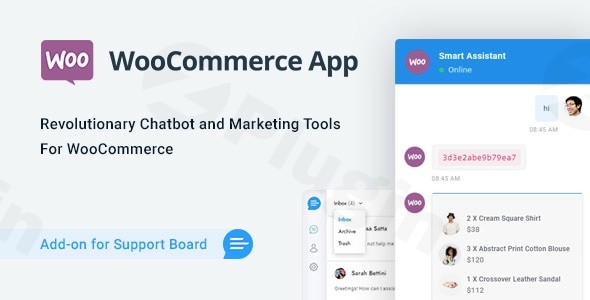
Managing a high-traffic e-commerce store requires a delicate balance between providing instant customer support and executing effective marketing strategies. The WooCommerce Chatbot & Marketing App & OpenAI – Support Board Addon is a comprehensive solution designed to automate these processes. By integrating a WooCommerce OpenAI chatbot directly into your storefront, you can provide 24/7 assistance, recover lost sales, and streamline your entire customer service workflow without increasing your headcount.
What is the Support Board WooCommerce Addon?
The Support Board WooCommerce Addon is a powerful extension for the popular Support Board plugin. It transforms a standard chat interface into an intelligent, AI-driven sales and support engine. Unlike basic chatbots that follow rigid decision trees, this addon leverages OpenAI ChatGPT WooCommerce integration to understand natural language, answer complex product questions, and even manage customer carts.
For store owners, this means shifting from reactive support to proactive marketing. It doesn’t just wait for a user to ask a question; it tracks behavior to offer discounts, recover abandoned carts, and send personalized follow-up messages.
Key Features & Benefits
1. AI-Powered Customer Support (OpenAI Integration)
The core of this plugin is its revolutionary chatbot. By connecting your OpenAI API key, the bot becomes an expert on your specific shop.
- Context-Aware Responses: It doesn’t just search for keywords; it understands intent.
- Custom Training: You can train the AI on your product catalogs, existing FAQs, and even uploaded PDF documentation.
- 24/7 Availability: Ensure your customers get instant answers to “Where is my order?” or “Does this product come in blue?” even while you sleep.
2. Advanced AI Marketing Automation
This is more than a support tool; it is a WooCommerce AI Marketing App. It uses data-driven triggers to drive revenue:
- Abandoned Cart Recovery: Automatically message users who leave items in their cart to nudge them toward a purchase.
- Personalized Coupons: Generate and offer unique discount codes in real-time based on user interaction.
- Smart Follow-ups: Send automated messages after a purchase to encourage reviews or suggest related products.
3. Deep WooCommerce Data Integration
Because the addon is built specifically for WooCommerce, it has “read and write” access to your store’s data:
- Order Tracking: Customers can ask for their order status directly in the chat.
- Cart Management: The bot can add products to a user’s cart or modify quantities during a conversation.
- Customer Profiles: Human agents can see a user’s entire purchase history and lifetime value inside the chat dashboard.
4. Multi-Channel Communication
Reach your customers wherever they are. The addon supports integrations with:
- Facebook Messenger
- Telegram
How to Install and Set Up the Support Board WooCommerce Addon
Setting up an AI chatbot for WooCommerce support is straightforward. Follow these steps to get started:
- Prerequisites: Ensure you have Support Board (the base plugin) installed and activated on your WordPress site.
- Upload the Addon: Purchase and download the WooCommerce Addon. Go to Plugins > Add New > Upload Plugin in your WordPress dashboard.
- Activate OpenAI: Navigate to the Support Board settings and enter your OpenAI API Key. You can obtain this from the OpenAI platform.
- Sync WooCommerce Products: Go to the Addon settings and run the synchronization process. This allows the AI to “read” your product names, descriptions, and prices.
- Configure Marketing Triggers: Set up your rules for abandoned carts and pop-up coupons under the “Marketing” tab in the Support Board settings.
- Test the Bot: Open your site in an incognito window and ask the bot questions about your products to ensure the training is working correctly.
Practical Usage & Best Practices
To get the most out of your WooCommerce OpenAI chatbot, consider these real-world workflows:
- The Hybrid Support Model: Use the AI to handle 80% of routine queries (shipping times, return policies, simple product specs). Set the system to automatically notify a human agent only when a “high-value” customer asks a complex question or expresses frustration.
- Dynamic Upselling: Configure the bot to suggest a “Frequently Bought Together” item when a user adds a product to their cart via the chat interface.
- Knowledge Base Synergy: If you have an extensive blog or documentation, link it to the bot. This allows the AI to pull snippets from your articles to provide more detailed, helpful answers.
Pro-Tip: Always keep your product descriptions updated. Since the AI learns from your WooCommerce data, the more detailed your product pages are, the smarter your chatbot will be.
FAQ & Troubleshooting
Can I use ChatGPT for my WooCommerce customer support?
Yes! By using the WooCommerce Chatbot & Marketing App & OpenAI addon, you can fully integrate ChatGPT into your store. It uses your store’s specific data to provide accurate, brand-safe answers to your customers.
Does this plugin support WhatsApp and Facebook?
Yes. The addon works in conjunction with Support Board’s multi-channel features, allowing you to deploy your AI chatbot across WhatsApp, Instagram, and Facebook Messenger to maintain a consistent support experience.
How does the Support Board addon enhance WooCommerce marketing?
It goes beyond chat by automating sales triggers. It can detect when a user is about to leave the site and offer a coupon, or automatically follow up with a user who abandoned their checkout process, significantly increasing conversion rates.
What happens if the AI gives a wrong answer?
You can monitor all AI conversations in real-time. If the AI is struggling with a specific topic, you can “Human Takeover” the chat instantly. You can also refine the AI’s “System Prompt” in the settings to give it better instructions on how to behave.
Conclusion: Is it Worth the Investment?
The WooCommerce Chatbot & Marketing App & OpenAI – Support Board Addon offers a high ROI for growing stores. By combining a WooCommerce OpenAI chatbot with robust marketing automation, you solve two problems at once: reducing support costs and increasing average order value.
If you are looking for a professional, lightweight, and deeply integrated solution to scale your WooCommerce business, this addon is a top-tier choice. It provides the technical depth needed for complex stores while remaining accessible enough for non-developers to manage daily.
For more WordPress plugin reviews and tutorials, visit wppick.com.
I. Download Limits & Account Benefits
- Free Downloads: Each email address receives 3 downloads per day for free products
- Upgrade Benefits: Purchase any paid product to increase your daily download limit by 3 for each paid product
- No Account Required: You can download immediately by receiving the download link via email
- Account Recommended: Create an account for easier access to your order history and direct update downloads
II. Understanding GPL vs Official Versions
Important: The products available on WPPick are GPL-licensed versions, which differ from official developer versions. Before purchasing, please read our comprehensive guide: Understanding GPL & Official Differences at WPPick
Key Points:
- GPL versions may not include premium support from original developers
- Updates may be delayed compared to official releases
- Some premium features might have limitations
- Always consider your specific needs and support requirements
III. Support & Assistance
We’re here to help through multiple channels:
- Email Support: Direct email assistance for all inquiries
- Live Chat: Real-time support during business hours
- Comprehensive Documentation: Detailed guides and tutorials
IV. Order Tracking
Access your complete purchase history and download links anytime: Order History
V. Account Access
New to WPPick? Login or Create Account to manage your downloads and orders efficiently.
VI. Refund Protection
We stand behind our products with a clear refund policy. Review our terms: Refund Policy
VII. Privacy & Security
Your data security is our priority. Learn how we protect your information: Privacy Policy
VII. Terms of Service
Understanding our service terms ensures a smooth experience: Terms of Use
Quick Tips for Best Experience
- Verify Compatibility: Check plugin/theme compatibility with your WordPress version
- Backup First: Always backup your site before installing new plugins or themes
- Test Environment: Consider testing on a staging site first
- Stay Updated: Regularly check for updates in your account dashboard
- Read Documentation: Review any included documentation for optimal setup
Need Help?
If you have questions about downloads, licensing, or need technical assistance, don’t hesitate to contact our support team. We’re committed to ensuring you have the best possible experience with WPPick products.
Ready to get started? Your download adventure begins with just one click!
No changelog available.