
Woocommerce Deposits – Partial Payments Plugin By Webtomizer_labs
/Year
For any e-commerce store operating on WordPress and WooCommerce, managing customer payments effectively is crucial for maximizing sales and improving customer satisfaction. High-value products or services can often deter potential buyers due to a large upfront cost, leading to increased cart abandonment rates. This is where the WooCommerce Deposits – Partial Payments Plugin by Webtomizer_labs steps in, offering a powerful solution to implement flexible payment options like deposits and installment plans. This robust WooCommerce deposits plugin helps businesses make their offerings more accessible, ultimately boosting conversions and customer loyalty by allowing buyers to pay a portion of the total price upfront.
Key Features for Flexible WooCommerce Partial Payments
The Webtomizer Labs WooCommerce Deposits plugin is packed with features designed to give store owners granular control over their payment options, facilitating WooCommerce partial payments and flexible installment payments WooCommerce.
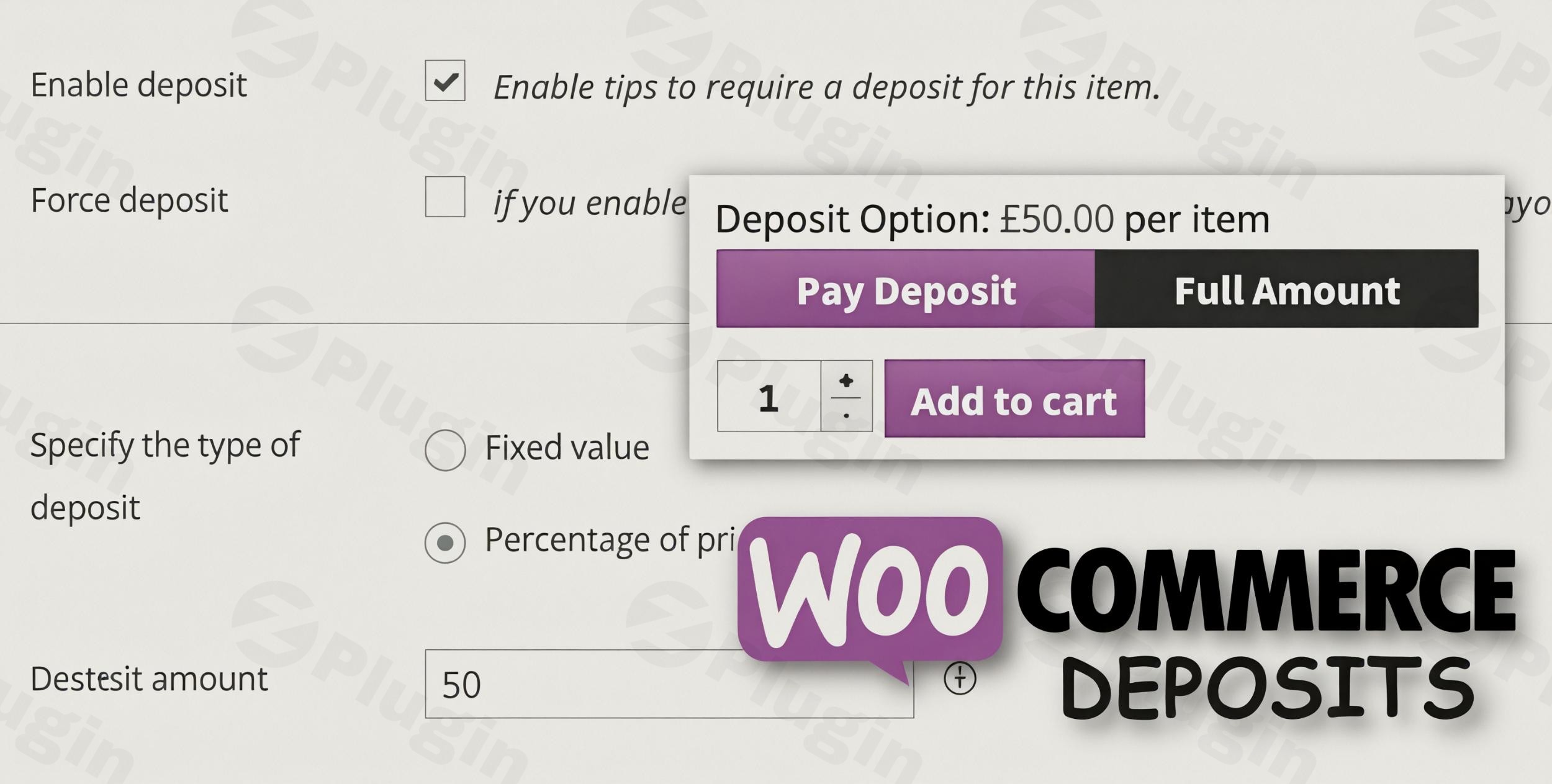
- Partial Payments and Deposits: The core functionality allows customers to pay an initial deposit, either as a fixed amount or a percentage of the total product cost, with the balance due later. This makes expensive items more attainable for a wider audience.
- Force Deposit: Store owners can force deposit WooCommerce wide or on specific products, ensuring that a minimum payment is made before an order is confirmed. This is ideal for custom orders or high-demand products.
- Customizable Payment Schedules: Beyond just deposits, the plugin enables you to create comprehensive payment plans. You can define schedules based on days, weeks, or months, giving both you and your customers flexibility in managing financial commitments.
- Fixed or Percentage Deposits: Offers the choice to configure deposits as a specific monetary value (e.g., $100) or as a percentage of the product’s price (e.g., 25%).
- Site-wide or Product-Specific Settings: Apply deposit rules globally across your store, to specific product categories, or even down to individual products. This flexibility allows for tailored payment strategies.
- Variable Product Support: Essential for stores with diverse offerings, the plugin supports different payment plans for each variation of a variable product, ensuring comprehensive coverage.
- Automatic Email Reminders: Reduce overdue payments with automated email notifications. Customers receive timely reminders about upcoming or missed deposit payments, improving cash flow and reducing administrative overhead.
- Customizable Messages: Display clear, informative messages on product pages and during checkout, educating customers about their deposit and partial payment options.
- Payment Gateway Restrictions: Maintain control over your payment processing. You can disable specific payment gateways when a deposit option is selected, guiding customers towards your preferred methods.
- Tax and Shipping Handling: Configure how taxes, shipping fees, and other charges are split between the initial deposit and subsequent installments, ensuring accurate accounting and transparency.
- Comprehensive Reports: Access detailed deposit and partial payment reports directly within the WooCommerce Reports panel, providing valuable insights into your payment collection and financial health. This contributes to a robust WooCommerce deposit system.
- WooCommerce Bookings Compatibility: A significant advantage, this plugin seamlessly integrates with the popular WooCommerce Bookings extension, allowing you to collect deposits on appointments, rentals, and reservations.
- Checkout Mode: Option to display the deposit functionality directly on the checkout page, making it a cart-based decision rather than a product-page specific one.
- Cancel Due Orders: Automatically cancel orders with overdue deposit payments after a predefined period, helping to manage stock and customer commitments efficiently.
Installation & Setup: How to Set Up Partial Payments in WooCommerce
Setting up the Webtomizer Labs WooCommerce Deposits plugin is straightforward, even for those new to WordPress. Follow these steps to begin offering partial payments on your store:
- Purchase and Download: First, purchase the “WooCommerce Deposits – Partial Payments Plugin by Webtomizer_labs” from its official source. You will receive a downloadable
.zipfile. - Upload the Plugin:
- Navigate to your WordPress dashboard.
- Go to Plugins > Add New.
- Click on the “Upload Plugin” button at the top of the page.
- Click “Choose File”, select the downloaded
.zipfile, and then click “Install Now”.
- Activate the Plugin: Once installed, click “Activate Plugin” to enable it on your site.
- Configure Global Settings:
- After activation, a new menu item or section will typically appear under WooCommerce > Settings or directly in your WordPress dashboard.
- Navigate to the plugin’s settings to configure site-wide options, such as default deposit types (fixed or percentage), general payment schedules, and email reminder settings.
- Set Up Product-Specific Deposits:
- For individual products, go to Products > All Products and edit the desired product.
- Within the product data meta box (usually under the “General” or a dedicated “Deposits” tab), you’ll find options to enable deposits, set specific deposit amounts or percentages, and define custom payment plans for that product or its variations.
- Review Compatibility:
- Ensure your WordPress installation is version 6.6 or higher.
- Your WooCommerce version should be 9.7 or higher.
- Your PHP version should be 7.4 or higher for optimal performance and security.
- The plugin is compatible with most standard WooCommerce themes and payment gateways, as well as WPML for multilingual sites. It also works with the new Cart and Checkout blocks in WooCommerce core.
Practical Usage & Best Practices for Your WooCommerce Deposit System
Implementing a WooCommerce deposit system can significantly enhance your business model. Here are a few practical use cases and best practices:
- High-Ticket Items: For products like custom furniture, electronics, or luxury goods, an upfront deposit makes the purchase less daunting. Customers can secure their item with a smaller payment, and the remainder can be paid upon completion or delivery, reducing cart abandonment.
- Booking and Reservation Services: If you offer services like hotel stays, tour packages, or appointments (especially with WooCommerce Bookings integration), requiring a deposit ensures customer commitment and reduces no-shows, without demanding the full payment upfront.
- Custom Orders & Pre-orders: For bespoke products or items available for pre-order, a down payment WooCommerce plugin is invaluable. It helps cover initial material costs or production expenses and provides a clear commitment from the customer before extensive work begins.
- Payment Plans for Courses or Memberships: Offer educational courses or membership tiers with flexible payment plans. Customers can pay an initial enrollment fee and then subsequent installments, making your offerings more accessible.Best Practices:
- Transparency is Key: Always clearly communicate the deposit amount, payment schedule, and terms to your customers. Use the customizable messages feature to inform them upfront on product pages and during checkout.
- Automate Reminders: Leverage the automatic email reminders to gently nudge customers about upcoming or overdue payments. This minimizes manual follow-ups and improves payment collection rates.
- Test Payment Gateways: Before going live, test your deposit setup with various payment gateways to ensure smooth transactions and avoid customer friction.
- Monitor Reports: Regularly check the deposit and partial payment reports to understand customer payment behavior, identify trends, and make informed business decisions.
FAQ & Troubleshooting
Here are answers to common questions about implementing WooCommerce partial payments and the Webtomizer Labs plugin.
Can I offer partial payments on WooCommerce?
Yes, you can absolutely offer partial payments on WooCommerce. While WooCommerce doesn’t offer this feature natively, plugins like the WooCommerce Deposits – Partial Payments Plugin by Webtomizer_labs extend its functionality to allow customers to pay a deposit or follow an installment plan for their purchases.
How do WooCommerce deposit plugins work?
WooCommerce deposit plugins work by integrating into the product and checkout process. They add options on product pages or during checkout that allow customers to select a deposit or partial payment option. The plugin then modifies the order total, processes the initial payment, and schedules future payments, often with automated email reminders for outstanding balances.
What are the benefits of using WooCommerce partial payment plugins?
The benefits of using WooCommerce partial payment plugins are numerous:
- Increased Sales: Makes high-priced items more accessible, leading to more conversions.
- Reduced Cart Abandonment: Lowers the initial barrier to purchase.
- Improved Cash Flow: Secures partial payments upfront, helping with inventory and production costs.
- Enhanced Customer Satisfaction: Provides flexibility and caters to diverse customer budgets.
- Better Order Management: Helps secure commitments for custom orders or bookings.
Is Webtomizer Labs’ WooCommerce Deposits plugin compatible with WooCommerce Bookings?
Yes, the Webtomizer Labs’ WooCommerce Deposits plugin is officially compatible with the WooCommerce Bookings plugin. This allows you to seamlessly collect deposits for appointments, reservations, and other bookable products or services directly from your WooCommerce store.
Conclusion
The WooCommerce Deposits – Partial Payments Plugin by Webtomizer_labs is an indispensable tool for any WooCommerce store looking to expand its payment flexibility and boost sales. By enabling partial payments, deposits, and customizable installment plans, this WooCommerce deposits plugin makes high-value products and services more accessible to a broader customer base, ultimately leading to higher conversion rates and improved customer satisfaction. Its robust feature set, including email reminders, detailed reports, and seamless integration with WooCommerce Bookings, makes it an authoritative choice for store owners seeking to optimize their payment strategies. If you’re looking to reduce cart abandonment and increase revenue by offering flexible payment options, the Webtomizer Labs WooCommerce Deposits plugin is an excellent investment for your e-commerce business.
I. Download Limits & Account Benefits
- Free Downloads: Each email address receives 3 downloads per day for free products
- Upgrade Benefits: Purchase any paid product to increase your daily download limit by 3 for each paid product
- No Account Required: You can download immediately by receiving the download link via email
- Account Recommended: Create an account for easier access to your order history and direct update downloads
II. Understanding GPL vs Official Versions
Important: The products available on WPPick are GPL-licensed versions, which differ from official developer versions. Before purchasing, please read our comprehensive guide: Understanding GPL & Official Differences at WPPick
Key Points:
- GPL versions may not include premium support from original developers
- Updates may be delayed compared to official releases
- Some premium features might have limitations
- Always consider your specific needs and support requirements
III. Support & Assistance
We’re here to help through multiple channels:
- Email Support: Direct email assistance for all inquiries
- Live Chat: Real-time support during business hours
- Comprehensive Documentation: Detailed guides and tutorials
IV. Order Tracking
Access your complete purchase history and download links anytime: Order History
V. Account Access
New to WPPick? Login or Create Account to manage your downloads and orders efficiently.
VI. Refund Protection
We stand behind our products with a clear refund policy. Review our terms: Refund Policy
VII. Privacy & Security
Your data security is our priority. Learn how we protect your information: Privacy Policy
VII. Terms of Service
Understanding our service terms ensures a smooth experience: Terms of Use
Quick Tips for Best Experience
- Verify Compatibility: Check plugin/theme compatibility with your WordPress version
- Backup First: Always backup your site before installing new plugins or themes
- Test Environment: Consider testing on a staging site first
- Stay Updated: Regularly check for updates in your account dashboard
- Read Documentation: Review any included documentation for optimal setup
Need Help?
If you have questions about downloads, licensing, or need technical assistance, don’t hesitate to contact our support team. We’re committed to ensuring you have the best possible experience with WPPick products.
Ready to get started? Your download adventure begins with just one click!
- Improved email triggering logic for better compatibility with certain payment gateway plugins.
- Removed legacy code related to outdated WooCommerce versions no longer supported.