

Woocommerce Easy Booking Pro
/Year
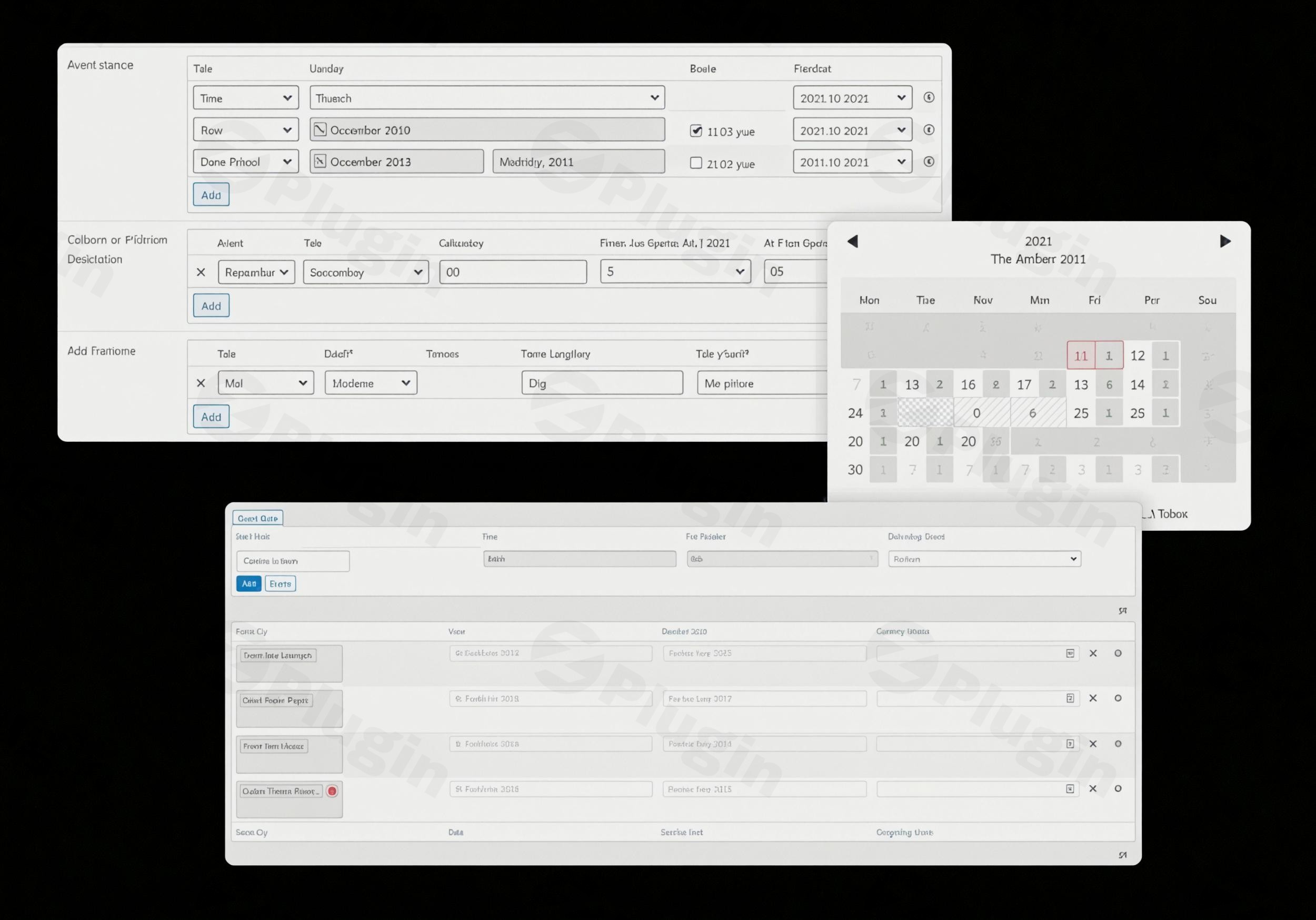
The digital marketplace for rentals and services is booming, and your WooCommerce store needs a robust solution to keep pace. If you’re looking to transform your online shop into a powerful booking platform, WooCommerce Easy Booking Pro is the advanced extension designed to meet those demands. This premium plugin enhances the free Easy Booking plugin, providing sophisticated functionalities like precise stock management per date, dynamic pricing, and seamless manual bookings, making it an ideal WooCommerce rental plugin for any business dealing with time-based products or services.Easy Booking PRO empowers you to manage product availability, set flexible pricing, and streamline the booking process directly within your existing WooCommerce environment. Unlike some alternatives that introduce entirely new product types, Easy Booking PRO cleverly extends simple, variable, grouped, and bundled WooCommerce products, simplifying management and ensuring smooth integration with your current store.
Key Features for Advanced Booking Management
Easy Booking PRO for WooCommerce brings a suite of powerful features to elevate your booking system, focusing on flexibility, control, and an enhanced customer experience.
Precise Availability & Stock Management
- Stock Management Per Date: Gain granular control over your inventory by managing stock availability for specific dates. This prevents overbooking and provides real-time availability updates to your customers, crucial for WooCommerce product availability by date.
- Disabled Dates: Easily mark specific dates, weekdays, or entire date ranges as unavailable. This is perfect for holidays, maintenance, or non-operational periods, allowing you to disable dates in WooCommerce booking calendar globally or per product. You can even disable dates specifically for check-in or check-out.
- Unavailability Period: Automatically set a period of unavailability after a booking, ensuring adequate preparation time between rentals or services.
- Availability Overview: A clear, intuitive overview of product availability directly from your WordPress dashboard helps you keep track of all bookings and remaining stock at a glance.
Dynamic & Flexible Pricing Options
- Dynamic Pricing: Implement advanced pricing strategies by adjusting prices based on weekdays, specific dates, or date ranges. This feature supports both regular and sale prices, allowing you to implement seasonal pricing or special holiday rates, ideal for dynamic pricing WooCommerce booking.
- Duration-Based Discounts & Surcharges: Incentivize longer bookings or apply additional charges with percentage, fixed, or total discounts and surcharges based on the selected booking duration. These can be applied universally or to specific products/variations. This makes offering WooCommerce booking duration discounts effortless.
Streamlined Booking Workflows
- Manual Bookings: Effortlessly handle bookings from external platforms or offline reservations. You can manually import bookings one by one or in bulk via a CSV file, with the system automatically updating availability. This is a critical feature for manual booking import WooCommerce.
- Customer-Centric Experience: Customers enjoy a smooth booking journey, selecting one or two dates with automatic price calculation. A dedicated dates filter block helps them quickly find available products, enhancing usability for any WordPress booking system WooCommerce.
- Customizable Booking Settings: Tailor your booking system with options like “Days” or “Nights” mode, define booking duration and limits, set first and last available dates, and configure minimum/maximum booking durations to fit your business model.
Technical Prowess & Developer Friendly
- Seamless WooCommerce Integration: Easy Booking PRO integrates directly with existing WooCommerce product types (simple, variable, grouped, bundled), ensuring a familiar checkout, order, and payment process.
- Performance Optimized: The free Easy Booking plugin, upon which PRO is built, has received significant performance optimization updates, contributing to a fast, lightweight output and better page speed.
- Developer Friendly: For those needing custom solutions, the plugin offers filters and action hooks, allowing developers to extend its functionalities further.
Installation & Setup: Get Your Booking System Running
Setting up WooCommerce Easy Booking Pro is a straightforward process, even for those new to WordPress. Before you begin, ensure you have the free Easy Booking plugin installed and activated, as PRO is an extension.
Prerequisites:
- WordPress: Version 5.0 or greater (tested up to WordPress 6.8.3 for newer versions of the free plugin).
- WooCommerce: Version 4.0 or greater (tested up to WooCommerce 10.3.x for newer versions of the free plugin). WooCommerce must be installed and activated.
Step-by-Step Installation:
- Purchase and Download: Acquire the Easy Booking PRO plugin from a trusted source (e.g., ZeroPlugin.com). You will receive a ZIP file.
- Upload the Plugin:
- Navigate to your WordPress dashboard.
- Go to Plugins > Add New.
- Click on the “Upload Plugin” button at the top of the page.
- Click “Choose File”, select the Easy Booking PRO ZIP file you downloaded, and click “Install Now”.
- Activate the Plugin: Once installed, click “Activate Plugin”.
- License Activation (if applicable): Depending on your purchase source, you might need to enter a license key to receive updates and support. Follow any on-screen prompts or check the plugin’s settings page for a licensing tab.
- Configure Global Settings:
- After activation, navigate to WooCommerce > Easy Booking in your WordPress dashboard.
- Here, you’ll find global settings for your booking system, such as default display modes (“Days” vs. “Nights”), default booking durations, and general availability rules. Configure these to match your business needs.
- Enable Booking for Products:
- Go to Products > All Products and edit an existing product or create a new one.
- In the “Product data” meta box, you will find new “Easy Booking” tabs or sections.
- Enable booking for the product and configure its specific settings:
- Availability: Set minimum/maximum booking durations, define the first and last available dates, and specify daily stock. This is where you can manage booking availability in WooCommerce Easy Booking Pro.
- Disabled Dates: Block specific dates or weekdays that are unavailable for this particular product.
- Pricing: Set up dynamic pricing rules based on dates or booking duration. This is how you can set up daily booking prices in WooCommerce or configure weekend surcharges.
Practical Usage and Best Practices
WooCommerce Easy Booking Pro is incredibly versatile, making it the best WooCommerce plugin for car rental business, equipment hire, hotel bookings, or appointment scheduling. Here are some practical use cases and best practices:
- Car Rental Business:
- Workflow: Assign each car as a WooCommerce product.
- Best Practice: Utilize “Days” mode for rentals. Set up duration-based discounts for weekly or monthly rentals. Use stock management per date to ensure each vehicle’s availability is accurately reflected and no double-bookings occur. If a car requires a service, simply use the disabled dates feature to mark it unavailable.
- Vacation Rentals (e.g., Apartments, Villas):
- Workflow: Each property is a WooCommerce product.
- Best Practice: Employ “Nights” mode for accommodation. Implement dynamic pricing to charge higher rates during peak seasons (holidays, summer) and lower rates during off-peak times. Use disabled dates for maintenance periods or owner-occupied dates. Leverage the availability overview to quickly see booked periods.
- Equipment Hire (e.g., Tools, Cameras):
- Workflow: List each piece of equipment as a product.
- Best Practice: Use stock management per date to track the number of units available on any given day. Offer duration-based discounts for longer rental periods, encouraging customers to rent for more than just a day. The WooCommerce rental inventory management features ensure you never promise equipment you don’t have.
- Appointment-Based Services (e.g., Consultants, Trainers):
- Workflow: Each service (e.g., “1-hour consultation”) is a product, or a variable product for different service durations.
- Best Practice: While primarily date-based, you can use the daily stock to limit the number of appointments per day. Disable specific dates when you are unavailable. For services with fixed durations, define maximum and minimum booking durations precisely.
Enhancing Customer Experience:
- Clear Communication: Ensure your product descriptions clearly explain the booking process, pricing rules, and any special conditions.
- Transparent Pricing: Use the dynamic pricing features to offer competitive rates, but always ensure the final price calculation is clear to the customer before checkout.
- Mobile Responsiveness: Since the plugin integrates with WooCommerce, ensure your theme is mobile-responsive to provide a seamless booking experience across all devices.
FAQ & Troubleshooting
Here are answers to some common questions about WooCommerce Easy Booking Pro:
Q: Is Woocommerce Easy Booking Pro compatible with the latest WordPress and WooCommerce versions?
A: Yes, Woocommerce Easy Booking Pro is designed to be compatible with modern WordPress and WooCommerce installations. It requires WordPress 5.0 or greater and WooCommerce 4.0 or greater. The free Easy Booking plugin, which PRO extends, is regularly tested with the latest stable versions of WordPress (up to 6.8.3) and WooCommerce (up to 10.3.x) to ensure ongoing compatibility and performance.
Q: How do I manage booking availability in Woocommerce Easy Booking Pro?
A: You can manage booking availability in several ways. For global settings, go to WooCommerce > Easy Booking in your dashboard. For individual products, edit the product and navigate to the “Easy Booking” section within the “Product data” meta box. Here, you can set daily stock, minimum/maximum booking durations, and define first/last available dates. You can also easily block specific dates using the “Disabled Dates” feature at both global and product levels.
Q: Can I set different prices for weekends with Woocommerce Easy Booking Pro?
A: Absolutely! Woocommerce Easy Booking Pro’s dynamic pricing feature allows you to set different prices based on specific weekdays or date ranges. When editing a product, go to the “Easy Booking” pricing tab. You can configure rules to apply higher (or lower) rates for weekends, holidays, or any specific dates, supporting both regular and sale prices. This makes it simple to implement seasonal or event-based pricing strategies.
Q: Does Woocommerce Easy Booking Pro support multi-day rentals?
A: Yes, Woocommerce Easy Booking Pro is explicitly designed for multi-day rentals and bookings. You can configure products to use either “Days” or “Nights” mode, define minimum and maximum booking durations, and set an unavailability period after a booking concludes. This makes it perfect for scenarios like equipment rentals, vacation properties, or event bookings that span multiple days.
Q: What are the primary benefits of using Woocommerce Easy Booking Pro for businesses like hotels or rental services?
A: For hotels or rental services, Woocommerce Easy Booking Pro offers several key benefits. It provides robust WooCommerce date based booking capabilities, including precise WooCommerce rental inventory management through stock per date, ensuring no overbookings. The dynamic pricing WooCommerce booking feature allows for flexible rate adjustments based on seasons or demand. Moreover, its ability to extend existing WooCommerce product types simplifies management compared to plugins that introduce new product types, making it a powerful and integrated solution for accommodation and rental businesses.
Conclusion: Transform Your WooCommerce Store into a Booking Powerhouse
Easy Booking PRO for WooCommerce stands out as a highly effective and reliable solution for businesses seeking to add robust booking and rental functionalities to their online stores. By seamlessly integrating with existing WooCommerce product types, it simplifies management while providing advanced features that rival dedicated booking platforms.Whether you operate a car rental service, manage vacation properties, hire out equipment, or offer appointment-based services, Easy Booking PRO delivers the control and flexibility you need. Its precise stock management, dynamic pricing options, and intuitive booking flow for customers make it an indispensable tool for maximizing revenue and streamlining operations. At ZeroPlugin.com, you get this powerful WooCommerce Easy Booking Pro under a GPL license, ensuring a legitimate and continuously updated product. Invest in Easy Booking PRO today and take your WooCommerce rental plugin capabilities to the next level.
I. Download Limits & Account Benefits
- Free Downloads: Each email address receives 3 downloads per day for free products
- Upgrade Benefits: Purchase any paid product to increase your daily download limit by 3 for each paid product
- No Account Required: You can download immediately by receiving the download link via email
- Account Recommended: Create an account for easier access to your order history and direct update downloads
II. Understanding GPL vs Official Versions
Important: The products available on WPPick are GPL-licensed versions, which differ from official developer versions. Before purchasing, please read our comprehensive guide: Understanding GPL & Official Differences at WPPick
Key Points:
- GPL versions may not include premium support from original developers
- Updates may be delayed compared to official releases
- Some premium features might have limitations
- Always consider your specific needs and support requirements
III. Support & Assistance
We’re here to help through multiple channels:
- Email Support: Direct email assistance for all inquiries
- Live Chat: Real-time support during business hours
- Comprehensive Documentation: Detailed guides and tutorials
IV. Order Tracking
Access your complete purchase history and download links anytime: Order History
V. Account Access
New to WPPick? Login or Create Account to manage your downloads and orders efficiently.
VI. Refund Protection
We stand behind our products with a clear refund policy. Review our terms: Refund Policy
VII. Privacy & Security
Your data security is our priority. Learn how we protect your information: Privacy Policy
VII. Terms of Service
Understanding our service terms ensures a smooth experience: Terms of Use
Quick Tips for Best Experience
- Verify Compatibility: Check plugin/theme compatibility with your WordPress version
- Backup First: Always backup your site before installing new plugins or themes
- Test Environment: Consider testing on a staging site first
- Stay Updated: Regularly check for updates in your account dashboard
- Read Documentation: Review any included documentation for optimal setup
Need Help?
If you have questions about downloads, licensing, or need technical assistance, don’t hesitate to contact our support team. We’re committed to ensuring you have the best possible experience with WPPick products.
Ready to get started? Your download adventure begins with just one click!
- Out-of-stock dates not displayed with striped background when “Display availability” was set to “None”.
- Added block to allow filtering dates on shop page.
- Issue with not bookable grouped products.
- Error with bundle products in single product blocks.
- Added scripts version to prevent browser cache issues.
- Disabled dates refactor
- Added new wceb_disabled_dates table
- Make sure to update PRO database
- Added share availability feature
- Compatibility with Polylang
- Variations managing stock at parent product level were not taken into account when initializing stocks
- Added $booking_data parameter to easy_booking_apply_discounts_to_price filter
- Missing $product variable causing fatal error
- Error triggered by undefined quantity in Reports > Product availability in “Days” mode
- Prices decimal numbers were saved as integers
- Compatibility with Single product blocks