

Woocommerce Easy Checkout Field Editor
/Year
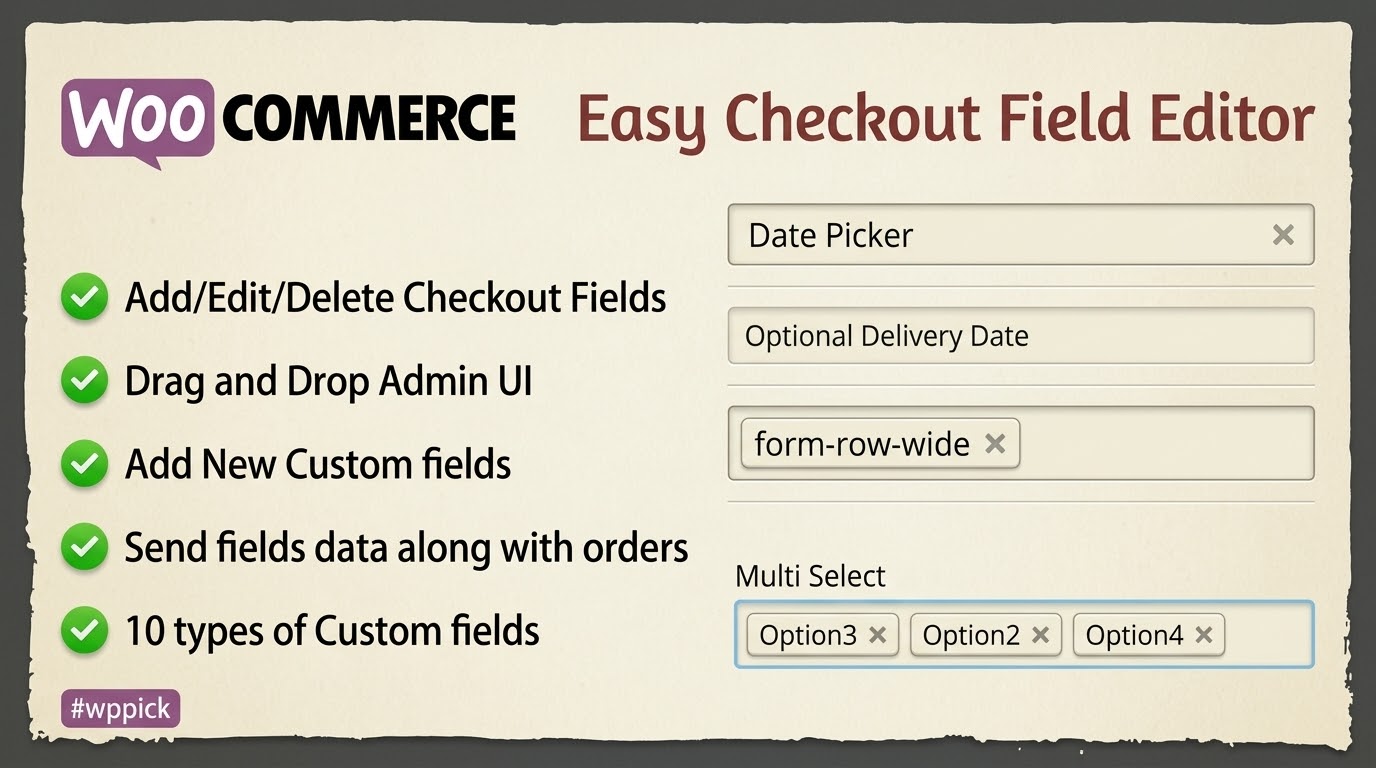
Optimize Your Conversion Funnel with Custom Checkout Fields
The WooCommerce Easy Checkout Field Editor provides an efficient solution for store owners who need to modify the default checkout flow. Collecting standard billing and shipping information is rarely enough for specialized business models. This plugin bridges that gap by allowing complete control over the registration and transaction forms, helping businesses lower cart abandonment rates by eliminating unnecessary inputs while gathering crucial transactional details.
What It Does
This extension enables store administrators to add new fields, edit existing default parameters, or hide non-essential form fields from the checkout page. It gives full operational authority over the billing, shipping, and additional fields sections without forcing the user to touch theme templates or write custom PHP filters. Beyond simple additions, it transforms static text fields into flexible data nodes that synchronize with backend orders and customer email alerts.
Who It Is For
This tool is designed specifically for digital merchants, B2B wholesale businesses, service providers, and WooCommerce administrators seeking optimized customer onboarding. It serves businesses that require tailored data variables during procurement, such as tax identification numbers, corporate delivery instructions, or delivery date choices, ensuring the transaction process matches exact logistical frameworks.
Key Capabilities
- Complete field architecture control across standard billing, shipping, and auxiliary fields sections.
- Support for 11 distinct input types, including text, textareas, select dropdowns, checkboxes, and radio lists.
- Conditional display logic rules that show or hide specific form options depending on cart parameters or prior inputs.
- Native integration with default transaction procedures, pushing custom field inputs directly into WooCommerce order records and automated receipt emails.
- Reordering mechanics that allow drag-and-drop structural updates to form placements.
Practical WordPress Use Cases
- Wholesale operations collecting verified corporate tax codes and company registry numbers before validating an order.
- Subscription platforms gathering customer birth dates, account preferences, or specialized intake questionnaires.
- Gift shops providing custom engraving prompts or personalized greeting card text inputs before checkout completion.
- Localized delivery networks capturing specific drop-off coordinates, gate codes, or access instructions.
Setup and Compatibility Notes
The checkout editor integrates with standard WordPress architectures via standard administration menus. It functions alongside default WooCommerce implementations and standard payment gateways. For environments using custom checkout blocks or highly customized third-party multi-step checkout skins, review functional behaviors in a staging container to ensure smooth rendering across form containers.
Reasons to Choose It on WPPick
Sourcing your operational extensions through WPPick ensures unhindered access to fundamental conversion tools. It helps digital managers eliminate heavy custom development requirements, replacing hardcoded overrides with clean structural control interfaces. This approach minimizes site maintenance overhead while allowing rapid optimization iterations based on live customer checkout trends.
Latest Version Context
Detailed release notes are not available from the provided sources. Internet search data did not verify documented changelogs for this exact version profile, indicating standard ongoing infrastructure updates to support changing platform environments.
Frequently Asked Questions
Can I create conditional rules based on user inputs?
Yes, the plugin supports conditional execution logic. You can configure individual custom field elements to display or remain hidden dynamically, depending on the data selections or entries made by the customer on previous fields during the same session.
Where do the custom inputs appear in the administration dashboard?
All captured data points are saved with the corresponding transaction details. They render inside the native WooCommerce edit order screen, ensuring processing teams can easily locate custom inputs during shipment fulfillment.
Does this tool allow me to remove default WooCommerce billing inputs?
Yes, you can edit or entirely disable default checkout inputs. This allows you to hide non-essential form variables, like second address lines or company designations, streamlining the process for your specific customer profile.
Are the custom fields included in consumer notification emails?
Yes, data entered into these customized fields is automatically appended to core WooCommerce transactional communications, keeping both clients and admins fully informed regarding custom requirements.
I. Download Limits & Account Benefits
- Free Downloads: Each email address receives 3 downloads per day for free products
- Upgrade Benefits: Purchase any paid product to increase your daily download limit by 3 for each paid product
- No Account Required: You can download immediately by receiving the download link via email
- Account Recommended: Create an account for easier access to your order history and direct update downloads
II. Understanding GPL vs Official Versions
Important: The products available on WPPick are GPL-licensed versions, which differ from official developer versions. Before purchasing, please read our comprehensive guide: Understanding GPL & Official Differences at WPPick
Key Points:
- GPL versions may not include premium support from original developers
- Updates may be delayed compared to official releases
- Some premium features might have limitations
- Always consider your specific needs and support requirements
III. Support & Assistance
We’re here to help through multiple channels:
- Email Support: Direct email assistance for all inquiries
- Live Chat: Real-time support during business hours
- Comprehensive Documentation: Detailed guides and tutorials
IV. Order Tracking
Access your complete purchase history and download links anytime: Order History
V. Account Access
New to WPPick? Login or Create Account to manage your downloads and orders efficiently.
VI. Refund Protection
We stand behind our products with a clear refund policy. Review our terms: Refund Policy
VII. Privacy & Security
Your data security is our priority. Learn how we protect your information: Privacy Policy
VII. Terms of Service
Understanding our service terms ensures a smooth experience: Terms of Use
Quick Tips for Best Experience
- Verify Compatibility: Check plugin/theme compatibility with your WordPress version
- Backup First: Always backup your site before installing new plugins or themes
- Test Environment: Consider testing on a staging site first
- Stay Updated: Regularly check for updates in your account dashboard
- Read Documentation: Review any included documentation for optimal setup
Need Help?
If you have questions about downloads, licensing, or need technical assistance, don’t hesitate to contact our support team. We’re committed to ensuring you have the best possible experience with WPPick products.
Ready to get started? Your download adventure begins with just one click!
- Frontend css improvements
- Fixed known previous javascript bugs