

Woocommerce Eu Vat Number
/Year
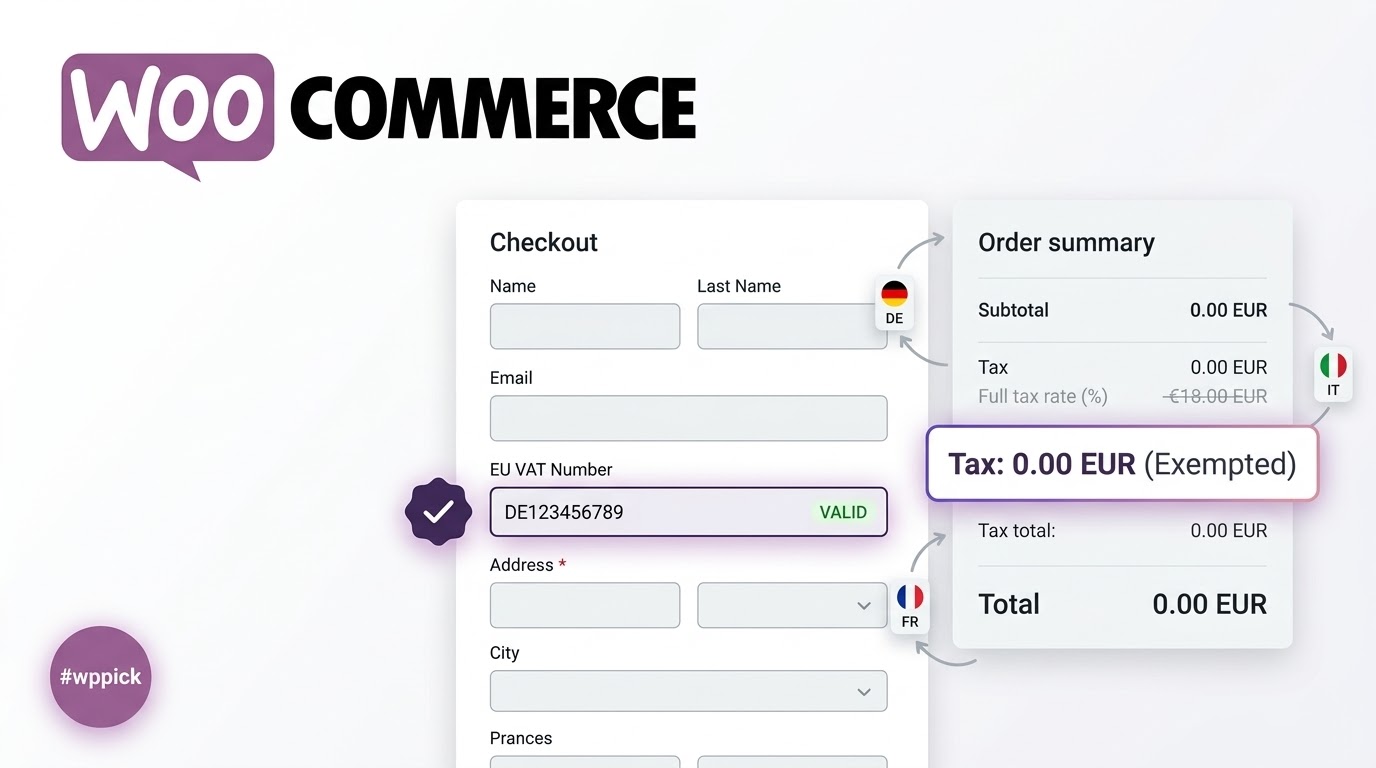
Streamline European B2B Checkout with Automated VAT Validation
Operating a WooCommerce store within or targeting the European Union requires strict compliance with cross-border tax regulations. The WooCommerce EU VAT Number plugin provides an automated framework to capture, process, and verify European Union Value Added Tax IDs directly on your checkout page. By integration with official verification databases, this extension determines tax liabilities in real-time, removing manual administrative friction from international B2B digital commerce.
What WooCommerce EU VAT Number Does
This extension adds a dedicated VAT input field to your checkout flow, allowing corporate purchasers to supply their tax credentials during a transaction. Upon entry, the plugin initiates an instantaneous validation sequence. If the provided ID is authenticated successfully against official databases, the system modifies the cart architecture to zero-rate the transaction, ensuring eligible cross-border B2B buyers are automatically exempted from local VAT. Conversely, domestic buyers or unverified entities continue to receive correct localized tax calculations.
Who This Tax Compliance Solution Is For
This plugin is an essential asset for e-commerce operators, digital product merchants, wholesale distribution channels, and subscription-based platforms that facilitate trade across EU member states. If your storefront regularly processes business-to-business transactions involving physical goods or electronic services within Europe, implementing this automated system removes the risk of compliance errors, prevents double-taxation disputes, and elevates the professional buyer experience.
Key Capabilities and Structural Mechanics
- Real-Time VIES API Validation: Connects directly with the European Commission VIES (Vat Information Exchange System) to confirm the legitimacy of client tax numbers instantly.
- Smart Tax Exemption Rules: Executes automated rule logic to exempt verified corporate buyers from tax based on geographic location and vendor origin matching.
- Blocks and Shortcode Checkout Support: Fully adapted to work natively with contemporary block-based checkouts as well as legacy shortcode systems.
- Comprehensive B2B Reporting Structures: Captures and logs processed corporate tax information, populating critical data arrays such as the EC Sales List for seamless tax reporting.
- Subscription Renewal Automation: Maintains continuous validation checks across recurring payment lifecycles to ensure perpetual business compliance.
Practical WordPress Use Cases
Consider an enterprise software provider operating from Germany selling cloud infrastructure licenses across the EU. When a corporate buyer from Spain inputs their Spanish VAT ID, the plugin verifies the ID via VIES and eliminates the German tax liability, recording the transaction correctly for intra-community supply reporting. For virtual asset stores without physical shipping logic, the extension guarantees that orders containing digital goods still dynamically populate the EC Sales List, keeping bookkeeping completely synchronized.
Setup and Integration Context
Configuration takes place directly inside core WooCommerce tax parameters. Store administrators can determine whether providing a VAT number is mandatory or optional for European addresses and specify how the storefront reacts if the central validation service encounters transient downtime. The extension handles structural nuances seamlessly, ensuring that alternative prefix standards, such as utilizing the appropriate designation for Greece, are parsed perfectly across both modernized blocks and shortcode structures.
Why Source This Extension on WPPick
Acquiring your infrastructure plugins through WPPick ensures your operational toolset remains completely clean, verified, and secure. Each structural asset undergoes deep file scans to ensure zero malicious scripts interfere with critical checkout mechanisms. By using WPPick, you gain immediate deployment capabilities for vital tax automation software, bypassing restrictive licensing architectures while maintaining standard system configurations across development, staging, and production servers.
Latest Version Context and Structural Enhancements
The current architecture of version 3.1.0 delivers critical structural refinements focused on checkout stability and expanded reporting precision. This update ensures that virtual items and orders missing physical shipping fields map flawlessly into the EC Sales List dashboard. Furthermore, optimization passes have mitigated background check overhead within the admin environment to accelerate administrative performance. Compatibility standards have been elevated, requiring a minimum environment of WordPress 6.8 and WooCommerce 10.4, while extending verified support up to WooCommerce 10.6.
Frequently Asked Questions
How does the plugin handle checkouts when the VIES system goes offline?
The plugin incorporates an administrative fallback configuration option labeled Failed Validation Handling. Store managers can decide whether to block the transaction entirely, allow the checkout to proceed with normal tax rates, or provisionally accept the number until manual audit can be performed later.
Does this tool function correctly with modern WooCommerce Checkout Blocks?
Yes, the extension features comprehensive structural support for modern Block checkouts. It actively tracks field state switches, handles dynamic placeholder substitutions, and prevents silent processing failures when users alternate between EU and non-EU country selectors during checkout.
Are digital goods and virtual services supported in compliance reports?
Yes, version 3.1.0 specifically resolves tracking limitations for virtual products. Transactions that do not require physical shipping indicators are systematically tracked and injected correctly into your store’s EC Sales List reporting interface.
Can customers register their VAT IDs without entering country prefixes?
Yes, the platform includes a global functional parameter allowing purchasers to submit their numeric sequences without manually appending the two-letter country prefix, simplifying data entry while maintaining rigorous programmatic parsing behind the scenes.
I. Download Limits & Account Benefits
- Free Downloads: Each email address receives 3 downloads per day for free products
- Upgrade Benefits: Purchase any paid product to increase your daily download limit by 3 for each paid product
- No Account Required: You can download immediately by receiving the download link via email
- Account Recommended: Create an account for easier access to your order history and direct update downloads
II. Understanding GPL vs Official Versions
Important: The products available on WPPick are GPL-licensed versions, which differ from official developer versions. Before purchasing, please read our comprehensive guide: Understanding GPL & Official Differences at WPPick
Key Points:
- GPL versions may not include premium support from original developers
- Updates may be delayed compared to official releases
- Some premium features might have limitations
- Always consider your specific needs and support requirements
III. Support & Assistance
We’re here to help through multiple channels:
- Email Support: Direct email assistance for all inquiries
- Live Chat: Real-time support during business hours
- Comprehensive Documentation: Detailed guides and tutorials
IV. Order Tracking
Access your complete purchase history and download links anytime: Order History
V. Account Access
New to WPPick? Login or Create Account to manage your downloads and orders efficiently.
VI. Refund Protection
We stand behind our products with a clear refund policy. Review our terms: Refund Policy
VII. Privacy & Security
Your data security is our priority. Learn how we protect your information: Privacy Policy
VII. Terms of Service
Understanding our service terms ensures a smooth experience: Terms of Use
Quick Tips for Best Experience
- Verify Compatibility: Check plugin/theme compatibility with your WordPress version
- Backup First: Always backup your site before installing new plugins or themes
- Test Environment: Consider testing on a staging site first
- Stay Updated: Regularly check for updates in your account dashboard
- Read Documentation: Review any included documentation for optimal setup
Need Help?
If you have questions about downloads, licensing, or need technical assistance, don’t hesitate to contact our support team. We’re committed to ensuring you have the best possible experience with WPPick products.
Ready to get started? Your download adventure begins with just one click!
- Ensure that orders without shipping address fields (e.g., virtual products) correctly appear in the EC Sales List report.
- Ensure that the Create Order REST API response does not get corrupted when VAT validation fails.
- Resolve an issue where the Blocks checkout would fail silently after switching from an EU country to a non-EU country when a VAT number had been entered.
- Respect "Failed Validation Handling" setting when VIES service is unavailable for a member state.
- Ensure that the `{vat_id}` placeholder is replaced with the VAT number correctly on block checkout.
- Make the “optional” string translatable.
- Ensure that Greece VAT number validation correctly uses “EL” instead of “GR” as the VAT prefix in the shortcode checkout when the country code prefix is not required.
- More specific error message for checkout when two-character VAT number is missing.
- Optimized admin dashboard performance by reducing unnecessary background checks.
- Improved the translation system to ensure all text is correctly displayed in the selected language.
- Bump WooCommerce "tested up to" version 10.6.
- Bump WooCommerce minimum supported version to 10.4.
- Bump Wordpress minimum supported version to 6.8.
- Ensure that VAT number validation applies only to EU countries.
- VAT number not verified on manually created order.
- Inconsistent value between `vat_number`, `billing_vat_number` and `shipping_vat_number` usermeta fields.
- Bump WooCommerce "tested up to" version 10.5.
- Bump WooCommerce minimum supported version to 10.3.
- Support for VAT Validation on Subscription Renewals.
- Setting to allow customers to enter VAT numbers without a country prefix.
- The plugin asset URL issue for plugins installed via a symlink (e.g. on WordPress.com).
- Account for the Greek VAT prefix, EL, for the purposes of matching customer and merchant countries.
- Ensure that the 'Collect and Validate Evidence' validation works properly for users whose IP address country is in the EU for Block checkout.
- Display VAT in billing address on order confirmation page when shipping address is not displayed.
- Update for PHP 8.4 compatibility.
- Bump WordPress "tested up to" version 6.9.
- Fatal error when trying to access WooCommerce session data
- Issue with applying a Greek VAT number
- Filter hook, `woocommerce_eu_vat_country_code_patterns`, to support addition of more countries beyond what's currently available in the extension.
- Behavioral inconsistencies between Shortcode and Block Checkout.
- Validation of VAT numbers on shortcode checkout is now case insensitive.
- Resolve issues flagged by WooCommerce's Quality Insights Toolkit (QIT).
- Ensure validation errors show properly on WooCommerce v10+.
- Bump WooCommerce "tested up to" version 10.0.
- Bump WooCommerce minimum supported version to 9.8.
- Bump WordPress "tested up to" version 6.8.
- Upgrade from Node Sass to Dart Sass.
- Ensure that the 'Collect and Validate Evidence' validation works properly for users whose IP address country is in the EU.
- Bump WooCommerce "tested up to" version 9.9.
- Bump WooCommerce minimum supported version to 9.7.