
Woocommerce Gift Cards By Webtoffee
/Year
In today’s competitive e-commerce landscape, offering flexible purchasing options is key to boosting sales and fostering customer loyalty. One of the most effective ways to achieve this is through gift cards. The WooCommerce Gift Cards by WebToffee plugin transforms your online store into a powerful gift card hub, allowing you to create, manage, and sell both WooCommerce digital gift cards and physical gift certificates with unparalleled ease. This comprehensive solution by WebToffee is designed to enhance your store’s appeal, attract new customers, and provide a seamless gifting experience for your shoppers.
Boost Sales and Customer Engagement with Key Features
The Webtoffee Gift Card Plugin is packed with features that empower store owners to offer a truly flexible and personalized gift-giving experience. From design customization to sophisticated delivery and redemption options, this plugin covers all angles.
Unlimited Customizable Gift Card Designs
Gone are the days of generic gift vouchers. With WebToffee, you can offer an unlimited number of gift cards with beautifully designed templates.
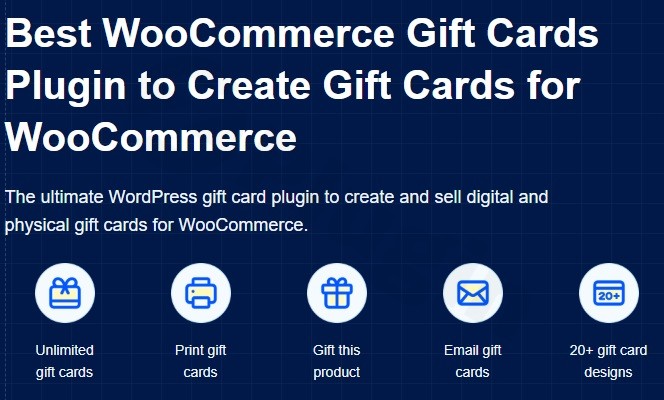
- 20+ Professional Templates: Choose from a diverse library of ready-to-use templates for various occasions (birthdays, holidays, anniversaries, etc.), ensuring your gift cards always look professional.
- Custom Branding & Uploads: Easily align gift cards with your brand by uploading your own custom designs and images, and allowing customers to personalize their cards with unique messages and even their own photos.
- PDF Attachments: For recipients who prefer a tangible gift, the plugin allows gift cards to be attached as printable PDF files to emails (requires the free mPDF add-on), making it ideal for WooCommerce physical gift cards.
Flexible Pricing & Unique “Gift This Product” Option
The plugin offers versatile options for how customers can purchase gift cards.
- Simple & Variable Amounts: Set fixed gift card values or give customers the freedom to choose their desired amount within a specified range, catering to every budget.
- “Gift This Product” Feature: A standout capability, this allows customers to purchase a gift card for the exact value of a specific product. This simplifies the gifting decision, making it perfect for those who want to gift a particular item but allow the recipient the flexibility of a gift card.
Advanced Delivery & Redemption Control
Manage how gift cards are sent and used with smart delivery and restriction options.
- Scheduled Delivery: Enable buyers to schedule email delivery for a future date, ensuring the gift card arrives precisely on a special occasion, preventing last-minute rushes.
- Multiple Recipients: Customers can easily send a single gift card to several recipients, streamlining group gifting.
- Automatic Balance Tracking: The plugin automatically calculates and tracks remaining gift card balances, allowing recipients to make partial redemptions and save the rest for future purchases.
- Expiry Control & Usage Restrictions: Set validity periods to encourage timely redemptions. You can also configure WooCommerce gift card restrictions based on specific products, categories, or even set minimum/maximum spending limits, providing granular control over how gift cards are used.
- Tax & Shipping Coverage: Decide whether gift cards can be used to cover taxes and shipping fees, offering even greater flexibility to your customers.
Seamless WooCommerce Store Credit Integration
Beyond just gift cards, this plugin functions as a robust WooCommerce store credit plugin.
- Partial & Full Redemption: Customers can use gift cards at checkout just like coupons, applying them partially or fully to their order.
- Refunds as Store Credit: Store owners can issue full or partial refunds directly as store credit, retaining revenue and encouraging future purchases.
- Admin Credit Management: Easily view, track, and adjust customer store credit balances from your WordPress backend, providing complete oversight.
- Manual Gift Card Sending: Admins can manually generate and send free gift cards to customers, ideal for promotional campaigns, loyalty programs, or resolving customer service issues.
Installing and Setting Up Your WebToffee WooCommerce Gift Cards Plugin
Getting started with the WooCommerce Gift Cards Webtoffee plugin is a straightforward process, designed for non-developers. Here’s how to install and configure it:
- Purchase and Download: First, obtain the plugin from a trusted source like ZeroPlugin.com, where you receive the full GPL licensed version, rigorously scanned for security.
- Upload to WordPress:
- Navigate to your WordPress dashboard.
- Go to Plugins > Add New.
- Click the Upload Plugin button at the top.
- Choose the plugin’s
.zipfile you downloaded and click Install Now.
- Activate the Plugin: Once installed, click Activate Plugin. The WebToffee Gift Cards menu item should now appear in your WordPress dashboard, typically under WooCommerce.
- Initial Configuration:
- Go to WooCommerce > Gift Cards in your WordPress admin menu.
- Create Your First Gift Card Product:
- Navigate to Products > Add New (or edit an existing one).
- Under Product Data, select Gift Card from the dropdown.
- Configure basic settings like pricing (fixed or variable), images, and product description.
- How to create unlimited gift cards in WooCommerce with Webtoffee? Simply create multiple Gift Card products, each with different designs, values, or specific product associations using the “Gift this product” option.
- Design Templates: Explore the plugin’s settings to select or upload custom gift card templates. You can customize colors, fonts, and add your store’s logo.
- Delivery Settings: Configure email delivery options, including sender details, email content, and whether customers can schedule deliveries.
- Redemption Rules: Define global or product-specific rules for how gift cards can be redeemed, including expiry dates and whether they cover shipping or taxes.
Practical Usage & Best Practices for Maximizing Sales
The WebToffee WooCommerce Gift Cards plugin is more than just a product; it’s a powerful marketing and customer retention tool. Here are a few concrete use cases and best practices:
- Holiday & Seasonal Promotions: During peak shopping seasons like Christmas, Valentine’s Day, or Mother’s Day, prominently feature customizable gift cards. Customers can easily purchase a thoughtful gift without knowing the recipient’s exact preferences. Utilize the scheduled gift card delivery WooCommerce feature for timely surprises.
- Customer Loyalty & Rewards Programs: Implement gift cards as part of your loyalty strategy. Manually send free gift cards to loyal customers as a thank you, or offer them as rewards for specific actions (e.g., reaching a spending threshold). This directly leverages the WooCommerce store credit plugin functionality, fostering repeat business.
- Hassle-Free Refunds & Exchanges: Instead of issuing cash refunds, offer customers the option to receive their refund as store credit via a gift card. This keeps the money within your ecosystem and encourages them to make another purchase. The plugin’s ability to issue refunds as store credit using Webtoffee WooCommerce Gift Cards is a significant advantage.
- “Gift This Product” for Simplified Gifting: Promote the “Gift this product” option for popular items. This feature reduces decision fatigue for gift-givers, allowing them to choose a specific item they know their recipient will love, while still giving the recipient the flexibility of a gift card.
- Multi-Language Store Support: If you run a global store, consider the premium version’s WPML compatibility to offer gift cards in multiple languages, broadening your reach.By integrating these strategies, you’ll not only offer a valuable product but also create new revenue streams and strengthen customer relationships.
FAQ & Troubleshooting
Here are answers to common questions about the WebToffee WooCommerce Gift Cards plugin.
How do WooCommerce gift cards work?
WooCommerce gift cards function similarly to real-world gift certificates. A customer purchases a gift card product from your store, choosing a value and often a design. They can then specify a recipient’s email and a delivery date. The recipient receives an email with a unique gift card code. This code can then be entered at checkout on your WooCommerce store to deduct its value from their total purchase. The WebToffee plugin also manages remaining balances, allowing for multiple uses until the card value is depleted.
What are the benefits of selling gift cards on my WooCommerce store?
Selling gift cards offers numerous benefits:
- Increased Sales: Gift cards act as pre-paid revenue, attracting new customers who receive them and encouraging existing customers to spend more.
- Customer Acquisition: Recipients of gift cards often become new customers, exploring your products for the first time.
- Improved Cash Flow: Gift cards provide upfront payment for future purchases.
- Reduced Returns: As gifts, gift cards often lead to fewer returns than physical products because the recipient chooses what they want.
- Enhanced Brand Awareness: Gift cards spread your brand to new audiences.
How to personalize WooCommerce gift vouchers?
With the WebToffee plugin, you can personalize WooCommerce gift vouchers in several ways:
- Custom Templates: Utilize the plugin’s 20+ built-in professional templates or upload your own custom designs to match your branding.
- Personalized Messages: Allow customers to add a custom message to the recipient during the purchase process.
- Image Uploads: Customers can often upload their own images to be included on the gift card, adding a highly personal touch. These options are usually configured within the gift card product settings or the plugin’s global customization options.
Is Webtoffee Gift Cards for WooCommerce compatible with WPML?
Yes, the premium version of the Webtoffee WooCommerce Gift Cards plugin is compatible with WPML, enabling you to create and manage gift cards on multilingual WordPress sites without any issues. However, the free version may not offer full WPML compatibility.
Can I issue refunds as store credit using Webtoffee WooCommerce Gift Cards?
Absolutely. One of the powerful features of the Webtoffee WooCommerce Gift Cards plugin is its deep integration with a store credit system. Store owners can easily issue full or partial refunds directly as store credit, which is then managed through the gift card system. This means customers receive their refund as a new or updated gift card balance, encouraging them to make future purchases on your store.
Conclusion: Empower Your WooCommerce Store with WebToffee Gift Cards
The WooCommerce Gift Cards by WebToffee plugin stands out as a robust, feature-rich, and user-friendly solution for any e-commerce business looking to leverage the power of gift cards. From its extensive customization options and flexible delivery scheduling to its comprehensive store credit system and unique “Gift this product” feature, it provides all the tools you need to attract new customers, reward loyal ones, and significantly boost your sales.For store owners, marketers, and agencies, this Webtoffee Gift Card Plugin offers a reliable way to create new revenue streams and enhance the overall customer experience. With a focus on security, regular updates, and strong customer support from WebToffee, it’s a trustworthy investment that will pay dividends in increased engagement and conversions.
I. Download Limits & Account Benefits
- Free Downloads: Each email address receives 3 downloads per day for free products
- Upgrade Benefits: Purchase any paid product to increase your daily download limit by 3 for each paid product
- No Account Required: You can download immediately by receiving the download link via email
- Account Recommended: Create an account for easier access to your order history and direct update downloads
II. Understanding GPL vs Official Versions
Important: The products available on WPPick are GPL-licensed versions, which differ from official developer versions. Before purchasing, please read our comprehensive guide: Understanding GPL & Official Differences at WPPick
Key Points:
- GPL versions may not include premium support from original developers
- Updates may be delayed compared to official releases
- Some premium features might have limitations
- Always consider your specific needs and support requirements
III. Support & Assistance
We’re here to help through multiple channels:
- Email Support: Direct email assistance for all inquiries
- Live Chat: Real-time support during business hours
- Comprehensive Documentation: Detailed guides and tutorials
IV. Order Tracking
Access your complete purchase history and download links anytime: Order History
V. Account Access
New to WPPick? Login or Create Account to manage your downloads and orders efficiently.
VI. Refund Protection
We stand behind our products with a clear refund policy. Review our terms: Refund Policy
VII. Privacy & Security
Your data security is our priority. Learn how we protect your information: Privacy Policy
VII. Terms of Service
Understanding our service terms ensures a smooth experience: Terms of Use
Quick Tips for Best Experience
- Verify Compatibility: Check plugin/theme compatibility with your WordPress version
- Backup First: Always backup your site before installing new plugins or themes
- Test Environment: Consider testing on a staging site first
- Stay Updated: Regularly check for updates in your account dashboard
- Read Documentation: Review any included documentation for optimal setup
Need Help?
If you have questions about downloads, licensing, or need technical assistance, don’t hesitate to contact our support team. We’re committed to ensuring you have the best possible experience with WPPick products.
Ready to get started? Your download adventure begins with just one click!
- Tested OK with WooCommerce 10.6.
- Tested OK with WordPress 6.9.
- Enabled drag-and-drop arrangement for template image selection.
- Option to schedule gift card in 24h format.
- Advanced tab in product edit page as Woocommerce.
- Min/max field is applied all time even when custom amount selection.
- Gift this product link direction in block cart.