

Woocommerce Login & Account Pages For Elementor
/Year
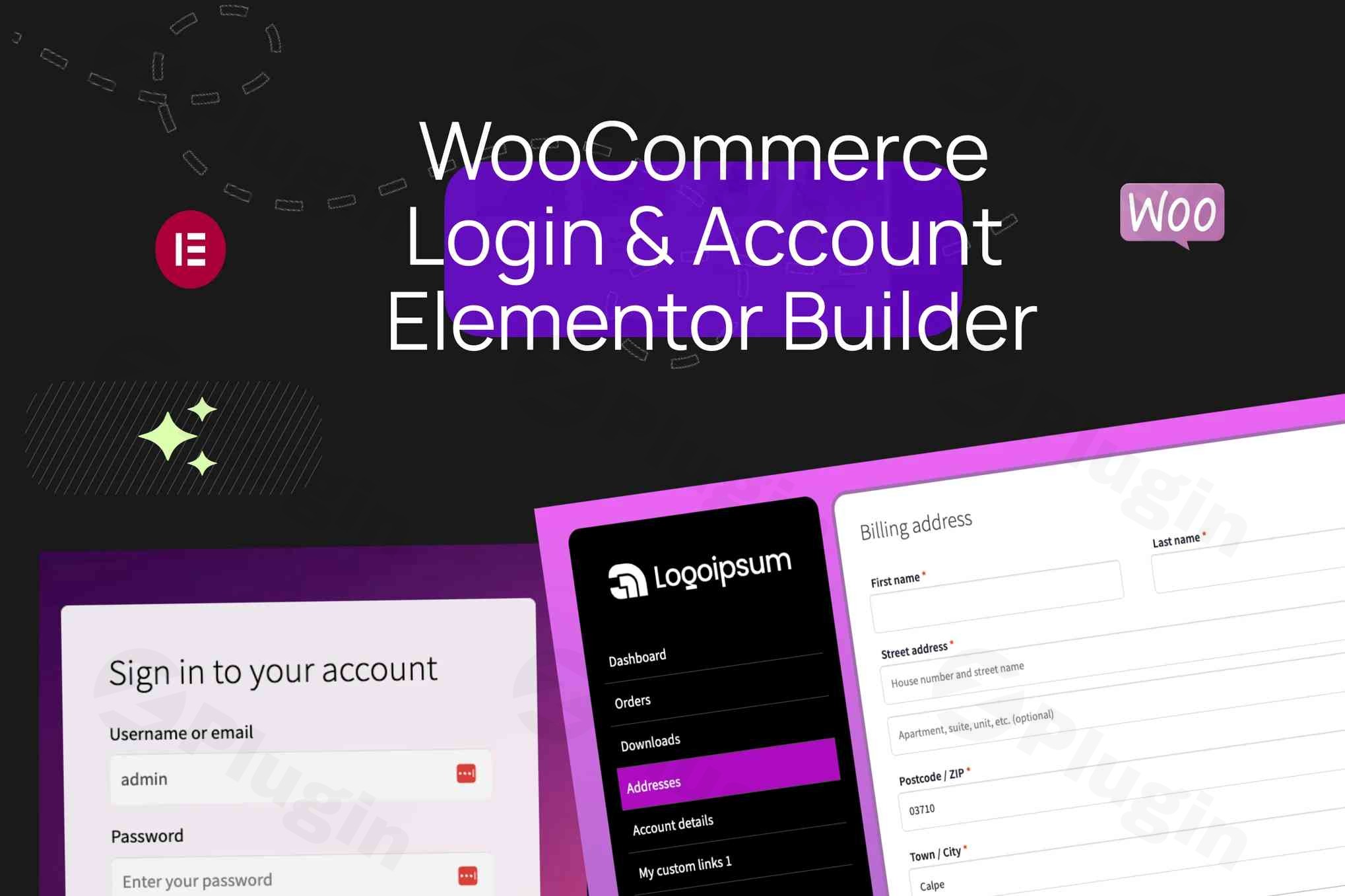
Transforming the default WooCommerce authentication and account management experience into a cohesive, branded journey is crucial for any successful online store. The WooCommerce Login & Account Pages for Elementor premium plugin offers a comprehensive Elementor extension designed to provide unparalleled control over every customer touchpoint, from login to account management. This powerful tool empowers store owners and marketers to craft fully customized, conversion-optimized interfaces that seamlessly integrate with their brand identity, enhancing user engagement and building lasting customer trust.
Why Choose This WooCommerce Elementor Extension?
This premium plugin revolutionizes how you handle WooCommerce user interactions by providing complete design control over authentication flows and account management interfaces. Built specifically for Elementor users who demand professional, conversion-optimized customer experiences, it goes beyond basic customization. It offers a robust suite of tools to replace standard WooCommerce elements with dynamic, user-friendly designs that reduce friction and improve satisfaction.
Complete Authentication Suite
With this plugin, you gain the ability to design every aspect of your customer authentication journey. Dedicated widgets facilitate the creation of custom login forms, streamlined registration processes, and professional password recovery systems. Each component is fully customizable, ensuring that your authentication flows perfectly align with your store’s design language and provide an intuitive user experience.
Advanced My Account Customization
Say goodbye to the generic WooCommerce “My Account” page. This extension allows you to replace the standard WooCommerce account shortcode with beautifully designed, conversion-focused layouts. You can create intuitive navigation menus, organize account content sections effectively, and build seamless user interfaces that keep customers engaged, encourage repeat business, and foster a strong sense of brand loyalty.
Core Features & Capabilities
The WooCommerce Login & Account Pages for Elementor plugin is packed with features designed to give you complete creative and functional control:
Authentication Widgets
- Custom Login Forms: Design visually appealing login forms with advanced styling options, allowing full control over colors, fonts, spacing, and borders without needing custom CSS.
- Registration Forms: Create conversion-optimized registration layouts that guide users effortlessly through the signup process.
- Password Recovery Systems: Implement professional and secure password recovery forms that maintain brand consistency.
- Gmail Authentication Integration: Offer streamlined access by integrating Gmail authentication, simplifying the login process for users.
- Form Field Mapping: Utilize Elementor’s form widget capabilities, mapping fields to required login actions for robust form customization.
- Post-Login Redirection: Configure the login process to redirect users to specific pages (e.g., checkout, a personalized dashboard) after successful login, enhancing user flow.
Account Management Components
- My Account Navigation: Customize the “My Account” navigation with configurable endpoints and advanced styling.
- Account Content Wrapper: Ensure a consistent design across all account sections with a dedicated content wrapper.
- Custom Link Integration: Easily integrate custom links within the account dashboard, complete with icon support for improved visual guidance.
- Logout and Home Navigation Buttons: Provide clear and accessible options for users to log out or navigate back to your store’s homepage.
- Display User Information: Dynamically display logged-in user information, such as profile pictures and usernames, using Elementor’s dynamic tags.
Design & Customization Controls
- Complete Style Controls: Achieve pixel-perfect designs with extensive style controls for navigation orientation, typography, backgrounds, and more.
- Advanced Spacing and Alignment: Precisely control element spacing, padding, and alignment for a polished, professional look.
- Hover and Active State Customization: Define unique colors and styles for hover and active states of buttons and links to enhance interactivity.
- Icon Positioning and Divider Controls: Fine-tune the placement of icons and manage dividers for a clean, organized layout.
- Modular CSS Loading: Benefit from optimized performance with modular CSS loading, ensuring only necessary styles are loaded.
- Mobile Responsiveness: All designs created with Elementor are inherently mobile-responsive, and you can further customize their appearance across various devices.
Professional Benefits
Leveraging the WooCommerce Login & Account Pages for Elementor plugin offers significant advantages for your business:
- Enhanced User Experience: Create authentication flows that reduce friction and increase customer satisfaction. Professional login and account interfaces build trust, simplify navigation, and encourage repeat business by providing an intuitive and seamless experience.
- Brand Consistency: Maintain complete design control over every customer touchpoint. Ensure that your authentication pages, registration forms, and account dashboards perfectly match your store’s visual identity and brand standards, reinforcing your professional image.
- Conversion Optimization: Well-designed authentication processes significantly reduce abandonment rates during login or registration. Streamlined account management encourages ongoing customer engagement, leading to increased purchases and customer loyalty.
Installation & Configuration
Setting up the WooCommerce Login & Account Pages for Elementor plugin is straightforward for anyone familiar with WordPress and Elementor.
- Prerequisites: Ensure you have WordPress, WooCommerce, and Elementor (free or Pro) installed and activated on your website. This plugin seamlessly integrates with both Elementor Free and Elementor Pro versions.
- Installation: Download the plugin from ZeroPlugin.com. Navigate to your WordPress dashboard, go to
Plugins > Add New > Upload Plugin, select the downloaded file, and clickInstall Now. - Activation: Once installed, activate the plugin.
- Design with Elementor: Access your WordPress pages or create new ones. Edit them with Elementor. You will find dedicated widgets provided by the plugin under the Elementor editor. Drag and drop these widgets (e.g., Custom Login Form, My Account Navigation, Account Content Wrapper) onto your page.
- Customization: Utilize Elementor’s intuitive interface to customize the styling, layout, and functionality of each widget to match your brand. Configure redirection rules, enable Gmail authentication, and arrange account components as desired.By following these steps, you can quickly deploy beautifully designed, functional authentication and account pages without needing to write any code.
Technical Specifications
The WooCommerce Login & Account Pages for Elementor plugin is engineered for robust performance and broad compatibility:
- Compatibility: Fully compatible with both Elementor Pro and Elementor Free versions, ensuring flexibility for all users. Seamlessly integrates with WooCommerce.
- Performance: Optimized for speed and efficient resource usage, including modular CSS loading, to ensure your site remains fast and responsive. While Elementor can add weight, this plugin is designed to minimize its impact.
- Translation Ready: Developed following WordPress internationalization standards, making it ready for translation into any language.
- Regular Updates: Benefits from a commitment to regular compatibility updates, ensuring seamless operation with the latest versions of WordPress, WooCommerce, and Elementor. This includes access to future enhancements and security patches.
- Comprehensive Documentation: Includes detailed documentation to guide you through installation, configuration, and advanced usage.
Trust & Security Assurance
When you acquire this premium WooCommerce extension through ZeroPlugin.com, you receive genuine GPL-licensed software with ongoing update support. Our commitment to quality and security is paramount. Every plugin undergoes comprehensive security scanning through VirusTotal and other third-party security platforms before distribution. This rigorous process ensures that all code delivered is clean, malware-free, and secure, providing long-term value and peace of mind. We prioritize customer safety by implementing multiple scanning layers and dependency checks.
Elevate Your WooCommerce Store Today
The WooCommerce Login & Account Pages for Elementor premium plugin is an indispensable tool for any WooCommerce store looking to professionalize its customer authentication and account management. By providing complete design control, robust functionality, and a focus on user experience, this extension empowers you to create branded, conversion-focused experiences that keep customers engaged and returning to your store. Invest in a solution that not only meets but exceeds the demands of modern e-commerce, ensuring your customer interactions are as exceptional as your products.
I. Download Limits & Account Benefits
- Free Downloads: Each email address receives 3 downloads per day for free products
- Upgrade Benefits: Purchase any paid product to increase your daily download limit by 3 for each paid product
- No Account Required: You can download immediately by receiving the download link via email
- Account Recommended: Create an account for easier access to your order history and direct update downloads
II. Understanding GPL vs Official Versions
Important: The products available on WPPick are GPL-licensed versions, which differ from official developer versions. Before purchasing, please read our comprehensive guide: Understanding GPL & Official Differences at WPPick
Key Points:
- GPL versions may not include premium support from original developers
- Updates may be delayed compared to official releases
- Some premium features might have limitations
- Always consider your specific needs and support requirements
III. Support & Assistance
We’re here to help through multiple channels:
- Email Support: Direct email assistance for all inquiries
- Live Chat: Real-time support during business hours
- Comprehensive Documentation: Detailed guides and tutorials
IV. Order Tracking
Access your complete purchase history and download links anytime: Order History
V. Account Access
New to WPPick? Login or Create Account to manage your downloads and orders efficiently.
VI. Refund Protection
We stand behind our products with a clear refund policy. Review our terms: Refund Policy
VII. Privacy & Security
Your data security is our priority. Learn how we protect your information: Privacy Policy
VII. Terms of Service
Understanding our service terms ensures a smooth experience: Terms of Use
Quick Tips for Best Experience
- Verify Compatibility: Check plugin/theme compatibility with your WordPress version
- Backup First: Always backup your site before installing new plugins or themes
- Test Environment: Consider testing on a staging site first
- Stay Updated: Regularly check for updates in your account dashboard
- Read Documentation: Review any included documentation for optimal setup
Need Help?
If you have questions about downloads, licensing, or need technical assistance, don’t hesitate to contact our support team. We’re committed to ensuring you have the best possible experience with WPPick products.
Ready to get started? Your download adventure begins with just one click!