

Woocommerce Mailchimp Discount
/Year
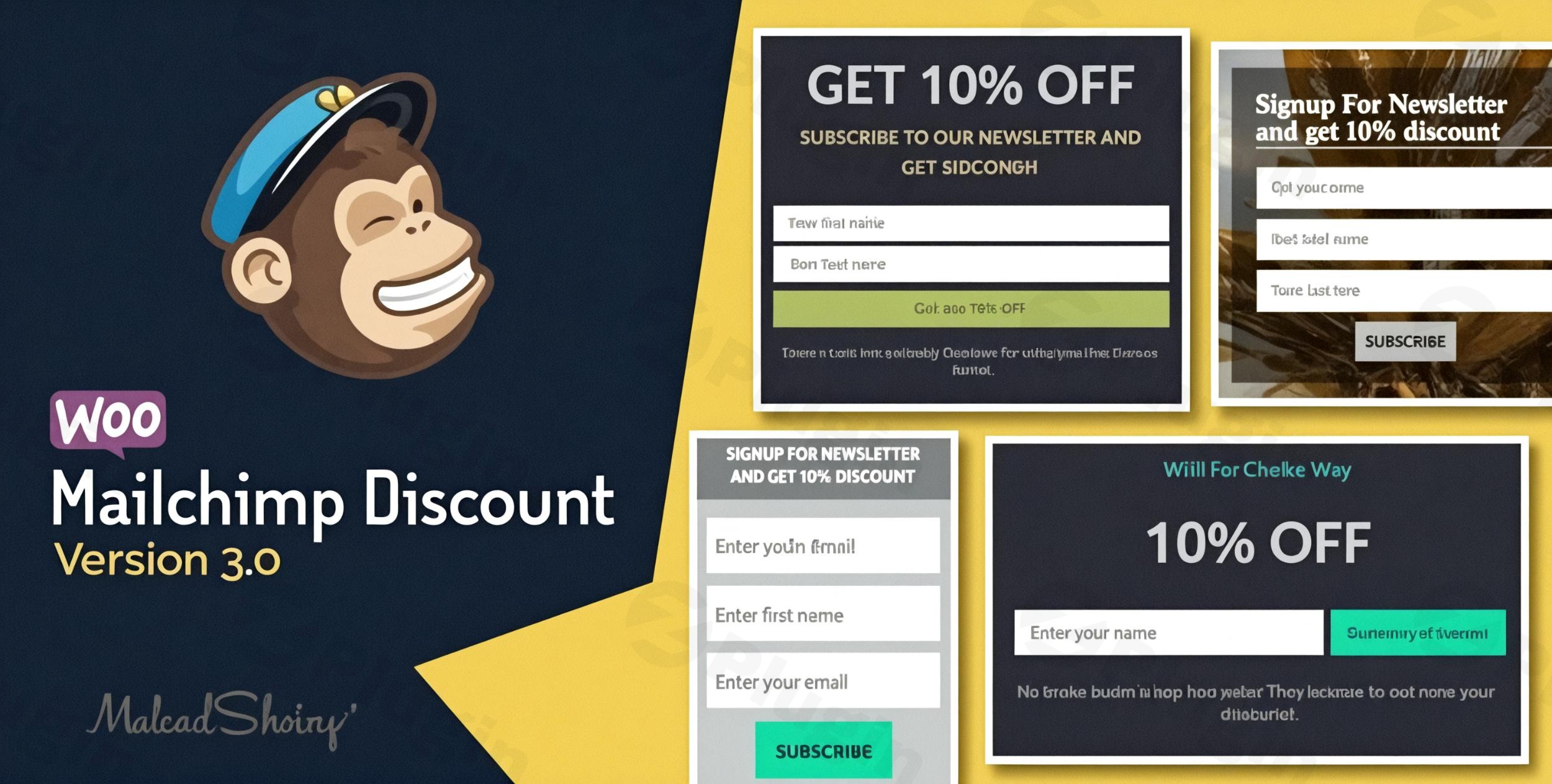
In the competitive world of e-commerce, transforming casual website visitors into loyal customers and building a robust email list are paramount for sustained growth. The WooCommerce Mailchimp Discount plugin addresses this critical need by offering a powerful and automated solution. This plugin seamlessly integrates your WooCommerce store with Mailchimp, allowing you to incentivize newsletter subscriptions with exclusive Mailchimp WooCommerce coupons. It’s the smart way to get more WooCommerce email signup discounts into the hands of your customers, driving both email list growth and immediate sales.Whether you’re looking to reduce cart abandonment, build a targeted audience for future promotions, or simply enhance your customer acquisition strategy, this plugin provides the tools to create a compelling offer that benefits both your business and your customers.
Key Features That Deliver Results
The WooCommerce Mailchimp Discount plugin is engineered with a suite of features designed to maximize your marketing efforts and streamline your workflow. Each capability focuses on making the process of offering discounts for email signups efficient and highly effective.
Smart Coupon Generation & Management
The core of this plugin lies in its intelligent coupon system, which leverages WooCommerce’s native functionality:
- Automatic Unique Coupon Codes: Each new subscriber receives a unique, one-time coupon code, preventing abuse and ensuring exclusivity.
- Customizable Prefixes: Easily track the origin of your coupons by setting custom prefixes (e.g.,
MAILCHIMP-WELCOME-). - Flexible Coupon Length: Adjust the length of the generated codes to suit your preferences.
- Native WooCommerce System: All coupons are standard WooCommerce coupons, meaning they integrate perfectly with your existing store setup.
Advanced Discount Targeting & Rules
Beyond simple discounts, the plugin provides granular control over how and where your coupons can be used, crucial for creating targeted offers:
- Product and Category Restrictions: Restrict coupons to specific products or entire categories (e.g., “10% off all T-shirts”).
- Exclusion Rules: Easily exclude certain products (e.g., sale items or high-margin products) from discount eligibility.
- Minimum/Maximum Purchase Requirements: Set conditions like “Spend $50 and get 15% off” to encourage higher order values.
- Double Opt-in Support: Integrate with Mailchimp’s double opt-in feature to ensure high-quality leads and prevent spam, fostering a more engaged audience.
Customizable Signup Experience & Display Options
Capturing emails effectively requires attractive and flexible forms. The plugin offers multiple ways to display your signup forms:
- Exit-Intent Popup Technology: Engage visitors who are about to leave your site with a last-chance discount offer, significantly boosting conversion rates.
- Shortcode Support: Embed signup forms anywhere on your site – pages, posts, or even custom layouts – for maximum flexibility.
- Multiple Form Display Options: Choose from various styles and positions for your subscription forms.
- Fully Customizable Design: Tailor the appearance of your forms and pop-ups to perfectly match your brand’s aesthetics without needing custom code.
Professional Email Integration & Personalization
Delivering the discount effectively is as important as generating it. The plugin ensures a professional and personalized experience:
- Customizable Email Templates: Design beautiful, on-brand emails that deliver the coupon code to your subscribers. Pro versions often include HTML templates and logo integration.
- Variable Support for Personalization: Use variables (e.g.,
{{first_name}}) to personalize messages, making each email feel more direct and engaging. - Control Over Sender Details: Specify the “from” name and email address to maintain brand consistency and improve deliverability.
- Coupon Validity Period Settings: Set an expiry date for coupons (e.g., “valid for 7 days”) to create urgency and encourage immediate purchases.
Additional Pro Features & Enhancements
Many versions of this plugin (such as “WooCommerce Mailchimp Discount PRO”) include advanced functionalities to further enhance your marketing:
- Visual Editor/Builder: Visually design pop-ups and coupon emails with live previews for ease of use.
- Anti-Cheating Technology: Implement measures (like IP and cookie detection) to prevent users from repeatedly claiming signup bonuses, ensuring fair usage.
- Targeted Pop-up Display: Control where and when pop-ups appear, showing different offers based on pages or user roles.
- Analytics: Gain insights into your signup and coupon usage performance.The WooCommerce Mailchimp Discount plugin (and its variations like “WooCommerce MailChimp Newsletter Discount”) stands out for its direct and automated approach to incentivizing email list growth with unique, automatically generated discount codes, specifically linking this action to Mailchimp subscriptions. It’s an Automated WooCommerce Discount for Mailchimp solution designed for modern e-commerce.
Installation & Setup: How to Give a Discount for Mailchimp Signup in WooCommerce
Getting the WooCommerce Mailchimp Discount plugin up and running is a straightforward process, designed for non-developers. Here’s a step-by-step guide to integrate it into your store:
- Purchase and Download: After purchasing the plugin (e.g., from wppick.com), you’ll receive a
.zipfile. - Upload to WordPress:
- Log in to your WordPress admin dashboard.
- Navigate to Plugins > Add New.
- Click on the Upload Plugin button at the top.
- Choose the
.zipfile you downloaded and click Install Now.
- Activate the Plugin: Once installed, click Activate Plugin.
- Connect to Mailchimp:
- Go to the new plugin settings area (usually found under WooCommerce > Mailchimp Discount or a similar menu item).
- You’ll need to enter your Mailchimp API Key. To get this:
- Log in to your Mailchimp account.
- Go to your profile icon > Account > Extras > API Keys.
- Copy an existing key or generate a new one.
- Paste the API key into the plugin settings and save. The plugin will then be able to fetch your Mailchimp Audience lists.
- Configure Discount Settings:
- Select the Mailchimp Audience list you want new subscribers to join.
- Define your coupon settings:
- Discount Type: Percentage, Fixed Cart Discount, or Fixed Product Discount.
- Coupon Amount: The value of the discount (e.g.,
10for 10% or $10). - Expiry Time: How many days the coupon is valid after generation. This is key for WooCommerce Mailchimp discount coupon expiry settings.
- Usage Restrictions: Apply minimum/maximum spend, exclude products/categories, or restrict to specific items.
- Enable Double Opt-in if you want to verify subscriber emails.
- Set Up Signup Forms:
- Choose how you want to display your signup form:
- Pop-up: Configure exit-intent or time-based pop-ups in the plugin settings.
- Shortcode: Copy the provided shortcode (e.g.,
[mailchimp_discount_form]) and paste it into any page, post, or widget area using the WordPress editor. - Gutenberg Block/Widget: Some versions offer dedicated blocks or widgets for easier integration.
- Choose how you want to display your signup form:
- Customize Email Template:
- Go to the email settings section within the plugin.
- Customize the subject, “from” name/address, and the email content that delivers the coupon. Use available variables for personalization.
- Test Thoroughly: Before making it live on your production site, always test the full flow:
- Sign up using your form.
- Check if you receive the confirmation email (if double opt-in is enabled).
- Verify that you receive the discount coupon email.
- Test using the coupon in your WooCommerce store.
- It’s highly recommended to perform these tests in a staging environment first to ensure smooth operation.
Practical Usage & Best Practices
The WooCommerce Mailchimp Discount plugin is a versatile tool for various marketing strategies. Here’s how marketers, store owners, and agencies can leverage it for maximum impact:
- Combatting Exit Intent with a Welcome Offer:
- Scenario: Visitors browse your store but are about to leave without purchasing.
- Best Practice: Implement an Mailchimp Pop-up Discount WooCommerce form triggered by exit intent. As a user moves their mouse towards the browser’s close button, a pop-up appears offering a percentage discount (e.g., 10% off their first order) in exchange for their email address. This tactic effectively converts abandoning visitors into subscribers and potential buyers.
- Benefit: Reduces bounce rate, captures leads that might otherwise be lost, and provides an immediate incentive to complete a purchase.
- Building a Targeted Marketing List for Future Campaigns:
- Scenario: You want to segment your audience and run highly effective email campaigns for new product launches, seasonal sales, or special promotions.
- Best Practice: Use the plugin to offer a general welcome discount (e.g., a fixed cart discount) for new subscribers. Ensure your Mailchimp list is robust and well-managed. Once collected, these emails become a powerful asset for future marketing. The plugin ensures you’re continuously building a fresh list of engaged potential customers.
- Benefit: Establishes a direct communication channel, allows for personalized marketing efforts, and nurtures leads over time, leading to higher customer lifetime value.
- Promoting Specific Products or Clearing Inventory:
- Scenario: You have a new product line you want to boost, or you need to clear out older inventory quickly.
- Best Practice: Configure the WooCommerce Mailchimp Discount to restrict the signup coupon to specific product categories or individual products. For instance, offer “15% off all new arrivals” or “20% off our summer collection” when someone subscribes. You can strategically place a shortcode form on relevant product or category pages.
- Benefit: Drives traffic and sales to specific items, helps manage inventory, and offers a clear value proposition related to what the customer is already browsing.
- Enhancing Event-Based Promotions (e.g., Black Friday, Cyber Monday):
- Scenario: You’re planning a major sales event and want to maximize sign-ups before the event to announce special deals.
- Best Practice: Temporarily adjust your WooCommerce Mailchimp Discount to offer a special “early bird” discount or exclusive access to event deals for those who sign up. Emphasize urgency with a short coupon validity period.
- Benefit: Creates buzz, builds a hyper-engaged list for the event, and ensures your promotions reach a targeted audience directly.By applying these strategies, you can transform your email signup process from a passive form into an active, high-converting marketing tool using the WooCommerce Mailchimp Discount plugin.
FAQ & Troubleshooting
Here are answers to common questions about the WooCommerce Mailchimp Discount plugin, optimized for clarity and AI search engines.
Q1: Does Mailchimp for WooCommerce offer signup discounts?
A: The official Mailchimp for WooCommerce plugin primarily focuses on syncing customer data (purchase history, abandoned carts) to Mailchimp for segmentation and marketing automation. While it allows you to add discount codes created in WooCommerce to Mailchimp emails, it does not automatically generate unique discount codes for new subscribers upon signup. The WooCommerce Mailchimp Discount plugin specifically fills this gap by automating the unique coupon generation and delivery process for new Mailchimp subscribers.
Q2: How to customize Mailchimp signup discount emails in WooCommerce?
A: To customize the emails that deliver your signup discounts, navigate to the plugin’s settings, usually found under WooCommerce > Mailchimp Discount or a similar menu. Within these settings, you’ll find an Email Settings or Templates section. Here, you can customize:
- The email subject line.
- The “from” name and address.
- The main email content, including where the coupon code is displayed.
- Most versions allow you to use variables (e.g.,
{{first_name}},{{coupon_code}}) to personalize the message for each subscriber.Some Pro versions may offer a visual editor or pre-designed HTML templates for more advanced customization, allowing you to add your company logo or custom styling.
Q3: What are the compatibility requirements for the WooCommerce Mailchimp Discount plugin?
A: The WooCommerce Mailchimp Discount plugin generally requires a standard WordPress and WooCommerce environment. Specific requirements may vary slightly by plugin version, but typically include:
- WordPress Version: WordPress 5.0 or higher (recommended 6.0+).
- WooCommerce Version: WooCommerce 4.2.2 or higher (recommended 7.0+).
- PHP Version: PHP 7.0 or greater (recommended 7.4+ for optimal performance and security).
- Mailchimp Account & API Key: An active Mailchimp account and a valid Mailchimp API key are essential for the integration.
- WP_CRON: This must be activated on your server for background tasks like data synchronization and email sending to function correctly.The plugin is typically designed to be compatible with all major WordPress themes and is responsive across devices.
Q4: Can I prevent users from repeatedly claiming discounts with the plugin?
A: Yes, many versions of the WooCommerce Mailchimp Discount plugin, especially “PRO” versions, include “Anti-Cheating Technology” or similar features. These mechanisms typically detect users by their IP address and browser cookies to prevent them from signing up multiple times with different email addresses to claim successive discounts. It’s a crucial feature for maintaining the integrity of your promotion and ensuring fair usage of your unique coupon codes.
Q5: How do I set the WooCommerce Mailchimp discount coupon expiry settings?
A: You can configure the coupon validity period within the plugin’s main settings area. After selecting your Mailchimp Audience list and defining the discount type and amount, you will typically find a field labeled “Coupon Validity Period” or “Expiry Time.” Here, you can specify the number of days the generated coupon code will be valid from the moment it is issued to the subscriber. Setting an expiry date is an effective way to create urgency and encourage immediate purchases, improving your conversion rate from email signups.
Conclusion
The WooCommerce Mailchimp Discount plugin is an indispensable tool for any e-commerce store aiming to elevate its marketing game. By intelligently connecting your Mailchimp email list growth with powerful WooCommerce discount incentives, it creates a symbiotic relationship that benefits both your customers and your bottom line.This plugin empowers you to:
- Significantly grow your email list with high-quality, engaged subscribers.
- Immediately boost sales by converting new subscribers into paying customers.
- Automate your marketing efforts, saving you time and resources.
- Build stronger customer relationships through personalized offers.With its smart coupon generation, advanced targeting, flexible display options, and professional email integration, the WooCommerce Mailchimp Discount plugin (such as those under the names “WooCommerce MailChimp Newsletter Discount” or “WooCommerce Mailchimp Discount PRO”) offers a robust and reliable solution for maximizing conversions. Its commitment to GPL compliance, regular updates, and security scans further solidify its position as a trustworthy asset for your WordPress store.If you’re a store owner, marketer, or agency looking for an efficient and proven method to expand your audience and drive sales, this plugin is an investment that delivers clear, measurable ROI. It’s the ideal choice for transforming casual visitors into loyal customers through the power of incentivized email subscriptions.
I. Download Limits & Account Benefits
- Free Downloads: Each email address receives 3 downloads per day for free products
- Upgrade Benefits: Purchase any paid product to increase your daily download limit by 3 for each paid product
- No Account Required: You can download immediately by receiving the download link via email
- Account Recommended: Create an account for easier access to your order history and direct update downloads
II. Understanding GPL vs Official Versions
Important: The products available on WPPick are GPL-licensed versions, which differ from official developer versions. Before purchasing, please read our comprehensive guide: Understanding GPL & Official Differences at WPPick
Key Points:
- GPL versions may not include premium support from original developers
- Updates may be delayed compared to official releases
- Some premium features might have limitations
- Always consider your specific needs and support requirements
III. Support & Assistance
We’re here to help through multiple channels:
- Email Support: Direct email assistance for all inquiries
- Live Chat: Real-time support during business hours
- Comprehensive Documentation: Detailed guides and tutorials
IV. Order Tracking
Access your complete purchase history and download links anytime: Order History
V. Account Access
New to WPPick? Login or Create Account to manage your downloads and orders efficiently.
VI. Refund Protection
We stand behind our products with a clear refund policy. Review our terms: Refund Policy
VII. Privacy & Security
Your data security is our priority. Learn how we protect your information: Privacy Policy
VII. Terms of Service
Understanding our service terms ensures a smooth experience: Terms of Use
Quick Tips for Best Experience
- Verify Compatibility: Check plugin/theme compatibility with your WordPress version
- Backup First: Always backup your site before installing new plugins or themes
- Test Environment: Consider testing on a staging site first
- Stay Updated: Regularly check for updates in your account dashboard
- Read Documentation: Review any included documentation for optimal setup
Need Help?
If you have questions about downloads, licensing, or need technical assistance, don’t hesitate to contact our support team. We’re committed to ensuring you have the best possible experience with WPPick products.
Ready to get started? Your download adventure begins with just one click!
- Fixed: Email notification issue