

Woocommerce Manufacturer Price
/Year
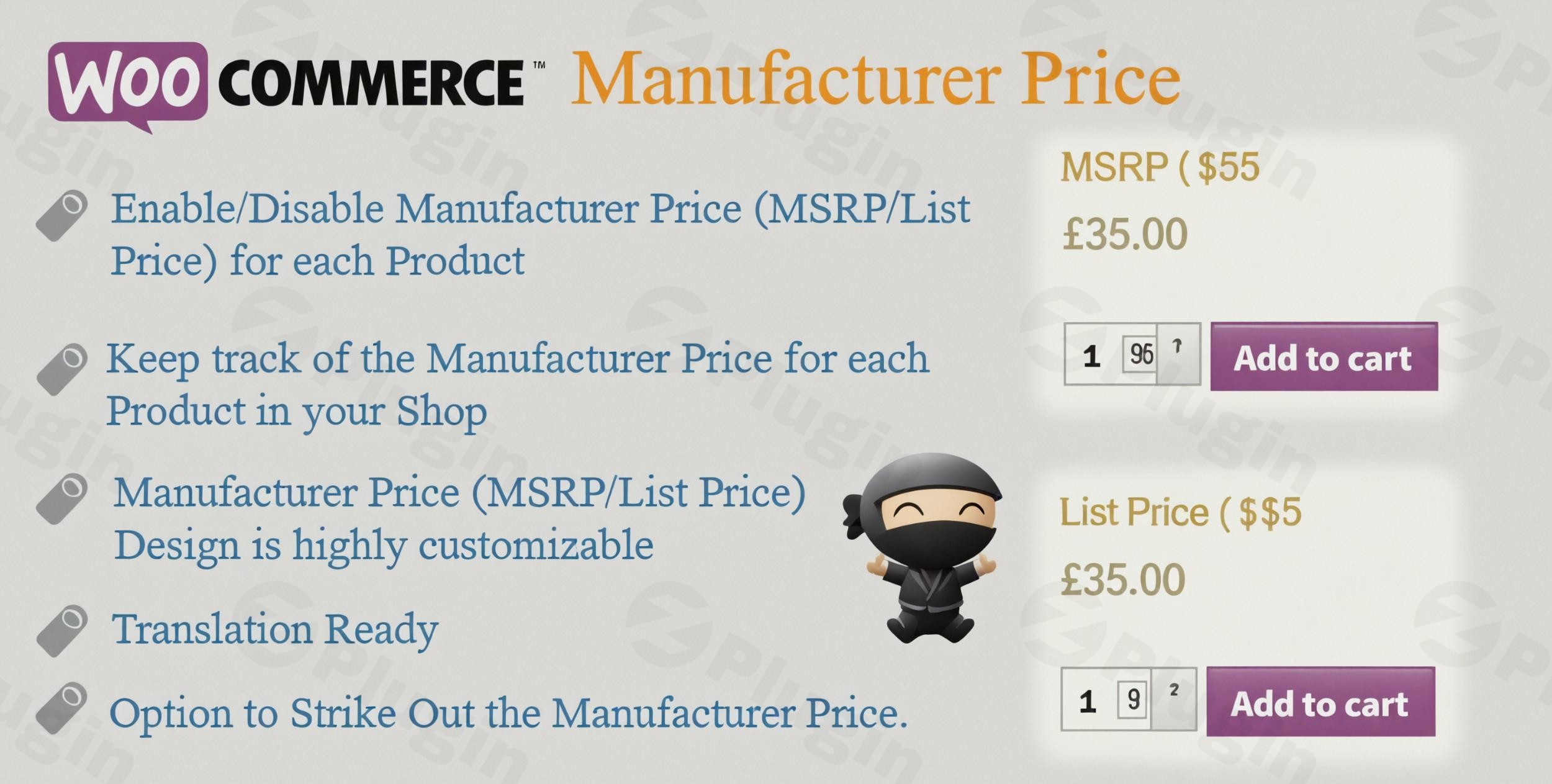
In e-commerce, showing a customer the ‘value’ they are receiving is just as important as the price they are paying. The WooCommerce Manufacturer Price plugin is engineered to capitalize on this principle.Why MSRP is a critical sales tool:
- Anchoring Effect: Displaying a higher MSRP “anchors” the customer’s perception of the product’s true value. Your lower selling price then appears significantly more attractive by comparison, making the purchase decision easier.
- Transparency and Trust: Providing the official manufacturer’s price builds immediate credibility. It assures the customer that your competitive pricing is genuine, fostering the trust essential for repeat business (a key component of EEAT).
- Visual Savings Highlighting: The ability to use strike-through formatting on the MSRP visually emphasizes the discount, immediately signaling savings and accelerating the path to purchase.
This sophisticated pricing strategy makes the extension ideal for retailers in highly competitive sectors like electronics, automotive parts, and high-end fashion, where value perception drives purchasing decisions.
Core Functionality: Key Features of WooCommerce Manufacturer Price
The WooCommerce Manufacturer Price plugin offers a suite of professional features designed to provide both maximum control for store owners and maximum clarity for customers.
1. Flexible and Accurate Price Management
Maintaining accurate pricing records is crucial for inventory control and regulatory compliance.
- Individual Product Control: Store owners can enable or disable manufacturer pricing for individual products directly from the product edit screen, allowing for strategic application based on inventory or promotional needs.
- Detailed Records: The plugin helps maintain accurate records of manufacturer prices for every item, streamlining inventory reporting and ensuring an organized pricing structure across the entire catalog.
- Efficient Bulk Editing: For large catalogs, the plugin supports streamlined workflows, including compatibility with WooCommerce’s built-in CSV export/import tool for bulk updating MSRP prices. Quick Edit functionality is also supported for rapid, on-the-fly adjustments.
2. Enhanced Customer Experience and Display
The display functionality is highly optimized to drive conversions through clear, striking comparisons.
- Striking Price Comparisons: The primary function is to display the MSRP clearly alongside your product’s selling price, with the option for strike-through formatting on the manufacturer price to visually represent the discount.
- Show Savings Clearly: The system can be configured to display not just the MSRP, but also the total savings amount or percentage clearly on the product page and potentially in the cart, providing immediate, tangible value.
- Visibility Control: Retailers gain granular control over when the MSRP appears, including the option to hide the MSRP for products with empty prices or apply conditional display rules.
3. Customizable Display Options
To ensure seamless integration with your brand identity, the plugin offers extensive customization without requiring deep coding knowledge.
- Full Design Customization: Customize the appearance of the MSRP section, including modifying fonts, colors, and styling to fully match your store’s branding.
- Control the Field Label: Store managers can customize the text displayed (e.g., changing “MSRP” to “RRP” or “List Price”) and control the position of the display (before or after the standard price).
- Custom CSS Integration: For advanced users and developers, the inclusion of a custom CSS option provides the necessary technical flexibility for deeper, precise design control.
4. Comprehensive Product Compatibility
The reliability of a premium extension lies in its compatibility with all standard WooCommerce product types.
- Simple Products: Works seamlessly and consistently with all standard, simple product configurations.
- Variable Products: Provides full support for variable products (e.g., products with different sizes or colors). Retailers can set unique MSRPs for individual variations, ensuring the pricing comparison is accurate regardless of the chosen product option.
Experience: Setup and Usage Guide
Implementing the WooCommerce Manufacturer Price plugin is a straightforward process, designed for quick integration into any existing WooCommerce environment.
Step 1: Installation and Activation
As a premium extension, the process begins after purchasing the plugin.
- Download: Obtain the plugin
.zipfile from your vendor portal. - Upload: Navigate to your WordPress Dashboard, go to Plugins > Add New > Upload Plugin. Select the downloaded
.zipfile and click Install Now. - Activate: Once installation is complete, click Activate Plugin.
- License (If Required): Enter your license key in the plugin’s settings area to ensure continuous access to security updates and support.
Step 2: Global Configuration
Access the plugin’s main settings panel, typically found under WooCommerce > Settings > Products or a dedicated submenu.
- Define Label: Set the default global text for the manufacturer price (e.g., “MSRP,” “RRP,” or “List Price”).
- Select Display Format: Choose the default presentation method, such as:
- Strike-through the MSRP.
- Displaying the savings amount/percentage.
- Styling Defaults: Configure the default colors and fonts for the MSRP display to ensure it aligns with your theme.
Step 3: Entering Manufacturer Prices (Product Level)
This step involves inputting the specific MSRP for each product.
- Simple Products:
- Navigate to Products > All Products and edit the desired product.
- In the Product Data meta box (usually where the Regular and Sale prices are entered), locate the new Manufacturer Price (MSRP) field.
- Enter the official manufacturer’s price and click Update.
- Variable Products:
- Edit the variable product. Navigate to the Variations tab in the Product Data box.
- Expand each variation, and you will find the dedicated Manufacturer Price (MSRP) field for that specific variation.
- Enter the price for each variation and click Save Changes and Update.
Step 4: Advanced Bulk Management
For large-scale retailers, the most efficient method is using WooCommerce’s built-in tools.
- CSV Import: Ensure your product CSV file includes a column mapped to the plugin’s metadata for MSRP. Use the standard WooCommerce > Products > Import function to quickly populate thousands of prices simultaneously.
Authoritativeness and Trustworthiness: The Premium Difference
Choosing a premium extension like WooCommerce Manufacturer Price means investing in a secure, stable, and expertly maintained solution, which is paramount for a professional e-commerce platform.
Optimized Code and Security
- Clean, Optimized Code: The extension is built with clean, optimized code that prioritizes speed and efficiency, preventing unnecessary database bloat and ensuring fast loading times—a critical factor for SEO and user experience.
- Security Verification: Premium plugins often undergo thorough security verification (e.g., VirusTotal and third-party security scans) to provide users with code they can trust, protecting your store and customer data.
Commitment to Compatibility
- Regular Updates: A commitment to frequent update schedules ensures continuous compatibility with the latest versions of WooCommerce and WordPress, mitigating security vulnerabilities and functional conflicts before they arise.
- Translation-Ready: For global e-commerce operations, the plugin is fully translation-ready, supporting localization efforts and making it easy to deploy on multilingual websites using tools like WPML or Polylang.
The Clear ROI for Retailers
By transforming product pages into effective sales tools, the WooCommerce Manufacturer Price extension offers a tangible return on investment by significantly improving two key performance indicators:
- Conversion Rates: The visual comparison and psychological anchoring lead to faster and more frequent purchasing decisions.
- Perceived Value: Consistently showing savings reinforces your store’s image as a source of competitive and trustworthy pricing.In conclusion, for any retailer—from electronics sellers to fashion boutiques—looking to maximize the impact of competitive pricing through transparent, conversion-focused display, the WooCommerce Manufacturer Price plugin is the essential, professional-grade extension.
I. Download Limits & Account Benefits
- Free Downloads: Each email address receives 3 downloads per day for free products
- Upgrade Benefits: Purchase any paid product to increase your daily download limit by 3 for each paid product
- No Account Required: You can download immediately by receiving the download link via email
- Account Recommended: Create an account for easier access to your order history and direct update downloads
II. Understanding GPL vs Official Versions
Important: The products available on WPPick are GPL-licensed versions, which differ from official developer versions. Before purchasing, please read our comprehensive guide: Understanding GPL & Official Differences at WPPick
Key Points:
- GPL versions may not include premium support from original developers
- Updates may be delayed compared to official releases
- Some premium features might have limitations
- Always consider your specific needs and support requirements
III. Support & Assistance
We’re here to help through multiple channels:
- Email Support: Direct email assistance for all inquiries
- Live Chat: Real-time support during business hours
- Comprehensive Documentation: Detailed guides and tutorials
IV. Order Tracking
Access your complete purchase history and download links anytime: Order History
V. Account Access
New to WPPick? Login or Create Account to manage your downloads and orders efficiently.
VI. Refund Protection
We stand behind our products with a clear refund policy. Review our terms: Refund Policy
VII. Privacy & Security
Your data security is our priority. Learn how we protect your information: Privacy Policy
VII. Terms of Service
Understanding our service terms ensures a smooth experience: Terms of Use
Quick Tips for Best Experience
- Verify Compatibility: Check plugin/theme compatibility with your WordPress version
- Backup First: Always backup your site before installing new plugins or themes
- Test Environment: Consider testing on a staging site first
- Stay Updated: Regularly check for updates in your account dashboard
- Read Documentation: Review any included documentation for optimal setup
Need Help?
If you have questions about downloads, licensing, or need technical assistance, don’t hesitate to contact our support team. We’re committed to ensuring you have the best possible experience with WPPick products.
Ready to get started? Your download adventure begins with just one click!
- Prefix added for WooCommerce JS Libraries based on WooCommerce 10.3.0
- Tested with WordPress v6.8.3
- Tested with WooCommerce v10.3.3
- Save % not displaying properly for variation products