

Woocommerce Notification | Boost Your Sales – Live Feed Sales – Recent Sales Popup – Upsells
/Year
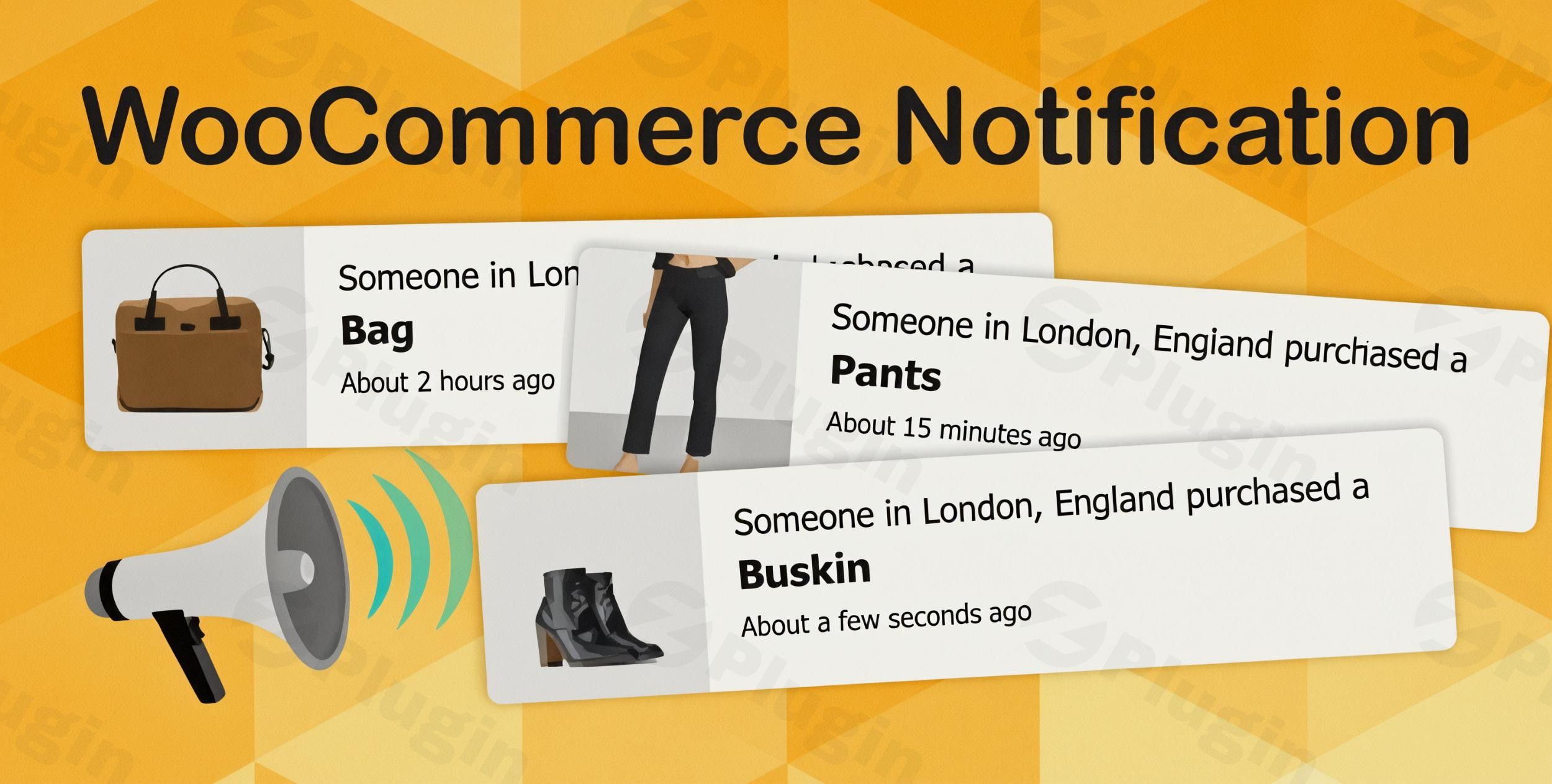
In the competitive world of eCommerce, building trust and creating urgency are paramount to driving sales. The WooCommerce Notification plugin is a powerful solution designed to leverage social proof and the Fear Of Missing Out (FOMO) phenomenon, transforming your WooCommerce store into a bustling marketplace. By displaying live feed sales WooCommerce notifications, this plugin shows visitors that others are actively purchasing, instilling confidence and encouraging them to complete their own transactions. Think of it as the digital equivalent of a busy storefront, where recent sales popup WooCommerce alerts act as a dynamic endorsement, significantly boosting your store’s conversions.This article will guide you through the features, installation, and best practices for using this essential woocommerce social proof plugin to maximize your online store’s potential.
Key Features: Ignite Urgency and Build Trust
The WooCommerce Notification plugin is packed with features designed to create a dynamic and trustworthy shopping environment. It acts as a robust fomo plugin woocommerce, pushing hesitant customers towards a purchase decision.
Authentic Social Proof & Urgency Creation
At its core, the plugin aims to build credibility and create a sense of urgency:
- Display Genuine Purchases: Show real customer orders in real-time, instantly building trust and validating your products.
- Real-time Urgency: Create an immediate impulse to buy by showcasing ongoing purchase activity.
- Highlight Products: Use the notification system to draw attention to new arrivals, best-sellers, or specific promotional items.
Flexible Order Display Management
Gain granular control over what information your visitors see:
- Customizable Order Statuses: Choose to display orders based on their status (e.g., Completed, Processing, On Hold, etc.), ensuring only relevant purchases are shown.
- Time-Filtered Purchases: Set a specific timeframe to display recent purchases, keeping the notifications fresh and relevant.
- Product Exclusion: Easily exclude specific products from appearing in notifications, useful for sensitive items or those you don’t wish to publicize.
- Category-Specific Notifications: Display notifications only for products within the current category when a customer is browsing category pages.
Advanced Customization for Tailored Experience
Personalize every aspect of your notifications to perfectly match your brand and strategy. The ability to customize woocommerce notification popup design is extensive.
- Dynamic Notification Messages:
- Utilize 8 built-in shortcodes to dynamically populate messages with customer names, cities, states, countries, product titles, and even random numbers, making each notification unique.
- Accurate US state information can be displayed.
- Create multiple message templates to provide variety and prevent notification fatigue.
- Unlimited Design & Display Possibilities:
- 22 Built-in Templates: Choose from a wide array of pre-designed pop-up templates to fit your site’s aesthetic.
- Visual Customization: Adjust colors for text, product names, and backgrounds; modify border-radius; and select product image positions (left or right).
- Display Effects: Select from various appearing and disappearing animations to make your notifications stand out.
- Sound Options: Add notification sounds to enhance the user experience.
- Custom CSS: For complete design freedom, add your own custom CSS.
- Clickable Product Images: Make product images within the notification clickable, directly linking to their respective product pages.
- Positioning: Choose from four distinct pop-up positions (bottom left, bottom right, top left, top right).
- Close Button: Enable a close button and control the re-appearance time for closed pop-ups.
Smart Display Controls and Performance
Manage when and how notifications appear for optimal impact without overwhelming visitors.
- Conditional Page Logic: Show notifications only on specific pages (e.g., product pages, checkout, homepage) for targeted messaging.
- Timing & Frequency Controls: Fine-tune initial delays, display durations, and intervals between notifications. Options include looping notifications per page load or per session.
- Mobile-Responsive Design: Ensures your notifications look and function perfectly across all devices – desktops, tablets, and smartphones.
- Ajax-Powered Performance: The notifications are designed to be lightweight and use Ajax technology, ensuring they do not slow down your site’s loading speed.
Virtual Order Creation (Simulated Social Proof)
For new stores or specific marketing campaigns, the plugin allows you to create fake sales notifications WooCommerce:
- Simulate Activity: Generate “virtual” or “fake” orders to showcase activity, especially useful for new products or stores without immediate real sales.
- Customizable Virtual Details: Set virtual customer names, addresses (with IP auto-detection for location), and randomize purchase times.
- Ethical Note: While this feature can be powerful for jump-starting social proof, use it responsibly to maintain long-term customer trust. Transparency, even indirect, is key to building genuine relationships.
Analytics and Reporting
Understand the impact of your notifications:
- Click Logging: Track user interactions, specifically how many times visitors click on your sales notifications.
- Performance Reports: View detailed reports on notification performance, allowing you to analyze clicks by date or product and refine your strategy.
Installation & Setup: How to Display Recent Orders on WooCommerce with a Popup
Installing the WooCommerce Notification plugin is straightforward, even for non-developers. Here’s a step-by-step guide to getting your wordpress sales notification system up and running.
- Download the Plugin: Obtain the plugin file from your purchase source (e.g., ZeroPlugin.com).
- Upload to WordPress:
- Log in to your WordPress admin dashboard.
- Navigate to Plugins > Add New.
- Click on the “Upload Plugin” button at the top of the page.
- Click “Choose File”, select the plugin’s
.zipfile from your computer, and then click “Install Now”.
- Activate the Plugin: Once installed, click “Activate Plugin”.
- Configure Settings:
- After activation, a new menu item, usually something like “WooCommerce Notification” or “Sales Notification,” will appear in your WordPress dashboard (often under WooCommerce or a dedicated menu).
- Click on this menu item to access the plugin’s settings.
- Go through the various tabs or sections to configure your preferences:
- General Settings: Enable/disable the plugin, choose display options.
- Content: Set up your notification messages using shortcodes, and choose which order statuses to display.
- Design: Select a template, customize colors, position, animations, and add custom CSS.
- Visibility: Define on which pages and for which products notifications should appear.
- Timing: Set delays, display duration, and intervals between notifications.
- Virtual Orders: If desired, configure “fake” orders to show.
Practical Usage / Best Practices for Your WooCommerce Conversion Booster
The WooCommerce Notification plugin is an excellent woocommerce conversion booster. Here’s how you can leverage it effectively in your day-to-day workflow as a marketer, store owner, or agency.
- Launch New Products: When introducing a new product, use virtual notifications initially to create buzz and show early “interest” before real sales pick up. Once genuine orders come in, switch to displaying actual purchases. This strategy can significantly accelerate early adoption.
- Highlight Bestsellers: Configure notifications to prioritize displaying purchases of your top-selling products. This reinforces their popularity and guides new visitors towards proven choices.
- Recover Abandoned Carts (Indirectly): While not a direct cart recovery tool, seeing live feed sales WooCommerce as a customer navigates away from a checkout page might provide the final nudge they need to return and complete their purchase, driven by FOMO.
- Boost Trust on Product Pages: Ensure notifications are active on product pages. When a potential customer is evaluating an item, seeing a recent purchase notification for that specific product (or related ones) can be the deciding factor.
- Seasonal Sales & Promotions: During peak seasons or sales events, increase the frequency of your notifications (without being overwhelming) to amplify the sense of urgency and activity surrounding your deals.
- A/B Test Your Messages: Use the multiple message templates and reporting features to A/B test different notification texts. See which messages drive more clicks and conversions, then optimize accordingly. For example, compare a generic “Someone just bought X” to “Y from Z just bought X, don’t miss out!”
- Mobile Optimization: Always preview your notifications on mobile devices. Given the smaller screen real estate, ensure they are unobtrusive yet noticeable. The plugin’s mobile-responsive design helps ensure this.
FAQ & Troubleshooting
Here are answers to some common questions about using a woocommerce notification plugin:
What is a WooCommerce sales notification plugin?
A WooCommerce sales notification plugin is a tool that displays real-time (or simulated) pop-up notifications on an eCommerce website whenever a product is purchased. Its primary purpose is to leverage social proof and the Fear Of Missing Out (FOMO) to encourage other visitors to make a purchase, thereby increasing conversions and sales. It visually communicates that your store is active and popular.
How to boost sales in WooCommerce using popups?
You can boost sales in WooCommerce using popups by strategically displaying recent purchase notifications. These popups create social proof, showing visitors that others are actively buying, which builds trust and validates your products. They also generate a sense of urgency and FOMO, prompting quicker purchasing decisions. Effective usage includes customizing messages, targeting specific pages, controlling timing, and highlighting popular or new products.
Are fake sales notifications effective?
Fake sales notifications (or virtual orders) can be effective for new stores or products to initially generate a sense of activity and social proof where real sales are still low. They help overcome the “empty store” perception. However, it’s crucial to use them responsibly and ethically. Over-reliance or deceptive use of fake social proof can erode customer trust in the long run. Experts recommend using them as a temporary measure or to highlight specific items, always striving for authenticity where possible.
WooCommerce Notification Plugin compatibility with themes?
The WooCommerce Notification plugin is designed to be highly compatible with standard WordPress themes and the WooCommerce platform. It uses standard WordPress and WooCommerce hooks and practices. While generally compatible, any plugin that extensively modifies JavaScript or CSS might require minor adjustments. The plugin is built to be lightweight and optimized for speed, aiming for seamless integration across various setups.
Conclusion: Your Essential WooCommerce Conversion Booster
The WooCommerce Notification plugin is an indispensable tool for any store owner looking to harness the power of social proof and FOMO. By effectively displaying recent sales popup WooCommerce alerts, it creates a dynamic, trustworthy, and urgent shopping experience that directly translates into increased conversions and sales. Whether you’re a new store aiming to build initial momentum or an established brand looking for that extra edge, this plugin provides the features, flexibility, and performance you need.With its comprehensive customization options, smart display controls, and robust analytics, this woocommerce social proof plugin empowers you to transform passive browsers into active buyers. It’s not just a notification tool; it’s a strategic marketing asset that makes your WooCommerce store feel alive, credible, and irresistibly popular.
I. Download Limits & Account Benefits
- Free Downloads: Each email address receives 3 downloads per day for free products
- Upgrade Benefits: Purchase any paid product to increase your daily download limit by 3 for each paid product
- No Account Required: You can download immediately by receiving the download link via email
- Account Recommended: Create an account for easier access to your order history and direct update downloads
II. Understanding GPL vs Official Versions
Important: The products available on WPPick are GPL-licensed versions, which differ from official developer versions. Before purchasing, please read our comprehensive guide: Understanding GPL & Official Differences at WPPick
Key Points:
- GPL versions may not include premium support from original developers
- Updates may be delayed compared to official releases
- Some premium features might have limitations
- Always consider your specific needs and support requirements
III. Support & Assistance
We’re here to help through multiple channels:
- Email Support: Direct email assistance for all inquiries
- Live Chat: Real-time support during business hours
- Comprehensive Documentation: Detailed guides and tutorials
IV. Order Tracking
Access your complete purchase history and download links anytime: Order History
V. Account Access
New to WPPick? Login or Create Account to manage your downloads and orders efficiently.
VI. Refund Protection
We stand behind our products with a clear refund policy. Review our terms: Refund Policy
VII. Privacy & Security
Your data security is our priority. Learn how we protect your information: Privacy Policy
VII. Terms of Service
Understanding our service terms ensures a smooth experience: Terms of Use
Quick Tips for Best Experience
- Verify Compatibility: Check plugin/theme compatibility with your WordPress version
- Backup First: Always backup your site before installing new plugins or themes
- Test Environment: Consider testing on a staging site first
- Stay Updated: Regularly check for updates in your account dashboard
- Read Documentation: Review any included documentation for optimal setup
Need Help?
If you have questions about downloads, licensing, or need technical assistance, don’t hesitate to contact our support team. We’re committed to ensuring you have the best possible experience with WPPick products.
Ready to get started? Your download adventure begins with just one click!
- Optimize code
- Updated: Only specific conditional tags are supported.
- Issue when retrieving virtual country
- Compatible with WordPress 6.8.2 and WC 10.0.4
- VillaTheme_Support
- Compatible with WordPress 6.8.1 and WC 9.9.3
- VillaTheme_Support