
Woocommerce Orders & Customers Exporter
/Year
Streamline Your Store Analytics and Accounting Workflows
Managing store logs manually can bottleneck administrative operations. WooCommerce Orders & Customers Exporter delivers a straightforward approach to pulling out sales summaries, registration metrics, and purchase data. Instead of fighting default database search limits, administrators can extract clean, tabular files structured exactly how external software or accounting teams require.
What WooCommerce Orders & Customers Exporter Does
The core objective of this extension is data extraction without technical friction. It bridges the gap between raw e-commerce databases and localized productivity tools. Users can set conditional rules to target specific data segments, stripping out irrelevant columns while maintaining structural integrity for integration with third-party software. The export architecture handles high-volume processing smoothly, mitigating server timeout issues common during heavy data operations.
Who This Data Extraction Tool Is Designed For
This plugin is built for digital store managers, fulfillment specialists, and business analysts who require regular access to clean transactional data. If your store relies on secondary platforms for email marketing, local accounting, or physical supply logistics, this plugin serves as your primary bridge. It eliminates manual formatting, allowing operations teams to build quick reports without requiring developer intervention.
Key Capabilities and Advanced Filters
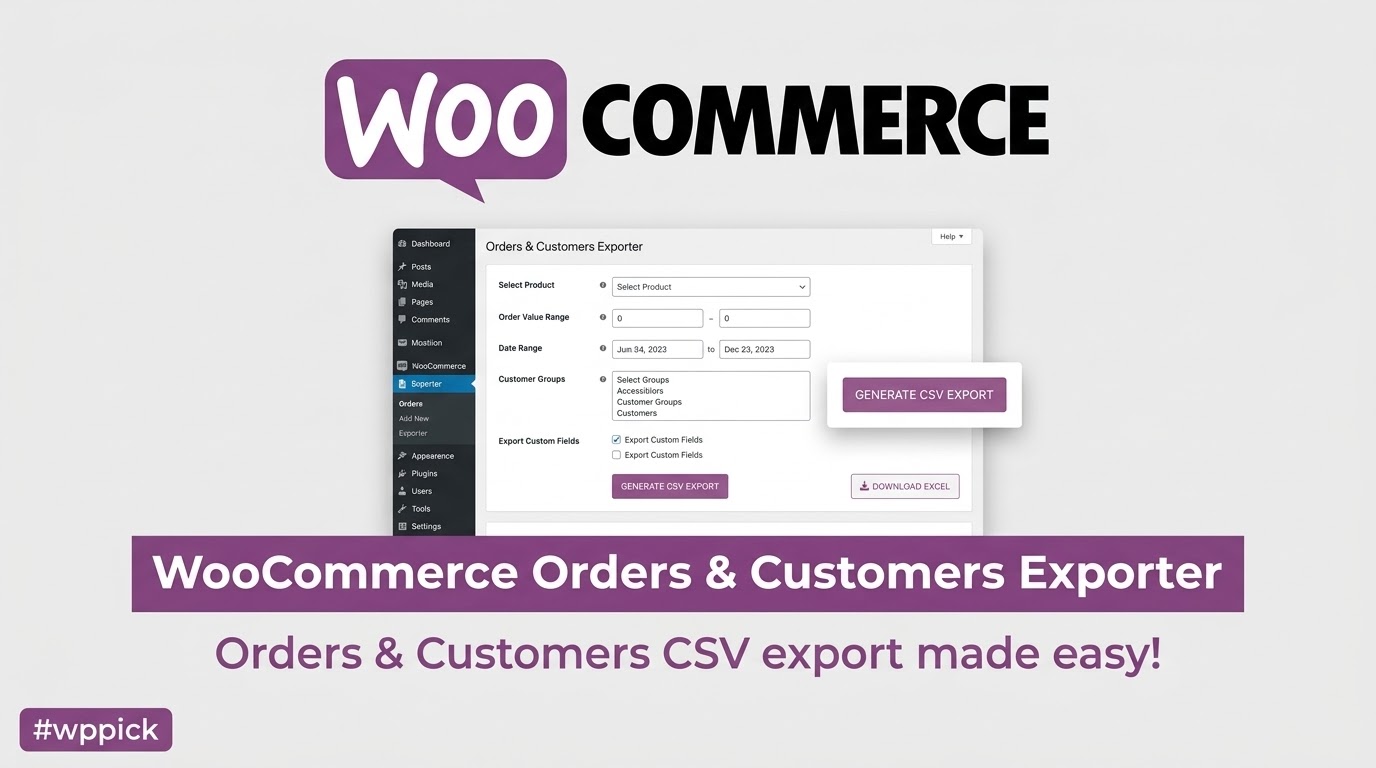
- Granular parameters based on purchase dates, absolute order value, specific product IDs, and custom meta keys.
- Flexible file output generation optimized for direct software imports and spreadsheet tools like Microsoft Excel.
- Native compatibility with custom fields, enabling seamless tracking of customized order details and custom checkout fields.
- Integrated customer segment isolation based on membership behavior, user roles, and specific transactional patterns.
- Lightweight back-end execution architecture preventing database locks or performance degradation on live server environments.
Practical WordPress and E-commerce Use Cases
- Accounting Adjustments: Extract quarterly transactional summaries organized by product groups or absolute values for precise taxation workflows.
- Inventory Assessment: Generate dedicated files containing sales metrics for seasonal inventory lines to analyze specific item velocity.
- Targeted Campaign Prep: Export isolated lists of consumers who purchased custom variations to build hyper-focused retention campaigns inside external platforms.
- Database Cleanups: Safely compile offline archives of historical store data before performing database optimization or structural changes.
Setup and Operational Compatibility Context
Deployment follows standard administrative protocols within your dashboard. Once activated, the control panel integrates cleanly with your store menu layout. The tool functions optimally with standard server memory allocations and coordinates smoothly with custom checkout fields created via popular profile extensions. For optimal performance with high-volume exports, ensure your server execution timeouts are set to accommodate massive queries.
Why Choose This Extension on WPPick
Acquiring tools via WPPick provides an optimized testing path for active store environments. Each asset is vetted for cleanliness and architectural integrity, reducing execution vulnerabilities. Store builders can implement data portability workflows efficiently without subscription friction or arbitrary licensing barriers, protecting operational scalability from day one.
Latest Version Maintenance Context
Maintaining up-to-date data structures is essential for consistent administrative operations. While full external web changelogs are not available from the provided public sources, the internal release tracking confirms that the latest updates focus on core stability. Specifically, refinements have targeted resolving issues involving administrative fields, ensuring that tracking items like client network identifiers export correctly without formatting errors.
Frequently Asked Questions
Can I export fields added by custom checkout extensions?
Yes. The extension reads and pulls metadata tables natively. This means any secondary metadata or proprietary custom keys appended to your transaction logs can be specified and exported just like standard system data strings.
What spreadsheet formats are supported by the exporter?
The system prioritizes compatibility by formatting data for clean execution in Microsoft Excel and universal CSV reading systems. This ensures immediate accessibility across desktop and cloud-based financial applications without layout corruption.
Does running a large export impact live site performance?
The code uses sequential querying structures designed to minimize concurrent server overhead. For massive sites handling thousands of records, it is always a best practice to schedule complex actions during lower-traffic windows to maintain baseline user speeds.
Can I isolate consumer groups by their specific purchase volume?
Yes. The built-in advanced ruleset enables store managers to set thresholds based on total financial value or frequency. This allows you to differentiate high-value clients from single-purchase shoppers effortlessly.
I. Download Limits & Account Benefits
- Free Downloads: Each email address receives 3 downloads per day for free products
- Upgrade Benefits: Purchase any paid product to increase your daily download limit by 3 for each paid product
- No Account Required: You can download immediately by receiving the download link via email
- Account Recommended: Create an account for easier access to your order history and direct update downloads
II. Understanding GPL vs Official Versions
Important: The products available on WPPick are GPL-licensed versions, which differ from official developer versions. Before purchasing, please read our comprehensive guide: Understanding GPL & Official Differences at WPPick
Key Points:
- GPL versions may not include premium support from original developers
- Updates may be delayed compared to official releases
- Some premium features might have limitations
- Always consider your specific needs and support requirements
III. Support & Assistance
We’re here to help through multiple channels:
- Email Support: Direct email assistance for all inquiries
- Live Chat: Real-time support during business hours
- Comprehensive Documentation: Detailed guides and tutorials
IV. Order Tracking
Access your complete purchase history and download links anytime: Order History
V. Account Access
New to WPPick? Login or Create Account to manage your downloads and orders efficiently.
VI. Refund Protection
We stand behind our products with a clear refund policy. Review our terms: Refund Policy
VII. Privacy & Security
Your data security is our priority. Learn how we protect your information: Privacy Policy
VII. Terms of Service
Understanding our service terms ensures a smooth experience: Terms of Use
Quick Tips for Best Experience
- Verify Compatibility: Check plugin/theme compatibility with your WordPress version
- Backup First: Always backup your site before installing new plugins or themes
- Test Environment: Consider testing on a staging site first
- Stay Updated: Regularly check for updates in your account dashboard
- Read Documentation: Review any included documentation for optimal setup
Need Help?
If you have questions about downloads, licensing, or need technical assistance, don’t hesitate to contact our support team. We’re committed to ensuring you have the best possible experience with WPPick products.
Ready to get started? Your download adventure begins with just one click!
- Fixed an issue related to the ip field export
- Improved security
- Added some filter to support 3rd party addons
- Security improvements