

Woocommerce Paddle Gateway By Wpsmartpay
/Year
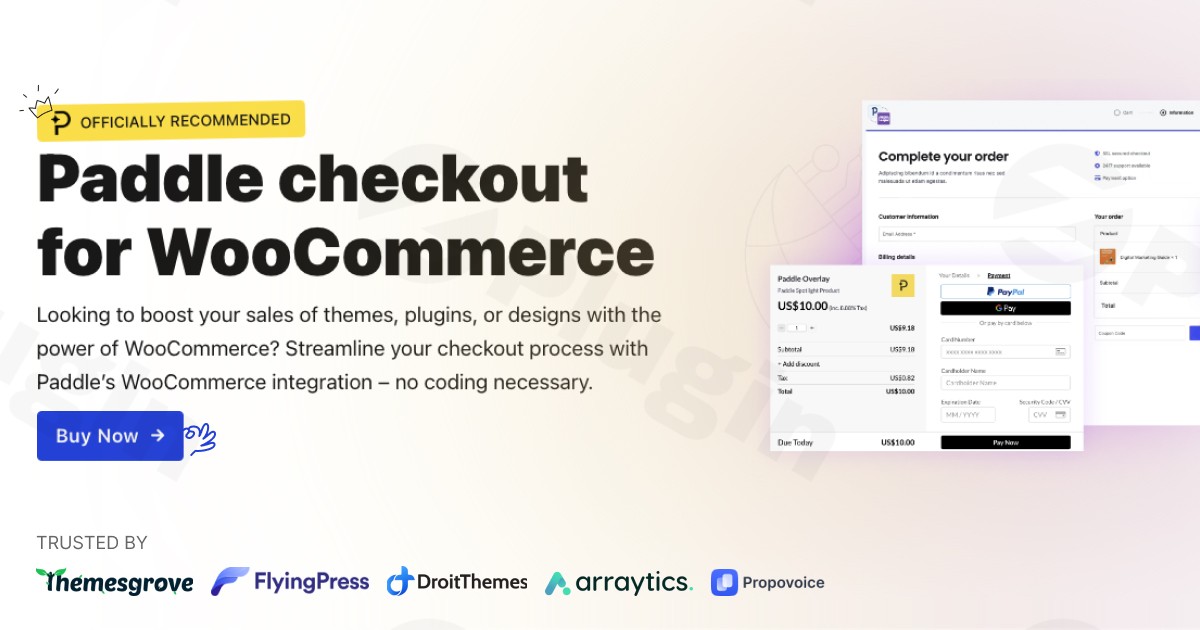
For digital product sellers looking to optimize their WooCommerce store, the WPSmartPay WooCommerce Paddle Gateway plugin stands out as a robust and comprehensive payment solution. If you’re selling WordPress themes, plugins, software, or digital designs, integrating Paddle Payment Gateway for WooCommerce via WPSmartPay offers a streamlined, high-conversion checkout experience tailored for your unique business needs. This powerful plugin is designed to simplify payment processing, manage subscriptions, and ensure global tax compliance, allowing you to focus on what you do best: creating and selling exceptional digital products.
Key Features & Benefits of WPSmartPay WooCommerce Paddle Gateway
The WPSmartPay WooCommerce Paddle Gateway integrates Paddle as a full-featured payment gateway, providing a suite of functionalities that empower digital merchants.
Seamless Checkout Experience
The plugin provides a distraction-free, high-conversion checkout experience for your customers. You can choose between a secure popup checkout or a dedicated Paddle checkout page, optimizing for regional requirements and customer preferences. This focus on a smooth, hassle-free transaction aims to reduce cart abandonment and boost your sales.
Flawless Subscription & Recurring Billing Management
Perfect for businesses offering subscription-based software, services, or membership sites, the WPSmartPay WooCommerce Paddle plugin offers flawless integration with WooCommerce’s native subscription and recurring billing systems. It requires no complicated setup, allowing you to quickly enable and manage recurring payments without additional configuration.
All-in-One Payment Processing & Global Payment Methods
Paddle, through this gateway, handles the entire payment process. This means all-in-one payment processing covering a wide array of global payment methods, including major credit/debit cards (Visa, MasterCard, American Express, etc.), PayPal, Apple Pay, and wire transfers. Merchants avoid the complexity of integrating multiple payment options individually.
Automated Tax & VAT Handling
One of Paddle’s most powerful features, automatically available through the WooCommerce Paddle Gateway, is its intelligent tax compliance system. Paddle calculates, collects, and remits sales taxes and VAT on your behalf across numerous countries globally, providing complete documentation. This feature eliminates the burden of managing complex international tax regulations and ensures you’re always compliant.
Advanced Fraud Protection
Security is paramount in online sales. The WPSmartPay WooCommerce Paddle Gateway leverages Paddle’s robust, four-layer fraud detection system. This automatically flags suspicious transactions and employs smart risk tooling to help prevent chargebacks, all included at no extra cost, giving you peace of mind.
License Management, Discount Support & Refund Syncing
For software and digital product vendors, the integration offers automatic license creation after successful payments when used with a dedicated WooCommerce license plugin. Additionally, businesses can leverage discount features integrated with Paddle’s system, and the plugin handles refund syncing seamlessly between your WooCommerce store and the Paddle platform.
Multi-currency Support & Developer-Friendly Options
Cater to a global audience with Paddle’s support for over 20 currencies, enabling multi-currency pricing and automatic currency conversion. For developers, the plugin includes useful hooks, webhook support, and detailed logs, offering flexibility for customization and advanced integrations.
Comprehensive Customer & Order Management
Manage your entire sales process directly within WordPress. The plugin provides customer management, complete order management, and detailed reporting functionalities, allowing you to view sales records, payment history, and transaction details efficiently.
Installing & Setting Up the WPSmartPay WooCommerce Paddle Gateway
Getting started with the WPSmartPay WooCommerce Paddle Gateway is a straightforward process, even for non-developers.
- Purchase and Download: First, purchase the WPSmartPay WooCommerce Paddle Gateway plugin from the official website or a trusted marketplace. You will receive a downloadable .zip file.
- Upload the Plugin: Log in to your WordPress admin dashboard. Navigate to Plugins > Add New and click the “Upload Plugin” button at the top. Choose the .zip file you downloaded and click “Install Now.”
- Activate the Plugin: Once installed, click “Activate Plugin.” The plugin will now be active on your WooCommerce store.
- Configure Paddle Credentials: Go to WooCommerce > Settings > Payments. You should now see “Paddle” listed as an available payment gateway. Click “Manage” to configure its settings. Here, you’ll need to enter your Paddle Vendor ID and Auth Code, which you can find in your Paddle dashboard.
- Set Up Instant Notification (INS): For proper communication between Paddle and your WooCommerce store, you’ll need to configure Instant Notification System (INS) settings in your Paddle account. The plugin’s settings page will provide the specific webhook URL you need to add to your Paddle dashboard. This ensures real-time updates for transactions, subscriptions, and refunds.
- Approve Your Website Domain: Ensure your website domain is approved within your Paddle account settings to prevent any checkout errors.
- Choose Checkout Type: Select your preferred checkout experience (popup or dedicated page) within the plugin settings, alongside other options like payment methods and product mapping.By following these steps, you’ll have the Paddle Payment Gateway for WooCommerce fully integrated and ready to accept payments.
Practical Usage & Best Practices for Digital Product Sellers
The WPSmartPay WooCommerce Paddle Gateway is specifically designed to enhance the selling experience for digital goods. Here’s how you can leverage it effectively:
- Ideal for Software & SaaS Sales: If you’re selling software licenses or SaaS subscriptions, this plugin streamlines the entire process. Its robust subscription management and automated license creation (when paired with a license manager plugin) mean less manual work and more focus on product development.
- Simplified Global Expansion: Paddle’s automated tax compliance and multi-currency support remove major hurdles for selling internationally. You can confidently sell to customers worldwide without worrying about complex VAT or sales tax calculations in different jurisdictions. This is the best WooCommerce plugin for Paddle subscriptions if global reach is a priority.
- Focus on Core Business, Not Bureaucracy: By offloading payment processing, fraud detection, and tax compliance to Paddle, you free up significant time and resources. This allows marketers and site owners to concentrate on marketing, content creation, and customer support, rather than administrative overhead.
- Optimized Conversion Funnels: Utilize Paddle’s distraction-free checkout to minimize friction during the purchase process. A smooth checkout experience directly translates to higher conversion rates, benefiting your bottom line.
Frequently Asked Questions (FAQ)
Here are answers to common questions about the WPSmartPay WooCommerce Paddle Gateway:
Does Woocommerce Paddle Gateway handle VAT automatically?
Yes, absolutely. The WooCommerce Paddle Gateway by WPSmartPay fully integrates with Paddle’s automated tax compliance system. Paddle automatically calculates, collects, and remits sales taxes and VAT on your behalf for transactions in numerous countries, providing all necessary documentation for your records. This means you do not need to manually manage international tax complexities.
What are the fees for Woocommerce Paddle Gateway by WPSMartPay?
The fees for using the WPSmartPay WooCommerce Paddle Gateway are Paddle’s standard transaction fees, which are typically 5.5% + $0.50 per transaction. It’s important to note that this is Paddle’s charge for their all-in-one service, which includes payment processing, fraud protection, and tax compliance. There are generally no additional transaction fees from the WPSmartPay plugin itself, though the plugin itself is a premium product requiring a license.
How to manage subscriptions with Paddle on WooCommerce?
To manage subscriptions with Paddle on WooCommerce using this plugin, you’ll use WooCommerce’s native subscription functionalities. The WPSmartPay WooCommerce Paddle Gateway seamlessly integrates, allowing you to create subscription products in WooCommerce. Paddle then handles the recurring billing and payment collection automatically based on the subscription terms you set. You can view and manage these subscriptions through your WooCommerce admin panel and your Paddle dashboard.
Is WPSmartPay Paddle Gateway compatible with other plugins/themes?
The WPSmartPay WooCommerce Paddle Gateway is explicitly designed for seamless integration with WooCommerce and is generally compatible with popular WordPress themes and most well-coded WooCommerce extensions. It is lightweight and optimized for performance. For specific technical requirements, it’s compatible with PHP versions 7.4, 8.0, 8.1, Apache 2.4, Nginx 1.2x, and MySQL 8.0. If you encounter any compatibility issues with a particular theme or plugin, WPSmartPay offers dependable customer support to assist.
Conclusion: Your Ultimate Solution for Digital Sales on WooCommerce
The WPSmartPay WooCommerce Paddle Gateway is an indispensable tool for anyone serious about selling digital products, software, or services on their WordPress site. It’s not just a payment gateway; it’s a comprehensive commerce solution that unifies payments, subscription management, global tax compliance, and robust fraud protection into a single, easy-to-manage package. By leveraging the power of Paddle through this officially recommended integration, you gain unparalleled efficiency, security, and peace of mind. For digital entrepreneurs seeking to scale their business with a hassle-free, high-converting payment system, the WPSmartPay WooCommerce Paddle Gateway is a confident and valuable investment for your WooCommerce store.
I. Download Limits & Account Benefits
- Free Downloads: Each email address receives 3 downloads per day for free products
- Upgrade Benefits: Purchase any paid product to increase your daily download limit by 3 for each paid product
- No Account Required: You can download immediately by receiving the download link via email
- Account Recommended: Create an account for easier access to your order history and direct update downloads
II. Understanding GPL vs Official Versions
Important: The products available on WPPick are GPL-licensed versions, which differ from official developer versions. Before purchasing, please read our comprehensive guide: Understanding GPL & Official Differences at WPPick
Key Points:
- GPL versions may not include premium support from original developers
- Updates may be delayed compared to official releases
- Some premium features might have limitations
- Always consider your specific needs and support requirements
III. Support & Assistance
We’re here to help through multiple channels:
- Email Support: Direct email assistance for all inquiries
- Live Chat: Real-time support during business hours
- Comprehensive Documentation: Detailed guides and tutorials
IV. Order Tracking
Access your complete purchase history and download links anytime: Order History
V. Account Access
New to WPPick? Login or Create Account to manage your downloads and orders efficiently.
VI. Refund Protection
We stand behind our products with a clear refund policy. Review our terms: Refund Policy
VII. Privacy & Security
Your data security is our priority. Learn how we protect your information: Privacy Policy
VII. Terms of Service
Understanding our service terms ensures a smooth experience: Terms of Use
Quick Tips for Best Experience
- Verify Compatibility: Check plugin/theme compatibility with your WordPress version
- Backup First: Always backup your site before installing new plugins or themes
- Test Environment: Consider testing on a staging site first
- Stay Updated: Regularly check for updates in your account dashboard
- Read Documentation: Review any included documentation for optimal setup
Need Help?
If you have questions about downloads, licensing, or need technical assistance, don’t hesitate to contact our support team. We’re committed to ensuring you have the best possible experience with WPPick products.
Ready to get started? Your download adventure begins with just one click!
- WebHook signature error.
- Refund note.
- Incorrect discount & refund amount for some currencies.
- Paddle order information transaction link for Billing and Classic.
- Classic orders were trying to refund from Billing if Billing is enabled.
- Trying to access license data when no data available.
- Minor warnings and version number bugs.