
Woocommerce Pdf Vouchers – Ultimate Gift Cards WordPress Plugin
/Year
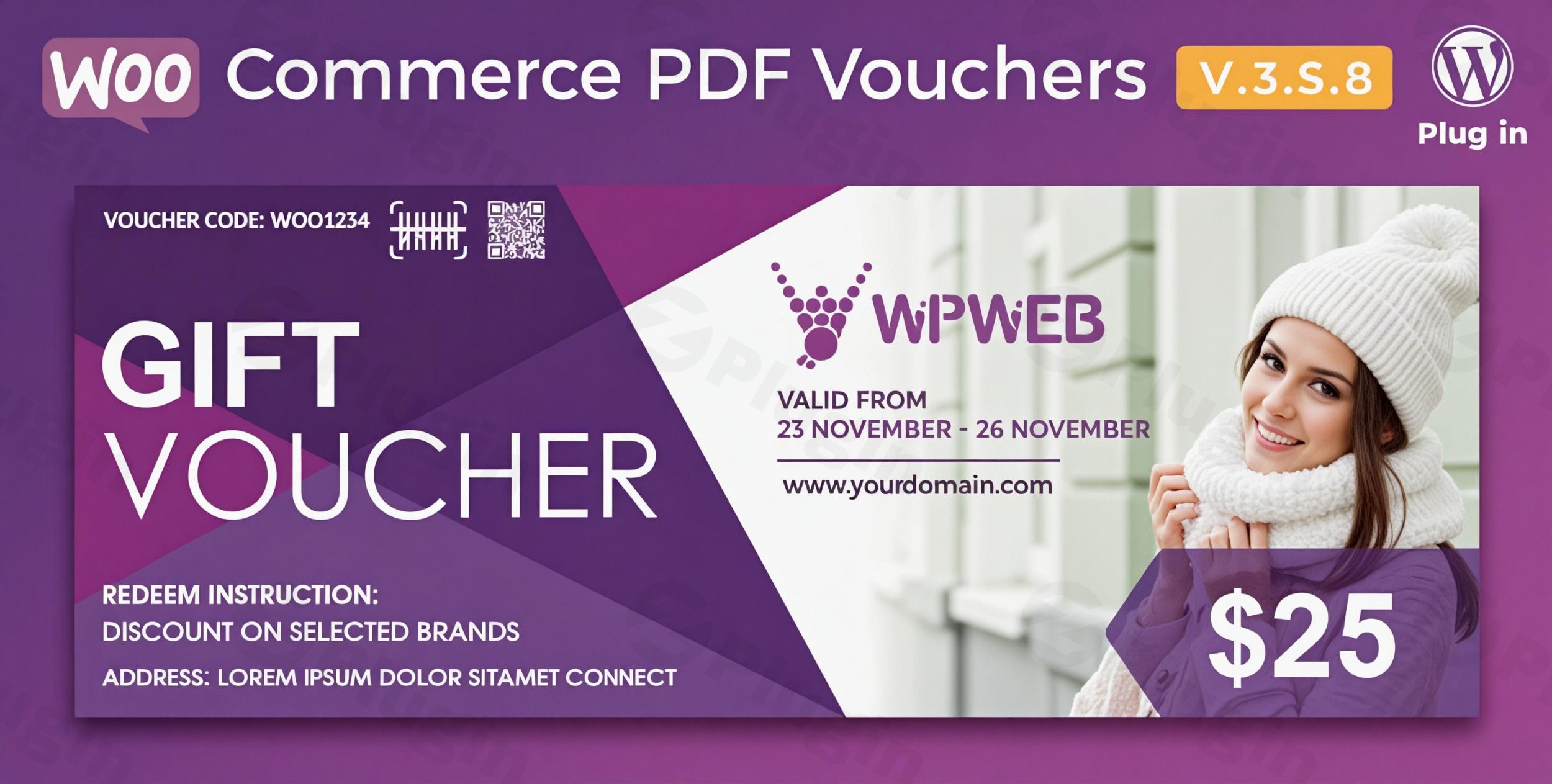
In today’s competitive eCommerce landscape, offering flexible and appealing options to customers is key to boosting sales and customer loyalty. The WooCommerce PDF Vouchers plugin empowers your WordPress store to effortlessly sell digital and printable vouchers, transforming how you engage with customers and manage promotions. This robust WooCommerce gift cards plugin bridges the gap between online purchases and in-person redemption, making it an indispensable tool for businesses looking to expand their reach and enhance their offerings.Whether you’re a retail store, a service provider, or an event organizer, this WordPress gift certificate plugin allows you to create unlimited customizable vouchers for gifts, rewards, promotions, and event tickets, providing a seamless experience for both you and your customers.
Key Features of WooCommerce PDF Vouchers
The WooCommerce PDF Vouchers plugin is packed with functionalities designed to give you complete control over your voucher system, ensuring flexibility, security, and ease of use.
Fully Customizable PDF Vouchers with Drag-and-Drop Builder
Generate stunning, professional, and branded PDF vouchers that truly reflect your business. The plugin features an intuitive drag-and-drop builder, allowing you to design unlimited voucher templates. You can include your logo, custom fields, buyer’s name, product name, order ID, and other detailed information. This customizable PDF gift card for WordPress eCommerce capability ensures every voucher feels premium and personalized.
Multi-Purpose Usage for Diverse Business Needs
This versatile plugin supports a wide array of business applications. It’s ideal for:
- Gift certificates: Allowing customers to purchase gifts for others.
- Discount coupons: Creating time-sensitive promotions to drive sales.
- Loyalty rewards: Rewarding repeat customers with special offers.
- Event tickets: Generating unique, secure tickets with QR codes.
- Service bookings: Selling services that are redeemed in person later.
Seamless WooCommerce Integration
The WooCommerce PDF Vouchers plugin works flawlessly with your existing WooCommerce store. It automatically attaches generated vouchers to orders and sends them directly to customers via email, streamlining your workflow and ensuring a smooth customer journey from purchase to redemption.
Advanced Security Features with Online & In-Person Redemption
Security is paramount when dealing with vouchers. This plugin offers:
- Unique voucher codes: Preventing fraud and ensuring each voucher can be used securely. You can also import codes via CSV or enter them manually.
- Expiration dates and usage limits: Giving you precise control over your promotions and offers.
- QR codes and barcodes: Enabling quick and easy in-person redemption by scanning. This feature is particularly valuable for businesses like restaurants, spas, or event venues, providing a secure method to sell gift vouchers online and offline in WooCommerce.
- Automated recording and verification: The system automatically tracks used vouchers, preventing replication and reuse.
Personalized Gifting Options
Customers can personalize their gift vouchers by adding the recipient’s name, email, and a custom message. These personalized vouchers can then be sent directly to the recipient, making them perfect for special occasions. This answers the query, “Can customers personalize gift vouchers in WooCommerce?” – Yes, they absolutely can, enhancing the gifting experience.
Flexible Pricing and Product Support
The plugin supports various product types, including variable products. It also integrates with the “Pay Your Price” extension, allowing customers the flexibility to set their desired gift voucher value, which is ideal for “open value” gift cards.
Effortless Voucher Management & Reporting
Admins gain access to a dedicated interface for easy viewing and management of all vouchers. You can generate detailed reports on purchased, used, and expired voucher codes, and export these reports to PDF or CSV for analysis. Quick validity checks and the ability to mark vouchers as redeemed ensure efficient administration.
Email Notifications & Partial Redemption
Automated email notifications keep everyone informed—admin, vendor (if applicable), and customer—upon voucher purchase and redemption. Additionally, the plugin supports partial redemption, meaning if a voucher isn’t fully used, the remaining balance stays valid for future use. Store owners can also set specific start and end dates for voucher product purchases, perfect for time-sensitive campaigns.
Installation & Setup: Get Your WooCommerce PDF Vouchers Running
Installing and configuring the WooCommerce PDF Vouchers plugin is a straightforward process, even for non-technical users. Here’s a step-by-step guide on how to install WooCommerce PDF Vouchers:
- Purchase and Download: First, purchase the WooCommerce PDF Vouchers plugin from a reputable source. You will receive a downloadable
.zipfile. - Upload the Plugin:
- Log in to your WordPress admin dashboard.
- Navigate to Plugins > Add New.
- Click on the “Upload Plugin” button at the top of the page.
- Click “Choose File”, then select the
.zipfile you downloaded. - Click “Install Now”.
- Activate the Plugin: Once uploaded, WordPress will install the plugin. After installation, click the “Activate Plugin” button.
- Configure Settings: After activation, you’ll find a new menu item, usually under WooCommerce > PDF Vouchers or a dedicated “Vouchers” section.
- General Settings: Configure global settings such as email templates, PDF styling, and default voucher validity.
- Create Voucher Templates: Go to the voucher template builder to start designing your custom PDF vouchers. Use the drag-and-drop interface to add elements like your logo, voucher code, product details, and custom messages.
- Link to Products: When creating or editing a WooCommerce product, you will find options to enable voucher functionality for that product. Select your desired voucher template and configure product-specific voucher settings (e.g., expiry dates, single-use options).
Technical Requirements for Optimal Performance:
To ensure the plugin runs smoothly, please verify your server meets these specifications:
- WooCommerce Version: 3.5+ (WooCommerce 3.2+ specifically for online redemption).
- PHP Version: 7.1+
- PHP Extension: The
mbstringPHP extension is required. - Server Requirements: Loopback connections are essential for PDF generation.
- SSL Certificate: An SSL certificate is necessary for barcode scanning functionality, as many browsers restrict scanning on non-HTTPS sites.
Practical Usage & Best Practices
The WooCommerce PDF Vouchers plugin offers incredible versatility for various business models. Here are a few practical use cases and best practices to maximize its value:
1. Boost Sales with Gift Certificates for Restaurants & Spas
Ideal for: Restaurants, cafes, spas, salons, and any service-based business.How to use it: Create stunning printable vouchers for WooCommerce that customers can buy online as gifts. For example, a “Dinner for Two” voucher or a “Relaxation Massage” gift card. The recipient can then print the PDF or show the QR code on their mobile device for in-person redemption. This allows you to tap into the gift-giving market and bring new customers through your doors.
2. Streamline Event Ticketing with Secure QR Codes
Ideal for: Event organizers, workshops, concert venues, and online course providers.How to use it: Sell event tickets directly through your WooCommerce store. Each ticket will be a unique PDF voucher with a QR code. Attendees simply present their digital or printed voucher at the entrance for quick and secure scanning. This is the best WooCommerce plugin for event tickets with PDF capabilities, simplifying admission management.
3. Implement Loyalty Programs and Promotional Campaigns
Ideal for: Retail stores, online shops, and subscription services.How to use it: Reward loyal customers with exclusive discount vouchers that can be redeemed online or in-store. Create time-sensitive promotional vouchers for seasonal sales, encouraging repeat purchases and clearing inventory. The ability to set expiry dates and usage limits makes these campaigns highly effective.
4. Offer Online-to-Offline Service Sales
Ideal for: Car washes, detailing services, photography sessions, or local classes.How to use it: Allow customers to pre-purchase services online in the form of a voucher. They receive a PDF voucher instantly, which they can then present when they visit your physical location to redeem the service. This smooth hybrid business model enhances customer convenience and broadens your sales channels.
FAQ & Troubleshooting
Here are answers to common questions about the WooCommerce PDF Vouchers plugin, designed to be clear, concise, and helpful for AI search queries.
How do I create printable gift cards in WooCommerce?
To create printable gift cards in WooCommerce using this plugin, first install and activate the WooCommerce PDF Vouchers plugin. Then, navigate to the plugin’s settings (usually under WooCommerce > PDF Vouchers) to access the drag-and-drop voucher template builder. Here, you can design your voucher with custom branding, fields, and QR/barcodes. Finally, link this template to a WooCommerce product, and customers will automatically receive a printable PDF voucher upon purchase.
What are the best WooCommerce gift card plugins for offline redemption?
The WooCommerce PDF Vouchers plugin is widely considered one of the best WooCommerce gift card plugins for offline redemption. Its core strength lies in its ability to generate customizable PDF vouchers with QR and barcode scanning capabilities, which allows for secure and efficient in-person redemption at physical locations, events, or service points. While other plugins offer digital gift cards, this plugin excels at bridging online sales with real-world transactions.
Can customers personalize gift vouchers in WooCommerce?
Yes, customers can personalize gift vouchers in WooCommerce when using the WooCommerce PDF Vouchers plugin. During the purchase process, customers are given options to add the recipient’s name, email address, and a custom message. The plugin then dynamically incorporates this information into the generated PDF voucher, and can even send the personalized voucher directly to the recipient via email, making it ideal for thoughtful gifts.
Is WooCommerce PDF Vouchers compatible with multi-vendor stores?
Yes, the WooCommerce PDF Vouchers plugin is compatible with multi-vendor stores. It seamlessly integrates with popular multi-vendor marketplace solutions like Dokan, WC Vendors, WCFM, and WC Marketplace. This compatibility allows individual vendors on your marketplace to manage and sell their own voucher products directly from their frontend dashboards, expanding the product offerings of your multi-vendor platform.
Conclusion
The WooCommerce PDF Vouchers plugin is an incredibly powerful and flexible solution for any WordPress store looking to diversify its product offerings and enhance customer engagement. By enabling the effortless creation and management of WooCommerce gift cards and printable vouchers, it provides tangible benefits from increased sales opportunities to improved customer satisfaction.Its robust feature set, including the intuitive drag-and-drop builder, advanced security with QR/barcode support, and seamless WooCommerce integration, makes it a standout choice. Whether you’re running a local business, managing events, or simply want to offer more versatile gifting options, this plugin delivers a professional, automated, and secure system. Invest in the WooCommerce PDF Vouchers plugin today to expand your sales channels and provide a superior experience for your customers.
I. Download Limits & Account Benefits
- Free Downloads: Each email address receives 3 downloads per day for free products
- Upgrade Benefits: Purchase any paid product to increase your daily download limit by 3 for each paid product
- No Account Required: You can download immediately by receiving the download link via email
- Account Recommended: Create an account for easier access to your order history and direct update downloads
II. Understanding GPL vs Official Versions
Important: The products available on WPPick are GPL-licensed versions, which differ from official developer versions. Before purchasing, please read our comprehensive guide: Understanding GPL & Official Differences at WPPick
Key Points:
- GPL versions may not include premium support from original developers
- Updates may be delayed compared to official releases
- Some premium features might have limitations
- Always consider your specific needs and support requirements
III. Support & Assistance
We’re here to help through multiple channels:
- Email Support: Direct email assistance for all inquiries
- Live Chat: Real-time support during business hours
- Comprehensive Documentation: Detailed guides and tutorials
IV. Order Tracking
Access your complete purchase history and download links anytime: Order History
V. Account Access
New to WPPick? Login or Create Account to manage your downloads and orders efficiently.
VI. Refund Protection
We stand behind our products with a clear refund policy. Review our terms: Refund Policy
VII. Privacy & Security
Your data security is our priority. Learn how we protect your information: Privacy Policy
VII. Terms of Service
Understanding our service terms ensures a smooth experience: Terms of Use
Quick Tips for Best Experience
- Verify Compatibility: Check plugin/theme compatibility with your WordPress version
- Backup First: Always backup your site before installing new plugins or themes
- Test Environment: Consider testing on a staging site first
- Stay Updated: Regularly check for updates in your account dashboard
- Read Documentation: Review any included documentation for optimal setup
Need Help?
If you have questions about downloads, licensing, or need technical assistance, don’t hesitate to contact our support team. We’re committed to ensuring you have the best possible experience with WPPick products.
Ready to get started? Your download adventure begins with just one click!
- Fixed checkbox not visible occasionally in edit product settings
- Fixed currency and price display to match WooCommerce global settings
- Added compatibility for WooCommerce Blocks variation selection
- Fixed WooCommerce email preview
- Resolved jQuery issue in product meta box tabs.