

Woocommerce Show Variations As Single Products
/Year
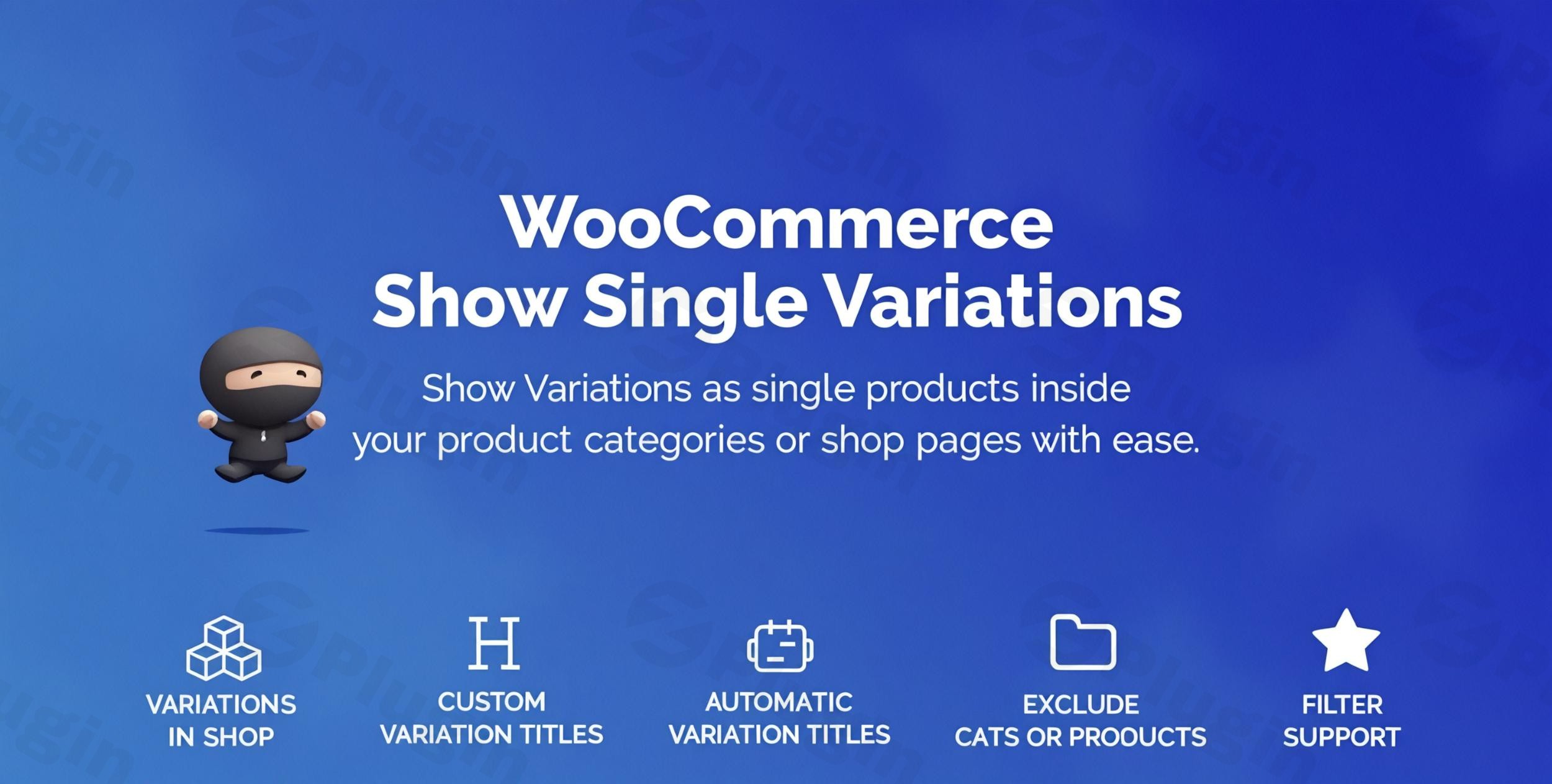
In the competitive world of eCommerce, every click counts. By default, WooCommerce variable products often require customers to navigate to a single product page to select options like size or color. This extra step can create friction, leading to abandoned carts and lost sales. The WooCommerce Show Variations as Single Products plugin transforms your store by displaying product variations individually directly on shop and category pages, just like leading eCommerce giants such as Amazon. This powerful enhancement streamlines the shopping experience, allowing customers to add desired variations to their cart instantly and significantly boosting your store’s visibility and conversion rates.This plugin addresses a critical need for store owners looking to enhance product discoverability and provide a seamless purchasing journey. By enabling you to display WooCommerce variations separately, it expands your catalog’s perceived size and ensures that every unique product offering gets the spotlight it deserves, driving both user satisfaction and organic traffic.
Key Features That Drive Sales and Improve SEO
The “WooCommerce Show Variations as Single Products” functionality offers a robust suite of features designed to optimize your store’s performance. Here’s how it helps your business thrive:
Seamless Variation Display on Listing Pages
The core of this plugin is its ability to showcase product variations as distinct items in your main shop, category, and search results pages. Instead of a single parent product, each variation (e.g., a “Red T-Shirt – Large” and a “Blue T-Shirt – Medium”) gets its own dedicated listing. This dramatically increases product visibility and makes it easier for customers to discover exactly what they’re looking for, eliminating the need for extra clicks to view options.
Hide Parent Products for a Cleaner Catalog
To prevent clutter and duplication, the plugin often provides the option to hide the main variable (parent) product from these listing pages once its variations are displayed individually. This ensures a clean, organized product catalog where every listing is unique and actionable.
Custom and Dynamic Variation Titles for Enhanced SEO
A powerful feature for both user experience and SEO, this functionality allows you to define custom, descriptive titles for each variation (e.g., “T-Shirt – Red, Large”). Alternatively, you can use dynamic templates (e.g., “Product Name in Attribute Name and Attribute Value”) to generate unique and highly searchable titles. This is crucial for boosting SEO by displaying WooCommerce variations individually, as each variation can then rank for more specific long-tail keywords.
Direct “Add to Cart” Functionality
Empower your customers to make quick purchases. With WooCommerce direct add to cart variation support, shoppers can add specific variations directly to their cart from the shop or category pages. This frictionless process removes barriers to purchase, making the shopping experience faster and more convenient, directly contributing to higher conversions.
Improved Search and Filter Support
Individual variations become fully discoverable through WooCommerce’s default search and filter widgets. When customers search for specific attributes like “blue t-shirt” or filter by “large size,” relevant variations appear in the results, ensuring that your full product range is accessible.
Granular Exclusion Options
Maintain complete control over your product display. Store owners can typically set rules to exclude specific products, categories, or even certain attributes (e.g., showing color variations but hiding size variations) from being displayed as single products. This flexibility is key for managing a diverse product catalog.
Performance and Syncing Tools
For existing stores with many products, tools like a “Process variations” or “Init Variations” button help to quickly synchronize all your existing product variations with the plugin settings. While displaying many variations can potentially impact page load times, reputable plugins are built with performance in mind. Furthermore, WooCommerce’s use of canonical links for variable products helps prevent negative SEO impacts from duplicate content.
Full Compatibility
This plugin is built to work flawlessly within your WordPress and WooCommerce ecosystem. It ensures:
- Multilingual Site Support: Works seamlessly with WPML multilingual sites, catering to a global customer base.
- Latest WooCommerce Versions: Regularly updated to maintain compatibility with the newest WooCommerce releases.
- Theme Compatibility: Designed to integrate with standard WooCommerce themes, ensuring a consistent look and feel.
Trusted & Secure
Available from platforms like ZeroPlugin.com, this functionality comes with verified GPL licensing, regular updates, and is often scanned with tools like VirusTotal, ensuring a secure and reliable addition to your WordPress site.
Comprehensive Documentation
Detailed step-by-step guides and setup videos are typically included, making implementation straightforward for users of all technical levels.
Installation & Setup Guide: WooCommerce Show Variations as Single Products
Getting started with WooCommerce Show Variations as Single Products is a straightforward process designed for non-developers. Follow these steps to transform your product listings:
- Purchase and Download the Plugin: Obtain the plugin file (usually a
.zipfile) from ZeroPlugin.com or your chosen vendor. - Log in to Your WordPress Dashboard: Access your WordPress admin area.
- Navigate to Plugins > Add New: In the left-hand sidebar, hover over “Plugins” and click on “Add New.”
- Upload the Plugin: At the top of the “Add Plugins” page, click the “Upload Plugin” button.
- Choose File & Install: Click “Choose File,” locate the downloaded
.zipfile on your computer, and then click “Install Now.” - Activate the Plugin: Once installed, click the “Activate Plugin” button.
- Configure Plugin Settings: After activation, a new menu item or section will usually appear in your WooCommerce settings (e.g.,
WooCommerce > Settings > Products > Show Variationsor a dedicated plugin menu). Navigate here to configure how variations will be displayed.- Enable Variation Display: Look for options to “show variations on shop page” and category pages.
- Hide Parent Product WooCommerce Variations: Find the setting to hide the main variable product once its variations are individually listed.
- Customize Titles: Explore options for custom or dynamic variation titles for better SEO.
- Direct Add to Cart: Ensure the direct add-to-cart functionality is enabled if desired.
- Exclusion Rules: Set any specific products, categories, or attributes you wish to exclude from this display method.
- Process/Sync Variations (If applicable): Some plugins include a “Process variations” or “Init Variations” button. If available, click this to ensure all existing variations are correctly recognized and displayed according to your new settings.
- Clear Caches: If you use a caching plugin on your site, clear its cache to ensure the changes are immediately visible to visitors.
- Review Your Shop Pages: Visit your shop, category, and search results pages to verify that variations are now appearing as individual products as intended.
Practical Usage & Best Practices
Implementing the WooCommerce Show Variations as Single Products plugin can significantly impact your online store’s performance. Here’s how different users can leverage this feature effectively:
For eCommerce Store Owners: Expanding Your Digital Shelf
If your store sells products with numerous variations (e.g., apparel in multiple sizes and colors, jewelry with different stone options, or furniture in various finishes), this plugin is ideal for showcasing your full range. By displaying each unique variant as an individual product, you effectively expand your perceived product catalog. Customers no longer have to guess what colors or sizes are available for a given item; they see them immediately. This makes shopping more transparent and reduces the mental effort required from your customers.Best Practice: For products where specific variations are frequently searched for (e.g., “red running shoes size 9”), use custom variation titles to explicitly include these details, making them highly discoverable in search.
For Marketers & SEO Specialists: Unlocking New Search Opportunities
This functionality is a powerful SEO tool. When you boost SEO by displaying WooCommerce variations individually, you create more unique, indexable pages for search engines. Each variation can be optimized for specific long-tail keywords, driving more targeted organic traffic. For example, a “black leather wallet” variation can rank for that exact phrase, rather than just the generic “leather wallet” parent product.Best Practice: Leverage dynamic or custom titles for variations to incorporate relevant keywords. Monitor your Google Search Console to identify new ranking opportunities for individual variations and refine your product naming strategy over time.
For Agencies & Web Developers: Streamlined Client Solutions
For agencies building WooCommerce stores for clients, this plugin provides a robust and elegant solution to a common client request. It allows for advanced product presentation without complex custom coding, saving development time and ensuring maintainability. It’s an excellent way to offer enhanced UX and SEO benefits out-of-the-box.Best Practice: Educate your clients on the SEO benefits and direct conversion advantages. Implement clear, consistent naming conventions for variations across all client stores using this plugin to ensure optimal search performance.
Ideal Use Cases:
- Fashion & Apparel: Displaying every size and color of a garment as its own product for maximum visibility.
- Electronics: Showing different configurations (e.g., memory, storage) of a device as distinct items.
- Home Goods: Presenting furniture or decor in various materials or finishes as separate listings.
- Food & Beverage: Listing different flavors or pack sizes of a product individually.
FAQ & Troubleshooting
Q: Why display WooCommerce variations as single products?
A: Displaying WooCommerce variations as single products significantly enhances the user experience by reducing friction in the shopping process. It allows customers to view all available options (like colors or sizes) directly on shop and category pages, eliminating extra clicks and making it easier to add items to the cart. This improved visibility often leads to higher conversion rates and a more streamlined shopping journey, akin to major eCommerce platforms.
Q: Does showing variations as single products affect WooCommerce SEO?
A: Yes, showing variations as single products can positively affect WooCommerce SEO. By creating more distinct product entries, you generate more specific internal links and indexable content. Each variation can potentially rank for unique long-tail keywords, increasing organic traffic. Crucially, WooCommerce typically uses canonical links for variable products, which helps prevent duplicate content penalties from Google when variations share similar descriptions. For best results, use unique and descriptive titles for each variation.
Q: How to configure WooCommerce to show variations on category pages?
A: After installing and activating the “WooCommerce Show Variations as Single Products” plugin, navigate to its settings, usually found under WooCommerce > Settings > Products or a dedicated plugin menu in your WordPress dashboard. Look for options that allow you to enable “Show variations on shop page” and “Show variations on category pages.” You may also find settings to hide the parent product and customize variation titles for optimal display. Remember to save your changes and clear any website caches.
Q: Is this plugin compatible with other major WooCommerce plugins like WPML?
A: Yes, the “WooCommerce Show Variations as Single Products” functionality, especially in premium versions like the one from ZeroPlugin.com, is designed for full compatibility. It works flawlessly with WPML multilingual sites, ensuring your varied product listings can be presented in multiple languages. It is also typically compatible with the latest WooCommerce core versions and standard WordPress themes. Always check the plugin’s specific documentation for any unique compatibility notes.
Q: What should I do if my variations aren’t appearing correctly after installation?
A: If your variations aren’t displaying as expected, first ensure the plugin is activated and all its settings are correctly configured, particularly the options to enable variation display on shop/category pages. Many plugins offer a “Process variations” or “Init Variations” button within their settings to sync existing products; click this if available. Next, clear all website caches (server cache, caching plugin cache, and browser cache). If the issue persists, check for plugin conflicts by temporarily deactivating other plugins one by one, and consult the plugin’s documentation or support.
Conclusion
The WooCommerce Show Variations as Single Products plugin is an indispensable tool for any eCommerce store aiming to optimize its product display, enhance user experience, and drive significant sales growth. By transforming your variable products into easily discoverable, individually listed items, you empower customers with a seamless shopping journey, mirroring the best practices of industry leaders.This solution not only reduces purchase friction through direct add-to-cart functionality but also provides a substantial SEO advantage, opening up new avenues for organic traffic through targeted long-tail keywords. For store owners, marketers, and developers alike, the ROI is clear: increased visibility, higher conversions, and a more streamlined, professional online store. Implement “WooCommerce Show Variations as Single Products” today to unlock your store’s full potential and elevate your brand in the competitive eCommerce landscape.
I. Download Limits & Account Benefits
- Free Downloads: Each email address receives 3 downloads per day for free products
- Upgrade Benefits: Purchase any paid product to increase your daily download limit by 3 for each paid product
- No Account Required: You can download immediately by receiving the download link via email
- Account Recommended: Create an account for easier access to your order history and direct update downloads
II. Understanding GPL vs Official Versions
Important: The products available on WPPick are GPL-licensed versions, which differ from official developer versions. Before purchasing, please read our comprehensive guide: Understanding GPL & Official Differences at WPPick
Key Points:
- GPL versions may not include premium support from original developers
- Updates may be delayed compared to official releases
- Some premium features might have limitations
- Always consider your specific needs and support requirements
III. Support & Assistance
We’re here to help through multiple channels:
- Email Support: Direct email assistance for all inquiries
- Live Chat: Real-time support during business hours
- Comprehensive Documentation: Detailed guides and tutorials
IV. Order Tracking
Access your complete purchase history and download links anytime: Order History
V. Account Access
New to WPPick? Login or Create Account to manage your downloads and orders efficiently.
VI. Refund Protection
We stand behind our products with a clear refund policy. Review our terms: Refund Policy
VII. Privacy & Security
Your data security is our priority. Learn how we protect your information: Privacy Policy
VII. Terms of Service
Understanding our service terms ensures a smooth experience: Terms of Use
Quick Tips for Best Experience
- Verify Compatibility: Check plugin/theme compatibility with your WordPress version
- Backup First: Always backup your site before installing new plugins or themes
- Test Environment: Consider testing on a staging site first
- Stay Updated: Regularly check for updates in your account dashboard
- Read Documentation: Review any included documentation for optimal setup
Need Help?
If you have questions about downloads, licensing, or need technical assistance, don’t hesitate to contact our support team. We’re committed to ensuring you have the best possible experience with WPPick products.
Ready to get started? Your download adventure begins with just one click!
- Added support for Rank Math
- WP All import exclusion due to performance issues