

Woogallery – Product Gallery Slider By Shapedplugin
/Year
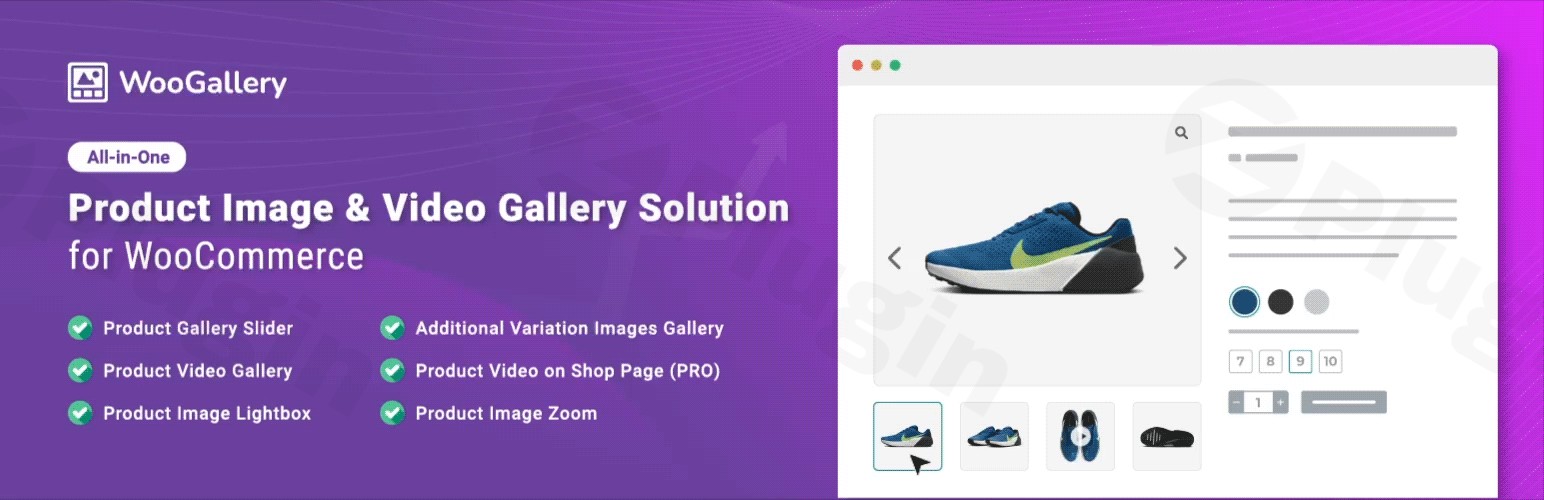
The default WooCommerce product gallery is often functional but visually limiting. To convert visitors into customers, your store needs more than just a static image grid; it needs a professional, interactive experience. The WooGallery plugin (officially known as WooGallery – Product Gallery Slider By Shapedplugin) is a powerful WooCommerce product gallery slider solution designed to transform how your customers interact with your products.
By integrating advanced slider layouts, video support, and sophisticated zoom features, WooGallery helps store owners reduce bounce rates and increase engagement. Whether you are selling intricate jewelry that requires deep zoom or electronics that need video demonstrations, this plugin provides the technical flexibility to showcase your inventory effectively.
Key Features of WooGallery
WooGallery is more than just a simple slider; it is a comprehensive media management system for your product pages. Here are the standout features that make it a leading WordPress product gallery plugin:
1. 16+ Modern Gallery Layouts
One size does not fit all in eCommerce. WooGallery offers over 16 unique layouts, including:
- Vertical & Horizontal Sliders: Choose a vertical product gallery slider WordPress users will find intuitive, or stick with a classic horizontal layout.
- Grid Layouts: Perfect for showcasing multiple product angles simultaneously.
- Custom Navigation: Fully customizable arrows, bullets, and thumbnail positions to match your theme’s aesthetic.
2. Advanced Product Image Zoom and Lightbox
To boost buyer confidence, the product image zoom WooCommerce feature allows customers to inspect textures and fine details.
- Zoom Styles: Choose from inner zoom, lens zoom, or magnifying glass effects.
- Feature-Rich Lightbox: A popup gallery with social sharing, full-screen mode, and caption support.
3. Comprehensive Video Integration
Modern shoppers often prefer video over static images. WooGallery allows you to:
- Embed videos from YouTube, Vimeo, Dailymotion, and Facebook.
- Upload self-hosted videos directly to your product gallery.
- Display videos on shop/archive pages to grab attention before the user even clicks the product.
4. Unlimited WooCommerce Variation Images
A common limitation in standard WooCommerce is the inability to show multiple images for a specific product variation (e.g., three different angles of a “Blue” shirt). This plugin enables unlimited variation images, allowing you to provide a deep visual dive for every SKU.
How to Install and Set Up WooGallery
Setting up your WooCommerce product gallery slider is straightforward and requires no coding knowledge. Follow these steps:
- Install the Plugin: Log into your WordPress dashboard, navigate to Plugins > Add New, and search for “WooGallery”. Click Install Now and then Activate.
- Access Settings: Look for the WooGallery menu item in your sidebar.
- Configure Global Styles: Go to the “Gallery Settings” tab. Here, you can select your preferred layout (Horizontal/Vertical), enable or disable the product image zoom, and set your thumbnail sizes.
- Enable Video Support: If you plan to use video, ensure the video options are toggled “On” in the settings.
- Assign to Products: You can set a global style for all products or override settings on a per-product basis within the “Product Data” metabox on individual product pages.
Practical Usage & Best Practices
To get the most out of the WooGallery plugin, consider these professional workflows:
High-Ticket Item Showcase
If you sell expensive items like watches or machinery, use the “Inner Zoom” and “Full-Screen Lightbox.” High-resolution images paired with a smooth zoom effect provide the “tangible” feel that high-end shoppers require before committing to a purchase.
Using Video for Tutorials
How to add product video to WooCommerce gallery successfully? Don’t just show a 360-view; use the video slot for a “Quick Start” guide or a “Style In Action” clip. This reduces customer support queries and increases the perceived value of the product.
Optimization for Mobile
Most eCommerce traffic now comes from mobile devices. Ensure you test the “Touch Swipe” functionality in WooGallery. Keep thumbnails large enough to be “tappable” but small enough to not clutter the mobile screen.
FAQ & Troubleshooting
What is the best product gallery slider for WooCommerce?
While there are several options, WooGallery by ShapedPlugin is widely considered one of the best due to its 16+ layout options, native video support, and its ability to handle unlimited WooCommerce variation images without slowing down your site.
How to add unlimited images to WooCommerce product variations?
Once the WooGallery plugin is active, navigate to your Variable Product, go to the “Variations” tab, and you will see an enhanced interface that allows you to upload multiple images and videos for each specific variation.
Can WooGallery display product videos?
Yes. WooGallery supports YouTube, Vimeo, Dailymotion, and Facebook videos, as well as self-hosted MP4 files. You can set these videos to appear alongside your images in the main gallery slider.
Is WooGallery compatible with page builders?
Yes, it is fully compatible with Elementor, Divi, WPBakery, and Gutenberg. It integrates seamlessly with the “Product Images” widgets of these builders.
What should I do if the zoom feature isn’t working?
Ensure that your product images are large enough (at least 800px to 1000px wide). If the image is too small, the zoom effect will not trigger. Also, check for conflicts with your theme’s built-in zoom settings.
Conclusion: Is WooGallery Worth It?
The WooGallery plugin offers a significant ROI by improving the visual storytelling of your store. By replacing the basic image gallery with a dynamic WooCommerce product gallery slider, you provide a modern, professional shopping experience that builds trust and drives conversions.
If your store relies heavily on visual appeal—especially if you use WooCommerce variation images or video—WooGallery is a must-have tool for your WordPress tech stack.
For more WordPress plugin reviews and tutorials, visit wppick.com.
I. Download Limits & Account Benefits
- Free Downloads: Each email address receives 3 downloads per day for free products
- Upgrade Benefits: Purchase any paid product to increase your daily download limit by 3 for each paid product
- No Account Required: You can download immediately by receiving the download link via email
- Account Recommended: Create an account for easier access to your order history and direct update downloads
II. Understanding GPL vs Official Versions
Important: The products available on WPPick are GPL-licensed versions, which differ from official developer versions. Before purchasing, please read our comprehensive guide: Understanding GPL & Official Differences at WPPick
Key Points:
- GPL versions may not include premium support from original developers
- Updates may be delayed compared to official releases
- Some premium features might have limitations
- Always consider your specific needs and support requirements
III. Support & Assistance
We’re here to help through multiple channels:
- Email Support: Direct email assistance for all inquiries
- Live Chat: Real-time support during business hours
- Comprehensive Documentation: Detailed guides and tutorials
IV. Order Tracking
Access your complete purchase history and download links anytime: Order History
V. Account Access
New to WPPick? Login or Create Account to manage your downloads and orders efficiently.
VI. Refund Protection
We stand behind our products with a clear refund policy. Review our terms: Refund Policy
VII. Privacy & Security
Your data security is our priority. Learn how we protect your information: Privacy Policy
VII. Terms of Service
Understanding our service terms ensures a smooth experience: Terms of Use
Quick Tips for Best Experience
- Verify Compatibility: Check plugin/theme compatibility with your WordPress version
- Backup First: Always backup your site before installing new plugins or themes
- Test Environment: Consider testing on a staging site first
- Stay Updated: Regularly check for updates in your account dashboard
- Read Documentation: Review any included documentation for optimal setup
Need Help?
If you have questions about downloads, licensing, or need technical assistance, don’t hesitate to contact our support team. We’re committed to ensuring you have the best possible experience with WPPick products.
Ready to get started? Your download adventure begins with just one click!