

WordPress Advanced Database Cleaner Pro
/Year
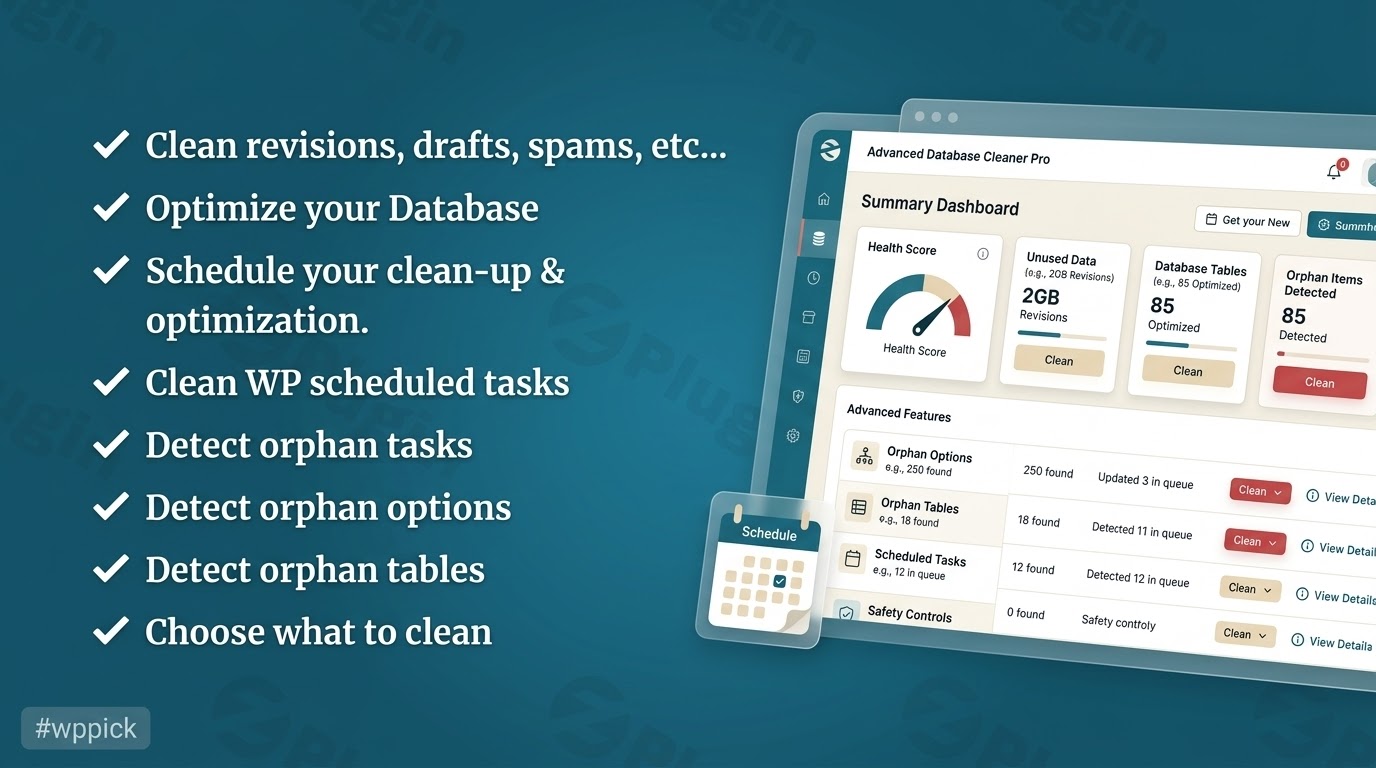
Streamline Your WordPress Database for Superior Speed
Over time, every WordPress website accumulates unnecessary clutter in its database. Each post revision, trashed comment, expired transient, and unattached media record remains stored, bloating database tables and increasing server response times. WordPress Advanced Database Cleaner Pro solves this core efficiency problem by safely scanning, identifying, and removing redundant information, helping webmasters reduce backup sizes and decrease page loading speeds.
What WordPress Advanced Database Cleaner Pro Does
This utility targets the deep, often hidden areas of your MySQL or MariaDB database where orphaned data hides. When you delete plugins or themes, they regularly leave behind leftover options, custom tables, and metadata entries that clog the system. The Pro version goes beyond standard cleanup tools by categorizing elements, allowing you to recognize exactly which rows belong to active software and which ones are abandoned remnants that can be safely discarded.
Who This Database Optimization Tool Is For
This plugin is designed for website administrators, digital agencies, e-commerce store operators, and developers who manage content-heavy or long-running websites. It is especially useful for platforms running WooCommerce, where rapid transient generation and high order volumes can quickly fragment database storage. Agencies maintaining multiple client websites will find the automation tools valuable for preventing performance degradation without manual oversight.
Key Capabilities and Advanced Elements
The core functionality provides deep scanning and automated maintenance processes to ensure server resources are used efficiently. Main features include:
- Orphan Data Detection: Scans and isolates orphaned postmeta, commentsmeta, usermeta, and relationship options left behind by inactive extensions.
- Automated Scheduling: Allows administrators to set up daily, weekly, or monthly unattended cleaning operations to maintain database hygiene automatically.
- Table Optimization: Repair and defragment database tables directly from the administration dashboard without needing access to external management interfaces like phpMyAdmin.
- Cron Job Management: Identifies and purges orphaned cron tasks that continue executing background requests for uninstalled tools.
- Autoloaded Options Overview: Measures and displays the total volume of data loaded on every page view, assisting developers in identifying performance bottlenecks.
Practical WordPress Use Cases
Consider a large blogging platform that has been active for several years. Every saved draft produces a new revision, resulting in thousands of redundant rows that slow down search queries. Running this cleaner allows the site operator to prune old revisions while preserving recent drafts. Another common scenario involves e-commerce platforms dealing with expired session transients. Cleaning these transient rows drastically reduces the execution time of database queries during checkout processes.
Setup Context and Environment Compatibility
Implementing the plugin requires no complex configuration, making it accessible to users of all technical backgrounds. It integrates seamlessly into standard single-site setups as well as complex multisite networks, where administrators can execute operations globally or on an individual sub-site level. The tool operates smoothly alongside standard caching mechanisms and web application firewalls, utilizing server execution time limits effectively to prevent timeout errors on massive databases.
Reasons to Acquire the Pro Version on WPPick
Purchasing your optimization utilities through WPPick ensures access to verified, secure files that have undergone thorough automated scanning. This marketplace option allows site owners to access advanced administrative features at an affordable price point, removing cost barriers for growing businesses. Users receive clean files ready for installation, simplifying infrastructure maintenance while avoiding subscription fatigue.
Latest Version Context
Detailed release notes are not available from the provided sources for the specific requested build. Regular maintenance updates generally focus on improving compatibility with modern database servers and refining internal dictionaries to better detect core data structures.
Frequently Asked Questions
Will using this plugin delete important website content by accident?
The system uses specific internal classification criteria to separate core structural files from temporary data. It presents all items in a clear list, allowing administrators to review data rows before executing any final deletion commands.
Can I schedule cleanups to run automatically during low-traffic hours?
Yes, the integrated scheduling module allows users to configure automated cleanup schedules. You can specify the exact interval and data types to target, ensuring database optimization occurs with no manual intervention required.
Does it support multisite networks?
Yes, the advanced configuration options fully support multisite networks. Network administrators can choose to manage settings from the primary network dashboard or delegate optimization tasks to individual sub-site managers.
Why should I care about autoloaded options?
Autoloaded options are configuration settings that load into memory on every single page view. When this size grows too large, it places a heavy burden on server memory, slowing down your entire website regardless of caching setups.
Do I need access to phpMyAdmin to use this tool?
No, all optimization, repair, and cleaning tasks are performed safely through the native administration panel, eliminating the need to log into hosting control panels or write manual SQL queries.
I. Download Limits & Account Benefits
- Free Downloads: Each email address receives 3 downloads per day for free products
- Upgrade Benefits: Purchase any paid product to increase your daily download limit by 3 for each paid product
- No Account Required: You can download immediately by receiving the download link via email
- Account Recommended: Create an account for easier access to your order history and direct update downloads
II. Understanding GPL vs Official Versions
Important: The products available on WPPick are GPL-licensed versions, which differ from official developer versions. Before purchasing, please read our comprehensive guide: Understanding GPL & Official Differences at WPPick
Key Points:
- GPL versions may not include premium support from original developers
- Updates may be delayed compared to official releases
- Some premium features might have limitations
- Always consider your specific needs and support requirements
III. Support & Assistance
We’re here to help through multiple channels:
- Email Support: Direct email assistance for all inquiries
- Live Chat: Real-time support during business hours
- Comprehensive Documentation: Detailed guides and tutorials
IV. Order Tracking
Access your complete purchase history and download links anytime: Order History
V. Account Access
New to WPPick? Login or Create Account to manage your downloads and orders efficiently.
VI. Refund Protection
We stand behind our products with a clear refund policy. Review our terms: Refund Policy
VII. Privacy & Security
Your data security is our priority. Learn how we protect your information: Privacy Policy
VII. Terms of Service
Understanding our service terms ensures a smooth experience: Terms of Use
Quick Tips for Best Experience
- Verify Compatibility: Check plugin/theme compatibility with your WordPress version
- Backup First: Always backup your site before installing new plugins or themes
- Test Environment: Consider testing on a staging site first
- Stay Updated: Regularly check for updates in your account dashboard
- Read Documentation: Review any included documentation for optimal setup
Need Help?
If you have questions about downloads, licensing, or need technical assistance, don’t hesitate to contact our support team. We’re committed to ensuring you have the best possible experience with WPPick products.
Ready to get started? Your download adventure begins with just one click!
- Added support for both SQL and native deletion methods in the Options, Transients, Postmeta, and Usermeta modules
- [Pro-Lifetime] Implemented a scan credits system in the new Pro plugin version
- Resolved conflict issues when different plugin versions are activated at the same time
- General Cleanup data now refreshes correctly when clicking the eye icon after changing the "Keep last" value
- Resolved "Invalid setting key" error when saving settings (Nginx edge case)
- Fixed issue where the plugin menu could disappear in some cases when version conflicts occur
- [Pro-Lifetime] Implement data migration between the new Pro version and the old Pro version
- Added links to notification popups for easier navigation
- Added Remote Scan balance to the top bar of the plugin interface
- Improved license activation/deactivation handling by refreshing balances and preventing unauthorized actions
- Added several known usermeta and postmeta entries to the internal dictionaries
- General code improvements and CSS enhancements
- Some SQL queries did not run when database tables had different collations in Multisite setups.
- The "Show value" modal did not appear for expired transients.
- Deleted items could reappear as "ghost" entries after switching tabs and coming back.
- Some UI elements were incorrectly hidden on frontend pages.
- Extra characters in some translations within the UK '.po' file.
- [Premium] After a scan completed, correct counts were shown but disappeared when switching tabs and returning.
- In Trashed Posts, only WordPress core post types are now displayed to prevent accidental deletion of unexpected data.
- Allow selecting items by groups under the "General Cleanup" tab.
- Increase the maximum number of selectable items per page from 200 to 1000.
- General improvements to code quality and styling.
- The plugin left menu was unstable in some environments.
- Some filters did not correctly reflect the displayed data.
- Certain strings were not translated in Multisite REST responses.
- Some special usermeta entries in Multisite and custom table prefix setups were not correctly assigned to WordPress core.
- Improved the General Cleanup page to reduce the number of REST requests for better performance.
- Optimized loading of scan results from files for improved performance.
- Optimized the calculation of non-scanned items for better performance.
- Take into account the site_status_autoloaded_options_size_limit filter when displaying the autoload size warning.
- Added bulk actions to the bottom of tables as well.
- Added the ability to select multiple items using the Shift key.
- Added plugin settings to the System Info page.
- Unified the structure of installed add-ons data sent during Remote Scan.
- Various improvements to code quality, security, and styling.
- Prevented license activation from being unintentionally removed after one week.
- Resolved style conflicts with other plugins.
- Corrected an issue where sorting usermeta by meta key returned empty results when the "duplicated" filter was applied.
- Removed the weekly license check cron job when uninstalling the plugin.
- Refactored code to improve loading performance by caching data.
- Added translatable strings and corrected some date-format inconsistencies.
- Improved UI consistency across all tables.
- Increased Database Rows Batch limit to 50,000 by default for better performance on large sites.
- Added a refresh icon to the highlighted orange sections for easier counts refresh.
- Improved compatibility with PHP 7.
- Optimized the loading of the Post Meta module for large websites.
- Highlighted preset filter section counters are now fetched via separate endpoints for better performance.
- Optimized the duplicated meta module to improve performance.
- Optimized the General Cleanup module for faster loading.
- Overall performance improvements and internal code optimizations.
- Conflict with another plugin injecting links into our plugin settings
- Syntax error: unexpected '...' (T_ELLIPSIS), expecting ']'
- Deletion of transients and expired_transients in multisite within the sitemeta table when the transient’s site_id is invalid
- Duplicate “squared” transients and expired transients being displayed
- Synchronize Axios timeout (React) with PHP max execution time to avoid early request timeouts
- In trashed comments, count only trashed comments and ignore comments belonging to trashed posts
- Use crc32 hashing to speed up detection of duplicate values
- General code cleanup and optimization
- [Premium] Added new WordPress-related items for improved identification
- [Free] new setting allowing to control the number of items retrieved from the database per request for better performance.
- Choose between native WordPress functions or direct SQL queries for deleting items (new setting added).
- Items in the General Cleanup page are now loaded individually, so content appears immediately without waiting for all items.
- Items can now be deleted one by one in General Cleanup without reloading the entire list after each action.
- Tested with WordPress 6.9
- names containing HTML were not displayed correctly
- certain transients, options, tables, and cron jobs could not be deleted
- function _load_textdomain_just_in_time was called incorrectly
- after optimizing tables, the plugin now refreshes the data to accurately reflect the database’s real status
- sometimes users were unable to deactivate their license (PRO)
- enhanced the plugin's security
- improved how the plugin edits the autoload value for options
- increased the max_execution_time only after a scan has started, and under specific conditions
- cleaned up and enhanced some PHP, CSS, and JS code parts
- the Options tab now displays the total size of autoloaded options
- in Multisite, users can now choose to display the plugin menu in the Network Admin panel
- added support for new autoload option values in filters: on, auto, auto-on, auto-off (PRO)
- users can now assign items to WordPress using the “manual categorization” feature (PRO)