

WordPress, Buddypress Users Chat Plugin
/Year
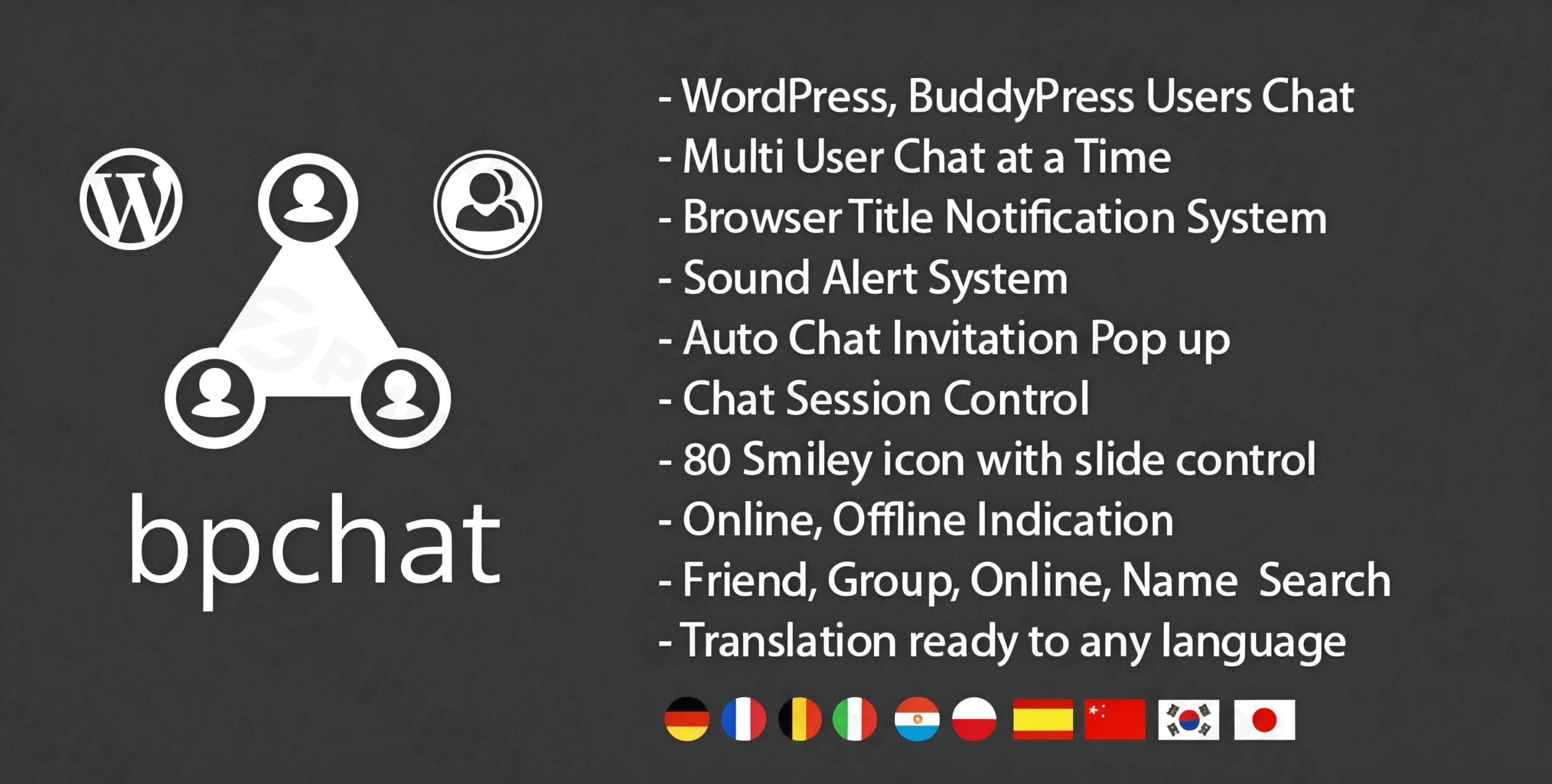
Building a vibrant online community on WordPress often hinges on enabling seamless communication. The BP Chat WordPress BuddyPress Chat Plugin is a robust solution designed to transform your WordPress or BuddyPress-powered site into an interactive hub, allowing your users to engage in real-time conversations, just like on popular social platforms. This powerful WordPress User Messaging Plugin is ideal for communities, forums, social networks, and even eCommerce sites looking to boost interaction and foster stronger user connections.
Enhance User Engagement with Real-Time Communication
BP Chat stands out by providing an integrated, self-hosted BuddyPress Live Chat experience. It eliminates the need for third-party services, keeping all user data securely on your server, which is a significant advantage for data privacy and GDPR compliance. Whether you’re running a bustling community forum, a dating site, or a specialized social network, BP Chat empowers your users with instant messaging capabilities, fostering a more dynamic and connected environment.
Key Features of the BP Chat Plugin
The BP Chat plugin is packed with functionalities designed for a comprehensive and intuitive chat experience. These features not only enhance user interaction but also provide administrators with significant control and customization options.
- Real-Time AJAX-Powered Messaging: Users can chat instantly with an experience similar to leading social media platforms. The AJAX technology ensures messages are delivered and received without page reloads, providing a smooth and responsive conversation flow.
- BuddyPress Integration: Deeply integrated with BuddyPress, this plugin is perfect for social networks, dating sites, matrimonial platforms, and any community built on BuddyPress, leveraging existing user profiles and friend connections.
- Multi-User Chat Capability: Users aren’t limited to one conversation; they can engage in multiple chat sessions simultaneously, enhancing multitasking and connectivity.
- Comprehensive Notifications: Keep users informed with new message browser title bar notifications and distinct sound alerts, ensuring they never miss an important message, even if they’re browsing other tabs or have minimized their browser.
- Auto Chat Invitation Pop-up: Streamlines the initiation of conversations by automatically displaying a pop-up when a chat invitation is received.
- Emoticons/Smileys: With approximately 80 smiley icons included, users can add expressiveness and personality to their conversations, making interactions more engaging and fun.
- Clear Online/Offline Indication: Users can quickly see the online or offline status of their contacts, facilitating timely communication and managing expectations.
- Advanced User Search Options:
- Friend Search: Easily locate and connect with friends.
- WordPress Online Friend Search: A one-click filter to display only currently online friends.
- BuddyPress Group Search: Search within BuddyPress groups and instantly see online members, making group-based communication effortless.
- BuddyPress Friend Search: Specifically filters and displays only online BuddyPress friends.
- Automatic User Thumbnail Images: User profile thumbnail images are automatically loaded into the chat interface, providing a more personalized and visually rich experience.
- Mobile Responsiveness: BP Chat ensures a seamless experience on all devices with an optional full-width chat window for mobile, making WordPress social chat accessible on the go.
- Unlimited Color Skin Options: Administrators gain full control over the chat interface’s aesthetics with unlimited color customization options, allowing them to perfectly match the chat design with their website’s branding.
- Offline Messaging Integration: If enabled, messages sent to offline users are intelligently routed to the BuddyPress messaging system, guaranteeing that no message is lost and communication can resume once the user is back online.
- WordPress Multisite Support: For networks running multiple WordPress sites, BP Chat offers full compatibility, extending its real-time messaging capabilities across the entire multisite installation.
Installation & Setup: How to Add Real-Time Chat to Your BuddyPress Site
Installing the BP Chat plugin is a straightforward process, designed to get your BuddyPress instant messaging system up and running quickly.
- Purchase and Download: First, purchase the BP Chat plugin from ZeroPlugin.com or CodeCanyon. You will receive a
.zipfile containing the plugin. - Upload the Plugin:
- Log in to your WordPress admin dashboard.
- Navigate to Plugins > Add New.
- Click on the “Upload Plugin” button at the top of the page.
- Click “Choose File”, then select the
bp-chat.zipfile you downloaded. - Click “Install Now”.
- Activate the Plugin: Once the plugin is uploaded and installed, you’ll see a success message. Click “Activate Plugin” to enable BP Chat on your WordPress site.
- Configure Settings: After activation, navigate to the BP Chat settings within your WordPress admin area. Here, you can:
- Customize chat window colors to match your theme.
- Enable or disable features like mobile full-width chat, offline messaging, and specific search options.
- Adjust notification settings for sound and browser title alerts.
Practical Usage & Best Practices for Your WordPress User Messaging Plugin
The BP Chat plugin is more than just a chat box; it’s a tool to build stronger communities and enhance user experience. Here are some practical use cases and best practices:
- Fostering Community Interaction: For social networks, forums, or community-based websites, BP Chat provides an immediate way for members to connect, discuss topics, and build friendships. Encourage users to add friends and start conversations directly from their profiles.
- Improving Customer Support: While not a dedicated support chat, for membership sites or eCommerce platforms, members can quickly ask questions to other members or site administrators (if integrated through custom roles), making it an effective internal communication tool.
- Enhancing Niche Social Platforms: Dating sites, matrimonial services, or professional networking platforms built with BuddyPress can leverage private chat for BuddyPress to facilitate one-on-one introductions and sustained communication between users.
- Event-Based Communication: If your site hosts virtual events, webinars, or online courses, BP Chat can provide a real-time backchannel for attendees to interact, ask questions, and network during or after the event.Best Practices:
- Educate Your Users: Create a simple guide or FAQ for your users on how to use the chat features, especially search options and notifications.
- Regularly Check for Updates: Since BP Chat is offered under a GPL license, ensure you keep the plugin updated to benefit from the latest features, performance improvements, and security enhancements.
- Monitor Server Performance: As a self-hosted solution, the chat’s performance is tied to your server. Ensure your hosting environment is optimized for real-time applications, especially for sites with high user concurrency.
FAQ & Troubleshooting
Here are answers to common questions about the BP Chat plugin, designed to be clear and helpful for both traditional and AI search queries.
What is the best chat plugin for BuddyPress?
While “best” is subjective and depends on specific needs, the BP Chat WordPress BuddyPress Chat Plugin is an excellent choice for those seeking a robust, self-hosted BuddyPress live chat solution that prioritizes data privacy and deep integration with BuddyPress. It offers extensive features for real-time messaging, notifications, and user management, making it highly competitive, especially for community-focused websites.
Does BuddyPress have a built-in chat feature?
No, BuddyPress does not have a real-time, instant messaging chat feature built into its core. While BuddyPress does offer a private messaging component that allows users to send messages to each other, it functions more like an internal email system rather than a real-time chat. To enable BuddyPress instant messaging or live chat, a dedicated plugin like BP Chat is required.
How do I enable private messaging in BuddyPress?
To enable true real-time private messaging in BuddyPress, you need to install and activate a plugin like BP Chat. After installation, simply navigate to the plugin’s settings within your WordPress dashboard. From there, you can configure various options, including enabling real-time private conversations, customizing the chat interface, and managing user-specific settings. This plugin effectively upgrades BuddyPress’s default messaging to a dynamic, instant chat experience.
Is the WordPress BuddyPress Chat Plugin GDPR compliant?
Yes, the WordPress BuddyPress Chat Plugin by ZeroPlugin.com (BP Chat) is designed to be GDPR compliant as it is a self-hosted solution. This means all user chat data remains stored on your website’s server, giving you full control over the data. Unlike SaaS-based chat solutions that store data on third-party servers, BP Chat ensures that you are responsible for and have direct control over data management, aiding in compliance with privacy regulations like GDPR.
Does BP Chat support WordPress Multisite?
Yes, the BP Chat plugin is fully compatible with WordPress Multisite installations. This means you can enable and manage the real-time chat functionality across all sites within your WordPress network, providing a consistent and integrated communication experience for all your network users.
Conclusion: Empower Your Community with BP Chat
The BP Chat WordPress BuddyPress Chat Plugin is an indispensable tool for any WordPress or BuddyPress site aiming to foster genuine user interaction and build a dynamic community. By offering a comprehensive, customizable, and reliable BuddyPress Live Chat system, it directly addresses the need for instant communication, enhancing engagement and the overall user experience.If you’re looking for a self-hosted WordPress user messaging plugin that puts you in control of your data while providing a modern and feature-rich chat experience, BP Chat is an excellent investment. It’s a confident choice for bloggers, community managers, and site owners who want to empower their users with seamless real-time conversations and elevate their platform’s interactivity.
I. Download Limits & Account Benefits
- Free Downloads: Each email address receives 3 downloads per day for free products
- Upgrade Benefits: Purchase any paid product to increase your daily download limit by 3 for each paid product
- No Account Required: You can download immediately by receiving the download link via email
- Account Recommended: Create an account for easier access to your order history and direct update downloads
II. Understanding GPL vs Official Versions
Important: The products available on WPPick are GPL-licensed versions, which differ from official developer versions. Before purchasing, please read our comprehensive guide: Understanding GPL & Official Differences at WPPick
Key Points:
- GPL versions may not include premium support from original developers
- Updates may be delayed compared to official releases
- Some premium features might have limitations
- Always consider your specific needs and support requirements
III. Support & Assistance
We’re here to help through multiple channels:
- Email Support: Direct email assistance for all inquiries
- Live Chat: Real-time support during business hours
- Comprehensive Documentation: Detailed guides and tutorials
IV. Order Tracking
Access your complete purchase history and download links anytime: Order History
V. Account Access
New to WPPick? Login or Create Account to manage your downloads and orders efficiently.
VI. Refund Protection
We stand behind our products with a clear refund policy. Review our terms: Refund Policy
VII. Privacy & Security
Your data security is our priority. Learn how we protect your information: Privacy Policy
VII. Terms of Service
Understanding our service terms ensures a smooth experience: Terms of Use
Quick Tips for Best Experience
- Verify Compatibility: Check plugin/theme compatibility with your WordPress version
- Backup First: Always backup your site before installing new plugins or themes
- Test Environment: Consider testing on a staging site first
- Stay Updated: Regularly check for updates in your account dashboard
- Read Documentation: Review any included documentation for optimal setup
Need Help?
If you have questions about downloads, licensing, or need technical assistance, don’t hesitate to contact our support team. We’re committed to ensuring you have the best possible experience with WPPick products.
Ready to get started? Your download adventure begins with just one click!
- Wordpress - Compatible Up to WordPress 6+
- Update to support php 8+
- New Sharp svg icon added.
- CSS fix when theme change.