
WordPress Download Manager Pro
/Year
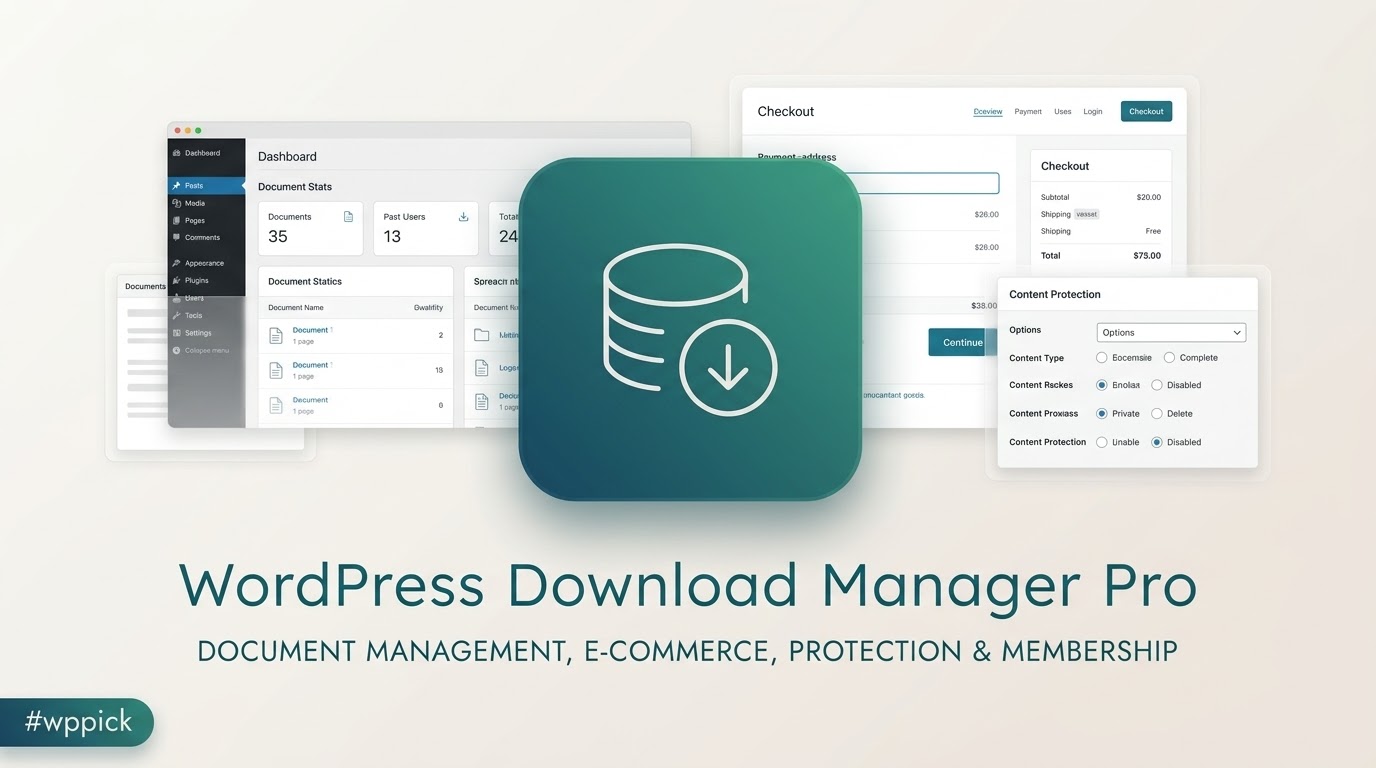
WordPress Download Manager Pro transforms your WordPress site into a robust platform for managing, protecting, and selling digital files. Whether you’re an entrepreneur selling e-books, a software developer distributing applications, or an organization maintaining a secure document library, this plugin provides a comprehensive suite of tools designed to streamline your digital asset workflow and maximize your online revenue.In today’s digital landscape, efficiently handling downloads, ensuring secure access, and monetizing digital content are paramount. WordPress Download Manager Pro addresses these challenges by offering advanced features that go far beyond basic file hosting, empowering you to create a professional and secure digital commerce and content delivery system.
Key Features
WordPress Download Manager Pro is packed with an extensive array of functionalities, making it a powerful solution for diverse digital needs. Here’s a breakdown of its core capabilities:
1. Advanced File Management & Organization
Take complete control over your digital assets with sophisticated management tools.
- Effortless File Uploads: Utilize a convenient drag-and-drop interface to upload files or attach existing ones directly from your server with the Server File Browser.
- Multi-file Packages: Bundle multiple files into a single downloadable ZIP package, simplifying delivery for users.
- Cloud Storage Integration: Extend your storage capabilities by connecting to popular cloud services like Google Drive and Dropbox, offering greater flexibility and free storage options (Pro feature).
- Comprehensive Digital Asset Management: Organize files with tags, generate sharable links, allow users to bookmark files, enable comments and discussions, and manage assets directly from the front end. Includes custom metadata and robust asset archiving and version control.
- Integrated Document Viewer: Allow users to preview files like DOC, PDF, and PowerPoint directly on your site without downloading them first.
- Media Library Protection: Secure files stored within your standard WordPress media library.
2. Robust Access Control & Security
Protect your digital content with multiple layers of security and granular access control.
- Password Protection: Secure individual files or entire download packages with passwords, ensuring only authorized users can access sensitive content.
- Role and Capability-Based Access: Define who can download files based on their WordPress user roles (e.g., Administrator, Editor, Subscriber) and capabilities.
- Post and Category Access Control: Restrict downloads to specific posts, pages, or entire categories, ideal for membership sites or exclusive content.
- Bot and Spam Prevention: Implement Captcha Locks and IP Blocking to deter unwanted downloads and spammers.
- Terms and Conditions Enforcement: Require users to agree to your terms and conditions before they can initiate a download.
- Download Limits: Set daily download limits per user to prevent abuse and manage bandwidth.
- Bandwidth Control: Optimize server performance and prevent overload by managing download speeds.
- Hotlink Protection: Safeguard your files by preventing direct linking from external websites.
- File Encryption: Enhance security by encrypting file uploads and downloads.
3. Complete E-commerce & Monetization Solution
Transform your WordPress site into a fully functional digital storefront, complete with checkout and payment processing.
- Dedicated Digital Storefront: Create a complete e-commerce experience tailored for selling digital products.
- Streamlined Checkout System: Offer a simple, two-click checkout process for both guest users and registered members.
- Flexible Pricing & Licensing: Implement various pricing models, including simple, extended, or unlimited license keys, and “Pay As You Want” pricing with optional minimums.
- Full-featured Shopping Cart: Provide a seamless shopping experience with an integrated cart system.
- Multiple Payment Gateways: Process payments securely with integrated PayPal, and expand options with add-ons for 2Checkout, Razorpay, Stripe, Alipay, and Paystack.
- Coupon Management: Drive sales with product-specific or global discount coupons.
- Role-Based Discounts: Offer exclusive discounts based on user roles or membership levels.
- Sales Tax Management: Easily handle sales tax calculations for your digital products.
- Order & Invoice Management: Utilize a comprehensive system for managing orders and generating customizable invoices.
- Detailed Sales Reports: Gain insights into your business performance with custom charts and graphs for site-wide, shop-specific, or product-specific sales data.
- Membership & Subscription Integration: Integrate with membership plugins to create multi-level membership sites with recurring payments, controlling access to content, taxonomies, and even forums.
- Front-end Store Manager: Allow contributors or vendors to manage their own products, view sales statistics, and track earnings from a user-friendly front-end dashboard.
4. Tracking, Engagement & Promotion
Monitor download activity and leverage social media for viral marketing.
- Download Counter & Stats: Track the total number of downloads for each file and access detailed download logs for insightful analytics.
- Social Lock Options: Boost your social media presence by requiring users to like, share, or tweet to unlock downloads (e.g., Tweet Lock, Facebook Like Lock, LinkedIn Share Lock, Google Connect Lock).
- Email Lock: Grow your email list by requiring users to provide their email address to access downloads.
- Promotional Pricing: Implement time-sensitive or volume-based promotional pricing for your digital products.
5. Usability & Customization
Ensure your digital downloads integrate seamlessly with your site’s design and user experience.
- Extensive Shortcodes: Easily embed download links, direct links, and display package lists anywhere on your site using a wide range of shortcodes.
- Custom Templates: Design unique download pages and layouts that match your brand aesthetics.
- Front-end User Dashboard: Provide a personalized dashboard for users to manage their downloads and account details.
- Gutenberg Ready & Translation Ready: Fully compatible with the WordPress block editor and supports multiple languages.
Installation & Setup Guide
Getting started with WordPress Download Manager Pro is a straightforward process, even for non-developers. Follow these steps to install and activate the plugin on your WordPress site:
Step 1: Download the Plugin
First, you’ll need to obtain the plugin file. If you’ve purchased WordPress Download Manager Pro from a vendor like ZeroPlugin.com, you will receive a .zip file containing the plugin.
Step 2: Upload the Plugin to WordPress
There are two primary methods to upload your plugin:
Method A: Via WordPress Admin Dashboard (Recommended)
- Log in to your WordPress admin dashboard.
- Navigate to Plugins > Add New.
- Click the “Upload Plugin” button at the top of the page.
- Click “Choose File”, then select the
wordpress-download-manager-pro.zipfile you downloaded in Step 1. - Click “Install Now”.
Method B: Via FTP
- Unzip the
wordpress-download-manager-pro.zipfile on your computer. This will create a folder namedwordpress-download-manager-pro. - Connect to your WordPress site using an FTP client (like FileZilla).
- Navigate to the
/wp-content/plugins/directory on your server. - Upload the entire
wordpress-download-manager-profolder (the one you unzipped) into this directory.
Step 3: Activate the Plugin
Once the plugin is uploaded:
- Go back to your WordPress admin dashboard.
- Navigate to Plugins > Installed Plugins.
- Locate “WordPress Download Manager Pro” in the list.
- Click the “Activate” link beneath its name.
Step 4: Initial Configuration
After activation, you will usually find a new menu item, often labeled “Downloads” or “Download Manager,” in your WordPress admin sidebar. Click on this to access the plugin’s settings.While the specifics will be covered in the “Practical Usage” section, it’s good practice to:
- Review the main settings page.
- Enter any license keys if prompted to ensure full functionality and updates.
Practical Usage / Best Practices
WordPress Download Manager Pro offers immense flexibility. Here are some practical use cases and best practices to help you leverage its full potential.
Use Case 1: Building a Secure Document Library
Scenario: You need to provide employees or members with access to sensitive documents, ensuring only authorized individuals can view or download them.Best Practices:
- Categorize Documents: Use the custom taxonomies (
Downloads > Categories) to organize your documents logically (e.g., “HR Policies,” “Marketing Assets,” “Client Reports”). - Implement Role-Based Access: When adding a new download (
Downloads > Add New), in the “Access” meta box, select specific user roles (e.g., “Employee,” “Manager”) that are allowed to download the file. This ensures only logged-in users with the correct role can access. - Password Protection for Extra Security: For highly sensitive documents, apply an additional password directly to the download package. Share this password out-of-band with authorized users.
- Version Control: Utilize the file versioning feature when updating documents. This allows you to track changes and revert to previous versions if needed.
- Hotlink Protection: Enable hotlink protection in the plugin settings to prevent external sites from directly linking to your documents, saving your bandwidth and preventing unauthorized distribution.
Use Case 2: Setting Up a Digital Product Store
Scenario: You want to sell e-books, software, digital art, or courses directly from your WordPress site.Best Practices:
- Create Products as Downloads: Each digital product should be set up as a “Download” item (
Downloads > Add New). - Define Pricing & Licensing: In the download’s settings, specify the price. Explore “Price Variations & Licensing” to offer different licenses (e.g., single-site, extended, unlimited) or bundle options.
- Integrate Payment Gateways: Configure your preferred payment gateways (e.g., PayPal, Stripe via add-on) in the plugin settings to enable seamless transactions.
- Use Coupons and Discounts: Create promotional coupons (
Downloads > Coupons) for special offers or role-based discounts (Downloads > Role Discounts) to reward loyal customers or members. - Automate Delivery: The plugin automatically handles the delivery of purchased products, sending download links to customers post-purchase. Ensure your email settings are correctly configured for these transactional emails.
- Monitor Sales Reports: Regularly check your sales reports (
Downloads > Sales) to track performance, identify popular products, and understand customer behavior.
Use Case 3: Boosting Social Engagement with Content Locks
Scenario: You want to encourage social sharing or build your email list in exchange for exclusive content.Best Practices:
- Identify High-Value Content: Choose a compelling digital asset (e.g., a free guide, a premium template) that users would be motivated to unlock.
- Implement Social Locks: When creating or editing a download, go to the “Locks” section. Select a “Social Lock” option (e.g., Facebook Like Lock, Tweet Lock). This will require users to perform a social action to access the download.
- Utilize Email Lock for Lead Generation: For building your email list, use the “Email Lock” feature. Users will need to provide their email address to receive the download link, directly integrating with your lead generation efforts.
- Strategic Placement: Embed these locked downloads strategically within your blog posts or landing pages to maximize visibility and engagement.
Conclusion
WordPress Download Manager Pro stands out as an unparalleled solution for anyone looking to manage, protect, and monetize digital assets on their WordPress site. Its comprehensive feature set, ranging from advanced file organization and multi-layered security to a full-fledged e-commerce platform and powerful promotional tools, provides an all-in-one answer to complex digital content challenges.By choosing WordPress Download Manager Pro, you’re investing in a robust, actively developed, and highly flexible platform that simplifies workflows, enhances security, and opens up new avenues for digital product sales and content distribution. It empowers you to transform your website into a professional hub for digital commerce and content delivery, ultimately driving engagement, maximizing your return on investment, and ensuring the secure future of your digital assets.
I. Download Limits & Account Benefits
- Free Downloads: Each email address receives 3 downloads per day for free products
- Upgrade Benefits: Purchase any paid product to increase your daily download limit by 3 for each paid product
- No Account Required: You can download immediately by receiving the download link via email
- Account Recommended: Create an account for easier access to your order history and direct update downloads
II. Understanding GPL vs Official Versions
Important: The products available on WPPick are GPL-licensed versions, which differ from official developer versions. Before purchasing, please read our comprehensive guide: Understanding GPL & Official Differences at WPPick
Key Points:
- GPL versions may not include premium support from original developers
- Updates may be delayed compared to official releases
- Some premium features might have limitations
- Always consider your specific needs and support requirements
III. Support & Assistance
We’re here to help through multiple channels:
- Email Support: Direct email assistance for all inquiries
- Live Chat: Real-time support during business hours
- Comprehensive Documentation: Detailed guides and tutorials
IV. Order Tracking
Access your complete purchase history and download links anytime: Order History
V. Account Access
New to WPPick? Login or Create Account to manage your downloads and orders efficiently.
VI. Refund Protection
We stand behind our products with a clear refund policy. Review our terms: Refund Policy
VII. Privacy & Security
Your data security is our priority. Learn how we protect your information: Privacy Policy
VII. Terms of Service
Understanding our service terms ensures a smooth experience: Terms of Use
Quick Tips for Best Experience
- Verify Compatibility: Check plugin/theme compatibility with your WordPress version
- Backup First: Always backup your site before installing new plugins or themes
- Test Environment: Consider testing on a staging site first
- Stay Updated: Regularly check for updates in your account dashboard
- Read Documentation: Review any included documentation for optimal setup
Need Help?
If you have questions about downloads, licensing, or need technical assistance, don’t hesitate to contact our support team. We’re committed to ensuring you have the best possible experience with WPPick products.
Ready to get started? Your download adventure begins with just one click!
No changelog available.