

WordPress Hide Admin Menu Plugin
/Year
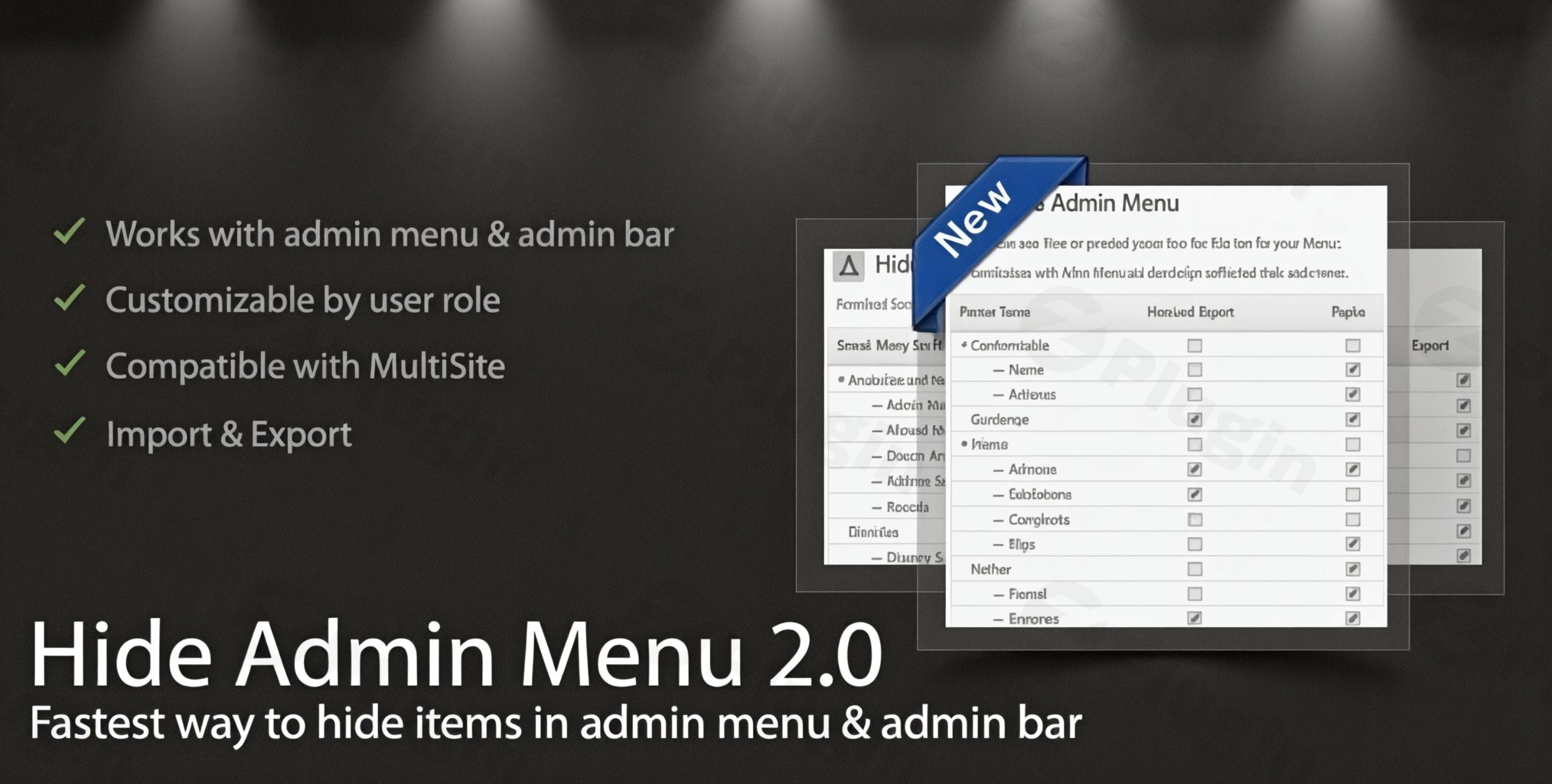
Managing a WordPress site often means dealing with a cluttered backend. For site owners, agencies, and developers, a “one-size-fits-all” dashboard can lead to client confusion or accidental setting changes. The WordPress Hide Admin Menu Plugin is a powerful yet lightweight solution designed to hide admin menu WordPress elements, allowing you to create a focused, professional, and secure environment for every user role.In this guide, we will explore how this plugin provides essential wordpress menu visibility control, helping you simplify the user interface and protect sensitive site settings without writing a single line of code.
Key Features of the WordPress Hide Admin Menu Plugin
The WordPress Hide Admin Menu Plugin by ProWCPlugins is more than just a decluttering tool; it is a comprehensive management suite for your admin interface. Here is a breakdown of its core capabilities:
1. Granular User Role-Based Customization
The standout feature is the ability to define exactly what each user role sees. You can implement user role menu restrictions wordpress wide, ensuring that contributors, authors, or custom roles (like “Store Manager”) only see the tools necessary for their specific tasks.
2. Hide Admin Bar Elements
Beyond the sidebar, this plugin allows you to wordpress hide admin bar items. This is particularly useful for frontend viewing, where you might want to hide the “New,” “Comments,” or “Updates” shortcuts from certain users to maintain a clean brand experience.
3. Enhanced Backend Security
By selectively hiding sensitive areas—such as the “Settings,” “Plugins,” or “Users” tabs—you significantly reduce the risk of unauthorized access. It serves as a preventative layer, ensuring clients or junior staff don’t accidentally “break” the site by toggling technical configurations.
4. Full Compatibility with Third-Party Plugins
Whether you use WooCommerce, Elementor, or Yoast SEO, this plugin identifies and allows you to hide the custom menu items generated by these tools. It is designed to work seamlessly with any standard WordPress hook.
5. Multisite and Performance Optimization
The plugin is built with high-quality code standards to ensure it remains lightweight. It supports WordPress Multisite environments, allowing network admins to manage menu visibility across an entire network or on a per-site basis.
How to Install and Configure the WordPress Hide Admin Menu Plugin
Setting up the plugin is straightforward and takes less than five minutes. Follow these steps to customize wordpress admin menu settings:
- Installation: Log in to your WordPress dashboard. Navigate to Plugins > Add New. Search for “WordPress Hide Admin Menu Plugin” (or upload the .zip file if purchased from ProWCPlugins).
- Activation: Click Install Now and then Activate.
- Access Settings: Go to the new “Hide Admin Menu” tab in your sidebar.
- Select User Role: Choose the specific user role you wish to edit (e.g., Editor or Client).
- Toggle Visibility: You will see a list of all current menu and admin bar items. Simply check the boxes next to the items you wish to hide.
- Save Changes: Click the Save Settings button. The changes will take effect immediately for users in that role.
Practical Usage & Best Practices
To get the most out of the wordpress hide admin menu plugin, consider these real-world workflows:
For Web Design Agencies (The “Client-Proof” Dashboard)
When handing over a site to a client, the best way to hide wordpress dashboard menu for clients is to remove everything except the content areas they need (like Posts, Pages, and Analytics). This prevents them from seeing “scary” technical settings and keeps your support tickets low.
For E-commerce Store Managers
If you have staff managing products but not the website’s technical infrastructure, use the plugin to hide “Tools,” “Settings,” and “Appearance.” This focuses the user’s attention entirely on order fulfillment and product management.
For Membership Sites
For sites with many “Subscriber” or “Contributor” level users, hiding the admin bar on the frontend creates a more immersive, “app-like” experience for your members, keeping the WordPress branding out of sight.
FAQ & Troubleshooting
Can I hide menu items in WordPress for specific users?
Yes. While the plugin primarily focuses on role-based restrictions, you can create custom roles or use the plugin’s settings to ensure that specific groups of users only see the menu items relevant to their permissions.
How to restrict access to WordPress admin pages?
The WordPress Hide Admin Menu Plugin restricts access by removing the links from the interface. For absolute security, ensure your user roles are also correctly configured via the standard WordPress “Capabilities” system.
Is this plugin compatible with the latest WordPress versions?
Yes. The plugin is regularly updated by ProWCPlugins to ensure compatibility with WordPress 6.x and higher, as well as the latest versions of PHP.
Does it work with custom post types?
Absolutely. If a plugin or theme adds a “Custom Post Type” (like Portfolios or Testimonials) to your sidebar, this plugin will detect it and allow you to hide it like any other menu item.
What should I do if I accidentally hide the settings for my own Admin role?
The plugin typically prevents you from hiding the “Hide Admin Menu” settings from the Super Admin to prevent lockouts. However, if you encounter an issue, you can deactivate the plugin via FTP or File Manager by renaming the plugin folder.
Conclusion: A Must-Have Tool for Dashboard Management
The WordPress Hide Admin Menu Plugin is an essential tool for anyone looking to provide a professional, simplified backend experience. By offering precise wordpress menu visibility control, it improves user focus and adds a layer of “security through obscurity” for sensitive site settings.Whether you are a freelancer looking to “client-proof” a site or a site owner wanting to declutter your own workspace, this plugin delivers high ROI through its ease of use and reliable performance. For a cleaner, faster, and more secure workflow, this is the definitive choice for WordPress admin customization.
I. Download Limits & Account Benefits
- Free Downloads: Each email address receives 3 downloads per day for free products
- Upgrade Benefits: Purchase any paid product to increase your daily download limit by 3 for each paid product
- No Account Required: You can download immediately by receiving the download link via email
- Account Recommended: Create an account for easier access to your order history and direct update downloads
II. Understanding GPL vs Official Versions
Important: The products available on WPPick are GPL-licensed versions, which differ from official developer versions. Before purchasing, please read our comprehensive guide: Understanding GPL & Official Differences at WPPick
Key Points:
- GPL versions may not include premium support from original developers
- Updates may be delayed compared to official releases
- Some premium features might have limitations
- Always consider your specific needs and support requirements
III. Support & Assistance
We’re here to help through multiple channels:
- Email Support: Direct email assistance for all inquiries
- Live Chat: Real-time support during business hours
- Comprehensive Documentation: Detailed guides and tutorials
IV. Order Tracking
Access your complete purchase history and download links anytime: Order History
V. Account Access
New to WPPick? Login or Create Account to manage your downloads and orders efficiently.
VI. Refund Protection
We stand behind our products with a clear refund policy. Review our terms: Refund Policy
VII. Privacy & Security
Your data security is our priority. Learn how we protect your information: Privacy Policy
VII. Terms of Service
Understanding our service terms ensures a smooth experience: Terms of Use
Quick Tips for Best Experience
- Verify Compatibility: Check plugin/theme compatibility with your WordPress version
- Backup First: Always backup your site before installing new plugins or themes
- Test Environment: Consider testing on a staging site first
- Stay Updated: Regularly check for updates in your account dashboard
- Read Documentation: Review any included documentation for optimal setup
Need Help?
If you have questions about downloads, licensing, or need technical assistance, don’t hesitate to contact our support team. We’re committed to ensuring you have the best possible experience with WPPick products.
Ready to get started? Your download adventure begins with just one click!
- Latest WordPress 6.9 compatibility Check