

WordPress Quiz Maker Pro
/Year
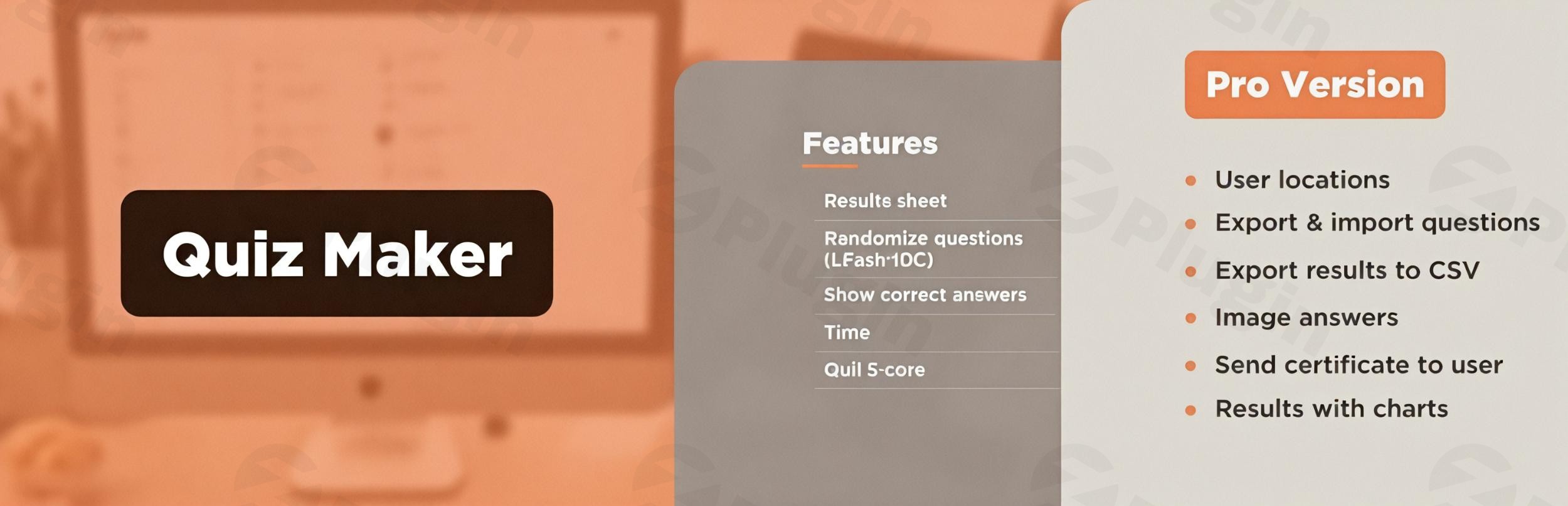
In today’s digital landscape, capturing and retaining user attention is paramount. Websites, whether for education, marketing, or entertainment, constantly seek innovative ways to interact with their audience. This is where a powerful tool like WordPress Quiz Maker Pro steps in, transforming your static content into dynamic, interactive experiences. It’s designed to help you create quizzes in WordPress with unparalleled ease, fostering engagement, generating leads, and gathering valuable insights without needing any coding expertise.This article will explore why Quiz Maker Pro is often considered the best WordPress quiz plugin for diverse needs, from simple trivia to complex exams with certificates.
Key Features: Building Interactive Experiences with WordPress Quiz Maker Pro
Quiz Maker Pro offers a rich suite of features, allowing users to build a wide array of quizzes tailored to specific goals. Its flexibility and extensive customization options ensure that your quizzes look professional and function flawlessly across all devices.
Diverse Quiz Formats & Extensive Question Types
Gone are the days of one-size-fits-all quizzes. With WordPress Quiz Maker Pro, you can craft various quiz formats to suit any purpose:
- Educational Assessments: Create comprehensive knowledge tests, quizzes, and exams, perfect for e-learning platforms or internal training. You can even generate certificates for users upon completion.
- Engaging Content: Design fun WordPress Trivia Quizzes or captivating WordPress Personality Quizzes to boost site stickiness and social sharing.
- Data Collection & Feedback: Utilize diagnostic quizzes or simple surveys to gather user preferences and opinions effectively.The plugin provides an impressive selection of question types, ensuring maximum flexibility for your content:
- Single Choice (Radio): Ideal for questions with only one correct answer.
- Multiple Choice (Checkbox): Allows users to select multiple correct options.
- Dropdown: A space-saving option for single-choice questions.
- Text Input & Number Input: For open-ended or numerical responses, respectively.
- Short Text & Date: Collect concise text answers or specific date inputs.
- Fill-in-the-Blank & Matching: Advanced question types for more complex assessments.
- Banner (HTML): Integrate informational messages or rich media directly within your quiz flow.
- Image Answers: Enhance visual appeal and clarity by using images as answer options.
Advanced Customization & Responsive Design
WordPress Quiz Maker Pro prioritizes design flexibility. You get:
- Full Styling Control: Customize width, height, colors, backgrounds, and more, ensuring your quizzes seamlessly match your website’s branding.
- Themes & Styles: Leverage pre-built themes and styles, with a live preview, to quickly achieve a polished look.
- 100% Responsive: Quizzes are fully adaptable to desktops, tablets, and mobile devices, providing an optimal user experience everywhere.
Flexible Scoring, Results, and Certification
The plugin provides robust tools for managing quiz outcomes:
- Custom Scoring: Assign different values to questions and answers, define passing scores, and provide immediate feedback.
- Rich Result Displays: Show results on submission pages, via email, or with detailed charts. Customize result messages based on user scores.
- Certificates: Automatically generate and send personalized certificates to users who successfully complete your quizzes, a crucial feature for any WordPress exam plugin.
Powerful Engagement & Lead Generation Tools
Quiz Maker Pro is not just about testing knowledge; it’s a powerful marketing asset:
- Email Marketing Integrations: Seamlessly connect with popular services like Mailchimp, ActiveCampaign, GetResponse, ConvertKit, Sendinblue, MailerLite, and Mailpoet to collect leads and grow your email list.
- Data Collection: Capture user data and email subscriptions directly from your quizzes.
- Conditional Content: Require users to subscribe or share the quiz to view their results, boosting engagement and reach.
Logic, Monetization, and Integrations
Beyond the basics, the plugin offers advanced capabilities for complex scenarios and business needs:
- Question Banks & Randomization: Create large pools of questions and randomly select them for each quiz attempt, preventing memorization and ensuring unique experiences. Randomize answer order as well.
- Multi-Page Quizzes & Timers: Break down long quizzes into manageable pages and set overall or per-question timers for timed assessments.
- Monetization: Integrate with PayPal and Stripe to create paid quizzes, turning your content into a revenue stream.
- Integrations: Connect with Google Sheets, Zapier, Slack, WooCommerce, Easy Digital Downloads, GamiPress, and MyCred to extend functionality and workflow automation.
Premium Addons for Enhanced Functionality (ZeroPlugin.com Exclusive)
When you choose Quiz Maker through ZeroPlugin.com, you also unlock access to powerful premium addons that further enhance your quiz capabilities:
- Integration Addons:
- Easy Digital Downloads Integration: Seamlessly connect quizzes with your digital product sales.
- WooCommerce Compatibility: Integrate quizzes directly into your online store, perfect for product recommendations or customer feedback.
- GamiPress Connection: Reward users for quiz participation and achievements within your gamified WordPress site.
- User Engagement Tools:
- Frontend Statistics Dashboard: Provide users with their quiz performance data directly on your site.
- User Tracking System: Gain deeper insights into how users interact with your quizzes.
- Conditional Results Display: Show specific results or messages based on complex user responses.
- Communication Features:
- Automated Summary Emails: Send personalized quiz summaries to participants.
- Frontend Request Management: Streamline the process for users to manage their quiz data or requests.
Installation & Setup: How to Install WordPress Quiz Maker Pro
Installing WordPress Quiz Maker Pro is a straightforward process, just like any other WordPress plugin. You don’t need advanced technical skills to get started.
- Download the Plugin: After purchasing the plugin (e.g., from ZeroPlugin.com), download the plugin ZIP file to your computer.
- Access Your WordPress Dashboard: Log in to your WordPress admin area.
- Navigate to Plugins: From the left-hand menu, go to Plugins > Add New.
- Upload the Plugin: Click on the “Upload Plugin” button at the top of the page.
- Choose File: Click “Choose File” and select the
quiz-maker-pro.zipfile you downloaded. - Install Now: Click “Install Now” to upload and install the plugin.
- Activate Plugin: Once installed, click “Activate Plugin.”You’ll now see a new “Quiz Maker Pro” menu item in your WordPress dashboard, ready for you to start creating your first quiz! The user-friendly interface is designed for easy navigation, making the setup process simple for beginners.
Practical Usage & Best Practices for WordPress Quiz Maker Pro
WordPress Quiz Maker Pro is incredibly versatile, making it ideal for various use cases across different industries. Here are some practical ways to leverage its power:
- Boost Lead Generation for Marketers:
- Use Case: Create engaging “What’s your [industry problem] score?” quizzes or “Which [product type] is right for you?” personality tests.
- Best Practice: Use the email marketing integrations to collect user emails before displaying results. Offer a downloadable resource (e.g., a PDF guide) as an incentive for completing the quiz and providing an email. This is an excellent way to capture high-quality leads.
- Enhance E-Learning and Assessments:
- Use Case: For online courses or educational platforms, build graded exams with timers, question banks, and automatic certificate generation.
- Best Practice: Utilize the question randomization feature to ensure fairness and prevent cheating. Set clear passing scores and customize the certificate design to match your branding. The WordPress exam plugin features make it a robust tool for educators.
- Drive Engagement and Entertainment:
- Use Case: Develop fun WordPress Trivia Quizzes or Buzzfeed-style personality tests for blogs and content sites.
- Best Practice: Encourage social sharing of quiz results to extend your content’s reach. Keep quizzes concise and visually appealing. Consider running seasonal or event-specific quizzes to capitalize on trending topics.
- Gather Customer Feedback & Insights:
- Use Case: Implement short surveys or diagnostic quizzes to understand customer pain points, preferences, or product satisfaction.
- Best Practice: Use open-ended text input and number input question types for detailed feedback. Integrate with Google Sheets to easily analyze collected data. Anonymous options can encourage more candid responses.The best way to use Quiz Maker Pro is to align your quiz strategy with your overall website goals, whether it’s lead capture, educational outcomes, or simply increasing dwell time.
FAQ & Troubleshooting
Here are answers to some common questions about WordPress Quiz Maker Pro:
How to install WordPress Quiz Maker Pro?
To install WordPress Quiz Maker Pro, download the plugin ZIP file, then log into your WordPress dashboard. Navigate to Plugins > Add New, click “Upload Plugin,” choose the ZIP file, and click “Install Now,” followed by “Activate Plugin.” A new “Quiz Maker Pro” menu item will appear in your dashboard.
Does WordPress Quiz Maker Pro offer certificates for completed quizzes?
Yes, WordPress Quiz Maker Pro allows you to automatically generate and send customizable certificates to users upon successful completion of a quiz. This is a key feature, especially for educational platforms and online courses, and makes it a powerful WordPress exam plugin.
Can I monetize quizzes with Quiz Maker Pro?
Absolutely. WordPress Quiz Maker Pro supports monetization through integrations with PayPal and Stripe. This allows you to create and sell access to premium quizzes, making it possible to generate revenue directly from your interactive content.
Is WordPress Quiz Maker Pro compatible with caching plugins and other major WordPress tools?
Yes, Quiz Maker Pro is designed for compatibility. It has been tested with various caching plugins like WP Super Cache and W3 Total Cache to ensure optimal performance. It also integrates smoothly with other popular tools and plugins like WooCommerce, Easy Digital Downloads, GamiPress, and many email marketing services.
What should I do if my quiz doesn’t look right on mobile devices?
WordPress Quiz Maker Pro is built with a 100% responsive design, meaning your quizzes should adapt automatically to all screen sizes. If you encounter display issues, first ensure your WordPress theme is also responsive. Then, check the plugin’s customization settings for any width or height constraints you might have manually applied. Clearing your website’s cache (if you use a caching plugin) can also resolve display glitches.
Conclusion: Transform Your Website with Interactive Quizzes
WordPress Quiz Maker Pro stands out as a robust and highly flexible solution for anyone looking to create quizzes in WordPress. With its extensive range of quiz types, advanced customization options, powerful lead generation capabilities, and crucial integrations like PayPal and Stripe, it offers unparalleled value.For marketers seeking to capture leads, educators aiming to streamline assessments, or content creators wanting to boost engagement, Quiz Maker Pro provides all the tools needed. Its 4.9/5-star rating, over 30,000 active installations, and strong developer support from AYS Pro underscore its reliability and user satisfaction. When you choose a reputable source like ZeroPlugin.com, you also benefit from 100% GPL licensing, regular updates, and verified clean code, ensuring a secure and future-proof investment.Ultimately, by leveraging this best WordPress quiz plugin, you’re not just building quizzes; you’re building a more dynamic, engaging, and data-rich website that converts visitors into active participants and valuable leads.
I. Download Limits & Account Benefits
- Free Downloads: Each email address receives 3 downloads per day for free products
- Upgrade Benefits: Purchase any paid product to increase your daily download limit by 3 for each paid product
- No Account Required: You can download immediately by receiving the download link via email
- Account Recommended: Create an account for easier access to your order history and direct update downloads
II. Understanding GPL vs Official Versions
Important: The products available on WPPick are GPL-licensed versions, which differ from official developer versions. Before purchasing, please read our comprehensive guide: Understanding GPL & Official Differences at WPPick
Key Points:
- GPL versions may not include premium support from original developers
- Updates may be delayed compared to official releases
- Some premium features might have limitations
- Always consider your specific needs and support requirements
III. Support & Assistance
We’re here to help through multiple channels:
- Email Support: Direct email assistance for all inquiries
- Live Chat: Real-time support during business hours
- Comprehensive Documentation: Detailed guides and tutorials
IV. Order Tracking
Access your complete purchase history and download links anytime: Order History
V. Account Access
New to WPPick? Login or Create Account to manage your downloads and orders efficiently.
VI. Refund Protection
We stand behind our products with a clear refund policy. Review our terms: Refund Policy
VII. Privacy & Security
Your data security is our priority. Learn how we protect your information: Privacy Policy
VII. Terms of Service
Understanding our service terms ensures a smooth experience: Terms of Use
Quick Tips for Best Experience
- Verify Compatibility: Check plugin/theme compatibility with your WordPress version
- Backup First: Always backup your site before installing new plugins or themes
- Test Environment: Consider testing on a staging site first
- Stay Updated: Regularly check for updates in your account dashboard
- Read Documentation: Review any included documentation for optimal setup
Need Help?
If you have questions about downloads, licensing, or need technical assistance, don’t hesitate to contact our support team. We’re committed to ensuring you have the best possible experience with WPPick products.
Ready to get started? Your download adventure begins with just one click!
- Added: Save and Resume addon compatibility
- Added: Upload File Question type
- Added: Pass the quiz x times after the purchase
- Added: Checklist Guide on the admin dashboard
- Added: Configure the Time(Local/Server) section on the General Settings Page
- Added: Ordering the result page on the General Settings Page
- Added: Ordering buttons section on the General Settings Page
- Added: The quiz report email message section on the General Settings Page
- Added: Display only the first attempt score on the Leaderboard
- Added: Option to show question max point
- Added: Option to hide quiz in Schedule
- Added: Question report count in admin dashboard and questions submenu
- Added: Quiz post link in detailed results, detailed export, and each quiz result export
- Added: Shortcode to show user global leaderboard position
- Added: Shortcode to show user category leaderboard position
- Added: Details popup column in All Results shortcode
- Added: Question explanation in user page details popup
- Added: Admin notes column to the Individual Leaderboard Settings
- Added: Explanatory notes on check answer button hover
- Added: Option to choose ASC or DESC order in All Results Table first column
- Added: Unique code column in All Results Table
- Added: The feature to always show the user his/her position on the Leaderboard
- Added: New shortcode to display the average score of the given user for the given quiz
- Added: Publish the results from highest category score to lowest
- Added: Translate the words in the email message
- Added: Ability to hide the condition message
- Added: Chain Quiz Next button text customization option on the General Settings Page
- Added: Chain Quiz See Result button text customization option on the General Settings Page
- Added: Compatibility with MyCred Quiz Addon
- Added: Slovak, Danish, Swedish, Spanish (Mexico) languages support
- Added: Croatian, Ukrainian, Bulgarian, Latvian language support
- Added: Polish, Norwegian (Bokmal), Lithuanian, Estonian, Slovenian languages support
- Added: 15+ options for the Quick Quiz Popup
- Added: Preview link functionality after saving old quizzes
- Added: Fox LMS Plugin to the Our Products page
- Added: Admin note text transformation option for mobile devices
- Added: Question explanation text transformation option for mobile devices
- Added: Right answer text transformation option for mobile devices
- Improved: Simple XLSX file export/import
- Changed: Question Timer Option Preview in dashboard
- Improved: WooCommerce product style on the result page
- Improved: Some changes on the front page
- Improved: Styles on the Quizzes page
- Improved: Some Styles on the admin dashboard
- Improved: Some Changes on the Database Tables structure
- Improved: Info Text for the Beaver Builder plugin preview page
- Improved: Some changes in the Quiz Top Menu Banner
- Improved: Some changes on the question edit page
- Improved: Some changes on the quiz edit page
- Improved: Notice functionality behavior
- Improved: HTML structure for iframe embeds
- Improved: XLSX Question export file content
- Updated: POT and PO files
- Updated: German, Spanish, Italian, Portuguese (Brazil) languages translation
- Updated: Czech, Turkish, Russian, French (France) language translation
- Updated: Question import Simple XLSX example file
- Fixed: SQL Query problem on the front-end
- Fixed: Quiz Theme HTML problem on the front-end
- Fixed: Pie-Chart displaying problem on the front-end
- Fixed: Misspelling in the message variable name on the admin dashboard
- Fixed: Next/Previous Buttons and Required questions option conflict
- Fixed: Flashcard questions ordering problem
- Fixed: Save emails in the database without any extra spaces
- Fixed: Next button and Progress bar options conflict
- Fixed: Single Result PDF Export problem
- Fixed: Checkbox question type right/wrong answer printing problem on the admin dashboard
- Fixed: Custom Field Apostrophe issues with editing of the general settings page
- Fixed: Session start problem on the front-page
- Fixed: Display of keyword percentage when applying points to keyword
- Fixed: CSS conflict with the HTML5 Video Player plugin
- Fixed: Background Image saving problem on the Quiz edit page
- Fixed: CSS conflict with the Panorama Viewer plugin
- Fixed: PHP problem on the front-end
- Fixed: Code correction on the quiz edit page
- Fixed: Custom Class sanitization problem on the front-end and admin dashboard
- Fixed: Social links escaping issue on the front-end
- Fixed: Gutenberg block conflict with the Search and Replace for Block Editor plugin
- Fixed: Code correction for the Question Bank shortcode
- Fixed: wpcontent div and PHP error style problem on the admin dashboard
- Fixed: CSS conflict with the Happyforms/WP Adminify plugins
- Fixed: PHP conflict with the stepFORM plugin
- Fixed: Conflict with Pixel Ebook Store theme
- Fixed: CSS conflict with the Mango theme
- Fixed: CSS conflict with the Enlighter plugin
- Fixed: Animation problem on the admin dashboard
- Fixed: Language translation problem
- Fixed: Style conflicts on the admin dashboard
- Fixed: Empty question inserting problem on the Quizzes Edit page
- Tested: Compatible up to 6.8.2
- Tested: Compatible up to PHP 8.3+
- Mailchimp tags adding option by interval
- Download result page as PDF option on the front end
- Global options to enable/disable columns in each quiz result export file
- Enable case sensitive text option for the Fill in the blanks question type
- Options for displaying the points of each question
- Active period payment terms for the Stripe integration
- The Danish Krone currency (DKK) for Stripe and PayPal
- Auto-generate custom post for immediate quiz preview on front-end
- Preview link on the Quizzes List Table
- Preview Quiz button on the Preview Popup of the created quiz
- Display the conditional result message in User page and Admin page results
- Unique code, start date, end date, and report ID columns in each quiz result export file
- Keywords columns in each quiz result export file
- Question image import settings section on the general settings page
- Hide Export PDF button option for User Page shortcode
- Right and Wrong Answer messages in the mail report message
- Show Restart button on quiz fail suboption for Quiz restart button
- Quiz password column in the results list table
- Adaptive choosing in grid view type questions
- Mobile option for question image height
- Mobile options for Answer View
- Status(Pass/Fail) column to user page shortcode
- Enable Default Hide suboption for the Show question results option
- Delete inactive coupons functionality
- Delete Used password functionality
- Enable Info Icon for Info Banner Questions suboption for Navigation bar option
- Disable numbering for Info Banner type suboption for Questions numbering option
- Right answer font size(on mobile) option for the Quick Quiz Popup
- Option to customize the "No more reviews" text
- Right answer text transformation option for the Quick Quiz Popup
- Right answer text decoration option for the Quick Quiz Popup
- Right answer letter spacing option for the Quick Quiz Popup
- Right answer font weight option for the Quick Quiz Popup
- Collapse/Expand functionality for the Quick Quiz Popup
- Question Title View option on the General Settings Page
- Wrong answer font size(on desktop) option for the Quick Quiz Popup
- Wrong answer font size(on mobile) option for the Quick Quiz Popup
- Wrong answer text transformation option for the Quick Quiz Popup
- Tooltips for the image size handling
- Wrong answer text decoration option for the Quick Quiz Popup
- Wrong answer letter spacing option for the Quick Quiz Popup
- Wrong answer font weight option for the Quick Quiz Popup
- Show question explanation option for the Quick Quiz Popup
- Questions numbering option for the Quick Quiz Popup
- Answers view option for the Quick Quiz Popup
- Show messages for right/wrong answers option for the Quick Quiz Popup
- Show title option for the Quick Quiz Popup
- Show quiz description option for the Quick Quiz Popup
- Show question results on the results page option for the Quick Quiz Popup
- Hide correct answers option for the Quick Quiz Popup
- Warning text color suboption for the Timer option
- The location of the Save as default button on the quizzes edit page
- Quiz result table export file structure from rows to columns
- Example files for questions export
- Send Quiz Conditional Results to Multiple Recipients by %%condition_result_message%% message variable
- Hiding the Default, File upload and Clipboard radios for the Quiz Password General option
- The Integrations tab design on the Quiz edit page
- Question title functionality on the admin dashboard
- Code correction on the front-end and admin dashboard
- Video stopping problem when clicking on the Next button
- ays_quiz_quizzes_count shortcode problem on the front-end
- PHP Problem on the admin dashboard
- Personality Quiz ordering problem on the front-end
- Media not playing issue on the results after quiz completion
- Category selective quiz and Quiz Woocommerce addon conflict
- Question XLSX import and line break issue
- Woocommerce integration Add to cart button and Product default variant problem
- Certificate preview problem with %%current_date%% variable
- Correct answer displaying problem on the Modern Light/Dark Theme
- Question numbering problem on the front-end
- Question explanation, Right/Wrong answers styling problem on the front-end
- Question report popup problem on the quiz result page
- Redirect to the same post/page if using hash tag in the link problem
- Dropdown Question type z-index issue
- Z-index issue in dropdown questions
- Certificates also getting deleted when "Erase Quiz Data" is triggered
- Compatible up to WP 6.8.1
- Compatible up to PHP 8.2+
- Updated: POT file
- Updated: Quiz addons list on the Addons menu