

WordPress Upload Files Anywhere
/Year
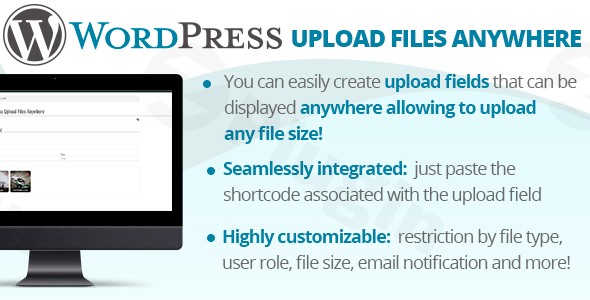
Transform your WordPress website into a versatile and powerful file hosting platform with WordPress Upload Files Anywhere. This premium plugin is engineered to dismantle the conventional file size limitations and cumbersome server configurations that typically hinder file uploads on WordPress sites. It offers a robust, secure, and user-friendly experience, enabling you to effortlessly handle files of any size without compromising your server’s performance or security.Designed for both technical and non-technical users, WordPress Upload Files Anywhere empowers businesses, creatives, educators, and professionals to create seamless file submission and sharing portals directly within their WordPress environment.
Break Free from File Size Limitations
One of the most significant advantages of WordPress Upload Files Anywhere is its unprecedented ability to handle massive files. Gone are the days of encountering frustrating “uploadmaxfilesize” errors or needing to delve into complex php.ini adjustments. This plugin intelligently manages large files through advanced chunking technology, breaking them down into smaller, manageable pieces during the upload process. This innovative approach ensures that even multi-gigabyte files can be uploaded efficiently and reliably, without placing undue strain on your server.
Key Features and Benefits
WordPress Upload Files Anywhere is a comprehensive solution packed with features designed to enhance file upload functionality across your site:
Unlimited File Size Capability
Upload files of virtually any size with confidence. The plugin’s advanced chunking technology bypasses traditional server limitations, allowing you to accept everything from high-resolution images to large video files and extensive document archives.
Universal Page Integration
Seamlessly embed file upload functionality on any page, post, custom post type, or even within widgets. Utilize intuitive shortcodes and widget support to position upload forms precisely where your users need them, whether it’s for contact forms, application portals, document submission areas, or client galleries.
No Server Configuration Required
Experience hassle-free setup. This plugin works out-of-the-box with your existing hosting environment, eliminating the need for complex server setting adjustments or intricate PHP configuration changes. This straightforward approach saves time and reduces potential errors, making it accessible even for users without deep technical expertise.
Advanced Browser Compatibility
Optimized for modern, HTML5-compliant browsers, WordPress Upload Files Anywhere ensures reliable performance across all major desktop platforms, including Chrome, Firefox, and Edge. The plugin leverages cutting-edge web technologies to deliver a smooth and consistent user experience.
Intuitive Frontend File Upload
Empower your users to upload files directly from the front end of your website. This eliminates the necessity for users to access the WordPress admin panel, streamlining workflows and enhancing user experience, particularly for clients or external collaborators.
Drag and Drop Functionality
Simplify the upload process with a user-friendly drag-and-drop interface. Users can easily select and upload multiple files by dragging them directly into the designated upload area, significantly improving efficiency and reducing friction.
Multiple File Uploads
Facilitate bulk submissions by allowing users to upload multiple files simultaneously. This feature is invaluable for projects requiring numerous documents, images, or media assets.
Specific Folder Uploads & File Restrictions
Maintain organization and security by specifying target folders for uploaded files and enforcing file type and size restrictions. This prevents the upload of malicious files and ensures that content is stored logically within your media library.
Extensive Customization Options
Tailor the appearance and behavior of your upload forms with customizable upload buttons and form fields. Align the upload interface with your brand’s aesthetics for a cohesive user experience.
Robust User Role Permissions
Control who can upload files with granular user role permissions. This ensures that only authorized users or specific user groups have access to upload functionality, enhancing site security and content management.
Seamless Integration with WordPress Media Library & AJAX Support
All uploaded files are automatically integrated into your WordPress Media Library for easy management. Furthermore, the plugin utilizes AJAX for smoother, asynchronous file uploads, providing a more dynamic and responsive user experience.
Comprehensive File Management
Gain greater control over uploaded content with features like file renaming, duplicate detection, and the ability to set upload limits per user. These tools help maintain a clean and organized media library.
GDPR Compliance Tools
For websites operating within GDPR regulations, the plugin includes compliance tools to help you manage user data and privacy effectively.
Multi-language Support with WPML
Expand your website’s global reach with full support for the WPML translation plugin, allowing you to provide upload forms in multiple languages.
Custom Fields for Richer Data
Associate extra input fields with each upload, enabling users to provide additional metadata or descriptions alongside their files. This enriches the uploaded content and improves discoverability.
Technical Requirements and Optimization
To ensure optimal performance and leverage the full capabilities of WordPress Upload Files Anywhere, please consider the following:
Browser Specifications
For the best experience, users should utilize updated versions of modern browsers such as Chrome, Firefox, or Edge. The plugin harnesses advanced HTML5 File API capabilities, which require contemporary browser support.
Mobile Considerations
While compatible with HTML5-compliant mobile browsers like Chrome, performance on mobile devices may vary depending on device capabilities, operating system versions, and network conditions. For critical or large file upload functionality, desktop environments are generally recommended for the most stable experience.
Hosting Environment
For optimal functionality and anticipated upload volumes, ensure your hosting environment supports modern PHP versions (e.g., PHP 7.4 or higher) and provides adequate storage capacity. While the plugin handles file size limitations, sufficient server resources are always beneficial for overall site performance.
Why Choose Our Version from ZeroPlugin.com?
When you acquire WordPress Upload Files Anywhere from ZeroPlugin.com, you are investing in reliability, security, and consistent performance:
GPL License Assurance
All plugins distributed by ZeroPlugin.com are provided under genuine GPL licenses, guaranteeing complete legal compliance and peace of mind for all your website projects.
Regular Update Schedule
Benefit from frequent updates that ensure your plugin remains fully compatible with the latest WordPress versions and adheres to current security standards. Our commitment to regular updates ensures your site stays protected and functional.
Security Verified Source
Every plugin file undergoes a comprehensive VirusTotal scan and rigorous security verification prior to distribution. We guarantee clean, malware-free code that will not compromise your website’s integrity or security.
Reliable Technical Foundation
Our meticulous distribution process includes thorough dependency scanning to ensure all components of WordPress Upload Files Anywhere work harmoniously with your existing WordPress ecosystem.
Ideal Use Cases
WordPress Upload Files Anywhere is an invaluable tool across a diverse range of applications:
- Business Applications: Perfect for companies requiring secure document upload portals, client submission forms, or internal file sharing systems that need to handle large documents without size restrictions.
- Creative Industries: An excellent solution for photographers, designers, and videographers who frequently need to share large media files with clients directly through their WordPress site.
- Educational Platforms: Ideal for schools, universities, and training organizations that require students to submit large assignments, portfolios, or project files directly via the website.
- Professional Services: Essential for consultants, lawyers, architects, and other service providers who need secure and efficient document exchange capabilities seamlessly integrated into their WordPress presence.
Setup & Usage Guide
Getting started with WordPress Upload Files Anywhere is designed to be straightforward:
- Installation:
- Once you’ve purchased the plugin, download the plugin zip file from ZeroPlugin.com.
- Navigate to your WordPress dashboard:
Plugins > Add New > Upload Plugin. - Choose the downloaded zip file and click “Install Now”.
- After installation, click “Activate Plugin”.
- Configuration:
- Access the plugin’s settings page (usually found under
Settingsor a dedicated menu item in your WordPress dashboard). - Configure global settings such as allowed file types, maximum file sizes, and default upload folders.
- Adjust user role permissions to control who can use the upload forms.
- Access the plugin’s settings page (usually found under
- Embedding Upload Forms:
- To display an upload form on any page or post, simply insert the provided shortcode (e.g.,
[wordpress_upload_files_anywhere]) into the content editor. - For sidebar or footer areas, navigate to
Appearance > Widgetsand drag the WordPress Upload Files Anywhere widget to your desired location, then configure its options. - For specific placements, refer to the comprehensive documentation included with the plugin for advanced integration methods.
- To display an upload form on any page or post, simply insert the provided shortcode (e.g.,
Conclusion
WordPress Upload Files Anywhere stands out as the definitive premium solution for any WordPress site requiring robust, flexible, and secure file upload capabilities. By eliminating size restrictions, simplifying integration, and offering a wealth of customization and management features, it provides unparalleled value. Invest in WordPress Upload Files Anywhere from ZeroPlugin.com today to empower your website with a professional-grade file upload system that is reliable, secure, and future-proof.
I. Download Limits & Account Benefits
- Free Downloads: Each email address receives 3 downloads per day for free products
- Upgrade Benefits: Purchase any paid product to increase your daily download limit by 3 for each paid product
- No Account Required: You can download immediately by receiving the download link via email
- Account Recommended: Create an account for easier access to your order history and direct update downloads
II. Understanding GPL vs Official Versions
Important: The products available on WPPick are GPL-licensed versions, which differ from official developer versions. Before purchasing, please read our comprehensive guide: Understanding GPL & Official Differences at WPPick
Key Points:
- GPL versions may not include premium support from original developers
- Updates may be delayed compared to official releases
- Some premium features might have limitations
- Always consider your specific needs and support requirements
III. Support & Assistance
We’re here to help through multiple channels:
- Email Support: Direct email assistance for all inquiries
- Live Chat: Real-time support during business hours
- Comprehensive Documentation: Detailed guides and tutorials
IV. Order Tracking
Access your complete purchase history and download links anytime: Order History
V. Account Access
New to WPPick? Login or Create Account to manage your downloads and orders efficiently.
VI. Refund Protection
We stand behind our products with a clear refund policy. Review our terms: Refund Policy
VII. Privacy & Security
Your data security is our priority. Learn how we protect your information: Privacy Policy
VII. Terms of Service
Understanding our service terms ensures a smooth experience: Terms of Use
Quick Tips for Best Experience
- Verify Compatibility: Check plugin/theme compatibility with your WordPress version
- Backup First: Always backup your site before installing new plugins or themes
- Test Environment: Consider testing on a staging site first
- Stay Updated: Regularly check for updates in your account dashboard
- Read Documentation: Review any included documentation for optimal setup
Need Help?
If you have questions about downloads, licensing, or need technical assistance, don’t hesitate to contact our support team. We’re committed to ensuring you have the best possible experience with WPPick products.
Ready to get started? Your download adventure begins with just one click!
- Improved security