

Wp Adminify Pro
/Year
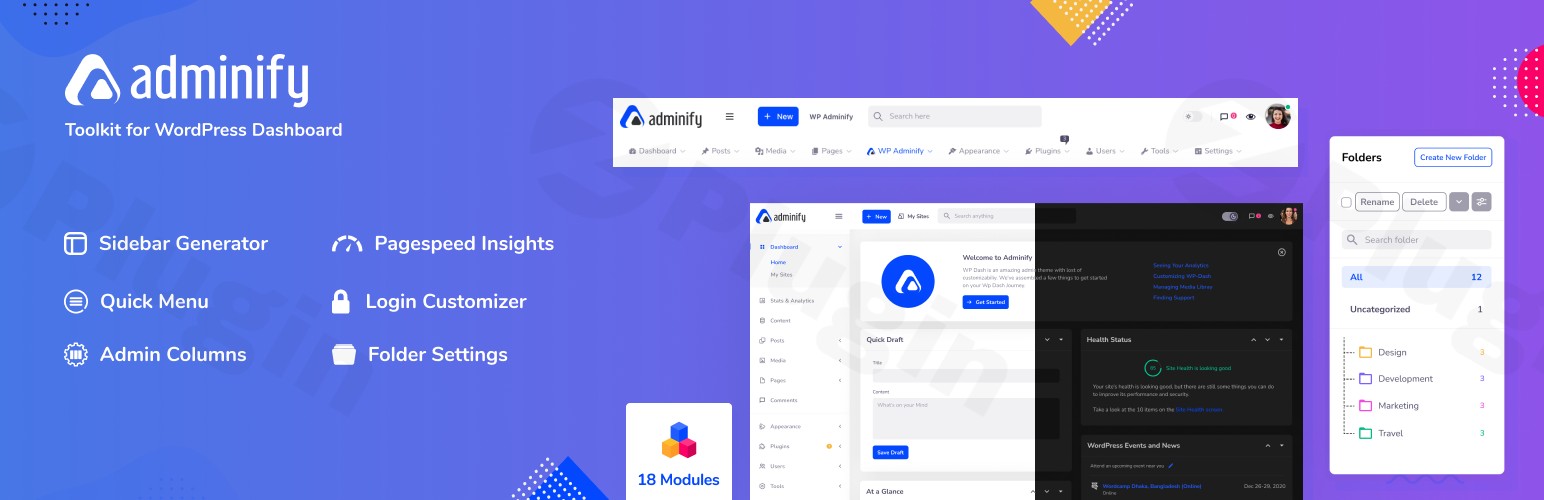
Transform and Rebrand Your WordPress Dashboard
Default WordPress administration areas often feel generic, cluttered, and overwhelming to clients. WP Adminify Pro provides an exhaustive collection of over 20 optimization modules designed to completely redesign and rebrand your WordPress backend. Whether you are an agency handing over a clean interface to a non-technical client or an independent developer looking to streamline your internal admin workflow, this tool offers a single dashboard to clean up notices, organize assets, and style your environment.
What WP Adminify Pro Does
WP Adminify Pro replaces multiple single-purpose utility plugins with an all-in-one management suite. Rather than installing separate plugins for media folders, admin columns, custom login pages, and activity tracking, you configure those features from a centralized setting menu. Key capabilities include deep-level WordPress white labeling, completely customizable admin menus with drag-and-drop hierarchy, custom user dashboards, and built-in CSS/JS script injectors. You can selectively activate only the modules you need to keep your installation lightweight and efficient.
Who Should Use This Plugin?
- WordPress Agencies: Remove default branding, hide annoying admin notices, and deliver a clean, customized backend with your company logo to maintain a professional identity.
- Freelancers & Developers: Restructure client permissions easily, streamline daily content management tasks, and organize assets by user role.
- E-commerce Shop Managers: Simplify complex custom post types, adjust administrative columns for orders, and build tailored dashboard widgets.
Key Capabilities and Features
- White Labeling & Branding: Replace the default WordPress logo on the login screen, clean up admin bars, alter the footer text, and rebrand the plugin itself.
- Media Folders & Post Organization: Create nested directory structures for media, posts, pages, or custom post types to locate files instantly.
- Admin Menu Editor: Rearrange, rename, or hide menu options globally or based on specific user roles via an intuitive visual interface.
- Custom Admin Pages: Design personalized landing pages directly inside the admin panel using Gutenberg, Elementor, or standard HTML.
- System Tweaks & Performance: Take charge of the WordPress Heartbeat API, restrict admin notices, remove system bloat, and improve backend rendering speed.
Practical Use Cases
An agency building a site for a retail client can use the custom login customizer to set up a brand-aligned portal. The agency can then apply custom user role permissions to hide complex plugin settings from the client, ensuring they do not break core site features. For heavy media-producing blogs, editorial staff can use the nested media folder module to structure images by year, post category, or photographer—eliminating hours of infinite scrolling through the media grid. Meanwhile, development teams can use the built-in activity logs to diagnose which admin user modified a setting or created a specific post.
WPPick Member Benefits
Downloading WP Adminify Pro from WPPick gives you immediate access to a pre-verified, secure package of this powerhouse dashboard toolkit. Enjoy clean code and flexible administrative control without paying for separate single-purpose plugins. This unified dashboard optimizer helps you reduce your total plugin count, lower server requests, and establish a cohesive workspace for your digital business or customer roster.
Latest Version Context & Updates
In the latest release, WP Adminify Pro continues to refine administrative privacy and interface performance. The “Disable Site Health checks” feature has been thoroughly improved to hide Site Health entirely—removing the Tools menu option, disabling dashboard widgets, and turning off weekly background checks so clients never encounter unexpected system warnings. Previous iterations also added an integrated Username Changer and addressed critical dark mode contrast parameters within block editor controls.
Frequently Asked Questions
Will WP Adminify Pro slow down my website dashboard?
No. WP Adminify Pro is designed with performance in mind. You can deactivate any module you do not actively use. This modular architecture allows you to consolidate multiple active plugins into one lightweight toolkit, often speeding up your backend dashboard.
Can I restrict dashboard changes to specific user roles?
Yes. The built-in RoleMaster suite allows you to configure menu visibility, dashboard widgets, and layout preferences globally or restrict them by role. You can show complete options to administrators while presenting a simplified view to authors or clients.
Does this plugin support major page builders like Elementor?
Yes. WP Adminify Pro works smoothly alongside major editors. The visual elements, custom admin pages, and templates can be structured using Elementor, Gutenberg, Bricks Builder, and other common systems without causing design conflicts.
Can I completely remove “WordPress” branding from my site?
Yes. The robust white-labeling tools let you replace the standard logo, modify admin bar elements, hide system update warnings, and even change the name of the WP Adminify plugin to match your agency branding.
I. Download Limits & Account Benefits
- Free Downloads: Each email address receives 3 downloads per day for free products
- Upgrade Benefits: Purchase any paid product to increase your daily download limit by 3 for each paid product
- No Account Required: You can download immediately by receiving the download link via email
- Account Recommended: Create an account for easier access to your order history and direct update downloads
II. Understanding GPL vs Official Versions
Important: The products available on WPPick are GPL-licensed versions, which differ from official developer versions. Before purchasing, please read our comprehensive guide: Understanding GPL & Official Differences at WPPick
Key Points:
- GPL versions may not include premium support from original developers
- Updates may be delayed compared to official releases
- Some premium features might have limitations
- Always consider your specific needs and support requirements
III. Support & Assistance
We’re here to help through multiple channels:
- Email Support: Direct email assistance for all inquiries
- Live Chat: Real-time support during business hours
- Comprehensive Documentation: Detailed guides and tutorials
IV. Order Tracking
Access your complete purchase history and download links anytime: Order History
V. Account Access
New to WPPick? Login or Create Account to manage your downloads and orders efficiently.
VI. Refund Protection
We stand behind our products with a clear refund policy. Review our terms: Refund Policy
VII. Privacy & Security
Your data security is our priority. Learn how we protect your information: Privacy Policy
VII. Terms of Service
Understanding our service terms ensures a smooth experience: Terms of Use
Quick Tips for Best Experience
- Verify Compatibility: Check plugin/theme compatibility with your WordPress version
- Backup First: Always backup your site before installing new plugins or themes
- Test Environment: Consider testing on a staging site first
- Stay Updated: Regularly check for updates in your account dashboard
- Read Documentation: Review any included documentation for optimal setup
Need Help?
If you have questions about downloads, licensing, or need technical assistance, don’t hesitate to contact our support team. We’re committed to ensuring you have the best possible experience with WPPick products.
Ready to get started? Your download adventure begins with just one click!
- "Disable Site Health checks" now hides Site Health completely - the Tools > Site Health page, the dashboard widget, and the weekly background check are all turned off, so your clients never see it.
- Fixed: Clicking "Edit with Elementor" in the block editor did nothing and kept you on the same page; it now takes you to the Elementor editor.
- Fixed: The Setup Wizard now opens when you click it in the menu, and no longer shows a warning message on the page.
- Fixed: The option that hides the "PHP update required" notice now actually hides it.
- Changes you make to the account menu (the "Howdy" menu) now show up correctly in the Adminify admin - hiding items, renaming them, limiting them to certain user roles, and adding your own menu items all work as expected.
- Your own account menu items without an icon no longer show a random letter next to them.
- The account menu now closes properly when you click somewhere else on the page after moving to another page.
- The search box now works reliably.
- The logo now shows correctly in the block editor.
- Fixed: Body font typography (font-family) was not applying because the inline style output was HTML-escaped.
- Fixed: Gutenberg post title alignment issue (title shifted to the left side).
- Improved: Added Pro badge to the Username Changer options.
- Improved: Default value field is now unchecked by default.
- Added: WPML (Multilingual CMS) compatibility - switching the admin language from the topbar now reloads the window so the whole admin updates.
- Fixed: Repeater "Add" button showed raw HTML instead of the circle-plus icon.
- Username Changer Feature Added.
- Block editor dark mode now applies only to the editor controls (sidebar/panels); the content preview keeps its real frontend styles instead of being darkened.
- Removed dark mode support from the Customizer preview; the previewed site now keeps its real frontend styles.
- Several block editor controls (Typography/Heading toggles, inspector inputs, block description, tab icons, and dropdown menus) had visibility and contrast issues in dark mode.
- Admin Bar Editor plugin's top bar menus were hidden by the Adminify UI; they now display correctly.