

Wp Adminify – Powerhouses Toolkit For WordPress Dashboard
/Year
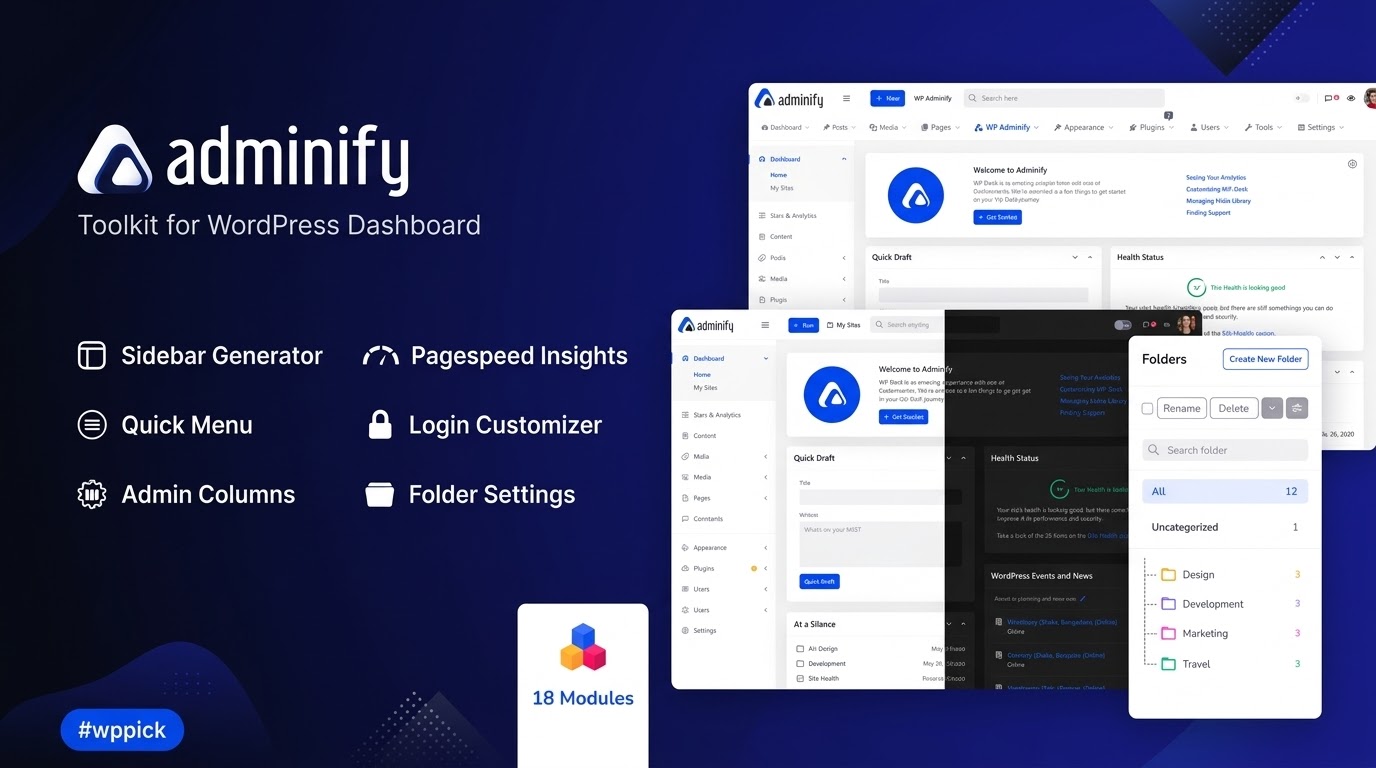
### Transform Your WordPress Administration Workspace
Managing multiple WordPress websites often means dealing with a cluttered, confusing, and uninspiring default backend interface. WP Adminify solves this operational challenge by providing an all-in-one suite of dashboard optimization tools. It allows freelancers, agency owners, and site administrators to completely redesign and restructure the WordPress administration area. By implementing a clean interface and consolidating various standalone utility features, this plugin improves the daily workflow for site managers while delivering a highly professional workspace for end clients.
Latest Version 4.0.4.4 Changes
WP Adminify version 4.0.4.4 was released on July 13, 2025. This release includes general user interface improvements and a specific fix for an RTL (Right-to-Left) styling issue affecting the user account menu within the topbar.
- 4.0.4.4 2025-07-13 Improvement: UI improvements. Fix: RTL style issue on user account menu in topbar is fixed.
### Comprehensive Dashboard Redesign and Organization
WP Adminify functions as a modular workspace customizer. Users can deactivate features they do not need, ensuring the backend remains streamlined and fast. The primary modules focus on visual cleanup, navigation optimization, and media library structure.
Custom White Labeling
Brand the dashboard with custom logos, background images, login screen styling, and tailored footer notes to reinforce your agency identity or the client brand.
Admin Menu Editor
Rearrange, hide, rename, or add custom menu items and icons. This enables you to simplify the navigation paths for client roles and suppress confusing options.
Media and Post Folders
Organize your media assets, pages, posts, or custom post types into hierarchical folders directly inside the WordPress dashboard to locate files instantly.
Admin Columns Manager
Add, remove, or change the width of metadata columns in your post lists, allowing you to view relevant data like featured images or custom fields without opening individual items.
### Who Needs WP Adminify?
This toolkit is designed specifically for professionals who build and maintain websites for clients, as well as complex e-commerce store operators. Digital agencies use it to build cohesive, white-labeled client portals that prevent users from accidentally disrupting site settings. Freelancers utilize the tool to eliminate unnecessary backend notices and streamline navigation paths. Content creators and store administrators benefit heavily from the media folder structures and custom admin columns, which reduce the time spent filtering through thousands of assets or products.
### Practical Administration Use Cases
Understanding how these tools operate in live environments demonstrates their practical utility across different types of web projects.
Client Handoff for Brochure Sites
When delivering a brochure website to a non-technical client, use the Admin Menu Editor to hide system plugins, tools, and update menus. This prevents critical system configurations from being accidentally altered.
E-commerce Product Management
Online store managers dealing with hundreds of variations can use the Admin Columns tool to display product stock levels, custom pricing fields, and SKU numbers directly on the main product overview screen.
Content-Heavy Editorial Sites
Blogs and news portals with high publishing volumes use the post and media folder modules to categorize content by campaign, season, or author, cutting down on time spent using standard search filters.
### Setup and Operational Context
WP Adminify is designed to be highly compatible with standard themes and core block editors. It includes modular toggles, meaning that any sub-feature can be completely switched off if a conflict arises with an existing plugin. For example, if you already run a standalone redirection tool or folder management system, turning off those specific modules within the WP Adminify settings panel prevents script duplication and preserves backend performance stability.
### Advantages of Sourcing via WPPick
Acquiring WP Adminify through WPPick ensures a reliable deployment environment. Each asset file undergoes systematic validation checks, including full MD5 verification, to ensure absolute code integrity before installation. This structured process guarantees that your administrative infrastructure receives clean, deployment-ready software free from tampering or modifications, making it safe for live agency production environments.
### Latest Version Context and Updates
Maintaining an updated administration panel is critical for performance and interface compatibility. WP Adminify version 4.0.4.4 addresses specific visual refinements to ensure a cohesive user experience.
User Interface Refinements
General interface enhancements have been applied across the control menus to streamline navigation configurations.
RTL Text Formatting Fixes
An issue affecting Right-to-Left (RTL) styling on the user account menu within the topbar has been successfully resolved, maintaining proper orientation for international language configurations.
### Frequently Asked Questions
Will WP Adminify slow down my WordPress administration panel?
No, the plugin is built with a strictly modular architecture. You can easily deactivate any modules or tools you are not using, which prevents unnecessary scripts and styles from loading in the backend dashboard.
Can I hide specific menu items based on user roles?
Yes, the Admin Menu Editor allows site administrators to set precise visibility rules, hiding or showing specific main menu entries and submenus based on roles or specific user accounts.
Does the folder feature alter the actual URL paths of my media files?
No, the folder system provides a virtual organization layer inside the WordPress administration interface. Your actual file paths, image attachment URLs, and database structures remain entirely unchanged.
Can I fully customize the default WordPress login page?
Yes, the plugin features a dedicated login customizer module. You can modify background images, colors, form placement, logos, and hide core elements like the back-to-blog links.
I. Download Limits & Account Benefits
- Free Downloads: Each email address receives 3 downloads per day for free products
- Upgrade Benefits: Purchase any paid product to increase your daily download limit by 3 for each paid product
- No Account Required: You can download immediately by receiving the download link via email
- Account Recommended: Create an account for easier access to your order history and direct update downloads
II. Understanding GPL vs Official Versions
Important: The products available on WPPick are GPL-licensed versions, which differ from official developer versions. Before purchasing, please read our comprehensive guide: Understanding GPL & Official Differences at WPPick
Key Points:
- GPL versions may not include premium support from original developers
- Updates may be delayed compared to official releases
- Some premium features might have limitations
- Always consider your specific needs and support requirements
III. Support & Assistance
We’re here to help through multiple channels:
- Email Support: Direct email assistance for all inquiries
- Live Chat: Real-time support during business hours
- Comprehensive Documentation: Detailed guides and tutorials
IV. Order Tracking
Access your complete purchase history and download links anytime: Order History
V. Account Access
New to WPPick? Login or Create Account to manage your downloads and orders efficiently.
VI. Refund Protection
We stand behind our products with a clear refund policy. Review our terms: Refund Policy
VII. Privacy & Security
Your data security is our priority. Learn how we protect your information: Privacy Policy
VII. Terms of Service
Understanding our service terms ensures a smooth experience: Terms of Use
Quick Tips for Best Experience
- Verify Compatibility: Check plugin/theme compatibility with your WordPress version
- Backup First: Always backup your site before installing new plugins or themes
- Test Environment: Consider testing on a staging site first
- Stay Updated: Regularly check for updates in your account dashboard
- Read Documentation: Review any included documentation for optimal setup
Need Help?
If you have questions about downloads, licensing, or need technical assistance, don’t hesitate to contact our support team. We’re committed to ensuring you have the best possible experience with WPPick products.
Ready to get started? Your download adventure begins with just one click!
- UI improvements.
- RTL style issue on user account menu in topbar is fixed.
- Resolved admin menu item show hide rule for selected user was not working properly issue
- Resolved new custom menu item hidden for user by default issue
- Resolved admin menu item show hide rule not working for certain users issue
- unwanted notification issue
- Added 'iFrame' option for embedding any video on Dashboard Widgets
- Implemented update features for folder support
- Folder support on media uploader
- Freemius SDK Updated and Moved on `vendor` directory as per WordPress.org Compliance
- Freemius Pricing Package removed
- Adminify Free and Pro Plugin Name issue fixed
- White Label for Agency issue fixed
- WP Admin White Screen issue fixed
- White Label for Agencies improved with Force Disable Option
- WooCommerce report and analytics layout issue
- Resolved issue where plugin conflict notice was not dismissible
- made the folder sticky
- Updated Freemius SDK to the latest version
- Applied a security patch to enhance the plugin's security