
Wp Cafe | Restaurant Reservation, Food Menu & Food Ordering For Woocommerce
/Year
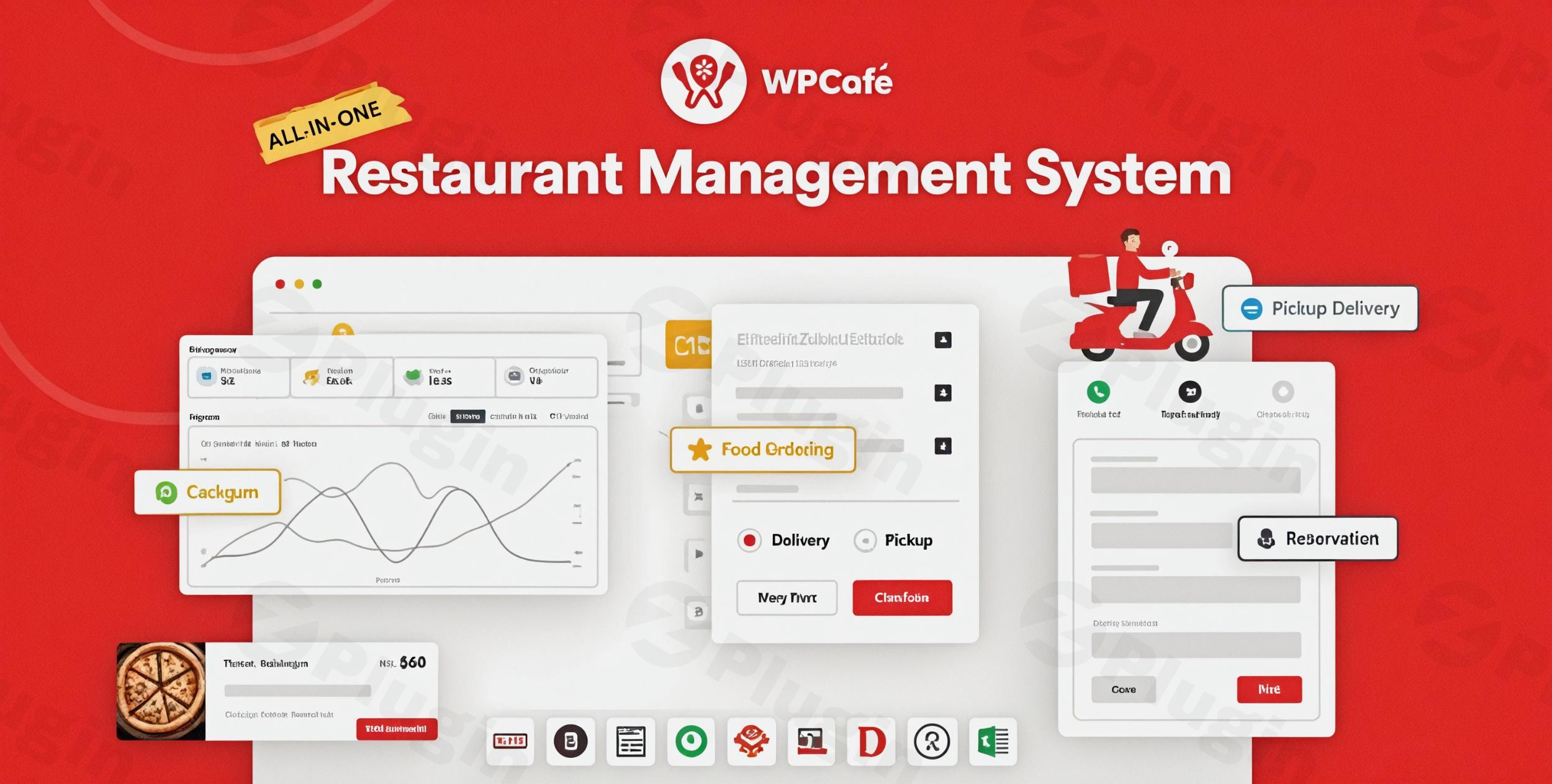
In today’s digital-first world, a strong online presence is non-negotiable for restaurants, cafes, and any food service business. The WP Cafe plugin emerges as a comprehensive, all-in-one WordPress restaurant plugin designed to transform your website into a powerful online ordering and reservation hub. Seamlessly integrating with WooCommerce, WP Cafe empowers businesses to manage everything from attractive food menus to real-time table bookings and efficient online food ordering systems, all from a single, intuitive dashboard.Whether you’re a bustling restaurant needing a robust restaurant reservation system WordPress solution, a cozy cafe seeking a digital menu display, or a food truck ready to accept online orders, WP Cafe streamlines your operations and enhances the customer experience.
Key Features of the WP Cafe Plugin: Elevating Your Food Business Online
WP Cafe is packed with features that cater to the unique demands of the food industry, offering tools that are both powerful and easy to use.
Complete Restaurant Table Reservation System
Gone are the days of manual bookings and missed calls. WP Cafe provides a smart and flexible online table booking WordPress system.
- Real-time Availability: Customers can view available slots and book tables instantly, reducing administrative burden.
- Flexible Slot Management: Configure single or multi-slot reservations, control seat capacity to prevent overbooking, and set custom schedules for early/late bookings.
- Branch-Wise Reservations: Manage reservations across multiple locations efficiently.
- Special Day & Holiday Management: Easily block out or adjust schedules for holidays or special events.
- Visual Table Layout Reservations: (Pro feature) Allows customers to choose their preferred table visually, enhancing the booking experience.
Beautiful Food Menu Builder & Display
Showcase your culinary creations with stunning, responsive online menus. WP Cafe acts as a fantastic WordPress food menu plugin.
- Extensive Menu Styles: Choose from a wide array of customizable styles and templates (10+ free, 33+ Pro) to match your brand.
- Drag-and-Drop Design: Utilize popular page builders like Elementor, Gutenberg, and Divi for effortless menu creation. This makes it the best restaurant management plugin with Elementor compatibility.
- Categories & Tags: Organize your menu items with categories, tags, images, and descriptions.
- Location-Based Menus: Offer different menus based on specific branch locations.
- Live Search & Discounts: Improve user experience with live search functionality and highlight special offers.
Direct WooCommerce Food Ordering System
Leverage the power of WooCommerce to create a robust WooCommerce food ordering plugin.
- Online Food Ordering System: Enable customers to place orders for pickup or delivery directly from your website.
- Real-time Order Notifications: Stay updated with instant alerts for new orders.
- Live Order Tracking: Keep customers informed about their order status.
- Flexible Scheduling: Set order preparation times and allow customers to choose convenient pickup/delivery slots.
- Customizable Mini Carts & Quantity Pickers: Optimize the checkout flow for a smooth customer journey.
- Payment Gateway Integration: Supports any payment gateway compatible with WooCommerce, ensuring secure transactions.
- Order Bumps & Add-ons: Easily upsell and cross-sell related items to increase average order value.
Multi-Location/Multi-Branch Support
For businesses with more than one outlet, WP Cafe offers crucial multi-location restaurant plugin capabilities.
- Centralized Management: Control menus, schedules, reservations, and delivery settings for all your branches from a single dashboard.
- Delivery Zone Settings: Define specific delivery areas with Google Maps API integration, ensuring efficient logistics.
QR Code Ordering for Contactless Service
Embrace modern, contactless dining with WP Cafe’s QR code ordering functionality. This is an excellent WordPress plugin for restaurant QR code ordering.
- Generate QR Codes: Easily create single or multiple QR codes for tables or specific menu items.
- Scan & Order: Customers can scan the QR code to browse your menu and place orders directly from their smartphones, enhancing hygiene and convenience.
Enhanced Customer Experience and Management
WP Cafe goes beyond core functionality to improve the overall user and management experience.
- Email Notifications: Automated email alerts for reservations and orders keep both customers and staff informed.
- Reporting & Analytics: Gain valuable insights into sales and reservation data to make informed business decisions.
- Mobile-Responsive Layouts: Ensures your menus and booking forms look perfect on any device.
- Admin Dashboard UX: Recent updates (like version 2.1.4) bring an enhanced admin dashboard, optimizing workflow for restaurant managers. The WPCafe 3.0 update, rebuilt with React-based UI and REST API, further boosts speed and performance.
Installation & Setup: Get Your Restaurant Online with WP Cafe
Setting up WP Cafe is a straightforward process, designed for both beginners and experienced WordPress users. Here’s a step-by-step guide on how to add food ordering to WooCommerce website using WP Cafe:
- Purchase and Download: Obtain the WP Cafe plugin files from ZeroPlugin.com. We provide genuine GPL-licensed versions, regularly updated and thoroughly virus-scanned for security.
- Upload to WordPress:
- Log in to your WordPress admin dashboard.
- Navigate to Plugins > Add New.
- Click on Upload Plugin at the top.
- Choose the downloaded
wp-cafe.zipfile and click Install Now.
- Activate the Plugin: Once installed, click Activate Plugin.
- WooCommerce Integration: WP Cafe is built to work seamlessly with WooCommerce. Ensure WooCommerce is installed and activated on your site. If not, install it via Plugins > Add New, search for “WooCommerce,” install, and activate it.
- Initial Configuration:
- After activation, you’ll find a new “WP Cafe” menu item in your WordPress dashboard.
- Go to WP Cafe > Settings to configure general options like restaurant hours, reservation settings, and notification emails.
- Create Your Food Menu:
- Navigate to WP Cafe > Food Menu.
- Add new menu items, assigning categories, prices, images, and descriptions.
- Use the provided Elementor widgets (or Gutenberg blocks) to display your menus beautifully on any page.
- Set Up Reservation System:
- Go to WP Cafe > Reservation.
- Configure your reservation rules, available slots, and seat capacity.
- Create a dedicated page for reservations and add the WP Cafe reservation shortcode or widget.
- Configure Online Ordering:
- Ensure your WooCommerce store is set up with products (your food items).
- Configure delivery zones, pickup options, and payment gateways within WooCommerce and WP Cafe settings.
Practical Usage & Best Practices: Maximizing Your Restaurant’s Potential
WP Cafe is an ideal solution for a variety of food service establishments looking to go digital and streamline operations.
1. Online Food Ordering for Takeaway & Delivery
For local eateries, cafes, and cloud kitchens, WP Cafe enables you to offer a robust online food delivery and pickup service.
- Best Practice: Clearly define your delivery zones and associated fees in WP Cafe settings. Use the order bump feature to suggest popular add-ons like drinks or desserts, increasing order value. Promote your online ordering system prominently on your website and social media. This is the best way to manage local food deliveries efficiently with a WordPress plugin.
2. Streamlining Table Reservations for Restaurants
High-traffic restaurants can significantly reduce staff workload and improve customer satisfaction with an efficient online booking system.
- Best Practice: Utilize the multi-slot reservation feature to maximize table turnover. Integrate email notifications to send booking confirmations and reminders, minimizing no-shows. For larger establishments, consider the visual table layout reservation (Pro) to offer customers more choice.
3. Digital Menu Display for Modern Cafes
Cafes can create an appealing and easily updatable digital menu, showcasing daily specials or seasonal items. This is an excellent WordPress plugin for cafe online menu and reservations.
- Best Practice: Use WP Cafe’s diverse menu styles to create an engaging visual experience. Regularly update menu items and prices through the easy-to-use backend. Implement QR code ordering for a seamless, contactless browsing and ordering experience right at the table.
4. Managing Multiple Restaurant Locations
For businesses with several branches, WP Cafe simplifies centralized management.
- Best Practice: Leverage the multi-location support to manage menus, operating hours, and reservation capacities for each branch from one interface. This ensures consistency and reduces administrative complexity across all your establishments.
FAQ & Troubleshooting
Here are answers to common questions about the WP Cafe plugin.
What is WP Cafe plugin used for?
The WP Cafe plugin is a comprehensive WordPress solution primarily used by restaurants, cafes, and other food service businesses to manage online food ordering, table reservations, and digital food menus. It seamlessly integrates with WooCommerce to provide a complete e-commerce experience for food businesses.
How to set up online food delivery with WordPress?
To set up online food delivery with WordPress using WP Cafe, you first need to have WordPress and WooCommerce installed. Then, install and activate the WP Cafe plugin. From the WP Cafe settings and WooCommerce product pages, you can configure your menu items, set up delivery zones, define order preparation times, and integrate payment gateways. WP Cafe facilitates customer order placement, real-time notifications, and order tracking.
Does WP Cafe integrate with Divi?
Yes, WP Cafe offers strong compatibility with various popular page builders. While it has dedicated Elementor widgets and Gutenberg blocks, it also supports page builders like Divi Builder through shortcode integration, allowing you to design your restaurant pages and menus using Divi’s interface. It also has compatibility with Oxygen Builder (via a dedicated add-on) and WPBakery Page Builder.
WP Cafe vs Orderable, which is better?
Both WP Cafe and Orderable are powerful WooCommerce food ordering plugins, but they cater to slightly different needs. WP Cafe excels as an all-in-one solution with a highly comprehensive restaurant reservation system, including advanced features like visual table layouts. Orderable is often lauded for its streamlined menu building and user-friendliness, particularly for online ordering, and offers smart order scheduling tools, built-in receipt printing, and dietary information labels. If a robust table reservation system is a primary concern alongside ordering, WP Cafe is often preferred. If your main focus is on a super user-friendly ordering system with advanced scheduling, Orderable might be a stronger contender. Many users find WP Cafe’s comprehensive features and ongoing development, particularly with the performance improvements in WPCafe 3.0, make it a strong choice for diverse restaurant needs.
Conclusion: Empower Your Restaurant with WP Cafe
The WP Cafe plugin stands out as an indispensable tool for any food service business ready to thrive in the digital age. By offering a complete WordPress restaurant plugin solution that encompasses online food ordering, flexible table reservations, and stunning menu displays, it empowers owners to streamline operations, enhance customer satisfaction, and ultimately boost their bottom line. With its robust WooCommerce integration, multi-location support, and continuous development (including performance-boosting updates like WPCafe 3.0), WP Cafe delivers a powerful, trustworthy, and expert-backed platform. Whether you’re a small cafe or a multi-branch restaurant, WP Cafe provides the framework to manage your online presence efficiently and professionally.
I. Download Limits & Account Benefits
- Free Downloads: Each email address receives 3 downloads per day for free products
- Upgrade Benefits: Purchase any paid product to increase your daily download limit by 3 for each paid product
- No Account Required: You can download immediately by receiving the download link via email
- Account Recommended: Create an account for easier access to your order history and direct update downloads
II. Understanding GPL vs Official Versions
Important: The products available on WPPick are GPL-licensed versions, which differ from official developer versions. Before purchasing, please read our comprehensive guide: Understanding GPL & Official Differences at WPPick
Key Points:
- GPL versions may not include premium support from original developers
- Updates may be delayed compared to official releases
- Some premium features might have limitations
- Always consider your specific needs and support requirements
III. Support & Assistance
We’re here to help through multiple channels:
- Email Support: Direct email assistance for all inquiries
- Live Chat: Real-time support during business hours
- Comprehensive Documentation: Detailed guides and tutorials
IV. Order Tracking
Access your complete purchase history and download links anytime: Order History
V. Account Access
New to WPPick? Login or Create Account to manage your downloads and orders efficiently.
VI. Refund Protection
We stand behind our products with a clear refund policy. Review our terms: Refund Policy
VII. Privacy & Security
Your data security is our priority. Learn how we protect your information: Privacy Policy
VII. Terms of Service
Understanding our service terms ensures a smooth experience: Terms of Use
Quick Tips for Best Experience
- Verify Compatibility: Check plugin/theme compatibility with your WordPress version
- Backup First: Always backup your site before installing new plugins or themes
- Test Environment: Consider testing on a staging site first
- Stay Updated: Regularly check for updates in your account dashboard
- Read Documentation: Review any included documentation for optimal setup
Need Help?
If you have questions about downloads, licensing, or need technical assistance, don’t hesitate to contact our support team. We’re committed to ensuring you have the best possible experience with WPPick products.
Ready to get started? Your download adventure begins with just one click!
- WordPress 6.8 Compatibility
- Pickup/Delivery field not showing in checkout page