

Wp Content Pilot Pro – Best WordPress Autoblog & Affiliate Marketing Plugin
/Year
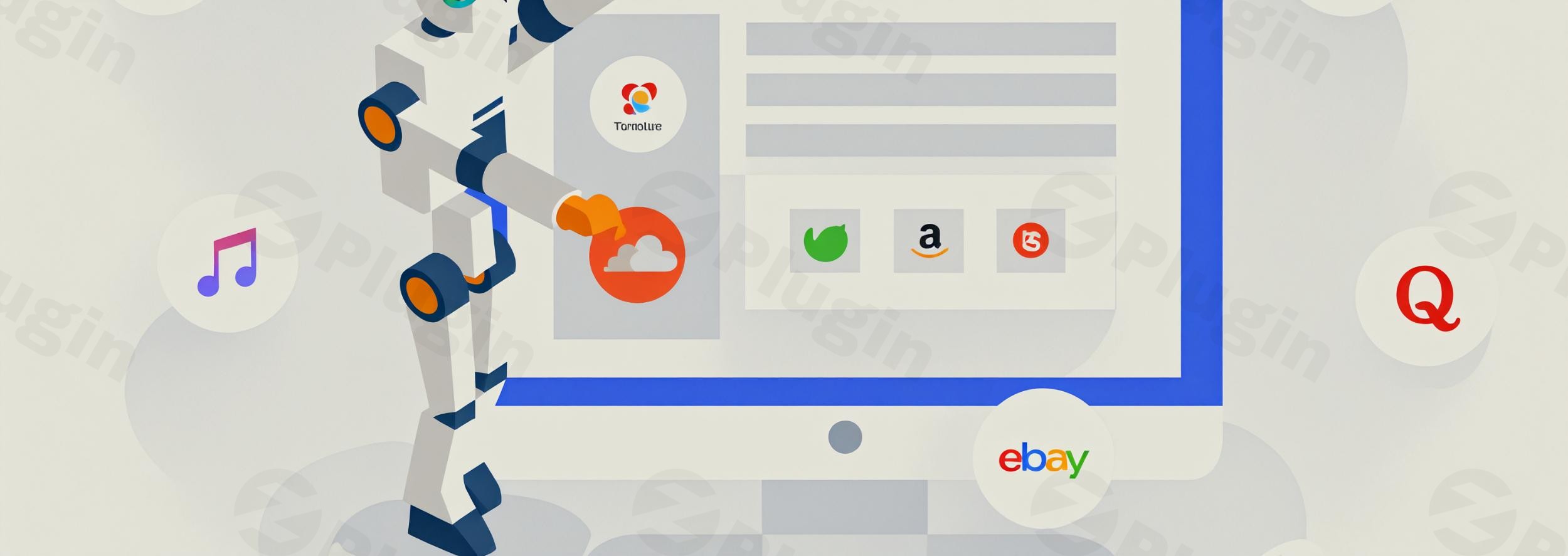
Maintaining a consistent publishing schedule is one of the biggest challenges for site owners today. WP Content Pilot Pro is a powerful WordPress autoblog plugin designed to solve this by automating content discovery, curation, and publication. Whether you are running a niche news site or looking for a robust affiliate marketing plugin for WordPress, this tool allows you to aggregate high-quality content from over 20 sources and monetize it automatically. By leveraging AI and automated workflows, it transforms your site into a self-updating content hub.
What is WP Content Pilot Pro?
WP Content Pilot Pro is an all-in-one automation solution that fetches content from external sources—such as RSS feeds, social media, and eCommerce platforms—and converts them into WordPress posts. Unlike basic aggregators, it includes advanced features like AI-driven content generation (GPT-3.5 and GPT-4), content spinning, and automatic affiliate link injection.
It is specifically built for marketers who need to scale their content production without the overhead of a full-time editorial team. By using this automatic post generator for WordPress, you can ensure your site stays relevant in search engines while generating passive income through affiliate commissions.
Key Features and Benefits
1. Multi-Source Content Aggregation
The core strength of WP Content Pilot Pro lies in its versatility. It includes over 20 modules that allow you to pull content from:
- Video Platforms: YouTube and Vimeo.
- eCommerce: Amazon, eBay, Walmart, and BestBuy.
- Social & Community: Reddit, Quora, Instagram, and Pinterest.
- News & Web: RSS feeds, Craigslist, and CareerJet.
2. AI-Powered Content Generation
With the integration of OpenAI’s GPT-3.5 and GPT-4, the plugin has evolved from a simple scraper to an intelligent creator. You can now use AI to rewrite fetched content, generate unique summaries, or expand on topics, ensuring your site offers more value than a simple “copy-paste” autoblog.
3. Automatic Affiliate Link Injection
For those seeking a high-performing affiliate marketing plugin for WordPress, WP Content Pilot Pro is a game changer. It automatically inserts your affiliate IDs into imported products from Amazon or eBay. This ensures that every piece of content published has the potential to generate revenue without manual editing.
4. Content Spinning and Uniqueness
To help with SEO and avoid duplicate content penalties, the plugin integrates with popular spinning software. It automatically rewrites parts of the fetched text, making it more unique for search engines while maintaining the original context.
5. Advanced Template Editor
You have total control over how your posts look. The built-in template editor uses “Template Tags” to let you decide where the title, image, source link, and description appear within your WordPress post.
How to Install and Set Up WP Content Pilot Pro
Setting up an automatic post generator for WordPress might sound technical, but WP Content Pilot Pro is designed for ease of use. Follow these steps to get started:
- Install the Plugin: Upload the WP Content Pilot Pro .zip file to your WordPress dashboard under Plugins > Add New. Activate the plugin and enter your license key.
- Configure Global Settings: Navigate to the “Settings” tab. Here, you should input your API keys for services like OpenAI (for AI content), Amazon (for affiliate products), or YouTube.
- Create Your First Campaign: Click on “Add New Campaign.” Choose your source (e.g., YouTube or RSS).
- Set Your Keywords: Enter the primary keywords you want the plugin to target. It will use these to find relevant content across the web.
- Configure the Template: Use the Template Editor to map out how the post should appear on your site. For example, you can set the “Video Player” to appear at the top of the post and the “Description” below it.
- Schedule and Publish: Set the frequency (e.g., every 12 hours) and hit “Publish” to start the campaign.
Practical Usage and Best Practices
To get the most ROI from WP Content Pilot Pro, it is important to go beyond basic automation. Here is how professional site owners use it:
- Niche News Aggregation: If you run a site dedicated to “Cryptocurrency News,” set up RSS campaigns for major crypto outlets. Use the AI integration to summarize the news into a 200-word “Quick Read” format.
- Automated Affiliate Stores: Create a “Deals” section on your site. Set up an Amazon campaign targeting specific categories (e.g., “Gaming Laptops”). The plugin will fetch the latest products, prices, and your affiliate links automatically.
- Content Curation for SEO: Use the plugin for content curation on WordPress by fetching snippets from various sources and adding your own editorial commentary. This provides a “hub” experience that search engines love.
- Best Practice Tip: Always use the “Content Spinning” or AI rewriting features. Purely scraped content rarely ranks well on Google; adding a layer of uniqueness is essential for long-term SEO success.
Technical Specifications & Compatibility
Before deploying the plugin, ensure your environment meets the following requirements for optimal performance:
- WordPress Version: Latest stable version recommended.
- PHP Version: 7.0 or higher.
- Server: Apache or Nginx with
cron jobsenabled (crucial for scheduling). - Memory: At least 256MB of RAM is recommended, as fetching and spinning content can be resource-intensive.
- Compatibility: Works seamlessly with WooCommerce, Elementor, and major SEO plugins like Yoast or Rank Math.
FAQ: Frequently Asked Questions
What is WP Content Pilot Pro?
WP Content Pilot Pro is an automation and content curation WordPress plugin that fetches content from external sources (RSS, Social Media, eCommerce) and publishes it as WordPress posts. It is primarily used for autoblogging and affiliate marketing.
Does WP Content Pilot Pro spin content?
Yes. The plugin includes built-in options for content rewriting and integrates with external spinning tools to ensure that the imported content is unique, helping you avoid duplicate content issues in search engines.
Can WP Content Pilot Pro auto-post YouTube videos?
Yes. WP Content Pilot Pro can automatically search for YouTube videos based on your specific keywords, import the video, the description, and even the tags, then publish them as new posts on your site.
Is it compatible with WooCommerce?
Absolutely. You can use the Amazon, eBay, and Walmart modules to import products directly into your WooCommerce store as external/affiliate products.
Final Verdict
WP Content Pilot Pro is a top-tier solution for anyone looking to scale their digital presence through automation. While there is a slight learning curve during the initial campaign setup, the ability to integrate AI (GPT-4) and automate affiliate links makes it a high-value investment. If you want a reliable WordPress autoblog plugin that does more than just scrape text, this is the tool for you.
For more WordPress plugin reviews and tutorials, visit wppick.com.
I. Download Limits & Account Benefits
- Free Downloads: Each email address receives 3 downloads per day for free products
- Upgrade Benefits: Purchase any paid product to increase your daily download limit by 3 for each paid product
- No Account Required: You can download immediately by receiving the download link via email
- Account Recommended: Create an account for easier access to your order history and direct update downloads
II. Understanding GPL vs Official Versions
Important: The products available on WPPick are GPL-licensed versions, which differ from official developer versions. Before purchasing, please read our comprehensive guide: Understanding GPL & Official Differences at WPPick
Key Points:
- GPL versions may not include premium support from original developers
- Updates may be delayed compared to official releases
- Some premium features might have limitations
- Always consider your specific needs and support requirements
III. Support & Assistance
We’re here to help through multiple channels:
- Email Support: Direct email assistance for all inquiries
- Live Chat: Real-time support during business hours
- Comprehensive Documentation: Detailed guides and tutorials
IV. Order Tracking
Access your complete purchase history and download links anytime: Order History
V. Account Access
New to WPPick? Login or Create Account to manage your downloads and orders efficiently.
VI. Refund Protection
We stand behind our products with a clear refund policy. Review our terms: Refund Policy
VII. Privacy & Security
Your data security is our priority. Learn how we protect your information: Privacy Policy
VII. Terms of Service
Understanding our service terms ensures a smooth experience: Terms of Use
Quick Tips for Best Experience
- Verify Compatibility: Check plugin/theme compatibility with your WordPress version
- Backup First: Always backup your site before installing new plugins or themes
- Test Environment: Consider testing on a staging site first
- Stay Updated: Regularly check for updates in your account dashboard
- Read Documentation: Review any included documentation for optimal setup
Need Help?
If you have questions about downloads, licensing, or need technical assistance, don’t hesitate to contact our support team. We’re committed to ensuring you have the best possible experience with WPPick products.
Ready to get started? Your download adventure begins with just one click!
- Translation not working.