

Wp Extended Pro – The Ultimate WordPress Toolkit
/Year
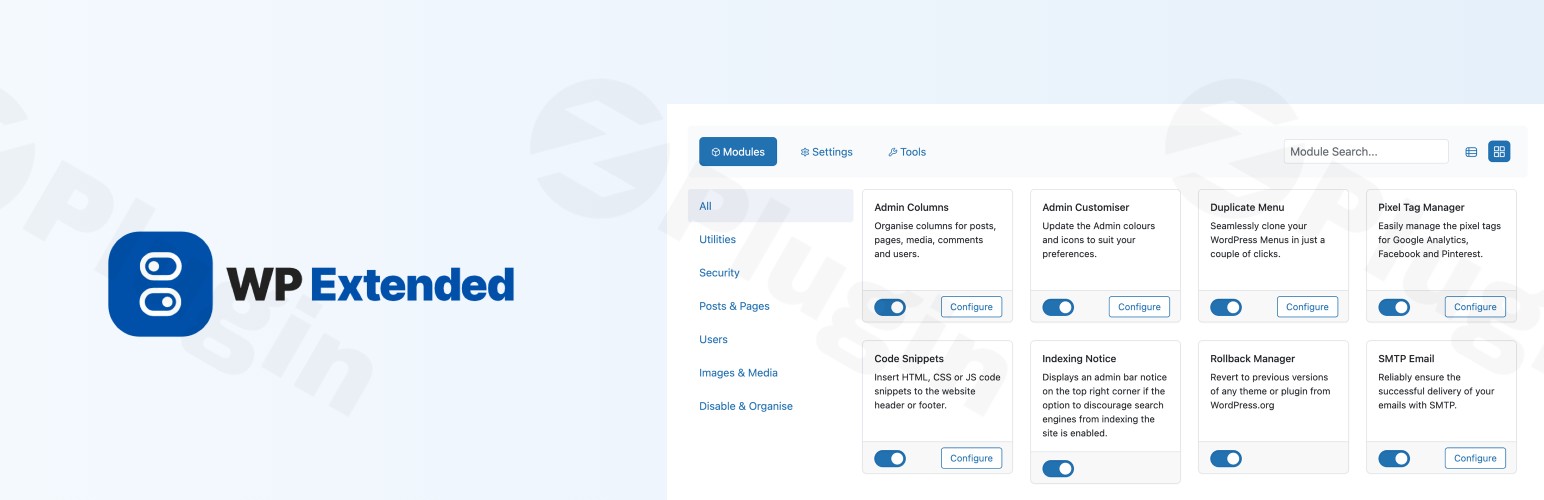
Managing a WordPress site often feels like a balancing act between functionality and performance. To get the features you need—like SMTP, security hardening, and admin customization—you usually have to install dozens of single-purpose plugins. This “plugin bloat” can slow down your site and create a nightmare of update conflicts.
WP Extended Pro is a comprehensive WordPress toolkit plugin designed to solve this exact problem. By consolidating over 40 essential management modules into a single, lightweight package, it allows site owners to streamline their workflow and improve site performance. Whether you are a developer looking for a WordPress management plugin or a business owner wanting an all-in-one WordPress plugin, WP Extended Pro provides the tools to take full control of your site’s backend.
Key Features & Benefits: Why It’s the Best Way to Replace Multiple Plugins
The core philosophy of WP Extended Pro is its modular design. You only activate the features you need, keeping your database clean and your site fast. Here is a breakdown of why this is the best WordPress plugin to replace multiple plugins in your current stack.
1. Advanced WordPress Admin Customizer (Pro)
The WordPress Admin Customizer module allows you to overhaul the native WordPress dashboard. You can hide unnecessary menu items, rebrand the login page with a Custom Login URL, and even manage admin notices that clutter your workspace. This is ideal for agencies that want to provide a “white-label” experience for their clients.
2. Essential Security Hardening
Security is built into the toolkit. Instead of a separate security plugin, you can:
- Limit Login Attempts: Prevent brute-force attacks by blocking IPs after failed attempts.
- Disable XML-RPC & User Enumeration: Close common backdoors used by hackers.
- Hide WP Version & Obfuscate Author Slugs: Make it harder for bots to identify vulnerabilities.
3. Site Management & Productivity Tools
WP Extended Pro includes features that usually require 5-10 separate downloads:
- SMTP Email: Ensures your system emails (like password resets) actually land in the inbox.
- Maintenance Mode: Toggle a “Coming Soon” or “Maintenance” page with one click.
- Code Snippets: Add custom CSS, PHP, or JavaScript without touching your
functions.phpfile. - Media Management: Pro features include Media Trash and Media Replace, allowing you to swap images without breaking URLs.
4. Performance Optimization
By using an all-in-one WordPress plugin, you reduce the number of HTTP requests and database queries generated by multiple individual plugins. WP Extended Pro is built with a clean codebase that focuses on speed, making it a “must-have” for performance-conscious users.
How to Install and Set Up WP Extended Pro
Setting up this WordPress toolkit plugin is straightforward, even if you aren’t a developer. Follow these steps to get started:
- Download the Plugin: Purchase the Pro version from the official site or install the free version from the WordPress repository.
- Upload & Activate: Go to your WordPress Dashboard > Plugins > Add New. Upload the
.zipfile and click Activate. - Access the Dashboard: Once activated, look for the WP Extended menu item in your sidebar.
- Activate Modules: You will see a grid of over 40 modules (e.g., SMTP, Login Security, Admin Columns). Simply toggle the switch to ON for the features you want to use.
5. Configure Settings: Click the “Settings” link under each active module to fine-tune your configuration (for example, entering your SMTP credentials or setting your custom login URL).
Practical Usage & Best Practices
To get the most out of WP Extended Pro, consider these real-world workflows:
For Agencies: The Client-Proof Dashboard
If you build sites for clients, use the Admin Customizer and Menu Editor Pro to hide technical settings they might accidentally break. You can also use the Hide Admin Notices feature to ensure they don’t see distracting update prompts from other plugins.
For E-commerce (WooCommerce): Enhanced Order Management
Use the Admin Column (Pro) module to add custom columns to your Orders or Products list. This lets you see SKU numbers, stock status, or customer details at a glance without having to click into every individual order.
For Bloggers: Content Workflow Optimization
The Quick Add Post and Duplicate Content modules are game-changers for high-volume publishers. You can quickly clone existing layouts or start a draft directly from the top admin bar, saving minutes on every post you create.
FAQ & Troubleshooting
What is WP Extended Pro?
WP Extended Pro is a modular WordPress management plugin that consolidates over 40 utility features into one interface. It handles everything from SMTP and security to admin customization and performance tweaks, acting as a “Swiss Army Knife” for WordPress site owners.
Does WP Extended Pro improve website speed?
Yes. By replacing multiple single-purpose plugins with one optimized toolkit, you reduce the risk of plugin conflicts and decrease the total “weight” of your site’s code. Because its design is modular, only the features you activate will consume resources.
How to customize the WordPress admin dashboard with WP Extended?
To customize your dashboard, navigate to the WP Extended menu and activate the Admin Customiser or Menu Editor Pro modules. From there, you can change colors, hide menu items based on user roles, and customize the login screen.
Is it compatible with the latest WordPress versions?
Yes, WP Extended Pro is actively developed and tested with the latest versions of WordPress (including 6.7+). It also works seamlessly with major page builders like Elementor and Gutenberg.
What should I do if I get locked out by the “Limit Login Attempts” feature?
The Pro version includes an Unblocking Feature that provides a remedy for accidentally blocked IPs. If you are using the free version, you can typically regain access by temporarily renaming the plugin folder via FTP to deactivate it.
Final Verdict: Is It Worth It?
If you are tired of managing a massive list of plugins and want to simplify your site administration, WP Extended Pro is an excellent investment. It provides high ROI by saving you time on configuration and improving your site’s security and speed. The plugin’s modular approach makes it a “solid multi-tool” that appeals to both casual bloggers and professional developers. For anyone looking for a reliable WordPress toolkit plugin to clean up their backend, WP Extended Pro is a top-tier choice that delivers on its promise of versatility and performance.For more tips on optimizing your site, visit us at wppick.com.
I. Download Limits & Account Benefits
- Free Downloads: Each email address receives 3 downloads per day for free products
- Upgrade Benefits: Purchase any paid product to increase your daily download limit by 3 for each paid product
- No Account Required: You can download immediately by receiving the download link via email
- Account Recommended: Create an account for easier access to your order history and direct update downloads
II. Understanding GPL vs Official Versions
Important: The products available on WPPick are GPL-licensed versions, which differ from official developer versions. Before purchasing, please read our comprehensive guide: Understanding GPL & Official Differences at WPPick
Key Points:
- GPL versions may not include premium support from original developers
- Updates may be delayed compared to official releases
- Some premium features might have limitations
- Always consider your specific needs and support requirements
III. Support & Assistance
We’re here to help through multiple channels:
- Email Support: Direct email assistance for all inquiries
- Live Chat: Real-time support during business hours
- Comprehensive Documentation: Detailed guides and tutorials
IV. Order Tracking
Access your complete purchase history and download links anytime: Order History
V. Account Access
New to WPPick? Login or Create Account to manage your downloads and orders efficiently.
VI. Refund Protection
We stand behind our products with a clear refund policy. Review our terms: Refund Policy
VII. Privacy & Security
Your data security is our priority. Learn how we protect your information: Privacy Policy
VII. Terms of Service
Understanding our service terms ensures a smooth experience: Terms of Use
Quick Tips for Best Experience
- Verify Compatibility: Check plugin/theme compatibility with your WordPress version
- Backup First: Always backup your site before installing new plugins or themes
- Test Environment: Consider testing on a staging site first
- Stay Updated: Regularly check for updates in your account dashboard
- Read Documentation: Review any included documentation for optimal setup
Need Help?
If you have questions about downloads, licensing, or need technical assistance, don’t hesitate to contact our support team. We’re committed to ensuring you have the best possible experience with WPPick products.
Ready to get started? Your download adventure begins with just one click!
- Fixed privilege escalation vulnerability in Menu Editor module that allowed lower-privileged users to gain elevated capabilities
- Restricted disk usage widget to administrators only
- Removed blanket capability grants on dashboard/profile requests
- Menu Editor no longer dynamically grants capabilities to users; instead it validates that the current user already holds the required capability before rendering menu items
- SettingsManager capability field now displays a description warning about high-privilege capabilities rather than injecting runtime grants
- Users who relied on Menu Editor to grant capabilities to lower roles will need to assign those capabilities via a role management plugin instead
- Folder Manager: Folder panel support in media library popup/modal.
- Folder Manager: Refresh functionality and internationalization support.
- Duplicate Post: Element selection filters and per-duplication modal for choosing which elements to duplicate [Pro].
- Duplicate Post: Enhanced code structure and UI elements.
- Folder Manager: Styling and UX improvements.
- Menu Editor: Replaced persistent capability changes with in-memory filtering to prevent database capability pollution.
- Menu Editor: Virtual capabilities now correctly granted for role-based menu access.
- Menu Editor: Per-user deny rules now respected in role-based capability grants.
- SMTP Email: PHPMailer state not clearing between wp_mail() calls causing recipient accumulation.
- Disable XML-RPC: Refined XML-RPC request handling.
- Disable Blog: Redirect conflict with SureCart and similar plugins.
- Quick Add Post: Button insertion timing and selector updates.
- Folder Manager: Bulk actions for moving multiple items at once.
- Folder Manager: Off canvas sidebar on smaller screens for mobile responsiveness.
- Global: WordPress 6.9 Support.
- Admin Customiser: HTML support to admin footer text field.
- Admin Customiser: Sidebar icon misaligned.
- Admin Customiser: Issue with certain icons in settings not loading due to blocked PHP config setting.
- SMTP Email: Bug introduced with WordPress 6.9 with sending from certain WordPress configurations.
- Duplicate Posts: Post redirect default value.
- Code Snippets: Certain whitespace characters in snippets not running and crashing.
- Global: Licensing not activating for certain websites.