

Wp File Manager Pro – A File Manager Plugin For Wordpess
/Year
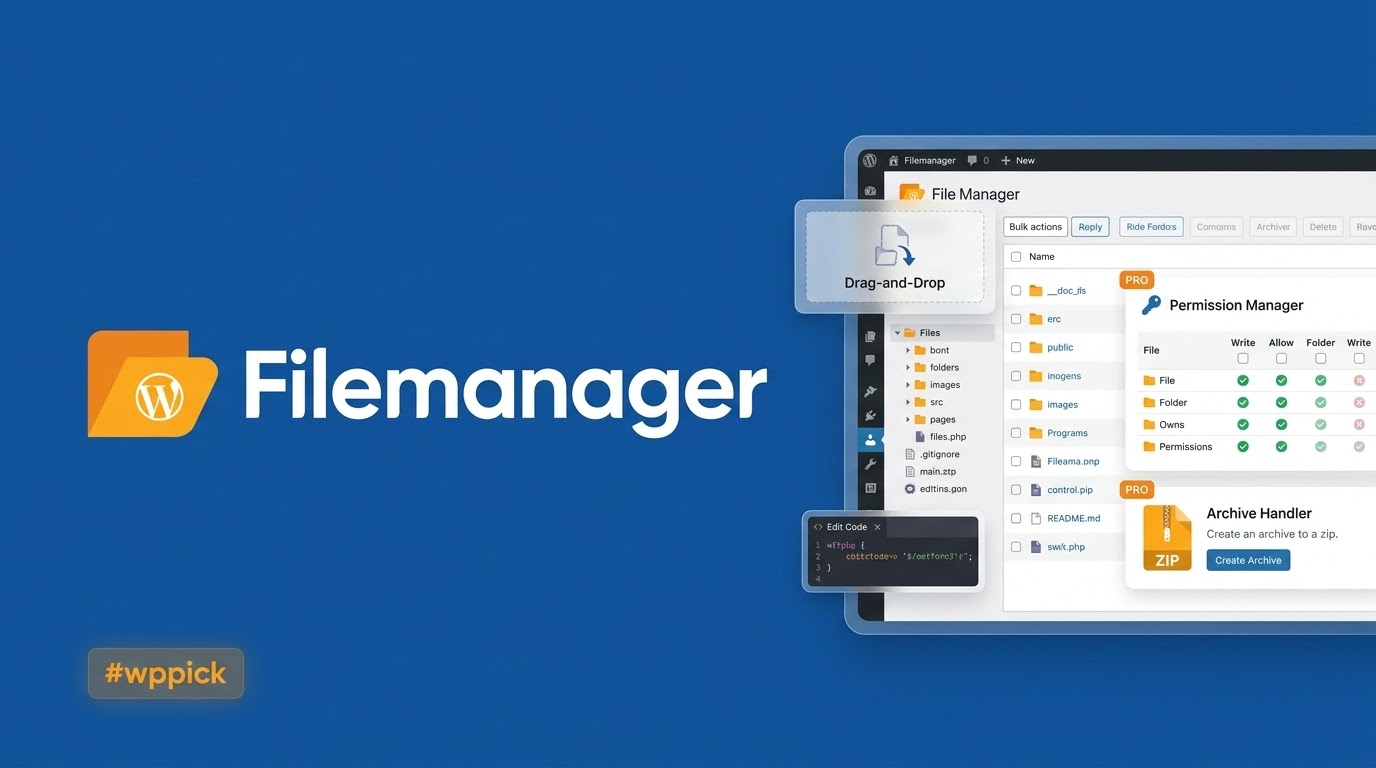
Streamline Server Control with WP File Manager Pro
WP File Manager Pro delivers desktop-grade file management directly within the WordPress admin dashboard. This powerful tool eliminates the daily operational reliance on traditional FTP or SFTP clients, giving web administrators direct control over their server directories. Users can upload, organize, edit, and compress files through an intuitive web interface, significantly reducing maintenance overhead and accelerating development workflows.
Latest Version 8.4.3 Changes
WP File Manager Pro version 8.4.3 was released as a critical security patch to address a Directory Traversal vulnerability within the underlying elFinder library, preventing unauthenticated attackers from deleting arbitrary files.
- WP File Manager Pro version 8.4.3 was released around June 2025.
- This version includes a critical security patch addressing a Directory Traversal to Arbitrary File Deletion vulnerability found in the integrated elFinder library (affecting version 8.4.2 and below).
- The official changelog is hosted on the developer website at filemanagerpro.io/changelog/.
What WP File Manager Pro Does
The core utility of this extension is to bridge the gap between backend server file structures and the standard WordPress environment. Utilizing a high-performance integrated user interface, it provides comprehensive control over root folders, themes, plugins, and core media directories. It abstracts complex host-level technical management into accessible dashboard operations, ensuring full file system utility without needing external hosting panel logins.
Who Should Use This File Management Solution
This software is tailored explicitly for several distinct categories of WordPress professionals and technical operators:
- WP Developers who regularly modify template code, style sheets, or functions files on staging and production setups.
- Site Administrators tasked with performing quick layout adjustments, system configurations, or core optimization routines.
- Agency Teams managing multiple client websites requiring fast access to asset directories without distributing native hosting keys.
- E-commerce Store Owners tracking custom downloadable inventory or troubleshooting backend structural logs.
Key Capabilities and Structural Features
The platform introduces deep control mechanisms that scale efficiently across simple installations and complex multisite configurations:
- Drag-and-Drop Operations: Intuitively move files, structure folders, and instantly upload assets directly through modern web browsers.
- Built-in Code Editor: Edit configuration parameters and code structures instantly with integrated syntax highlighting for PHP, JS, CSS, and HTML files.
- Archive Handling: Create, extract, and preview compressed zip, rar, tar, and gzip files natively on the server architecture.
- Granular Access Controls: Restrict folder access and assign clear directory management capabilities based on specific user roles.
- Advanced Image Editing: Crop, resize, and rotate structural media folder graphics directly within the management dashboard window.
Practical WordPress Use Cases
Understanding real-world deployment scenarios highlights why this utility remains standard across many administrative workflows:
- Emergency Debugging: Quickly edit the wp-config.php or .htaccess files during plugin conflicts or unexpected white-screen errors.
- Manual Add-on Uploads: Bypass default PHP upload threshold limitations by moving large plugin or theme archives straight to the respective directory folders.
- Log File Inspection: Instantly view error logs generated by alternative system platforms or debug files directly inside the server root.
- Asset Cleanup: Audit orphaned media structures or legacy temporary uploads that populate server storage needlessly.
Setup, Environment, and Compatibility Notes
Deployment requires no configuration fields or external connection settings. Upon installation and network activation, the interface automatically detects the absolute root path configuration. The extension is optimized to run smoothly on contemporary PHP environments, complying fully with shared hosting and dedicated virtual private server restrictions. Administrators should ensure directory read/write privileges are appropriately configured at the server level to allow full execution of file modifications.
Why Choose This Extension on WPPick
Acquiring your utilities via WPPick provides distinct logistical and operational advantages for standard businesses. WPPick delivers completely audited, secure, and fully verified package files, removing hidden deployment risks. Users benefit from direct access to production-ready software versions without signing up for recurring billing frameworks or complex external vendor registration loops, facilitating rapid integration into ongoing commercial projects.</p
Latest Version Context and Security Status
WP File Manager Pro version 8.4.3 introduces critical structural adjustments designed to protect server files. This update includes an essential security patch addressing a severe Directory Traversal vulnerability found inside the underlying integrated elFinder library core. In versions 8.4.2 and lower, this structural flaw could potentially allow unauthenticated bad actors to initiate arbitrary file deletion commands across host directories. Upgrading to the latest release ensures structural integrity and protects backend assets against targeted file system attacks.
Frequently Asked Questions
Does this utility replace traditional FTP clients completely?
Yes, for the vast majority of standard website administrative updates, code modifications, and folder organization workflows, it completely replaces the functional need for persistent external FTP or SFTP connections.
Can I restrict access so only specific administrators see the file manager?
Yes, the software features built-in permission controls that allow high-level system administrators to define precisely which user roles have access to view or modify backend server files.
Is it possible to edit code files directly within the dashboard interface?
Yes, the extension features a responsive native editor that includes automated syntax highlighting for primary web development languages including PHP, JavaScript, HTML, and CSS files.
How does this version handle security vulnerabilities found in older versions?
Version 8.4.3 updates the underlying elFinder engine framework to eliminate a major directory traversal vulnerability, preventing unauthenticated file deletion issues present in version 8.4.2 and older.
Can this software execute operations across WordPress Multisite networks?
Yes, the tool fully integrates across multisite configurations, allowing network super administrators to manage underlying file directories smoothly across subfolder or subdomain networks.
I. Download Limits & Account Benefits
- Free Downloads: Each email address receives 3 downloads per day for free products
- Upgrade Benefits: Purchase any paid product to increase your daily download limit by 3 for each paid product
- No Account Required: You can download immediately by receiving the download link via email
- Account Recommended: Create an account for easier access to your order history and direct update downloads
II. Understanding GPL vs Official Versions
Important: The products available on WPPick are GPL-licensed versions, which differ from official developer versions. Before purchasing, please read our comprehensive guide: Understanding GPL & Official Differences at WPPick
Key Points:
- GPL versions may not include premium support from original developers
- Updates may be delayed compared to official releases
- Some premium features might have limitations
- Always consider your specific needs and support requirements
III. Support & Assistance
We’re here to help through multiple channels:
- Email Support: Direct email assistance for all inquiries
- Live Chat: Real-time support during business hours
- Comprehensive Documentation: Detailed guides and tutorials
IV. Order Tracking
Access your complete purchase history and download links anytime: Order History
V. Account Access
New to WPPick? Login or Create Account to manage your downloads and orders efficiently.
VI. Refund Protection
We stand behind our products with a clear refund policy. Review our terms: Refund Policy
VII. Privacy & Security
Your data security is our priority. Learn how we protect your information: Privacy Policy
VII. Terms of Service
Understanding our service terms ensures a smooth experience: Terms of Use
Quick Tips for Best Experience
- Verify Compatibility: Check plugin/theme compatibility with your WordPress version
- Backup First: Always backup your site before installing new plugins or themes
- Test Environment: Consider testing on a staging site first
- Stay Updated: Regularly check for updates in your account dashboard
- Read Documentation: Review any included documentation for optimal setup
Need Help?
If you have questions about downloads, licensing, or need technical assistance, don’t hesitate to contact our support team. We’re committed to ensuring you have the best possible experience with WPPick products.
Ready to get started? Your download adventure begins with just one click!
- Changelog Not Found!