Close Menu
  • Themes
  • Plugins
  • Pricing
  • Affiliate Program
X (Twitter) Instagram TikTok
Wordpress Pick
  • Themes
  • Plugins
  • Pricing
  • Affiliate Program
Login / Register
Wordpress Pick
Home » Plugin » Forms and Surveys » Forms and Surveys » WP Fluent Forms Pro Add-On

WP Fluent Forms Pro Add-On

$4.99
$159

/Year

H
M
S
Transform your forms with powerful Pro features. Boost conversions and efficiency. Try WP Fluent Forms Pro Add-On today!

4.3

Rating summary

0

Reviews

445K+

Active installations

View Official Website
VirusTotal Scan
Checkout Now Added to cart

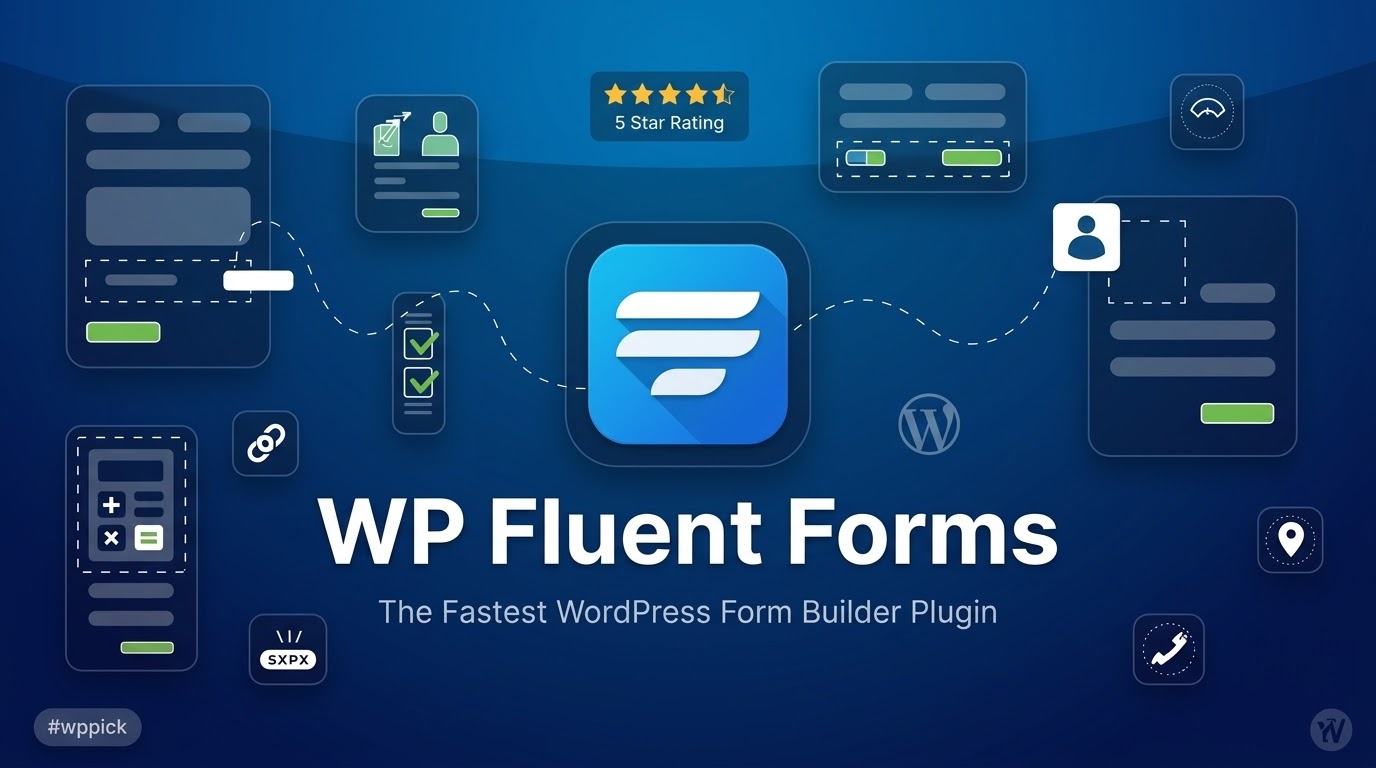
Building effective and engaging forms is crucial for any WordPress website, whether you’re collecting leads, processing payments, running surveys, or managing user registrations. The WP Fluent Forms Pro Add-On emerges as a standout solution, providing a fast, intuitive, and feature-rich platform that makes form creation not just easy, but genuinely enjoyable. This powerful plugin is engineered to help you craft anything from a simple contact form to complex multi-step forms with advanced logic and payment integrations, all designed to enhance user experience and boost conversion rates.At its core, WP Fluent Forms Pro solves the challenge of creating dynamic, user-friendly forms without requiring any coding knowledge. Its compelling UI and extensive library of over 60 pre-built templates mean you can deploy sophisticated forms in minutes, making it an indispensable tool for marketers, business owners, and developers alike.

Key Features That Make WP Fluent Forms Pro a Powerhouse

The Fluent Forms Pro Add-On is packed with functionalities designed to give you complete control and flexibility over your form building process. Each feature contributes to creating a seamless experience for both you and your website visitors.

Intuitive Drag & Drop Form Builder

Gone are the days of manual coding for forms. With WP Fluent Forms Pro, you can effortlessly build forms by dragging and dropping fields onto your canvas. This visual interface makes form creation accessible to everyone, regardless of technical skill, accelerating your workflow and allowing for rapid prototyping.

Extensive Pre-built Form Templates

Kickstart your form building with dozens of categorized pre-built form templates. Whether you need a simple contact form, an elaborate job application, a detailed survey, or a secure payment gateway, these templates provide a solid foundation, allowing you to create professional forms in seconds.

Ready Input Fields for Every Need

WP Fluent Forms Pro offers a comprehensive array of ready input fields, each thoughtfully designed to serve specific purposes. From basic text inputs and email fields to advanced options like file uploads, image uploads, and conditional radio buttons, you’ll find everything you need for maximum flexibility and ease of use.

Dynamic Conditional Logic

Take your forms to the next level with Fluent Forms conditional logic. This powerful feature allows you to control form behavior dynamically based on user input. You can show or hide fields, containers, confirmation messages, and even manage email notifications, personalizing the form experience and improving completion rates by only showing relevant questions.

Intelligent Calculated Fields & Numeric Calculation

Transform your forms into dynamic calculators with calculated fields and real-time numeric calculation. Perform calculations directly within your forms, which is perfect for generating quotes, calculating loan interests, or creating order forms with automatic subtotals. This feature significantly enhances user interaction and accuracy.

Engaging Conversational Forms

A unique selling proposition of the plugin, Fluent Forms conversational forms present one question at a time to users. This innovative approach minimizes distraction, reduces cognitive load, and significantly improves completion rates, especially for longer surveys or quizzes. They offer various layout and sharing options to fit your brand.

Streamlined Multi-Step Forms

For complex or lengthy data collection, multi-step forms are a game-changer. Break down long forms into smaller, more manageable steps, enhancing the user experience and dramatically boosting conversion rates by making the process less daunting. This feature directly addresses the how to create multi-step form Fluent Forms Pro query by providing a built-in solution.

Versatile Multi-column Form Layout

Customize your form’s visual structure with multi-column form layouts. Organize your fields into two, three, or even up to six columns for better visual appeal and improved readability, ensuring your forms look polished and professional on any device.

Secure File & Image Uploads

Easily allow users to upload files and images directly through your forms. This is essential for applications, portfolios, support tickets, or any scenario where visual or document attachments are required, all handled securely within the plugin.

Robust Payment Integrations

For businesses and organizations, Fluent Forms payment integration is vital. WP Fluent Forms Pro supports robust solutions for accepting payments via popular gateways such as Stripe, PayPal, and Square. This makes it ideal for creating secure order forms, managing subscriptions, or collecting donations directly on your WordPress site.

Interactive Quiz & Survey Builder

Engage your audience with the built-in Fluent Forms quiz builder. Create engaging quizzes, personality tests, and trivia with scoring options. Additionally, design powerful surveys with instant result displays, making it a fantastic tool for lead generation, market research, and content marketing.

Visual Data Reporting & Analytics

Gain powerful, data-informed insights with the Fluent Forms Pro reporting dashboard features. The Report Module provides intuitive visual data reporting through sections like Overview, Payment, and Submissions. Generate insightful charts from submitted entries to better understand user data, track partial entry rates, and analyze submission data by country.

Advanced Form Styling & Customization

With the Fluent Forms Pro advanced styling options, you have extensive control over your form’s design. Customize colors, fonts, box shadows, borders, margins, and padding, and even import styles from previous forms. This ensures your forms perfectly match your brand’s aesthetics without needing custom CSS.

User Registration & Management

Facilitate user registration directly through your forms. The Fluent Forms user registration feature streamlines the onboarding process for membership sites or communities, allowing new users to create accounts seamlessly.

Seamless CRM & Marketing Integrations

Extend the power of your forms with over 60 native integrations to popular third-party tools. Connect effortlessly with email marketing services like Mailchimp and ConvertKit, CRM platforms like HubSpot, and automation tools such as Zapier and Uncanny Automator. This ensures your form data flows directly into your marketing and sales pipelines.

Installation & Setup: Getting Started with WP Fluent Forms Pro

Installing and setting up the WP Fluent Forms Pro Add-On is a straightforward process, designed to get you up and running quickly. Here’s a step-by-step guide for non-developers:

  1. Purchase and Download: First, purchase the Fluent Forms Pro Add-On from a trusted source (like ZeroPlugin.com for genuine GPL licenses, updates, and support). You will receive a .zip file containing the plugin.
  2. Install the Free Version (if not already): WP Fluent Forms Pro is an add-on. You first need to install the free version of “WP Fluent Forms” from the WordPress plugin directory.
    • Log in to your WordPress admin dashboard.
    • Navigate to Plugins > Add New.
    • Search for “WP Fluent Forms”.
    • Click “Install Now” and then “Activate”.
  3. Upload and Install the Pro Add-On:
    • From your WordPress dashboard, go to Plugins > Add New.
    • Click the “Upload Plugin” button at the top of the page.
    • Click “Choose File” and select the wp-fluent-forms-pro.zip file you downloaded.
    • Click “Install Now”.
  4. Activate the Pro Add-On:
    • Once the plugin is installed, click “Activate Plugin”.
    • You may be prompted to enter your license key to enable updates and support. Navigate to Fluent Forms > Settings > License and paste your license key, then click “Verify Key”.
  5. Start Building Your First Form:
    • Go to Fluent Forms > New Form.
    • You can choose from a pre-built template or start with a blank form.
    • Use the drag-and-drop interface to add and arrange your fields.
    • Configure settings, conditional logic, and integrations as needed.
    • Don’t forget to save your form!

Practical Usage & Best Practices for Maximizing Value

WP Fluent Forms Pro isn’t just a form builder; it’s a versatile tool that can transform how you interact with your audience and manage your data. Here are a few practical use cases and best practices:

  1. Supercharge Lead Generation with Quizzes & Surveys:
    • Use Case: A blogger wants to understand their audience’s preferences and collect email addresses.
    • Best Practice: Utilize the Fluent Forms quiz builder to create interactive personality quizzes or knowledge tests related to your niche. Use the quiz results to segment your audience and offer relevant lead magnets. Combine this with conversational forms for a highly engaging experience that improves completion rates.
  2. Streamline E-commerce Orders and Donations:
    • Use Case: An online store needs a custom product order form or a non-profit organization wants to accept donations.
    • Best Practice: Leverage Fluent Forms payment integration with Stripe or PayPal. Use calculated fields for dynamic pricing based on user selections (e.g., quantity, add-ons). Implement conditional logic to show specific product options or donation tiers based on previous choices, creating a seamless and efficient checkout or donation process.
  3. Simplify User Registration and Member Onboarding:
    • Use Case: A community website or a membership platform needs a custom registration process.
    • Best Practice: Employ the Fluent Forms user registration feature to build sophisticated signup forms. Integrate conditional logic to show different fields for various user roles or membership levels. The plugin’s spam protection (reCAPTCHA, hCaptcha, honeypot) will help keep your user database clean.
  4. Enhance Customer Feedback and Support:
    • Use Case: A SaaS company wants to collect detailed feedback from users or manage support requests efficiently.
    • Best Practice: Create multi-step feedback forms using the how to create multi-step form Fluent Forms Pro functionality to categorize input effectively. Allow file and image uploads for users to attach screenshots or documents relevant to their feedback or support query. Use visual data reporting to analyze trends in feedback and identify areas for improvement.

FAQ & Troubleshooting

Here are answers to some common questions about the WP Fluent Forms Pro Add-On:

Is Fluent Forms Pro GDPR compliant?

Yes, WP Fluent Forms Pro is designed with GDPR compliance in mind. It includes options to help you make your forms compliant, such as providing an agreement field for users to explicitly consent to data collection and usage. However, full GDPR compliance also depends on your overall website practices, so always ensure you handle user data responsibly.

What is the difference between Fluent Forms Free and Pro?

The free version of WP Fluent Forms offers essential form building capabilities, including the drag-and-drop builder and basic fields. The Fluent Forms Pro Add-On unlocks a vast array of advanced features, including:

  • Payment integrations (Stripe, PayPal, Square)
  • Conditional logic (for fields, emails, confirmations)
  • Conversational forms
  • Quiz and survey builder
  • User registration
  • Calculated fields
  • Visual data reporting
  • PDF generation
  • CRM and marketing integrations (60+)
  • AI Form BuilderThe Pro version essentially transforms it into a comprehensive solution for almost any form requirement.

How fast is Fluent Forms Pro?

Fluent Forms Pro is known for its speed and lightweight design. It’s engineered with a clean coding structure, ensuring fast loading times and minimal impact on overall website performance. Reviewers often highlight its efficiency, making it one of the lightest form plugins available, which contributes to a better user experience and higher conversion rates.

How to create multi-step forms with Fluent Forms Pro?

Creating multi-step forms in Fluent Forms Pro is very straightforward. After adding your desired fields in the drag-and-drop builder, you simply add a “Step Field” element from the input fields. Drag and drop this field where you want a new step to begin. Each “Step Field” will delineate a new section of your form, which users will navigate through by clicking “Next” or “Previous” buttons, significantly improving the user experience for longer forms.

Fluent Forms Pro vs Gravity Forms pricing: Which offers better value?

When comparing Fluent Forms Pro vs Gravity Forms pricing, Fluent Forms Pro often stands out for its superior value. Fluent Forms Pro generally offers a more feature-rich free version and includes advanced functionalities like conversational forms, visual form styler, conditional logic groups, personality quizzes, and a comprehensive reporting dashboard built-in. Many features that require third-party add-ons or higher-tier plans in Gravity Forms are native to Fluent Forms Pro. Additionally, Fluent Forms often provides lifetime licenses, which Gravity Forms does not, making it a more cost-effective long-term solution, especially for agencies or users managing multiple sites.

Conclusion: The Smart Choice for WordPress Form Building

The WP Fluent Forms Pro Add-On stands as a robust, intuitive, and high-performance solution for anyone looking to create powerful forms on WordPress. Its comprehensive feature set, from the effortless drag-and-drop builder and diverse pre-built templates to advanced conditional logic, payment integrations, and unique conversational forms, ensures that you can tackle any form-building challenge with confidence.Whether you’re aiming to improve lead generation with engaging quizzes, streamline e-commerce transactions, simplify user registration, or gather valuable feedback, Fluent Forms Pro provides the tools you need to succeed. It’s engineered for speed, responsiveness, and broad compatibility, making it a reliable and future-proof investment for your website. If you’re seeking a WordPress form builder that combines power with simplicity and delivers exceptional value, WP Fluent Forms Pro Add-On is undoubtedly a top contender.

4.3 269 votes
Plugin Rating

I. Download Limits & Account Benefits

  • Free Downloads: Each email address receives 3 downloads per day for free products
  • Upgrade Benefits: Purchase any paid product to increase your daily download limit by 3 for each paid product
  • No Account Required: You can download immediately by receiving the download link via email
  • Account Recommended: Create an account for easier access to your order history and direct update downloads

II. Understanding GPL vs Official Versions

Important: The products available on WPPick are GPL-licensed versions, which differ from official developer versions. Before purchasing, please read our comprehensive guide: Understanding GPL & Official Differences at WPPick

Key Points:

  • GPL versions may not include premium support from original developers
  • Updates may be delayed compared to official releases
  • Some premium features might have limitations
  • Always consider your specific needs and support requirements

III. Support & Assistance

We’re here to help through multiple channels:

  • Email Support: Direct email assistance for all inquiries
  • Live Chat: Real-time support during business hours
  • Comprehensive Documentation: Detailed guides and tutorials

IV. Order Tracking

Access your complete purchase history and download links anytime: Order History

V. Account Access

New to WPPick? Login or Create Account to manage your downloads and orders efficiently.

VI. Refund Protection

We stand behind our products with a clear refund policy. Review our terms: Refund Policy

VII. Privacy & Security

Your data security is our priority. Learn how we protect your information: Privacy Policy

VII. Terms of Service

Understanding our service terms ensures a smooth experience: Terms of Use

Quick Tips for Best Experience

  1. Verify Compatibility: Check plugin/theme compatibility with your WordPress version
  2. Backup First: Always backup your site before installing new plugins or themes
  3. Test Environment: Consider testing on a staging site first
  4. Stay Updated: Regularly check for updates in your account dashboard
  5. Read Documentation: Review any included documentation for optimal setup

Need Help?

If you have questions about downloads, licensing, or need technical assistance, don’t hesitate to contact our support team. We’re committed to ensuring you have the best possible experience with WPPick products.


Ready to get started? Your download adventure begins with just one click!

Version: 6.2.0Latest Release
Bug Fix
  • Fixes Square payment by migrating from deprecated CreateCheckout to Payment Links API
  • Fixes Square order ID validation to prevent tampering on payment callback
  • Fixes Authorize.Net not sending full billing address with payments
  • Fixes draft not clearing after submission via Save & Resume link
Improvement
  • Updates Square payments to the latest Payment Links API
  • Improves payment security across all gateways
Version: 6.1.21
Security Patch
  • Hardens payment confirmation endpoints against fraud and DoS across all gateways.
  • Adds centralized payment validation (BaseProcessor) with transaction status, ownership, and double-pay prevention.
  • Adds nonce verification for RazorPay, Paystack, Paddle, and Authorize.Net payment confirmations.
  • Adds payment amount verification for RazorPay, Paystack, and Paddle gateways.
Version: 6.1.19
Bug Fix
  • Fixes Stripe coupon discount rounding losing cents on multi-quantity line items
  • Fixes Paddle payment redirect not following form confirmation settings after payment completion
  • Fixes Paddle payment verification using correct transaction_id field
Version: 6.1.18
Security Patch
  • Strengthens output escaping in payment receipt templates.
Security Patch
  • Tightens permissions to enforce view-only access for entry updates, partial-entry cleanup, and notification resends.
Security Patch
  • Expands entry editor sanitization with field-aware, type-specific handling and additional hardening.
Version: 6.1.16
Security Patch
  • Always verify PayPal IPN notifications with PayPal before processing payments.
  • Sanitizes draft submission data to prevent stored XSS.
New Feature
  • Adds `fluentform/paypal_verify_ipn` filter for programmatic control of IPN verification.
Version: 6.1.15
New Feature
  • Adds dynamic autocomplete field type in dynamic field.
Bug Fix
  • Fixes repeater table generation in PDF.
Version: 6.1.13
New Feature
  • Adds more string translation support for WPML
Improvement
  • Improves phone validation to correctly accept TOLL-FREE numbers
  • Improves responsiveness of Repeater fields and container tables
Security Patch
  • Fixes a security vulnerability in chained select fields
Bug Fix
  • Fixes Simple Inventory incorrectly deducting per transaction
  • Fixes Authorize.net modal popup display for Elementor
  • Fixes quiz settings not saving when using special characters in form fields
  • Fixes 'Max File' setting to allow '0' for unlimited file uploads
Version: 6.1.8
New Feature
  • Adds "Other" option for radio allowing users to specify custom values
  • Adds user inputs Smartcode options for advanced validations
Improvement
  • Improves phone fields validations
  • Improves CleverReach API token handling request
  • Improves Square inline payment method error handling
  • Improves google maps script loading
  • Improves custom stylers radio button style
Bug Fix
  • Fixes new lines for post update editor
Version: 6.1.5
New Feature
  • Adds collapsible areas (accordion & tab mode)
  • Adds Authorize.net payment gateway integration
  • Adds Net Promoter Score field support in Conversational Forms
  • Adds "Other" option for Checkboxes allowing users to specify custom values
  • Adds conditional shortcode support in Double Opt-in email subject and body
  • Adds filter for image upload types customization
Improvement
  • Improves translations
  • Improves accessibility with proper aria-labels for next/prev/submit buttons
  • Improves Double Opt-in confirmation error handling
  • Improves Dynamic field documentation for AND/OR condition clarity
  • Improves Dynamic field input customization to show all post authors
  • Improves CleverReach integration documentation
  • Improves Save and Continue feature compatibility with Repeater Container
  • Improves Mailster integration to use mailster_subscribe function
Bug Fix
  • Fixes Range Slider duplication in Elementor popups
  • Fixes Global Inventory module name display for single payments
  • Fixes Rich Text Field mapping to ACF user fields
  • Fixes payment_total showing extra digits in webhook integration
  • Fixes reCaptcha V3 overlapping prev/next buttons
  • Fixes JetEngine field mapping with conditional form fields
  • Fixes Dropdown Field mapping with JetEngine meta fields default selection
  • Fixes Country field issue with 'Curaçao' special character handling
  • Fixes inconsistent Dropdown field search behavior with synonyms
  • Fixes grammar error in Multiselect field max selection message
  • Fixes form reset not clearing calculation field values
  • Fixes Range Slider default value positioning in conditional containers fields
  • Fixes uploaded image file renaming by custom hooks affecting featured image names
  • Fixes Inventory module free quantity rendering
  • Fixes Telegram message formatting spacing issues
  • Fixes multiple payment_total shortcode not reflecting coupon-adjusted prices
  • Fixes Phone field validation conflicts with other plugin
Version: 6.1.3
Bug Fix
  • Fixes plugin updater
0 Comments
Inline Feedbacks
View all comments
WP Fluent Forms Pro Add-On
Type:
Version:
6.2.0
Last updated:
Apr 3, 2026
License:
GPL v3
Scanned by:
VirusTotal
Categories:
Forms and Surveys
Tags:
Contact Forms
Fluent Forms
Forms
Pro
Facebook YouTube LinkedIn Telegram
  • Home
  • Order History
  • Return and Refund Policy
  • Terms of Use
  • Privacy Policy
  • About Us

100 Rue Peel, Montréal, QC H3C 0L8, Canada
© WP Pick. All Rights Reserved.

Type above and press Enter to search. Press Esc to cancel.