

Wp Maintenance Pro
/Year
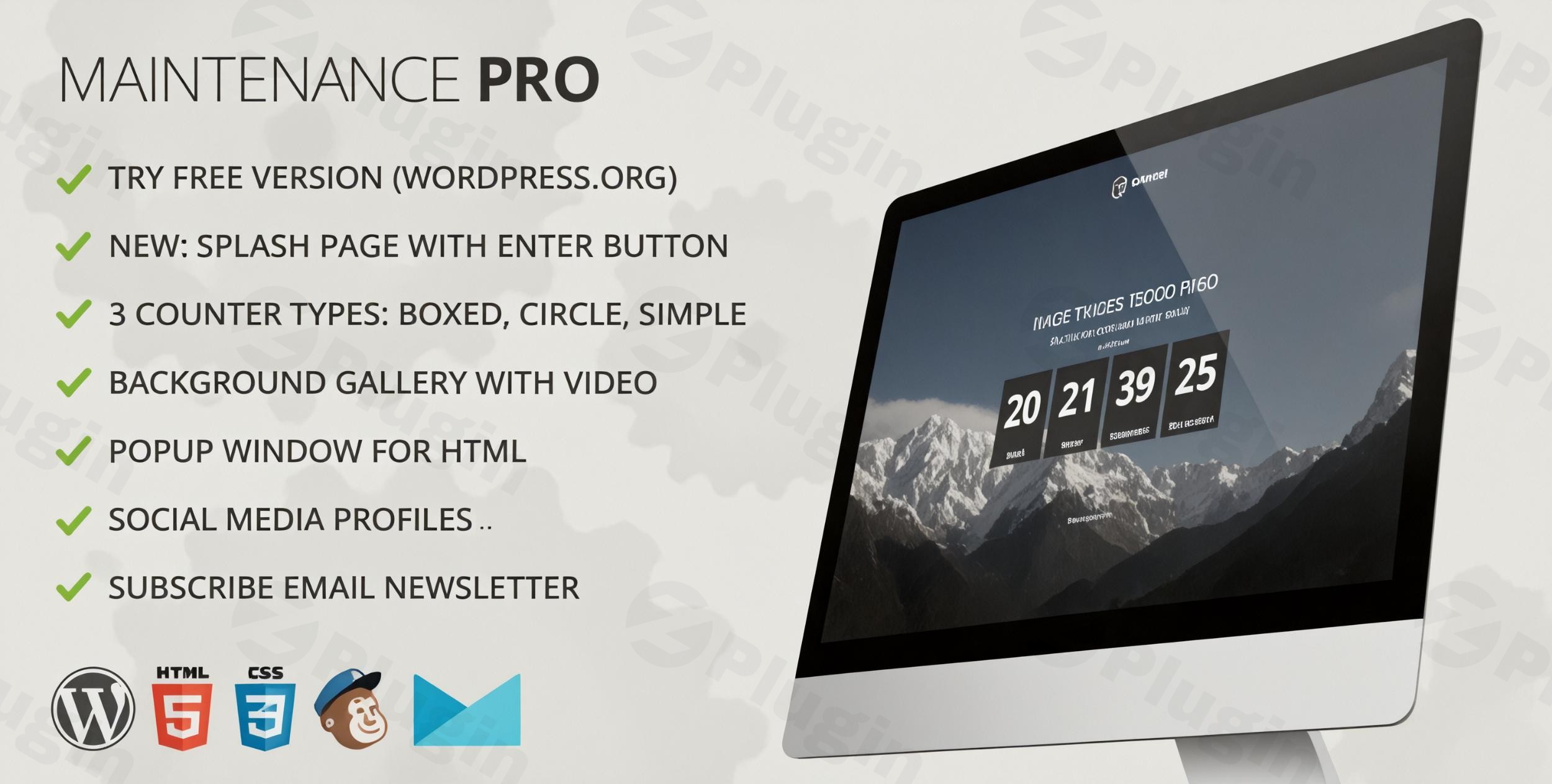
Maintaining a professional online presence requires occasional downtime for updates, redesigns, or site migrations. However, showing a broken site or a generic “Error 404” page can damage your brand and hurt your search engine rankings. WP Maintenance Pro is a powerful WordPress maintenance plugin designed to turn site downtime into a marketing opportunity, allowing you to create beautiful “Coming Soon” or “Under Construction” pages with ease.Whether you are a developer tweaking code or a business owner preparing for a grand launch, this plugin ensures your visitors stay engaged while search engines are correctly notified of your temporary absence.
Key Features of WP Maintenance Pro
WP Maintenance Pro stands out by combining technical precision with creative flexibility. Here are the core benefits of using this premium tool:
1. Intuitive Drag-and-Drop Builder
You don’t need to be a developer to create a stunning custom maintenance page in WordPress. The plugin features a user-friendly drag-and-drop builder that allows you to place elements exactly where you want them. You can customize logos, colors, fonts, and messaging to match your brand identity perfectly.
2. Extensive Theme and Image Library
Speed up your workflow by choosing from over 20 pre-designed professional themes. To further enhance your visuals, WP Maintenance Pro provides access to millions of free HD images, ensuring your “Coming Soon” page looks modern and high-end without any extra design costs.
3. Advanced Lead Generation & Social Integration
Don’t let downtime stop your growth. Use the built-in subscriber and contact forms to collect emails while your site is under construction. With seamless integrations for MailChimp and Campaign Monitor, you can build a waiting list and notify them the moment you go live. You can also add social media icons to keep your audience connected on other platforms.
4. SEO-Friendly Maintenance Mode
A major concern with site downtime is losing search rankings. WP Maintenance Pro solves this by serving a 503 Service Unavailable status code. This informs search engine crawlers that the site is temporarily down for maintenance, preventing them from indexing the maintenance page as the permanent content and preserving your SEO health.
5. Role-Based Access Control
Need to show the live site to a client or team member while it’s hidden from the public? The plugin allows administrators to grant access based on specific user roles. This is essential for collaborative workflows and final approvals before a site relaunch.
How to Install and Set Up WP Maintenance Pro
Setting up your coming soon plugin for WordPress is straightforward. Follow these steps to get started:
- Download and Install: Log in to your WordPress dashboard. Navigate to Plugins > Add New and upload the WP Maintenance Pro ZIP file (or search for the free version to start).
- Activate the Plugin: Once uploaded, click Activate. You will see a new “WP Maintenance” menu item in your sidebar.
- Choose a Template: Go to the “Themes” section. Browse the available templates and select one that fits your brand.
- Customize Your Content: Use the drag-and-drop builder to upload your logo, set a countdown timer for your launch date, and configure your subscriber form.
- Configure SEO Settings: Head to the SEO tab and enter your Meta Title and Description. Ensure the “SEO-friendly” toggle is active to serve the 503 status code.
- Enable Maintenance Mode: Once you are satisfied with the design, toggle the “Maintenance Mode” switch to ON at the top of the settings page.
Practical Usage & Best Practices
To get the most out of WP Maintenance Pro, consider these real-world workflows:
- Pre-Launch Hype: If you are launching a new product, use the countdown timer and MailChimp integration. Offer an “Early Bird” discount to anyone who signs up via the maintenance page to build a warm lead list before day one.
- Client Review Periods: When building a site for a client on their live domain, use Role-Based Access. Give the client an “Editor” role so they can log in and see progress while the general public sees a professional “Coming Soon” screen.
- Major Design Overhauls: When switching themes or performing database maintenance, always enable the SEO settings within the plugin. This ensures that Google knows the downtime is temporary and won’t penalize your rankings for “thin content” during the transition.
FAQ & Troubleshooting
What is the best WordPress maintenance mode plugin for SEO?
WP Maintenance Pro is widely considered a top choice because it correctly utilizes the 503 “Service Unavailable” header. This tells search engines to come back later rather than indexing your maintenance page, which protects your existing SEO rankings.
How does WP Maintenance Pro preserve SEO during downtime?
The plugin signals to search engines that the site is undergoing temporary maintenance. By configuring meta tags and serving the correct HTTP status codes, it ensures your site’s authority remains intact even when the front end is inaccessible to users.
Is WP Maintenance Pro compatible with page builders like Elementor?
Yes, WP Maintenance Pro is designed to be compatible with most WordPress themes and plugins. Since it operates as an overlay for the entire site, it does not conflict with builders like Elementor, Gutenberg, or WPBakery.
Can I use my own images for the background?
Absolutely. You can upload your own images, use solid colors, or even set up a video loop or image gallery as your background. It also offers a library of millions of HD images if you don’t have your own assets ready.
Is the plugin GDPR compliant?
WP Maintenance Pro includes features to help with compliance, such as using Bunny Fonts (locally hosted fonts) instead of Google Fonts to ensure user privacy and adhere to GDPR regulations.
Final Verdict
If you are looking for a reliable, feature-rich WordPress maintenance plugin, WP Maintenance Pro offers an excellent return on investment. It bridges the gap between technical site management and creative marketing, ensuring that your site remains professional even when it’s “under the hood.” For more tips and WordPress plugin reviews, visit wppick.com.
I. Download Limits & Account Benefits
- Free Downloads: Each email address receives 3 downloads per day for free products
- Upgrade Benefits: Purchase any paid product to increase your daily download limit by 3 for each paid product
- No Account Required: You can download immediately by receiving the download link via email
- Account Recommended: Create an account for easier access to your order history and direct update downloads
II. Understanding GPL vs Official Versions
Important: The products available on WPPick are GPL-licensed versions, which differ from official developer versions. Before purchasing, please read our comprehensive guide: Understanding GPL & Official Differences at WPPick
Key Points:
- GPL versions may not include premium support from original developers
- Updates may be delayed compared to official releases
- Some premium features might have limitations
- Always consider your specific needs and support requirements
III. Support & Assistance
We’re here to help through multiple channels:
- Email Support: Direct email assistance for all inquiries
- Live Chat: Real-time support during business hours
- Comprehensive Documentation: Detailed guides and tutorials
IV. Order Tracking
Access your complete purchase history and download links anytime: Order History
V. Account Access
New to WPPick? Login or Create Account to manage your downloads and orders efficiently.
VI. Refund Protection
We stand behind our products with a clear refund policy. Review our terms: Refund Policy
VII. Privacy & Security
Your data security is our priority. Learn how we protect your information: Privacy Policy
VII. Terms of Service
Understanding our service terms ensures a smooth experience: Terms of Use
Quick Tips for Best Experience
- Verify Compatibility: Check plugin/theme compatibility with your WordPress version
- Backup First: Always backup your site before installing new plugins or themes
- Test Environment: Consider testing on a staging site first
- Stay Updated: Regularly check for updates in your account dashboard
- Read Documentation: Review any included documentation for optimal setup
Need Help?
If you have questions about downloads, licensing, or need technical assistance, don’t hesitate to contact our support team. We’re committed to ensuring you have the best possible experience with WPPick products.
Ready to get started? Your download adventure begins with just one click!
- Changelog Not Found!