

Wp Maps Pro – WordPress Plugin For Google Map
/Year
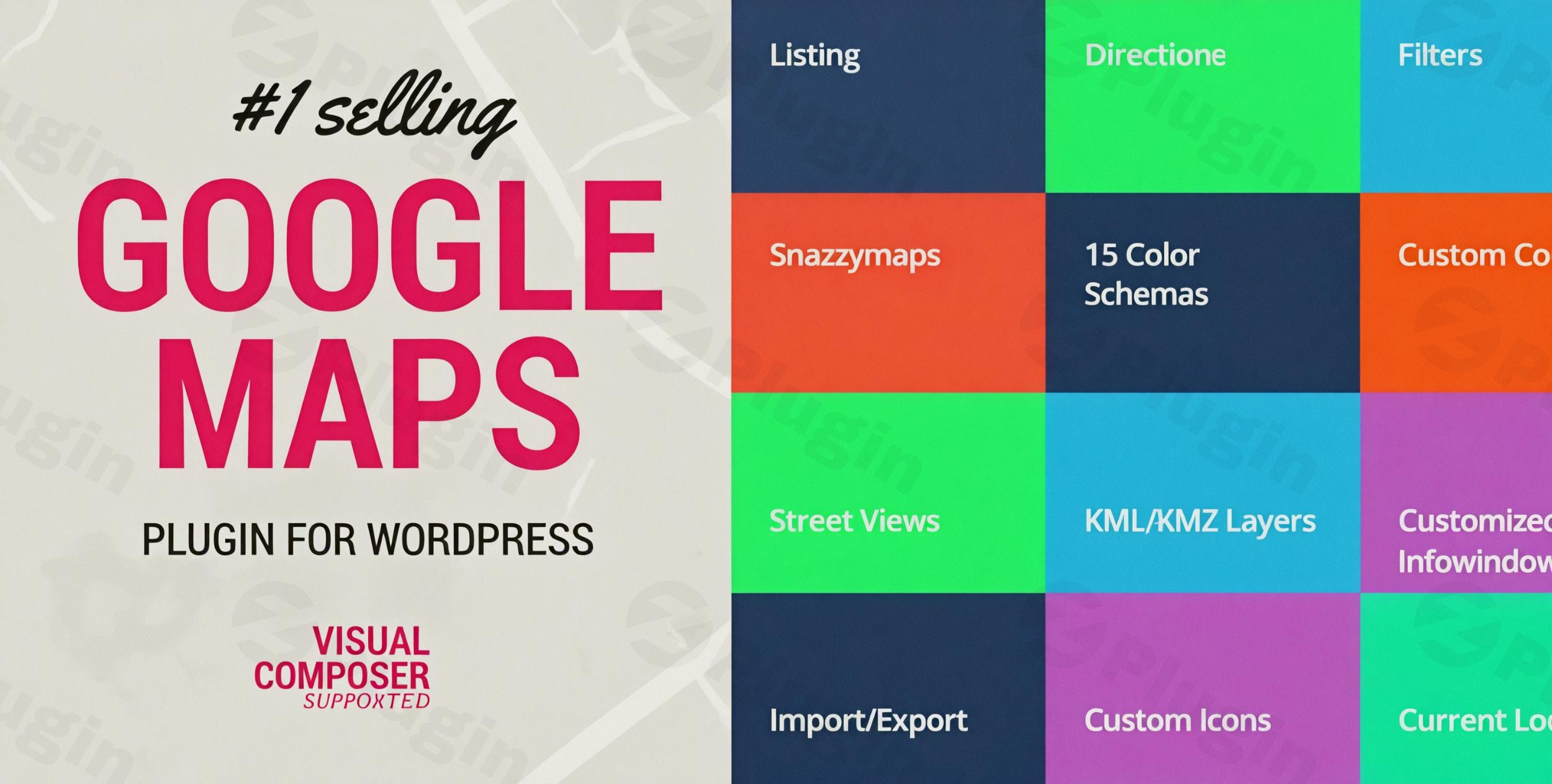
Are you looking to integrate powerful, customizable, and interactive maps into your WordPress website? WP MAPS PRO is the premier WordPress Google Maps plugin designed to transform how you display locations, routes, and geographic data. Whether you manage a network of retail stores, curate travel guides, or visualize complex location-based information, WP MAPS PRO provides an unparalleled solution for creating dynamic and engaging maps.This comprehensive plugin goes beyond basic map embedding, offering an extensive suite of over 100 features to build a truly interactive experience for your users. From intuitive location management to advanced map customization and seamless integrations, WP MAPS PRO empowers WordPress site owners, marketers, and agencies to create highly functional and visually appealing multi location map WordPress solutions without needing to write a single line of code.
Key Features: Elevate Your WordPress Mapping Capabilities
WP MAPS PRO distinguishes itself with a robust feature set that caters to a wide array of mapping needs. Here’s a detailed look at what makes it the go-to wordpress map plugin:
Advanced Location Management for Any Content Type
Effectively managing your geographic data is crucial, and WP MAPS PRO excels in this area.
- Comprehensive Location Integration: Effortlessly display locations associated with posts, pages, and even custom post types on interactive maps. This means you can map out real estate listings, event venues, or team member locations with ease.
- Intelligent Filtering: Empower your users to find what they’re looking for with advanced filtering options. Locations can be filtered by custom fields, taxonomies, and various location data, making your maps highly functional.
- Bulk Location Import: Streamline your workflow by importing unlimited locations from CSV files. The plugin supports all delimiters, and automatically fetches latitude and longitude from addresses, saving you valuable time. For advanced users, it even supports custom fields (like those from Advanced Custom Fields – ACF) for rich infowindow content.
- Categorization with Custom Markers: Assign multiple categories to your locations, each with its own distinctive custom marker. This visual differentiation enhances usability and navigation, especially when you need to add Google Maps with multiple markers in WordPress.
- Frontend Location Submissions: Allow your users to contribute by submitting locations directly from the frontend of your website, perfect for community-driven maps or directories.
Enhanced User Experience with Interactive Map Elements
A great map isn’t just about showing locations; it’s about making those locations discoverable and actionable. WP MAPS PRO ensures a superior user experience.
- AJAX-Based Listings & Filtering: The lightning-fast, AJAX-based listing module enables users to search and filter locations instantly without page reloads. This is vital for creating a responsive and filterable map WordPress solution.
- Route Directions & Travel Modes: Provide clear, step-by-step route directions with multiple travel mode options (driving, walking, bicycling, transit). Users can easily find directions between any two points.
- Nearby Places Search: Integrate Google Places API to allow users to search for nearby amenities and points of interest, enriching the map’s utility.
- Marker Clustering: For maps with a large number of locations, marker clustering automatically groups nearby markers into a single icon, decluttering the map and improving performance without sacrificing detail. Markers can also feature bounce/drop animation effects for added visual flair.
- Customizable Infowindows: Craft rich and informative infowindows with dynamic HTML, images, videos, and links using multiple design templates, providing context and engagement for each location.
Professional Map Customization for Brand Alignment
Your map should reflect your brand. WP MAPS PRO offers extensive customization to ensure your maps look exactly how you want them to.
- Tailored Map Styles: Apply beautiful, pre-designed styles from SnazzyMaps or unleash your creativity by building your own custom color schemas. Adjust map types (road, satellite, terrain, hybrid), zoom levels, and center locations.
- Interactive Shape Drawing: Highlight specific areas on your map by drawing and displaying shapes such as circles, polygons, polylines, and rectangles. This is perfect for defining service areas or geographical boundaries.
- Multiple Layer Support: Integrate various map layers including KML/KMZ, GeoJSON, Traffic, Transit, and Bicycling layers to provide additional contextual information.
- Fully Responsive Design: Every map created with WP MAPS PRO is fully responsive, automatically adapting to any device screen size – from smartphones and tablets to large desktop monitors – ensuring a consistent and optimal viewing experience.
- Custom Controls & Widgets: Add custom controls to your maps and display them in sidebars using widgets, giving you more flexibility over map interaction and placement.
Installation & Setup: Getting Started with WP MAPS PRO
Installing and setting up WP MAPS PRO is a straightforward process, designed for users of all technical levels. Here’s how to get your interactive maps up and running:
- Purchase and Download: Obtain the WP MAPS PRO plugin from a reputable source like ZeroPlugin.com, ensuring you receive a 100% genuine GPL license and virus-free files.
- Upload to WordPress:
- Log in to your WordPress admin dashboard.
- Navigate to Plugins > Add New.
- Click on the “Upload Plugin” button at the top of the page.
- Choose the downloaded
wp-maps-pro.zipfile and click “Install Now”.
- Activate the Plugin: Once installed, click “Activate Plugin”. You will now see “WP MAPS PRO” added to your WordPress admin menu.
- Google Maps API Key Configuration: For Google Maps functionality, an API key is required.
- Go to WP MAPS PRO > Settings.
- Locate the field for your Google Maps API key.
- If you don’t have one, visit the Google Cloud Platform Console to create a new project and generate an API key. Ensure you enable the necessary APIs (Maps JavaScript API, Geocoding API, Places API, Directions API, etc.).
- Enter your API key into the plugin settings and save changes.
- Create Your First Map:
- Navigate to WP MAPS PRO > Add New Map.
- Give your map a title and start configuring its settings: choose your map type, zoom level, center location, and add your first markers.
- Save your map and copy the generated shortcode (e.g.,
[wp_maps_pro id="X"]).
- Display Your Map:
- Edit any post, page, or custom post type where you want the map to appear.
- Paste the shortcode directly into the content editor (Gutenberg block, Classic Editor, or even your favorite page builder like Elementor, Divi, or WPBakery).
- Publish or update the page to see your interactive map live!
Practical Usage & Best Practices: Maximizing Your Map Potential
WP MAPS PRO is incredibly versatile, making it ideal for a multitude of applications across various industries. Here’s how you can leverage its power for real-world scenarios:
- Building a Robust WordPress Store Locator Plugin: For businesses with multiple physical locations (retail stores, offices, service centers), WP MAPS PRO is an essential tool. Easily import all your store data, assign unique markers, and enable a powerful AJAX-based search and filter system. Customers can quickly find the nearest branch, get directions, and view relevant information like opening hours or contact details, significantly enhancing their experience and driving foot traffic.
- Creating Engaging Travel Guides and Directories: Travel bloggers, tour operators, or local directories can use the plugin to create interactive guides. Map out points of interest, scenic routes, restaurants, or accommodation options. Utilize custom post types to structure your content, display rich infowindows with images and descriptions, and allow users to filter by category (e.g., “historical sites,” “hiking trails,” “restaurants”).
- Visualizing Event Locations and Schedules: If you organize conferences, festivals, or community events, WP MAPS PRO can help attendees navigate. Map out all event venues, stages, or booths. Users can search for specific events, filter by day or type, and even get directions directly within the map. This is particularly useful for complex, multi-day events with numerous locations.
- Real Estate and Property Listings: Real estate agencies can showcase properties on an interactive map. Integrate property details (price, bedrooms, square footage) using custom fields, and display them in customizable infowindows. Buyers can filter properties by various criteria, visualize their locations, and explore nearby amenities using the Google Places API integration, providing a powerful search tool.
- Service Area Delineation: For service-based businesses, use the shape-drawing tools to highlight your service areas. This provides immediate clarity to potential clients about where your services are available, reducing confusion and streamlining inquiries.Best Practices:
- Optimize for Performance: While WP MAPS PRO is designed for speed, avoid loading excessive markers on a single initial view. Leverage marker clustering and AJAX-based listings to ensure smooth performance, especially for mobile users.
- Ensure API Key Security: Protect your Google Maps API key by restricting it to your website’s domain to prevent unauthorized usage.
- Regular Updates: Keep the plugin updated to benefit from the latest features, security patches, and compatibility improvements.
- Test on Different Devices: Always check your maps on various screen sizes and devices to ensure the fully responsive design functions as expected.
FAQ & Troubleshooting
Here are answers to some common questions about using WP MAPS PRO:Q: Is WP Maps Pro compatible with major WordPress page builders like Elementor, WPBakery, or Gutenberg?A: Yes, WP Maps Pro is designed for broad compatibility and works seamlessly with all major WordPress page builders, including Elementor, WPBakery, Divi, Gutenberg, Brizy, and Beaver Builder. You can easily embed maps using shortcodes within their respective modules or blocks.Q: Does WP Maps Pro require a Google Maps API key to function?A: Yes, if you intend to use Google Maps as your map provider, a Google Maps API key is required. The plugin integrates directly with Google Maps services, which necessitate a valid API key for proper functionality. However, WP Maps Pro also supports Leaflet, OpenStreetMap, and Mapbox, which do not always require an API key depending on the chosen provider.Q: How can I add Google Maps with multiple custom markers in WordPress using WP Maps Pro?A: WP Maps Pro simplifies adding multiple custom markers. Within the plugin’s map editor, you can add individual locations and assign unique custom markers to each. You can also import unlimited locations via CSV, and each location can be linked to a specific marker icon or category, allowing you to display diverse markers across your map effectively.Q: Does WP Maps Pro support WooCommerce for online stores?A: While WP Maps Pro doesn’t have direct, specific WooCommerce integrations for displaying product locations (like “where to buy this specific product”), its robust store locator functionality makes it perfect for displaying the physical locations of your online store’s brick-and-mortar outlets, warehouses, or pickup points. You can effectively create a WordPress store locator plugin for your business that complements your WooCommerce store.Q: What map providers does WP Maps Pro support?A: WP Maps Pro offers excellent flexibility by supporting multiple map technologies. It primarily supports Google Maps, but also integrates with Leaflet, which allows you to use OpenStreetMap or Mapbox as alternative map providers. This gives you choices depending on your project’s needs and API key requirements.
Conclusion: The Definitive Choice for WordPress Mapping
For anyone seeking a powerful, flexible, and reliable WordPress Google Maps plugin, WP MAPS PRO stands out as the definitive solution. Developed by Flippercode, an “Elite Author” with a proven track record of over 200,000 customers and consistently high ratings, the plugin embodies expertise, experience, and trustworthiness.From its advanced location management and dynamic filtering capabilities to its extensive customization options and seamless integration with WordPress, WP MAPS PRO empowers users to create engaging and highly functional interactive maps. Whether you need a sophisticated wordpress store locator plugin, an engaging travel guide, or a powerful tool to visualize geographic data, WP MAPS PRO delivers. With its commitment to regular updates, clean code (VirusTotal verified), and professional support, investing in WP MAPS PRO from ZeroPlugin.com is a confident step towards transforming your WordPress site’s mapping capabilities and providing an exceptional user experience.
I. Download Limits & Account Benefits
- Free Downloads: Each email address receives 3 downloads per day for free products
- Upgrade Benefits: Purchase any paid product to increase your daily download limit by 3 for each paid product
- No Account Required: You can download immediately by receiving the download link via email
- Account Recommended: Create an account for easier access to your order history and direct update downloads
II. Understanding GPL vs Official Versions
Important: The products available on WPPick are GPL-licensed versions, which differ from official developer versions. Before purchasing, please read our comprehensive guide: Understanding GPL & Official Differences at WPPick
Key Points:
- GPL versions may not include premium support from original developers
- Updates may be delayed compared to official releases
- Some premium features might have limitations
- Always consider your specific needs and support requirements
III. Support & Assistance
We’re here to help through multiple channels:
- Email Support: Direct email assistance for all inquiries
- Live Chat: Real-time support during business hours
- Comprehensive Documentation: Detailed guides and tutorials
IV. Order Tracking
Access your complete purchase history and download links anytime: Order History
V. Account Access
New to WPPick? Login or Create Account to manage your downloads and orders efficiently.
VI. Refund Protection
We stand behind our products with a clear refund policy. Review our terms: Refund Policy
VII. Privacy & Security
Your data security is our priority. Learn how we protect your information: Privacy Policy
VII. Terms of Service
Understanding our service terms ensures a smooth experience: Terms of Use
Quick Tips for Best Experience
- Verify Compatibility: Check plugin/theme compatibility with your WordPress version
- Backup First: Always backup your site before installing new plugins or themes
- Test Environment: Consider testing on a staging site first
- Stay Updated: Regularly check for updates in your account dashboard
- Read Documentation: Review any included documentation for optimal setup
Need Help?
If you have questions about downloads, licensing, or need technical assistance, don’t hesitate to contact our support team. We’re committed to ensuring you have the best possible experience with WPPick products.
Ready to get started? Your download adventure begins with just one click!
- Listings now display correctly when the search control is enabled.
- Masonry layout error message on grid display.
- ISVG marker rendering issue with proper width and height attributes.
- Auto-suggest not working in search control.
- Direction text now supports multilingual translations.
- Marker Size issues fixed in both desktop and mobile.
- Infowindow Position issue fixed in mobile.
- Search Box css conflict fixed.
- leaflet supported
- Use SVG for markers
- UI Improved