
Wp Scheduled Posts Pro
/Year
Optimize Your Content Strategy with WP Scheduled Posts Pro
Managing a consistent publication schedule across a WordPress website and multiple social media platforms can quickly become overwhelming for content creators and marketing teams. WP Scheduled Posts Pro serves as a comprehensive content management solution designed to streamline your editorial workflow. It replaces disjointed drafting processes and manual social media updates with a centralized, visual approach to planning, scheduling, and automatically distributing your WordPress content.
What Does WP Scheduled Posts Pro Do?
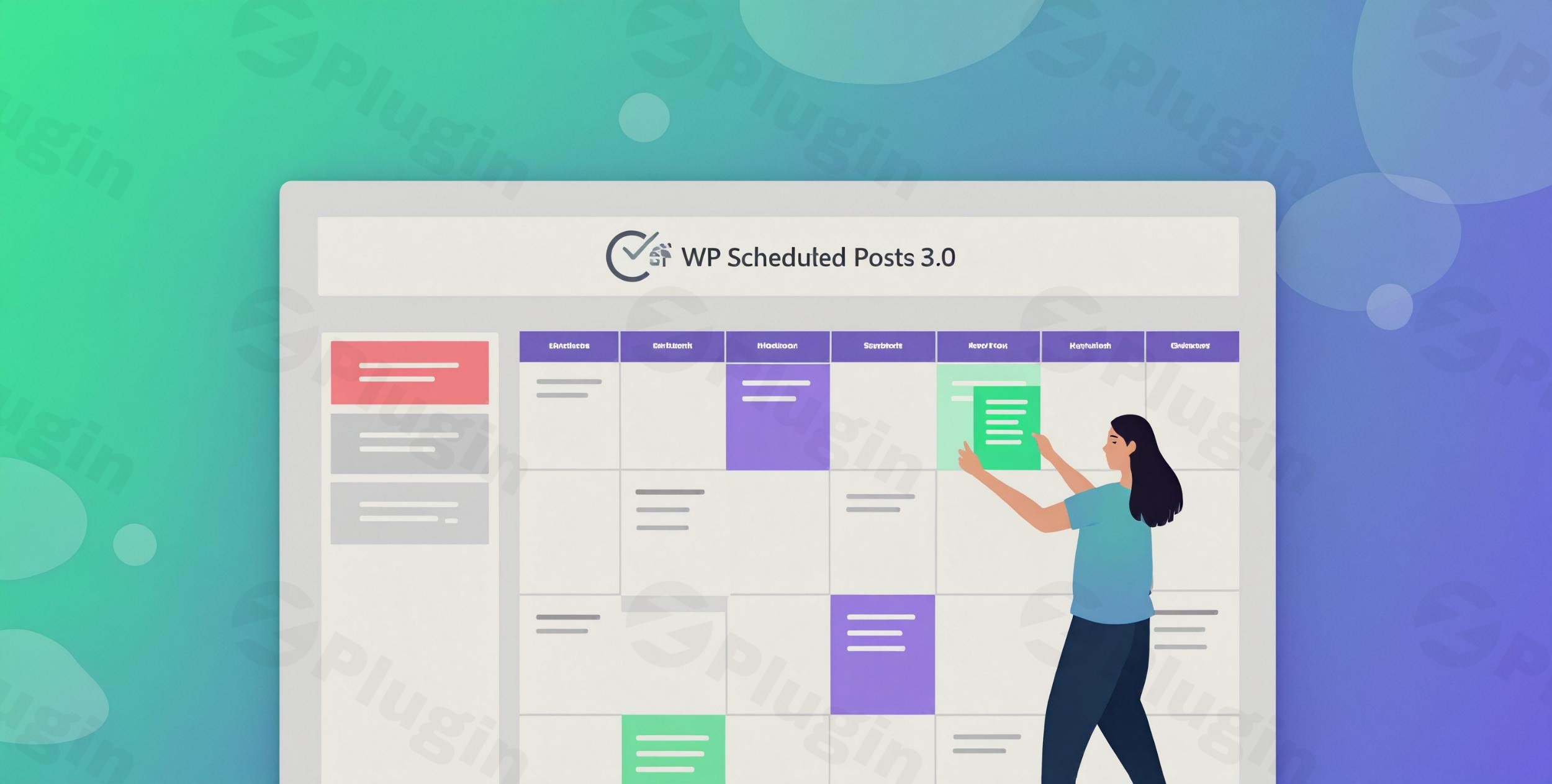
At its core, WP Scheduled Posts Pro introduces an interactive editorial calendar directly into your WordPress dashboard. It allows you to drag and drop unscheduled drafts onto specific dates, automatically assigning publication times based on your predefined preferences. Beyond simply scheduling posts, this tool resolves the common WordPress missed schedule error, ensuring your content always goes live exactly when intended. Furthermore, it connects your website to major social networks, enabling automatic cross-posting the moment a new article is published.
Who Benefits Most from This Scheduling Tool?
This plugin is highly beneficial for a wide variety of WordPress users. Editorial teams and multi-author blogs can use it to maintain a clear overview of upcoming content and avoid overlapping publications. Digital marketing agencies managing client websites rely on it to automate social media distribution and maintain a consistent brand presence effortlessly. Independent bloggers and small business owners use the visual calendar to plan weeks or months of content in advance, freeing up daily operational time.
What Are the Key Capabilities?
- Visual Schedule Calendar: Provides a comprehensive drag-and-drop interface to manage drafts, scheduled posts, and published content across a monthly view, making it easy to spot gaps in your content strategy.
- Auto Scheduler: Automatically selects the optimal publication time for your posts based on your configured schedule rules, removing the guesswork from content timing.
- Missed Schedule Handler: Actively monitors your scheduled posts and forcefully publishes them if the default WordPress cron job fails to trigger due to low site traffic or server caching issues.
- Social Media Integration: Automatically shares newly published content to platforms like Twitter, Facebook, LinkedIn, and Pinterest, complete with customizable templates for social captions.
- Advanced User Permissions: Allows administrators to control who can schedule content, limiting calendar access based on specific WordPress user roles.
- Multi-Author Collaboration: Displays author assignments directly on the calendar interface, making it easier for editorial teams to coordinate workflows and deadlines.
How Does It Improve Practical WordPress Workflows?
A lifestyle magazine running a high volume of daily articles can utilize the auto-scheduler to drip-feed content throughout the day, preventing them from overwhelming their subscribers while maximizing traffic. An e-commerce store launching a seasonal campaign can draft all promotional blog posts in advance, place them on the visual calendar, and trust the missed schedule handler to publish them exactly when the sale goes live. A news publisher can leverage the tool to handle breaking news alongside scheduled features, ensuring high-priority content takes precedence while evergreen articles fill the gaps during lower-traffic periods. Additionally, a solo entrepreneur can set up automated social media sharing, ensuring that every new tutorial they publish is immediately syndicated to their Facebook page and Twitter feed without manual intervention.
What Should You Know About Setup and Compatibility?
Integration with your WordPress environment is straightforward. Upon installation, the visual calendar becomes immediately accessible from the admin sidebar. For social media automation, users must authenticate their social accounts via secure API connections within the plugin settings. WP Scheduled Posts Pro is designed to work seamlessly with the Gutenberg block editor, the Classic Editor, and popular page builders. It also integrates neatly with standard WordPress custom post types, allowing you to schedule WooCommerce products, portfolio items, or custom directory listings alongside standard blog posts. If you are using caching plugins or content delivery networks, the missed schedule handler provides an essential fallback, as heavy caching can sometimes interfere with native WordPress cron tasks.
Why Choose WP Scheduled Posts Pro on WPPick?
Selecting WP Scheduled Posts Pro from WPPick ensures you are equipping your website with a tested, robust tool for content management. It eliminates the need for multiple disparate plugins by combining scheduling, cron repair, and social sharing into a single lightweight package. By reducing the reliance on third-party SaaS scheduling platforms, you maintain full ownership of your data, keep your workflows entirely within WordPress, and reduce monthly subscription overhead while enhancing your site’s operational efficiency.
What Is the Latest Version Context?
Regarding the WP Scheduled Posts Pro version 5.3.1 update, detailed release notes are not available from the provided external sources. Users are encouraged to maintain up-to-date backups before applying new plugin updates to ensure compatibility with their specific theme and plugin stack.
Does this plugin fix the WordPress missed schedule error?
Yes, it includes a dedicated missed schedule handler that actively checks for posts that failed to publish on time and pushes them live automatically, bypassing standard cron limitations.
Can I schedule custom post types like WooCommerce products?
The visual calendar and scheduling features fully support standard WordPress posts, pages, and registered custom post types, including WooCommerce products.
Which social media platforms are supported for auto-sharing?
The plugin supports automatic cross-posting to major social networks including Facebook, Twitter, LinkedIn, and Pinterest directly from your WordPress dashboard upon publication.
Is it possible to control who can schedule posts?
Yes, the plugin includes role-based access control, allowing site administrators to restrict scheduling and calendar access to specific WordPress user roles.
Does the drag-and-drop calendar work with the Gutenberg editor?
The drag-and-drop calendar operates independently within the WordPress admin area and is fully compatible with content created using both Gutenberg and the Classic Editor.
I. Download Limits & Account Benefits
- Free Downloads: Each email address receives 3 downloads per day for free products
- Upgrade Benefits: Purchase any paid product to increase your daily download limit by 3 for each paid product
- No Account Required: You can download immediately by receiving the download link via email
- Account Recommended: Create an account for easier access to your order history and direct update downloads
II. Understanding GPL vs Official Versions
Important: The products available on WPPick are GPL-licensed versions, which differ from official developer versions. Before purchasing, please read our comprehensive guide: Understanding GPL & Official Differences at WPPick
Key Points:
- GPL versions may not include premium support from original developers
- Updates may be delayed compared to official releases
- Some premium features might have limitations
- Always consider your specific needs and support requirements
III. Support & Assistance
We’re here to help through multiple channels:
- Email Support: Direct email assistance for all inquiries
- Live Chat: Real-time support during business hours
- Comprehensive Documentation: Detailed guides and tutorials
IV. Order Tracking
Access your complete purchase history and download links anytime: Order History
V. Account Access
New to WPPick? Login or Create Account to manage your downloads and orders efficiently.
VI. Refund Protection
We stand behind our products with a clear refund policy. Review our terms: Refund Policy
VII. Privacy & Security
Your data security is our priority. Learn how we protect your information: Privacy Policy
VII. Terms of Service
Understanding our service terms ensures a smooth experience: Terms of Use
Quick Tips for Best Experience
- Verify Compatibility: Check plugin/theme compatibility with your WordPress version
- Backup First: Always backup your site before installing new plugins or themes
- Test Environment: Consider testing on a staging site first
- Stay Updated: Regularly check for updates in your account dashboard
- Read Documentation: Review any included documentation for optimal setup
Need Help?
If you have questions about downloads, licensing, or need technical assistance, don’t hesitate to contact our support team. We’re committed to ensuring you have the best possible experience with WPPick products.
Ready to get started? Your download adventure begins with just one click!
- Advanced Schedule — "Edit Scheduled Post" opens wrong builder & loses draft content
- Few minor bug fixes & improvements
- CRON job handling for better performance and reliability.
- Unpublish and republish not working properly on PHP 8.4.
- Few minor bug fix & improvements.
- License management process
- Minor bug fixes and improvements
- ACF meta box support in Classic Editor for Advanced Scheduling
- HTML code removal issue in Advanced Schedule with WPBakery
- Text domain issue
- Few minor bug fixes & improvements
- Ability to publish posts with a future date and social shares
- Few minor bug fixes and improvements