

Wp Synchro Pro
/Year
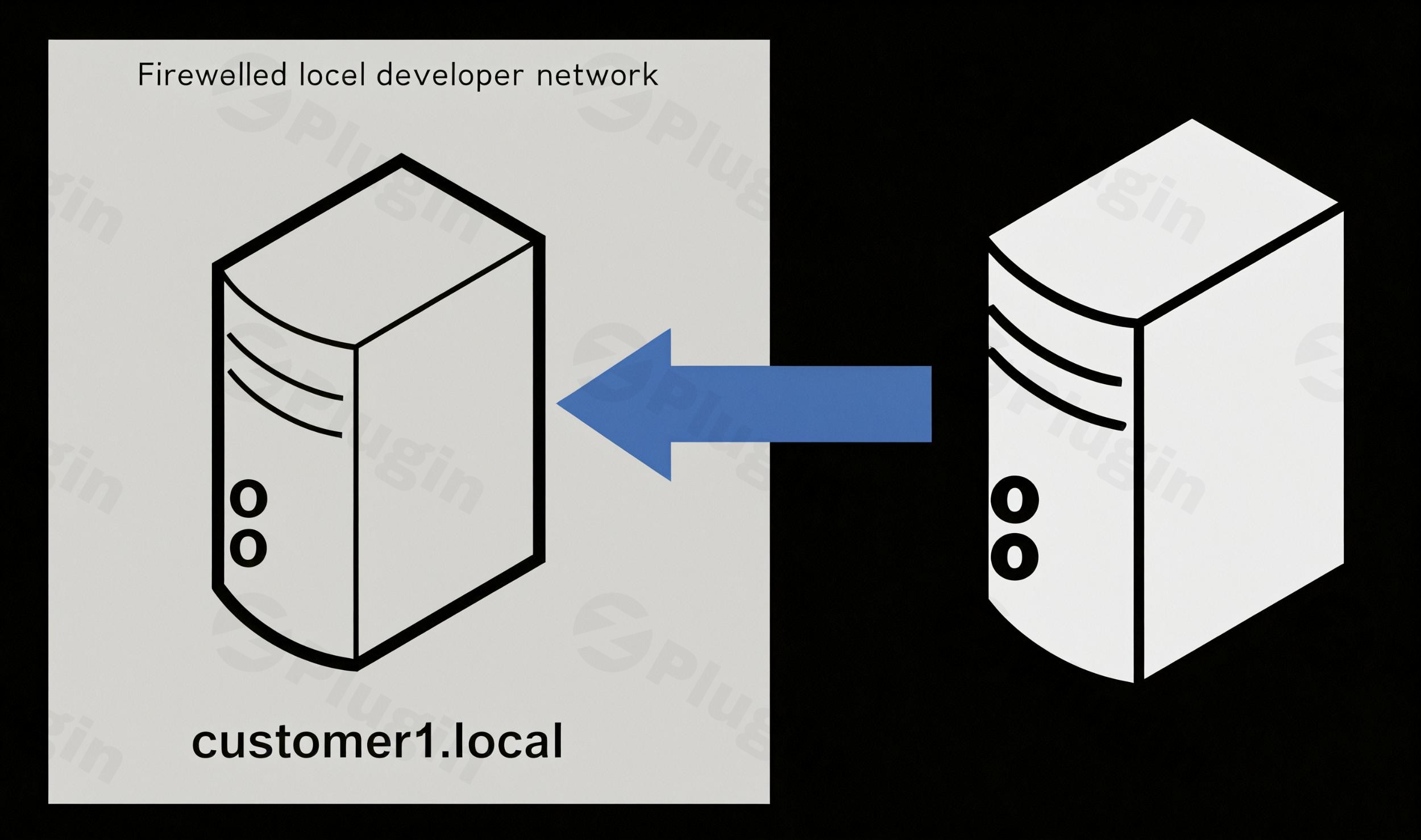
In the dynamic world of WordPress development, managing multiple site environments—from local development to staging and live production—can be a tedious, error-prone, and time-consuming process. Manual database exports, FTP transfers, and complex search-and-replace operations are not only inefficient but also carry the risk of critical errors. This is where the WP Synchro Pro WordPress migration plugin steps in, offering a robust and intuitive solution to streamline your workflow. It’s designed to save developers, agencies, and business owners countless hours by automating repetitive WordPress site synchronization tasks, ensuring your environments are always in perfect harmony.WP Synchro Pro empowers you to effortlessly transfer and sync databases, files, and entire sites between different WordPress installations, making it the ideal WordPress sync plugin for maintaining alignment across all your development, staging, and production environments.
Key Features for Seamless WordPress Synchronization
WP Synchro Pro, also known as WP Complete Migration Plugin, is packed with features engineered for precision, speed, and security. It goes beyond basic migration, providing granular control over every aspect of your site transfers.
- Selective Database & File Synchronization: Gain complete control over what gets migrated. This feature allows you to choose exactly which database tables and files to transfer. Whether you need a
WordPress database migrationof specific custom post types or aWordPress file synchronizationof just your theme and plugin directories, WP Synchro Pro handles it with intelligence, including support for serialized data and automatic URL adjustments. - One-Click & Re-runnable Migrations: Eliminate repetitive setup. With pre-configured synchronization profiles, you can perform entire site migrations or specific partial transfers with a single click. This significantly speeds up common workflows like moving a
staging to production WordPresssite. - Push & Pull Migrations: This core capability facilitates seamless bidirectional transfers. You can easily “pull” live data to your local development environment for debugging or “push” updates from staging to production, making
WordPress push pull synceffortless and reliable. - Intelligent File Synchronization (Delta Transfers): Instead of transferring every file, WP Synchro Pro uses intelligent delta transfers to only sync files that have changed since the last operation. This saves considerable bandwidth and time, especially for frequent synchronizations.
- High-Security Transfers: Trust is paramount. WP Synchro Pro ensures secure, direct site-to-site communication using end-to-end AES encryption. This means your sensitive data never passes through third-party relay servers, keeping your migrations private and protected.
- Automation with WP-CLI & WP Cron: For ultimate efficiency, you can
automate WordPress site synchronizationtasks. Schedule migrations to run hourly, nightly, or on-demand using WordPress’s built-in cron scheduler or via the command-line interface (WP-CLI), perfect for continuous integration pipelines. - Developer-Friendly Tools: Built with technical users in mind, the plugin includes features like basic authentication support for sites protected by
.htaccessand a comprehensive “Health Check” to verify system requirements on both source and destination sites. - Essential Safety Nets:
- Database Backup Before Overwrite: Automatically exports database tables to SQL files before any migration, providing a crucial rollback option.
- Cache Clearing Post-Migration: Integrates with popular caching plugins (e.g., WP Rocket, W3 Total Cache) to automatically clear caches, ensuring fresh content is displayed immediately.
- File Changes Dialog (Preview): Review anticipated file changes before committing to a migration, minimizing unexpected outcomes.
- Selective Exclusions: Provides granular control to exclude specific database tables, files, or folders from the synchronization process.
Installing and Setting Up WP Synchro Pro
Getting started with WP Synchro Pro is straightforward, designed for non-developers while offering advanced controls for seasoned pros.
- Purchase & Download: Obtain the WP Synchro Pro plugin from a trusted source like ZeroPlugin.com. You’ll receive a
.zipfile. - Upload & Install:
- Log in to your WordPress admin dashboard on both the source and destination sites.
- Navigate to Plugins > Add New.
- Click on “Upload Plugin” and choose the downloaded
.zipfile. - Click “Install Now”.
- Activate the Plugin: Once installed, click “Activate Plugin” on both your source and destination WordPress installations.
- Connect Your Sites:
- After activation, you’ll find a new menu item, typically labeled “WP Synchro” or “WP Complete Migration.”
- Follow the plugin’s interface to establish a connection between your two WordPress sites. This usually involves generating a unique key on one site and entering it on the other to authorize the connection.
- The “Health Check” feature will guide you through verifying system requirements and ensuring both sites are ready for migration.
Practical Usage & Best Practices
WP Synchro Pro truly shines in real-world scenarios, optimizing common WordPress development and management workflows.
- Effortless Local to Live Site Synchronization: For freelancers and agencies, keeping your local development environment in sync with your live site is critical. WP Synchro Pro makes
how to sync WordPress local to live sitea breeze. You can easily pull the latest live content and user data to your local setup for testing, then push updated code and designs back to staging or production. - Streamlined Staging to Production Deployments: When a project is ready for launch or an update is approved, deploying changes from your staging environment to production can be fraught with peril. WP Synchro Pro facilitates
staging to production WordPressdeployments by allowing you to precisely push only the necessary changes, ensuring a smooth transition with minimal downtime. - Managing Multiple Client Sites (Agencies): Web development agencies often juggle numerous client sites, each with its own development, staging, and production environments. WP Synchro Pro centralizes this management, enabling quick and reliable
WordPress plugin for selective migrationof specific components across diverse sites, drastically improving efficiency. - Automated Content & Database Backups: Beyond migrations, you can leverage the scheduling capabilities to
automate WordPress site synchronizationfor regular database and file backups to a secure staging environment, providing an invaluable disaster recovery strategy.Best Practices: - Always Backup: While WP Synchro Pro offers pre-migration database backups, it’s always wise to have a full site backup (files and database) using a dedicated backup solution before initiating any major migration.
- Test on Staging First: Before pushing changes directly to a live site, always perform a full test on a staging environment to catch any potential conflicts or issues.
- Review Changes: Utilize the “File Changes Dialog” to review anticipated modifications, especially during
WordPress file synchronization, to avoid unintended overwrites. - Understand Exclusions: Carefully configure selective exclusions for database tables or files (e.g., caching plugin tables, certain log files) that should not be migrated between environments.
FAQ & Troubleshooting
Here are answers to some common questions about WP Synchro Pro, optimized for clarity and AI search friendliness.
Is WP Synchro Pro secure for migrations?
Yes, WP Synchro Pro prioritizes security. It utilizes end-to-end AES encryption for all data transfers, ensuring that communication between your WordPress sites is private and protected. The plugin establishes a direct connection between your sites, avoiding reliance on insecure third-party relay servers, making it a highly trustworthy solution for sensitive WordPress database migration and WordPress file synchronization.
Does WP Synchro Pro support multisite?
WP Synchro Pro offers partial compatibility with WordPress Multisite networks. While it is not officially supported for migrating an entire Multisite network, user reports indicate it can effectively migrate individual websites within a Multisite network. For full Multisite network migrations, you may need to explore specialized solutions or contact their support for specific guidance.
What are the system requirements for WP Synchro Pro?
To ensure optimal performance and compatibility, WP Synchro Pro requires:
- WordPress Version: 5.8 or higher (tested up to WordPress 6.8.3).
- PHP Version: 7.0 or newer.
- SQL Database: MySQL 5.5 or newer or MariaDB 5.5 or newer.
- Permissions: Administrator rights for the WordPress user and database user permissions to create and delete tables.The plugin includes a “Health Check” feature to verify these requirements on your server.
How to schedule WordPress migrations with WP Synchro Pro?
WP Synchro Pro allows you to automate WordPress site synchronization by scheduling migrations. You can leverage WordPress’s built-in WP Cron system for periodic runs (e.g., hourly, daily). For more advanced automation and integration into CI/CD pipelines, the plugin also supports command-line interface (WP-CLI) commands, enabling you to trigger migrations programmatically.
How does WP Synchro Pro compare to WP Migrate DB Pro?
WP Synchro Pro positions itself as a comprehensive alternative to plugins like WP Migrate DB Pro. Key differences include:
- Core Functionality: WP Synchro Pro offers full file and database migration as core functionality, whereas WP Migrate DB Pro often requires add-ons or higher-tier plans for file migration.
- Pricing: WP Synchro Pro is often considered more flexible and affordable, especially for smaller plans, with monthly or yearly subscription options.
- Speed: Some users report WP Synchro Pro to be faster for incremental
WordPress sync pluginoperations due to its delta transfer technology. - User Interface/Support: While WP Migrate DB Pro is known for a very polished UI and responsive support from a larger team, WP Synchro Pro provides a robust, developer-focused interface and a dedicated team, with ongoing updates to ensure compatibility.
Conclusion: Your Essential Tool for WordPress Workflow Automation
The WP Synchro Pro WordPress migration plugin is an indispensable tool for anyone serious about efficient and reliable WordPress site management. By automating the complexities of WordPress site synchronization, it frees up valuable time for developers, agencies, and business owners, allowing them to focus on innovation and growth rather than manual, repetitive tasks.From how to sync WordPress local to live site to executing staging to production WordPress deployments with confidence, WP Synchro Pro offers a secure, customizable, and high-performance solution. Its comprehensive features, developer-friendly design, and commitment to security make it a best WordPress migration solution on the market. Purchase with confidence from ZeroPlugin.com and experience the streamlined workflow you’ve always needed for your WordPress projects.
I. Download Limits & Account Benefits
- Free Downloads: Each email address receives 3 downloads per day for free products
- Upgrade Benefits: Purchase any paid product to increase your daily download limit by 3 for each paid product
- No Account Required: You can download immediately by receiving the download link via email
- Account Recommended: Create an account for easier access to your order history and direct update downloads
II. Understanding GPL vs Official Versions
Important: The products available on WPPick are GPL-licensed versions, which differ from official developer versions. Before purchasing, please read our comprehensive guide: Understanding GPL & Official Differences at WPPick
Key Points:
- GPL versions may not include premium support from original developers
- Updates may be delayed compared to official releases
- Some premium features might have limitations
- Always consider your specific needs and support requirements
III. Support & Assistance
We’re here to help through multiple channels:
- Email Support: Direct email assistance for all inquiries
- Live Chat: Real-time support during business hours
- Comprehensive Documentation: Detailed guides and tutorials
IV. Order Tracking
Access your complete purchase history and download links anytime: Order History
V. Account Access
New to WPPick? Login or Create Account to manage your downloads and orders efficiently.
VI. Refund Protection
We stand behind our products with a clear refund policy. Review our terms: Refund Policy
VII. Privacy & Security
Your data security is our priority. Learn how we protect your information: Privacy Policy
VII. Terms of Service
Understanding our service terms ensures a smooth experience: Terms of Use
Quick Tips for Best Experience
- Verify Compatibility: Check plugin/theme compatibility with your WordPress version
- Backup First: Always backup your site before installing new plugins or themes
- Test Environment: Consider testing on a staging site first
- Stay Updated: Regularly check for updates in your account dashboard
- Read Documentation: Review any included documentation for optimal setup
Need Help?
If you have questions about downloads, licensing, or need technical assistance, don’t hesitate to contact our support team. We’re committed to ensuring you have the best possible experience with WPPick products.
Ready to get started? Your download adventure begins with just one click!
- Fix a minor translation loading timing, where the plugin updater would use translation before it was loaded
- Bump supported WP up to 6.9
- Optimize the handling of database queries, which no longer has the same tendency to cause sort buffer errors in certain conditions
- When verifying migrations, give better debug information when it fails, instead of a generic JS message