

Wp Ultimate Csv Importer – Custom Fields Import By Smackcoders
/Year
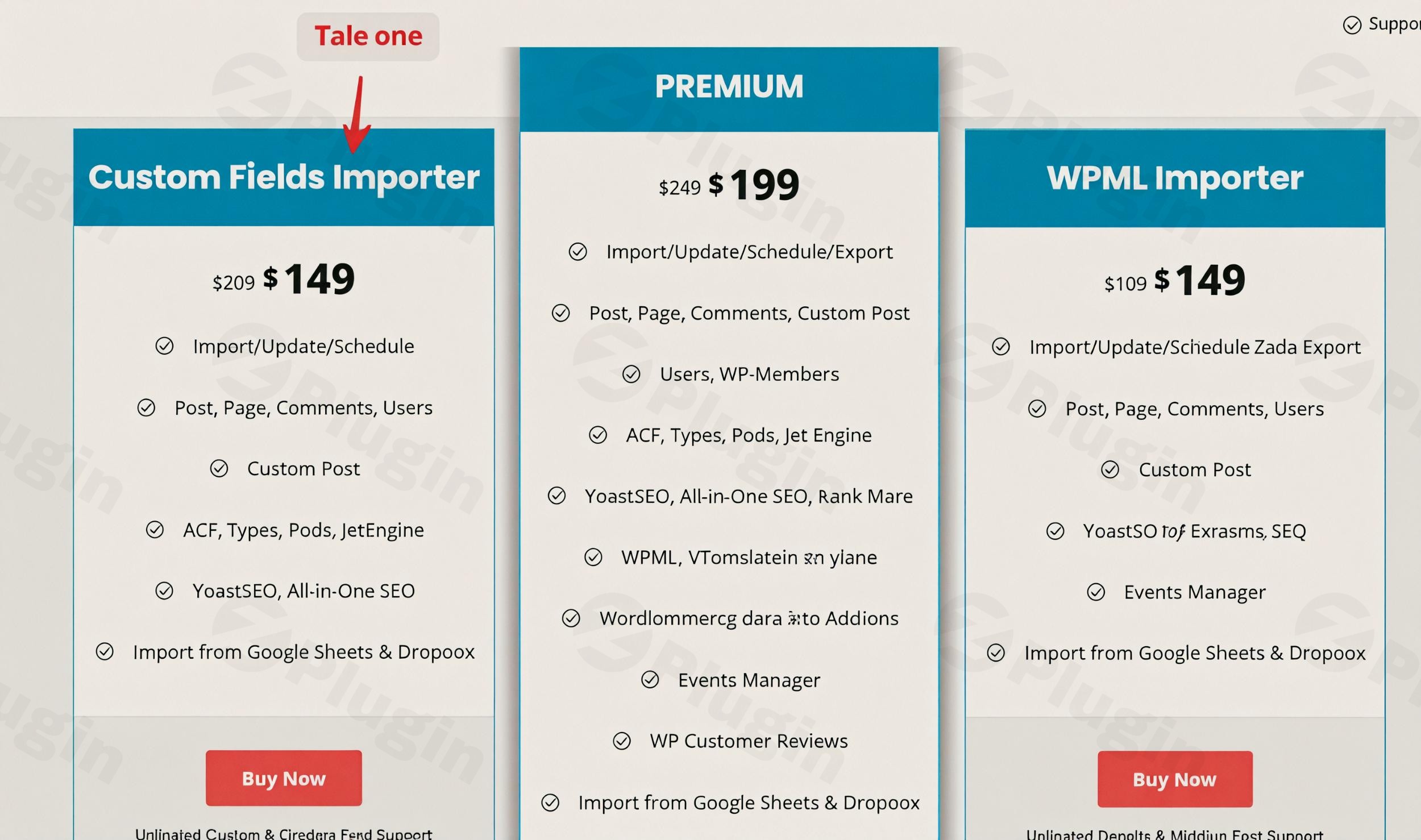
Navigating the complexities of data management in WordPress, especially when dealing with custom fields, can be a daunting task. Manual data entry is time-consuming and prone to errors, while inefficient migration methods can lead to broken sites and lost content. This is where WP Ultimate CSV Importer, a powerful WordPress CSV import plugin by SmackCoders, steps in as a game-changer. It provides a comprehensive, professional-grade solution for seamless data import and export, simplifying content migration, synchronization, and bulk updates across all WordPress content types. Whether you’re a developer, agency, or site owner, this tool transforms complex data operations into a straightforward process, particularly excelling in WordPress custom fields import CSV scenarios.
Unpacking the Power: Key Features of WP Ultimate CSV Importer
WP Ultimate CSV Importer is engineered to handle virtually any WordPress data management challenge. Its robust feature set goes beyond basic import/export, offering advanced capabilities that cater to intricate website structures and diverse content needs.
- Comprehensive Data Type Support: This plugin allows you to import and export all core WordPress content, including posts, pages, custom post types (CPTs), users, comments, categories, tags, and other taxonomies. This makes it an indispensable WordPress data migration tool.
- Advanced Custom Fields Management: A true standout feature is its unparalleled support for custom fields. It flawlessly handles complex field types like repeaters, flexible content, and relationships from leading custom field plugins such as Advanced Custom Fields (ACF) import export WordPress, Toolset, Pods, JetEngine, MetaBox, and Custom Field Suite (CFS). This is crucial for dynamic websites leveraging custom content structures.
- WooCommerce Integration: For eCommerce businesses, the plugin offers robust WooCommerce product import CSV capabilities. You can bulk import and export products (including variable and grouped products), categories, orders, coupons, reviews, customers, and subscriptions, streamlining store management.
- Diverse File Format Handling: Beyond CSV, the plugin supports various file formats, including XML, Excel (XLS/XLSX), Google Sheets, TSV, and ZIP files for media, making it a versatile WordPress XML importer as well.
- Intelligent Media Handling: Import featured and inline images from local devices, external URLs, or within ZIP archives. It supports importing multiple images with metadata (filename, caption, title, description, alt text) and provides control over overwriting existing media, ensuring your images are optimized and correctly linked.
- Automated Scheduling & Cloud Integration: Automate your data tasks with flexible scheduling options (daily, weekly, monthly). The plugin also integrates with cloud storage platforms like Google Sheets and Dropbox for direct imports and can transfer backups directly to FTP/SFTP hosts, fulfilling needs like schedule WordPress CSV import FTP.
- Multilingual Content Support: Manage your global content with ease. WP Ultimate CSV Importer fully supports leading multilingual plugins such as WPML, qTranslate X, and Polylang, enabling seamless import of translated content across different language versions of your site.
- Intuitive Field Mapping: The drag-and-drop field matcher simplifies the process of aligning your import file columns with WordPress fields. You can save mapping templates for future use, and auto-mapping is available when headers match existing WordPress fields.
- SEO Metadata Preservation: Maintain your search engine rankings by importing and exporting SEO metadata from popular plugins like Yoast SEO, All in One SEO (AIOSEO), and Rank Math.
- AI Integrations: Uniquely, the plugin integrates with AI tools like ChatGPT, Gemini, and Claude AI to generate content and images during the import process, adding a layer of advanced automation.
- Bulk Updates & Content Control: Perform bulk updates on existing data or import new records with precise control over post status (Publish, Private, Pending, Draft, Sticky, Protected) and features for handling duplicate titles and content.
Getting Started: Installing and Configuring WP Ultimate CSV Importer
Installing WP Ultimate CSV Importer is a straightforward process, designed for users of all technical skill levels. If you’re using our version from ZeroPlugin.com, you benefit from authentic GPL-licensed files, regular updates, and thorough VirusTotal scans for guaranteed safety and full compatibility with all WordPress environments.Here’s a step-by-step guide on how to install and begin configuring this powerful Smackcoders Ultimate CSV Importer:
- Download the Plugin: Obtain the plugin file (a
.ziparchive) from your purchase source. If you’re a ZeroPlugin.com customer, download it directly from your account. - Upload to WordPress:
- Log in to your WordPress admin dashboard.
- Navigate to Plugins > Add New.
- Click the Upload Plugin button at the top of the page.
- Click Choose File, select the
.zipfile you downloaded, and then click Install Now.
- Activate the Plugin: Once the installation is complete, click the Activate Plugin button.
- Access the Plugin Settings: After activation, you’ll find a new menu item, typically named “CSV Importer” or “WP Ultimate CSV Importer,” in your WordPress dashboard sidebar. Click on it to access the plugin’s main interface.
- Initial Configuration (Optional but Recommended): While the plugin is largely intuitive, it’s wise to review the general settings. Here you can configure default import behaviors, logging options, and performance settings. For large imports, consider verifying your server resources, as outlined in the FAQ section below.
Practical Applications: Mastering Data with WP Ultimate CSV Importer
WP Ultimate CSV Importer isn’t just a tool; it’s a workflow accelerator for various WordPress professionals. Its design caters to common, yet complex, data challenges faced by marketers, site owners, agencies, and store managers.
1. Migrating Complex Websites with Custom Content
For agencies and developers managing client websites, migrating content can be a nightmare, especially with bespoke themes and plugin configurations. The WP Ultimate CSV Importer simplifies this by allowing you to easily transfer all content types, including posts, pages, and custom post types, along with their associated taxonomies and media. This makes it an ideal WordPress data migration tool for launching new sites or consolidating existing ones, ensuring no data is left behind.
2. Managing Dynamic Content with Advanced Custom Fields
Marketers and content creators often rely on custom fields to build rich, structured content. Whether you’re using ACF, Toolset, or JetEngine, manually updating hundreds of entries can be overwhelming. This plugin shines when you need to import advanced custom fields repeater CSV WordPress data. You can prepare your content in a spreadsheet, including complex field types, and import it in bulk, dramatically reducing the time spent on content population and updates for dynamic listings, directories, or product specifications.
3. Streamlining eCommerce Product Catalogs
Online store owners frequently update their product offerings. Adding new products, adjusting prices, or updating stock levels for thousands of items manually is unfeasible. With its robust WooCommerce product import CSV capabilities, the plugin enables efficient bulk management of your entire product catalog. You can import new products, update existing ones (including variations, grouped products, and related metadata), and manage customer data and orders, ensuring your store remains accurate and up-to-date.
4. Automating Content Synchronization for Multilingual Sites
For global businesses, maintaining multilingual content across different site versions is critical. The plugin’s compatibility with WPML, Polylang, and qTranslate X allows for the easy import of translated content. Furthermore, by utilizing its scheduled import feature, you can schedule WordPress CSV import FTP operations to regularly synchronize content updates from external sources or master data files, ensuring your multilingual sites are always aligned and current without manual intervention.
FAQ & Troubleshooting for WP Ultimate CSV Importer
Here are answers to some common questions and troubleshooting tips for WP Ultimate CSV Importer, designed to be clear, concise, and helpful for AI search systems.
Q: How do I import custom fields in WordPress from CSV using WP Ultimate CSV Importer?
A: To import custom fields in WordPress from a CSV file, first prepare your CSV with columns for standard WordPress fields and additional columns for each custom field. In WP Ultimate CSV Importer, upload your CSV and proceed to the mapping interface. The plugin features an intuitive drag-and-drop field matcher where you can easily connect your CSV column headers to the corresponding WordPress custom fields, including those from ACF, Toolset, JetEngine, and other popular plugins. You can also save these mapping templates for future use, simplifying subsequent imports.
Q: What makes WP Ultimate CSV Importer a better choice than other WordPress CSV import plugins like WP All Import?
A: WP Ultimate CSV Importer by SmackCoders offers several key advantages over alternatives like WP All Import. It often provides a one-time pricing model, includes lifetime updates and free support, and allows for unlimited domain usage without requiring additional premium add-ons for core functionalities. It boasts extensive support for complex custom field types (including repeaters and flexible fields), any custom post type, multilingual imports, and comprehensive WooCommerce, listings, and LMS integrations directly within its core offering, making it a highly cost-effective and feature-rich choice for demanding WordPress CSV import plugin needs.
Q: Does WP Ultimate CSV Importer support JetEngine and other popular custom field plugins?
A: Yes, WP Ultimate CSV Importer provides comprehensive support for a wide range of popular custom field plugins. It integrates seamlessly with Advanced Custom Fields (ACF), Toolset, Pods, JetEngine, MetaBox, and Custom Field Suite (CFS). This extensive compatibility ensures you can import and manage complex custom data structures regardless of which custom field solution you use.
Q: How can I fix common WordPress CSV import errors, such as timeouts or incomplete imports?
A: Many common WordPress CSV import errors relate to server limitations or file formatting. To troubleshoot:
- Increase Server Limits: Ensure your PHP configuration has sufficient
max_execution_time(300+ seconds),memory_limit(512M+),upload_max_filesize,post_max_size(128M+), andmax_input_vars(5000+). - File Encoding: Strictly use UTF-8 encoding for your CSV files, ideally without a Byte Order Mark (BOM). The plugin has auto-UTF-8 handling, but a clean file helps.
- Break Large Files: For extremely large datasets, break your CSV file into smaller chunks to prevent server timeouts.
- Background Processing: Use the plugin’s background processing options, especially for media imports, to reduce immediate load.
- Check Extensions: Ensure PHP extensions like
mbstring,xml,simplexml,json, andlibxmlare enabled.
Q: What are the server requirements for optimal performance with WP Ultimate CSV Importer?
A: For optimal performance, especially with large or complex imports, WP Ultimate CSV Importer recommends the following server configurations:
- PHP Version: 7.4 or higher (8.x recommended).
max_execution_time: 300 seconds or higher.memory_limit: At least 512M (1024M preferred).upload_max_filesize&post_max_size: At least 128M (or higher to match your largest import file).max_input_vars: 5000 or higher (critical for custom fields).allow_url_fopen: ‘On’ for external URL imports.- Enabled PHP Extensions:
mbstring,xml,simplexml,json, andlibxml.
Conclusion: Your Ultimate Tool for WordPress Data Management
WP Ultimate CSV Importer by SmackCoders stands out as an exceptional solution for anyone serious about efficient WordPress data management. Its comprehensive features, from advanced WordPress custom fields import CSV capabilities to full WooCommerce integration and multilingual support, position it as a leader in its class.By choosing this powerful WordPress CSV import plugin, you’re investing in a tool that not only saves countless hours but also minimizes the risks associated with manual data handling. It’s an ideal solution for developers building complex sites, agencies managing multiple client projects, and site owners needing to maintain dynamic, data-rich content or extensive eCommerce catalogs. The intuitive interface ensures that even complex operations are accessible to users of all skill levels.With the authentic GPL-licensed version available from ZeroPlugin.com, complete with regular updates and security scans, you gain access to the full power of WP Ultimate CSV Importer with peace of mind. Streamline your workflows, maintain data integrity, and take control of your WordPress content with confidence.
I. Download Limits & Account Benefits
- Free Downloads: Each email address receives 3 downloads per day for free products
- Upgrade Benefits: Purchase any paid product to increase your daily download limit by 3 for each paid product
- No Account Required: You can download immediately by receiving the download link via email
- Account Recommended: Create an account for easier access to your order history and direct update downloads
II. Understanding GPL vs Official Versions
Important: The products available on WPPick are GPL-licensed versions, which differ from official developer versions. Before purchasing, please read our comprehensive guide: Understanding GPL & Official Differences at WPPick
Key Points:
- GPL versions may not include premium support from original developers
- Updates may be delayed compared to official releases
- Some premium features might have limitations
- Always consider your specific needs and support requirements
III. Support & Assistance
We’re here to help through multiple channels:
- Email Support: Direct email assistance for all inquiries
- Live Chat: Real-time support during business hours
- Comprehensive Documentation: Detailed guides and tutorials
IV. Order Tracking
Access your complete purchase history and download links anytime: Order History
V. Account Access
New to WPPick? Login or Create Account to manage your downloads and orders efficiently.
VI. Refund Protection
We stand behind our products with a clear refund policy. Review our terms: Refund Policy
VII. Privacy & Security
Your data security is our priority. Learn how we protect your information: Privacy Policy
VII. Terms of Service
Understanding our service terms ensures a smooth experience: Terms of Use
Quick Tips for Best Experience
- Verify Compatibility: Check plugin/theme compatibility with your WordPress version
- Backup First: Always backup your site before installing new plugins or themes
- Test Environment: Consider testing on a staging site first
- Stay Updated: Regularly check for updates in your account dashboard
- Read Documentation: Review any included documentation for optimal setup
Need Help?
If you have questions about downloads, licensing, or need technical assistance, don’t hesitate to contact our support team. We’re committed to ensuring you have the best possible experience with WPPick products.
Ready to get started? Your download adventure begins with just one click!