
WPCode Pro – Easily Add Code Snippets in WordPress
/Year
Streamline Your WordPress Customizations with WPCode Pro
WPCode Pro is a premium utility plugin engineered to centralize, execute, and safeguard custom code modifications on WordPress websites. Instead of cluttering your site with numerous single-purpose plugins or risking critical errors by modifying your theme’s functions.php file directly, WPCode Pro provides a secure framework for managing tracking scripts, stylesheets, functional PHP modifications, and custom HTML layout blocks from a single interface. This solution optimizes site performance by reducing dependency on bloated third-party tools while preserving code enhancements across theme updates.
What WPCode Pro Does
The primary function of WPCode Pro is to abstract the execution of system-level scripts and custom adjustments into managed snippets. The software enables site managers to inject global header and footer elements, embed tracking scripts such as Google Analytics or marketing pixels, and execute precise PHP snippets on specific page types. Built-in script execution features prevent runtime site crashes through isolation protocols, making it an essential hub for structural site modifications, asset enqueueing, and programmatic styling tweaks.
Who It Is For
WPCode Pro is built specifically for WordPress administrators, web design agencies, conversion rate optimization specialists, and independent developers who require absolute control over custom assets. It serves developers seeking to reuse functional scripts across customer sites, site owners needing a fast way to insert advertising codes or conversion pixels, and maintenance agencies looking to clean up messy, code-heavy child themes.
Key Capabilities
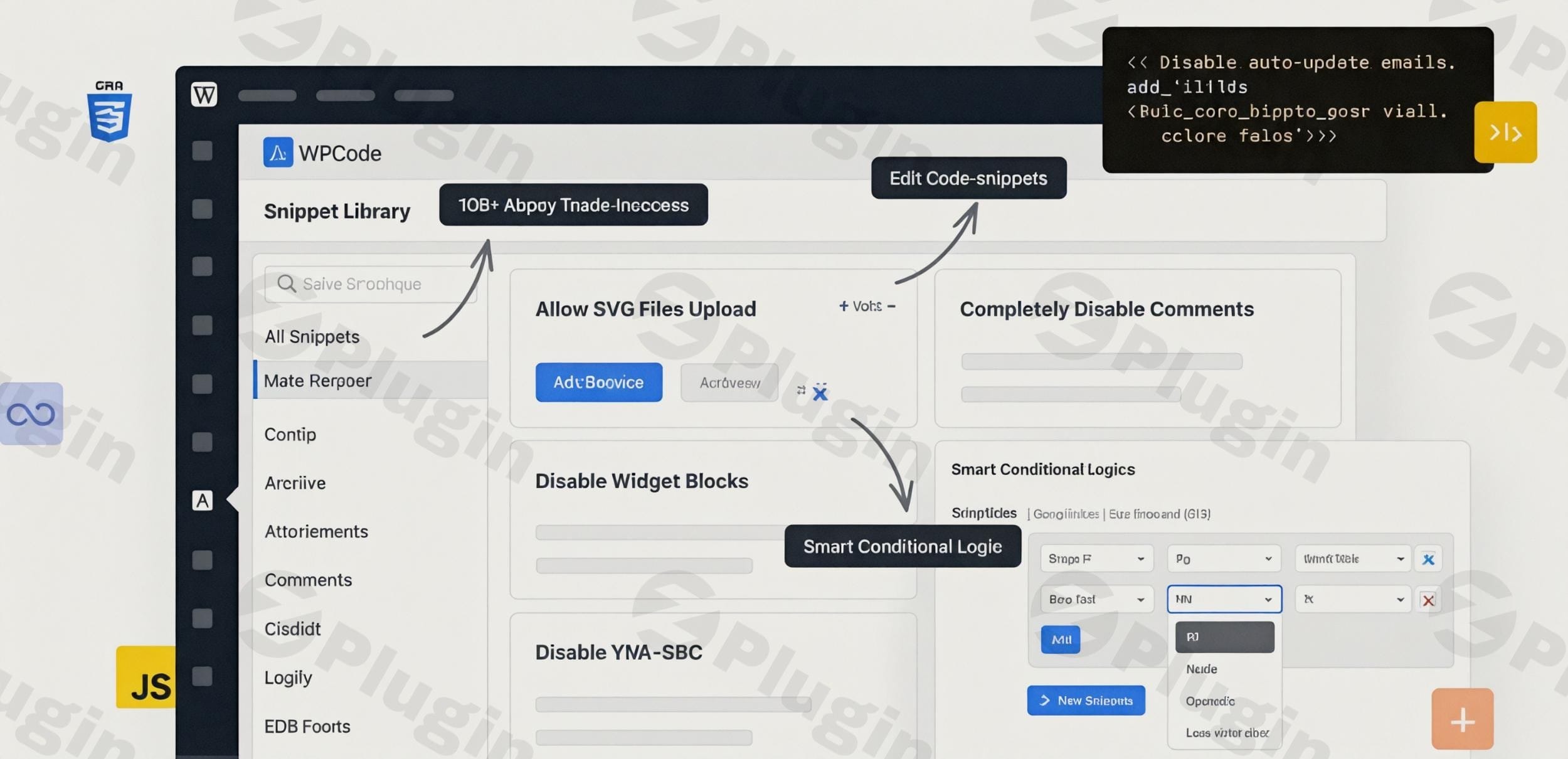
- Cloud Snippet Library: Save your custom code scripts in a private cloud repository to sync and deploy configurations across multiple client websites instantly.
- Smart Conditional Logic: Restrict script execution based on user roles, page types, post IDs, e-commerce cart values, device variants, or referrer paths.
- Safe Error Prevention: Automatically scans active PHP snippets for logical errors, preventing structural site crashes and white-screen issues before code executes.
- Auto-Insert Locations: Execute modifications across specific hook locations, shortcodes, page contents, or directly inside admin templates without manual placement.
- Conversion Pixel Deployment: Integrated tracking configurations allow structured deployment for e-commerce tracking on major networks without core modifications.
Practical WordPress Use Cases
- Centralized Analytics and Marketing Tracking: Safely insert tracking scripts in your site’s header, body, or footer sections for Google Tag Manager, Facebook Pixel, and Pinterest tag verification without hardcoding templates.
- E-Commerce Personalization: Execute functional PHP workflows to show custom messages or modify checkout pricing structures conditionally based on WooCommerce customer data or specific item selections.
- System Maintenance and Hardening: Add security headers, disable unwanted REST API endpoints, or modify default file upload sizes via standard code hooks rather than adding specialized structural plugins.
Setup and Compatibility Notes
WPCode Pro functions seamlessly across multi-site setups and single-instance WordPress nodes. It is fully responsive and compatible with major page builders including Elementor, Divi, and the block editor. Because snippets execute inside a virtual environment separated from core files, custom code survives automatic theme transitions and core updates. For performance stability, it is recommended to test complex custom database queries or heavy external API fetches inside a staging environment before switching a snippet to active global execution.
Reasons to Choose It on WPPick
Acquiring WPCode Pro on WPPick gives web builders access to premium script deployment architecture without recurring licensing constraints. This marketplace setup allows agencies and independent developers to trial deep technical integration, configure complex conditional validation arrays, and execute precise front-end optimizations affordably, keeping administrative workflows consolidated and site architecture lean.
Latest Version Context
WPCode Pro is updated regularly to ensure performance safety, script optimization, and core system compatibility. Regarding the deployment of version 2.3.7, detailed release notes are not available from the provided sources. Users can deploy the file safely knowing the underlying execution mechanisms remain fully compatible with current web ecosystem frameworks.
Frequently Asked Questions
Can WPCode Pro replace child themes entirely?
Yes, for the majority of custom functional and style changes. While a child theme is required for structural theme template overriding, WPCode Pro successfully replaces the need for a child theme functions.php file or custom style sheets by injecting PHP, CSS, and JS snippets conditionally from the dashboard.
What happens if a PHP snippet contains a major code error?
WPCode Pro features a built-in safety protection engine. If you activate a custom script that contains a fatal syntax error, the plugin automatically catches the exception, deactivates the problematic snippet, and notifies the administrator, keeping the rest of your public website fully operational.
Can I limit snippets to load only on mobile devices?
Yes. The built-in conditional logic configuration system allows you to define exact loading parameters, enabling you to execute tracking code or CSS styling variations specifically for mobile users, desktop users, or users matching specific operational roles.
Does using custom snippets slow down my website performance?
No. WPCode Pro uses clean, database-driven caching mechanisms that load snippets efficiently. In most deployment contexts, substituting multiple single-purpose plugins with lightweight, native code snippets inside WPCode Pro improves overall load times and eliminates plugin bloat.
I. Download Limits & Account Benefits
- Free Downloads: Each email address receives 3 downloads per day for free products
- Upgrade Benefits: Purchase any paid product to increase your daily download limit by 3 for each paid product
- No Account Required: You can download immediately by receiving the download link via email
- Account Recommended: Create an account for easier access to your order history and direct update downloads
II. Understanding GPL vs Official Versions
Important: The products available on WPPick are GPL-licensed versions, which differ from official developer versions. Before purchasing, please read our comprehensive guide: Understanding GPL & Official Differences at WPPick
Key Points:
- GPL versions may not include premium support from original developers
- Updates may be delayed compared to official releases
- Some premium features might have limitations
- Always consider your specific needs and support requirements
III. Support & Assistance
We’re here to help through multiple channels:
- Email Support: Direct email assistance for all inquiries
- Live Chat: Real-time support during business hours
- Comprehensive Documentation: Detailed guides and tutorials
IV. Order Tracking
Access your complete purchase history and download links anytime: Order History
V. Account Access
New to WPPick? Login or Create Account to manage your downloads and orders efficiently.
VI. Refund Protection
We stand behind our products with a clear refund policy. Review our terms: Refund Policy
VII. Privacy & Security
Your data security is our priority. Learn how we protect your information: Privacy Policy
VII. Terms of Service
Understanding our service terms ensures a smooth experience: Terms of Use
Quick Tips for Best Experience
- Verify Compatibility: Check plugin/theme compatibility with your WordPress version
- Backup First: Always backup your site before installing new plugins or themes
- Test Environment: Consider testing on a staging site first
- Stay Updated: Regularly check for updates in your account dashboard
- Read Documentation: Review any included documentation for optimal setup
Need Help?
If you have questions about downloads, licensing, or need technical assistance, don’t hesitate to contact our support team. We’re committed to ensuring you have the best possible experience with WPPick products.
Ready to get started? Your download adventure begins with just one click!
- Changelog Not Found!
- Changelog Not Found!
- Changelog Not Found!