
Wpshapere
/Year
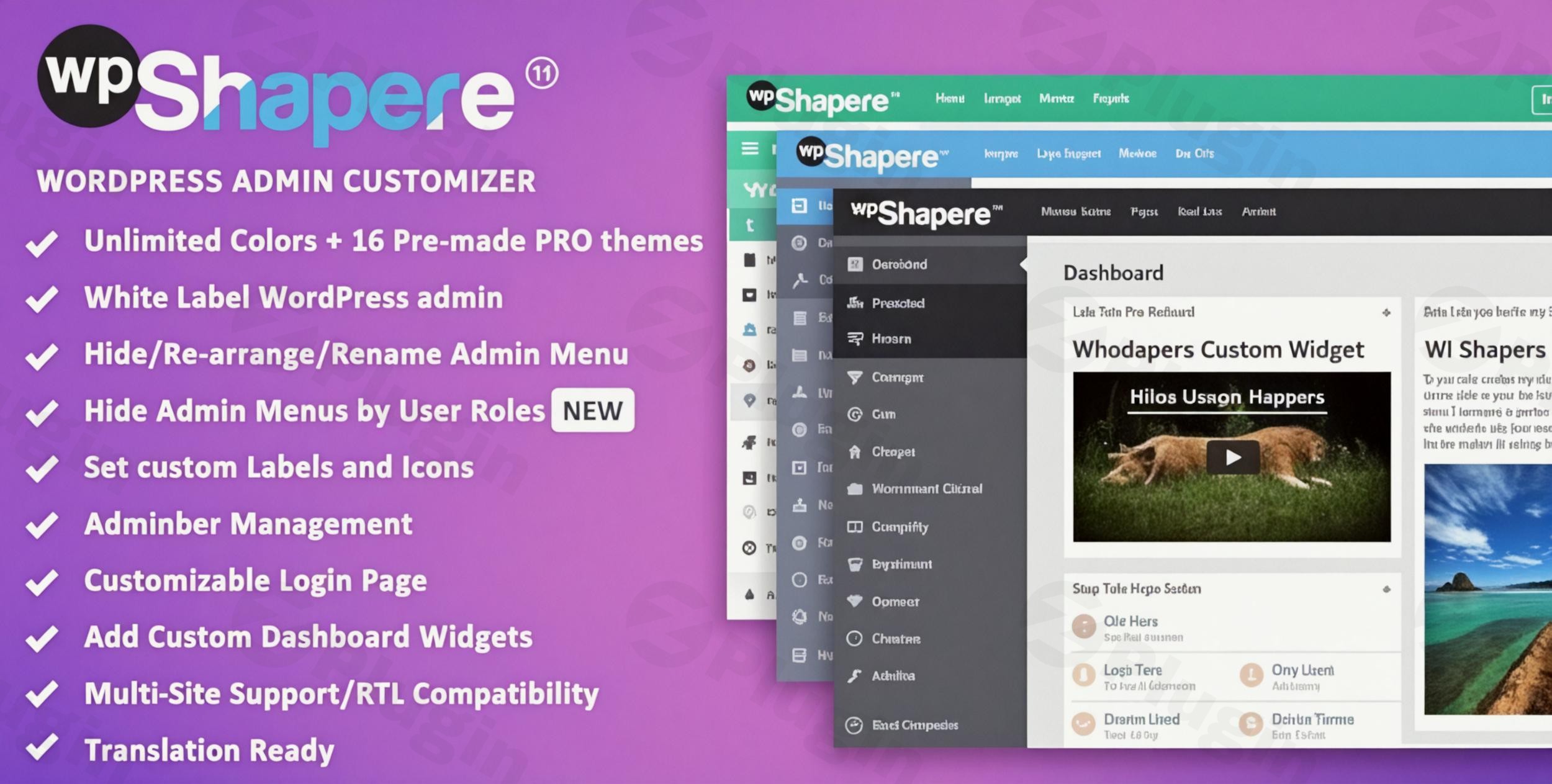
Transforming the WordPress administrative experience from a generic backend into a branded, client-friendly interface is a significant goal for many web professionals. For agencies, developers, and businesses managing client sites, delivering a consistent brand experience extends beyond the public-facing website to the very dashboard their clients use daily. This is precisely where WPShapere, a powerful WordPress admin theme and white label WordPress admin plugin, shines. It provides unparalleled control to customize every aspect of the WordPress backend, making it an indispensable tool for delivering a truly professional and cohesive client environment.
Why WPShapere is Your Go-To WordPress Dashboard Customization Plugin
WPShapere is more than just an admin theme; it’s a comprehensive WordPress dashboard customization plugin designed to replace the default WordPress interface with a custom-designed dashboard that reflects your brand identity. By removing all standard WordPress branding and integrating your own, you enhance user experience for your clients and reinforce your company’s professional image. This detailed instructional article will guide you through its robust features, installation, practical usage, and answer common questions, showcasing why WPShapere is considered among the best WordPress plugin to customize admin dashboard.
Key Features for a Fully Branded WordPress Experience
WPShapere offers an extensive suite of features categorized into advanced branding, visual customization, and enhanced dashboard management. Each feature is crafted to give you granular control over the admin environment.
Advanced Branding & White Label Features
At its core, WPShapere excels at helping you white label WordPress admin for clients, ensuring your brand is front and center.
- Professional White Labeling: Effortlessly remove all WordPress logos and branding, replacing them with your custom company logo, colors, and overall identity across the entire admin area. This includes the login page, admin bar, and dashboard.
- Custom Login Themes: Design a fully branded login page with custom logos, background images, form styling, and text colors. This allows you to create a custom WordPress login page with company logo, matching it perfectly with your client’s brand. You can even control elements like “Back to Blog” links.
- White Label Emails: Extend your branding to all WordPress notification emails. WPShapere allows you to customize these outgoing communications, maintaining brand consistency across all client interactions.
- Admin Bar Management: Take complete control over the WordPress admin bar. You can hide default elements, add your own custom links, and tailor it to specific user roles, improving navigation and focus.
Visual Customization & Theme Options
Beyond just branding, WPShapere empowers you with extensive visual customization capabilities to create an aesthetic that truly stands out.
- 16 Pre-Made Professional Themes: Jumpstart your design process with a selection of professionally designed themes. These provide excellent starting points that you can further refine.
- Unlimited Color Customization: Dive deep into design with complete control over admin color schemes. Adjust every color element to match your brand guidelines precisely.
- Dual Design Styles: Choose between modern Flat and classic Default design options for the overall admin interface.
- RTL Compatibility: Full support for Right-to-Left (RTL) languages ensures your customized admin interface is accessible and functional for a global audience.
- Custom CSS Integration: For advanced customization, WPShapere allows you to add custom CSS to both the login and admin pages, enabling bespoke styling options.
Enhanced Dashboard Management
WPShapere isn’t just about looks; it’s also about improving functionality and user management.
- Advanced Menu Management: Easily hide, rename, reorder, and assign custom icons (from Dashicons or FontAwesome) to admin menu items. This is crucial for simplifying the backend for clients. You can also hide WordPress menu items based on user roles.
- Privilege User Access: Designate specific users or user roles who can access all menu items, while others see a streamlined version, preventing clients from accidentally accessing sensitive areas.
- Custom Dashboard Widget Creation: Create and manage custom dashboard widgets to provide clients with important information, links, or contact details directly on their dashboard.
- Widget Visibility Control: Effortlessly hide unnecessary default WordPress dashboard widgets from clients or specific user roles, creating a cleaner, more focused client-focused layout.
Professional Development & Performance Features
For agencies and developers, WPShapere includes features that streamline workflow and ensure reliability.
- Multi-Site Network Support: WPShapere works seamlessly across WordPress multisite installations, allowing for global network customization or individual blog-specific themes. This makes it an ideal WordPress Multi-site Admin Theme.
- Settings Export/Import: Quickly transfer your carefully crafted configurations between different client sites with a robust export/import feature, saving significant time on new projects.
- Update Management: Maintain control over automatic background updates for the plugin itself.
- Plugin Compatibility: Tested for broad compatibility with popular plugins like WooCommerce, Contact Form 7, Visual Composer (WPBakery Page Builder), WP Super Cache, W3 Total Cache, Jetpack, Yoast SEO, and more, ensuring a stable environment.
- Intuitive Options Panel: All customization settings are managed through a user-friendly interface within your WordPress dashboard.
- Performance Optimization: Designed to load quickly and efficiently, WPShapere does not load unnecessary files or scripts on the frontend, ensuring minimal WPShapere performance impact on WordPress backend and no slowdowns for your website visitors.
Installation & Setup: Get Started with WPShapere
Installing and setting up WPShapere is a straightforward process, similar to any other premium WordPress plugin. Here’s a step-by-step guide:
- Purchase and Download: First, purchase WPShapere from a trusted marketplace (like CodeCanyon) and download the plugin ZIP file to your computer.
- Upload the Plugin:
- Log in to your WordPress admin dashboard.
- Navigate to Plugins > Add New.
- Click on the “Upload Plugin” button at the top of the page.
- Click “Choose File”, select the WPShapere ZIP file you downloaded, and then click “Install Now”.
- Activate the Plugin: Once the plugin is uploaded and installed, click on the “Activate Plugin” button.
- Access Settings: After activation, you’ll find the WPShapere settings panel in your WordPress dashboard. Navigate to WPShapere (usually found directly in the main admin menu or under a “Settings” or “Appearance” sub-menu).
- Start Customizing: From the WPShapere options panel, you can begin transforming your admin dashboard. Explore the various tabs for:
- Branding: Upload your logo, favicon, and set up your white-label options.
- Login Page: Customize the login screen’s appearance.
- Colors & Themes: Select from pre-made themes or create your own custom color scheme.
- Admin Menu: Manage menu items, icons, and visibility for different user roles.
- Dashboard Widgets: Create custom widgets or hide default ones.
- Custom CSS: Add advanced styling if needed.
Practical Usage & Best Practices for Agencies and Businesses
WPShapere truly shines in scenarios where a professional, branded client experience is paramount. Here are a few practical use cases:
- For Web Agencies Managing Client Sites:
- White-Label Everything: Before handing over a client site, use WPShapere to remove all WordPress branding and replace it with your agency’s logo and color scheme. This includes the login page, admin bar, and footer text. Your clients will see your brand from the moment they log in, reinforcing your professionalism.
- Streamlined Client Dashboards: Customize the admin menu and dashboard widgets to show only what the client needs to see (e.g., “Posts,” “Pages,” “WooCommerce Orders”). Hide complex settings or developer-specific tools. This reduces overwhelm and prevents accidental changes, making it ideal for how to white label WordPress admin for clients.
- Standardized Client Experience: Leverage the export/import settings feature to quickly deploy your agency’s standardized branded admin interface across all new client projects, saving time and ensuring consistency.
- For Freelance Developers:
- Deliver a Premium Product: Even as a freelancer, providing a branded admin area elevates the perceived value of your work. A custom WordPress login page with company logo or a client’s logo shows attention to detail.
- Focus Client Attention: Guide clients towards relevant areas by hiding unnecessary menu items or creating custom dashboard widgets that link to your support page or useful resources. This creates a much cleaner, client-friendly WordPress backend.
- For Businesses with Internal Teams:
- Consistent Internal Branding: If you have a large internal team managing your WordPress site, WPShapere can enforce your company’s branding across the backend, even for internal users.
- Role-Based Simplicity: Tailor the admin interface for different internal departments. For instance, content creators might only see Posts, Pages, and Media, while developers have access to all settings. This enhances efficiency and reduces the learning curve for specific roles.
FAQ & Troubleshooting
Here are answers to some common questions about WPShapere, structured to be easily digestible for traditional search and AI answer engines.
Can I hide default WordPress dashboard widgets with WPShapere?
Yes, absolutely. WPShapere provides comprehensive dashboard widget management. You can easily hide any default WordPress dashboard widgets that you deem unnecessary for your clients or specific user roles, creating a cleaner and more focused client-focused layout. You can also create your own custom widgets.
Is WPShapere compatible with WooCommerce?
Yes, WPShapere is designed for broad compatibility and has been tested with popular plugins, including WooCommerce. It integrates smoothly without conflicts, allowing you to customize the admin interface for eCommerce sites while maintaining full WooCommerce functionality.
How to change WordPress admin menu icons with WPShapere?
To change WordPress admin menu icons, navigate to the WPShapere settings panel in your WordPress dashboard and look for the “Admin Menu” or “Menu Management” section. Here, you’ll find options to customize each menu item, including selecting new icons from the built-in Dashicons library or the FontAwesome icon set.
What are the best white label WordPress admin plugins for agencies?
While several plugins offer WordPress admin customization, WPShapere stands out as one of the best white label WordPress admin plugins for agencies due to its extensive feature set for complete branding, robust user role management, multisite support, and a focus on performance. It offers a more comprehensive solution compared to many alternatives that provide more limited customization options.
Does WPShapere impact the frontend performance of my website?
No, WPShapere is optimized for speed and efficiency. It is designed not to load any unnecessary files or scripts on the frontend of your website. Its impact is confined almost entirely to the WordPress admin backend, ensuring your website’s public-facing performance remains unaffected.
Conclusion: Elevate Your WordPress Admin with WPShapere
For anyone looking to professionalize their WordPress client experience, WPShapere offers an unrivaled solution for WordPress admin theme and white-label customization. Its comprehensive features empower web agencies, freelance developers, and businesses to transform a standard WordPress backend into a fully branded, intuitive, and efficient interface. By providing granular control over branding, visual design, and user role management, WPShapere not only enhances client satisfaction but also reinforces your professional image and streamlines workflows. It’s a robust investment that pays dividends in perceived value and operational efficiency. If delivering a premium, cohesive WordPress experience is your goal, WPShapere is the definitive WordPress dashboard customization plugin to achieve it.
I. Download Limits & Account Benefits
- Free Downloads: Each email address receives 3 downloads per day for free products
- Upgrade Benefits: Purchase any paid product to increase your daily download limit by 3 for each paid product
- No Account Required: You can download immediately by receiving the download link via email
- Account Recommended: Create an account for easier access to your order history and direct update downloads
II. Understanding GPL vs Official Versions
Important: The products available on WPPick are GPL-licensed versions, which differ from official developer versions. Before purchasing, please read our comprehensive guide: Understanding GPL & Official Differences at WPPick
Key Points:
- GPL versions may not include premium support from original developers
- Updates may be delayed compared to official releases
- Some premium features might have limitations
- Always consider your specific needs and support requirements
III. Support & Assistance
We’re here to help through multiple channels:
- Email Support: Direct email assistance for all inquiries
- Live Chat: Real-time support during business hours
- Comprehensive Documentation: Detailed guides and tutorials
IV. Order Tracking
Access your complete purchase history and download links anytime: Order History
V. Account Access
New to WPPick? Login or Create Account to manage your downloads and orders efficiently.
VI. Refund Protection
We stand behind our products with a clear refund policy. Review our terms: Refund Policy
VII. Privacy & Security
Your data security is our priority. Learn how we protect your information: Privacy Policy
VII. Terms of Service
Understanding our service terms ensures a smooth experience: Terms of Use
Quick Tips for Best Experience
- Verify Compatibility: Check plugin/theme compatibility with your WordPress version
- Backup First: Always backup your site before installing new plugins or themes
- Test Environment: Consider testing on a staging site first
- Stay Updated: Regularly check for updates in your account dashboard
- Read Documentation: Review any included documentation for optimal setup
Need Help?
If you have questions about downloads, licensing, or need technical assistance, don’t hesitate to contact our support team. We’re committed to ensuring you have the best possible experience with WPPick products.
Ready to get started? Your download adventure begins with just one click!
- New Elementor built WordPress admin dashboard.
- Fix Classic Editor - Metabox hide feature issue.