

Yaycurrency Pro – Woocommerce Multi-currency Switcher
/Year
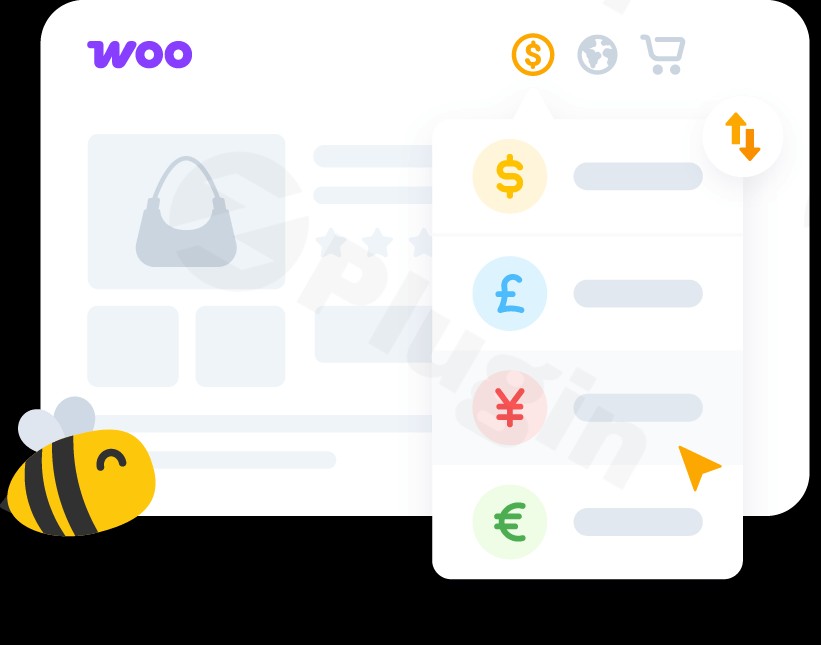
In today’s interconnected world, an online store’s reach is no longer limited by geographical borders. However, for many WooCommerce merchants, accepting payments and displaying prices in a single currency can be a significant barrier to attracting and converting international customers. This is where YayCurrency Pro – WooCommerce Multi-Currency Switcher steps in.YayCurrency Pro is a robust and user-friendly WordPress plugin designed specifically for WooCommerce stores. It empowers you to effortlessly display product prices, manage exchange rates, and even process checkouts in multiple currencies, providing a truly localized and seamless shopping experience for global buyers. Say goodbye to abandoned carts due to currency confusion and hello to increased international conversions.
Key Features That Drive International Sales and User Experience
YayCurrency Pro offers a comprehensive suite of features to transform your WooCommerce store into a global marketplace. Each capability is crafted to enhance the customer journey and simplify international pricing management for store owners.
Automatic Currency Detection with GeoIP
One of the most powerful features of YayCurrency Pro is its automatic currency detection. Leveraging GeoIP services, the plugin intelligently identifies a visitor’s location based on their IP address and instantly displays all product prices in their local currency. This personalized approach removes friction from the start, making international shoppers feel right at home without any manual effort on their part. For those who prefer, an intuitive currency selector is always available for manual switching. This feature directly addresses the “GeoIP currency detection WooCommerce” query by providing an immediate, location-based solution.
Flexible Currency Formatting and Price Rounding
Tailoring prices to regional expectations is crucial for building trust. YayCurrency Pro provides extensive options for flexible currency formatting. You can customize currency symbols, decimal places, and the position of the symbol (e.g., $100.00 vs. 100,00 €). Furthermore, it supports advanced price rounding rules, allowing for “pretty pricing” (e.g., ending prices in .99, .49) that can subtly influence purchasing decisions and align with local pricing conventions. This deep level of control ensures your international pricing looks professional and natural to every customer.
Smart Exchange Rate Management
Managing fluctuating exchange rates can be a headache, but YayCurrency Pro makes it simple. You have the flexibility to choose between automatic exchange rate WooCommerce updates from trusted sources like Yahoo! Finance, refreshing at customizable intervals (e.g., every 30 minutes, 6 hours, or 7 days). Alternatively, you can manually set fixed exchange rates for greater control. The plugin also allows you to add conversion fees, either as fixed amounts or percentages, to account for banking charges or to apply a custom markup, which is ideal for “WooCommerce multi-currency plugin with custom fees” use cases.
Multiple Currency Switcher Display Options
Visibility and accessibility are key. YayCurrency Pro offers multiple display options for your currency switcher. You can place it strategically across your site using:
- Navigation Bars: Integrate it directly into your main menu.
- Widgets: Add it to sidebars or footers.
- Shortcodes: Use
[yaycurrency-switcher]to embed it on any page, post, or even directly on product pages (e.g., above the “Add to cart” button), catering to the “WooCommerce product page currency switcher shortcode” query. - Flags, dropdowns, currency codes, or symbols: Customize the appearance to match your store’s design and user preferences.
Real-Time Price Conversion and Checkout in Selected Currency
A smooth shopping journey is paramount. YayCurrency Pro ensures real-time price conversion, meaning prices update instantly as customers switch currencies, without any page reloads. This creates a seamless user experience that minimizes frustration and encourages conversions. Crucially, the plugin allows customers to complete their purchase and pay in their chosen currency during the checkout process. This functionality works seamlessly with all native WooCommerce payment methods (PayPal Standard, Stripe, Direct Bank Transfer, Check payments), directly answering “how to add multiple currencies to WooCommerce checkout” needs and significantly enhancing trust.
Comprehensive Analytics by Currency
Understanding your global performance is vital for strategic growth. YayCurrency Pro integrates with WooCommerce reports, providing comprehensive analytics by currency. You can view sales performance, total sales, leaderboards, and top products sold, all broken down by the currency used. This valuable data empowers you to make informed decisions and optimize your strategy for different international markets.
Fixed Product Price for Each Currency
For specific products or markets, you might need more control over pricing. YayCurrency Pro allows store owners to set a fixed product price for each currency, overriding dynamic exchange rates if required. This is particularly useful for products with consistent international pricing strategies or those sensitive to minor exchange rate fluctuations.
Order Emails in Selected Currency
Consistency builds trust. With YayCurrency Pro, order confirmation emails are automatically sent to customers in their selected currency. This ensures clarity and reinforces the professional, localized experience throughout the entire purchasing cycle.
Installation & Setup: Get YayCurrency Pro Running in Minutes
Installing and configuring YayCurrency Pro is straightforward, even for non-developers. Here’s a step-by-step guide to get your WooCommerce multi-currency plugin up and running:
- Purchase and Download: Obtain the YayCurrency Pro plugin files from a trusted source like ZeroPlugin.com. You will receive a
.zipfile. - Upload the Plugin:
- Log in to your WordPress admin dashboard.
- Navigate to Plugins > Add New.
- Click on the “Upload Plugin” button at the top of the page.
- Click “Choose File”, then select the
yaycurrency-pro.zipfile you downloaded. - Click “Install Now”.
- Activate the Plugin: Once installed, click “Activate Plugin”.
- Configure Initial Settings:
- After activation, a new menu item, usually under WooCommerce > YayCurrency, will appear.
- Navigate to the settings page to start configuring your currencies.
- Add Currencies: Start by adding the currencies you wish to support. You can add an unlimited number, including cryptocurrencies like Bitcoin (BTC).
- Set Default Currency: Choose your store’s base currency.
- Exchange Rates: Select your preferred exchange rate source (e.g., Yahoo! Finance) and update frequency. You can also manually adjust rates or add conversion fees here.
- Currency Switcher Display: Decide where and how you want your currency switcher to appear (e.g., widget, shortcode, navigation bar).
- Formatting: Customize the display for each currency, including symbols, decimal places, and rounding rules.
- GeoIP Detection: Enable automatic GeoIP currency detection if desired for a seamless user experience.
- Test Your Setup: Always test your multi-currency setup thoroughly by switching between currencies and going through the checkout process with different payment methods to ensure everything functions as expected.
Practical Usage and Best Practices for Global eCommerce
YayCurrency Pro is more than just a currency converter; it’s a tool to strategize and expand your global market presence. Here are a few use cases and best practices:
- For the Global E-commerce Store Owner: If you sell physical or digital products to customers worldwide, YayCurrency Pro is an essential investment. Use the GeoIP detection to automatically show prices in local currencies, making the shopping experience highly personalized. Leverage the “checkout in selected currency” feature to boost conversion rates and build trust with international buyers who prefer to pay without conversion surprises.
- For Marketers Targeting Specific Regions: When running ad campaigns or SEO efforts for particular countries, ensure your landing pages display prices in the local currency. You can use the shortcode
[yaycurrency-switcher]within custom blocks or page builder elements to place the switcher strategically for targeted campaigns. Monitor the currency-specific analytics to refine your marketing spend and product offerings per region. - For Dropshippers and Wholesalers: If your profit margins are sensitive to exchange rate fluctuations, utilize the option to add custom conversion fees (fixed amount or percentage). This ensures you protect your profits regardless of the market. For specific products sourced from different regions, you can also use the “fixed product price for each currency” feature to maintain consistent pricing.
- Ensuring Compatibility and Performance: YayCurrency Pro is developed by YayCommerce, known for creating high-quality WooCommerce extensions, and is designed to be lightweight and optimized for performance. It’s compatible with popular caching plugins like LiteSpeed Cache, ensuring that multi-currency functionality doesn’t compromise your site speed. Always ensure your WordPress and WooCommerce installations are up to date to maintain optimal compatibility and security.
FAQ & Troubleshooting
Here are answers to some common questions about YayCurrency Pro to help you get the most out of this powerful WooCommerce currency converter plugin.
What is the best WooCommerce multi-currency plugin?
While several excellent multi-currency plugins exist for WooCommerce (like FOX, Aelia, or Price Based on Country), YayCurrency Pro consistently stands out for its ease of setup, intuitive interface, and comprehensive feature set. Reviewers and experts often recommend it for its robust automatic Geo-location detection, flexible currency formatting and rounding, and the ability to process checkout in the customer’s selected currency. Its deep compatibility with a wide range of WooCommerce extensions, themes, and payment gateways, combined with active development and excellent user support, positions it as a top choice for stores looking to genuinely boost international sales.
How does GeoIP currency detection work in WooCommerce with YayCurrency Pro?
YayCurrency Pro’s GeoIP currency detection works by identifying a visitor’s geographical location based on their IP address. When a user lands on your WooCommerce store, the plugin queries a GeoIP database (via trusted sources) to determine their country. Once the location is known, YayCurrency Pro automatically switches the displayed prices to the local currency for that country, if you have enabled and configured that currency. This provides an immediate, personalized experience without the customer needing to manually select their currency.
Can I set fixed prices per currency in WooCommerce using YayCurrency Pro?
Yes, absolutely. YayCurrency Pro offers a powerful feature that allows you to set fixed prices per currency for individual products. This means you can override the dynamic exchange rates for specific products and define a static price for each enabled currency. This is particularly useful for products with strict pricing strategies in different regions or to simplify pricing for certain items where exchange rate fluctuations might complicate things. You can find this option within the product editing screen.
Is YayCurrency Pro compatible with multilingual plugins like WPML or Polylang?
Yes, YayCurrency Pro boasts extensive compatibility. It works seamlessly with major multilingual plugins such as WPML (Pro version only) and Polylang (Pro version only). This integration ensures that your multi-currency functionality complements your multi-language setup, providing a fully localized experience for international customers who navigate your site in their preferred language and currency. Always refer to the official documentation for the latest compatibility details and specific setup instructions.
What should I do if the currency switcher doesn’t appear or function correctly after installation?
First, ensure the plugin is activated and that you have added and enabled the desired currencies in the YayCurrency Pro settings under WooCommerce > YayCurrency. Check your chosen display method: if you’re using a widget, ensure it’s placed in an active widget area; if a shortcode, ensure it’s correctly placed on the page. If the issue persists, clear any caching plugins you might be using (e.g., LiteSpeed Cache, WP Super Cache) as caching can sometimes interfere with dynamic content. Finally, temporarily deactivate other plugins to check for conflicts; if you identify one, report it to YayCommerce support for assistance.
Conclusion: Empower Your Global WooCommerce Store with YayCurrency Pro
YayCurrency Pro is more than just a WooCommerce multi-currency plugin; it’s a strategic tool that removes barriers to international commerce and significantly enhances the shopping experience for your global audience. By offering automatic currency detection, flexible formatting, smart exchange rate management, and the crucial ability to complete transactions in the customer’s chosen currency, YayCurrency Pro directly addresses the pain points of cross-border selling.Whether you’re a small business looking to expand or a large enterprise seeking to optimize global sales, YayCurrency Pro provides the reliability, performance, and user-friendliness you need. It’s a secure, regularly updated, and highly compatible solution that will build trust with your international customers, streamline your operations, and ultimately boost your sales across the globe. Make the smart move to empower your WooCommerce store with YayCurrency Pro today.
I. Download Limits & Account Benefits
- Free Downloads: Each email address receives 3 downloads per day for free products
- Upgrade Benefits: Purchase any paid product to increase your daily download limit by 3 for each paid product
- No Account Required: You can download immediately by receiving the download link via email
- Account Recommended: Create an account for easier access to your order history and direct update downloads
II. Understanding GPL vs Official Versions
Important: The products available on WPPick are GPL-licensed versions, which differ from official developer versions. Before purchasing, please read our comprehensive guide: Understanding GPL & Official Differences at WPPick
Key Points:
- GPL versions may not include premium support from original developers
- Updates may be delayed compared to official releases
- Some premium features might have limitations
- Always consider your specific needs and support requirements
III. Support & Assistance
We’re here to help through multiple channels:
- Email Support: Direct email assistance for all inquiries
- Live Chat: Real-time support during business hours
- Comprehensive Documentation: Detailed guides and tutorials
IV. Order Tracking
Access your complete purchase history and download links anytime: Order History
V. Account Access
New to WPPick? Login or Create Account to manage your downloads and orders efficiently.
VI. Refund Protection
We stand behind our products with a clear refund policy. Review our terms: Refund Policy
VII. Privacy & Security
Your data security is our priority. Learn how we protect your information: Privacy Policy
VII. Terms of Service
Understanding our service terms ensures a smooth experience: Terms of Use
Quick Tips for Best Experience
- Verify Compatibility: Check plugin/theme compatibility with your WordPress version
- Backup First: Always backup your site before installing new plugins or themes
- Test Environment: Consider testing on a staging site first
- Stay Updated: Regularly check for updates in your account dashboard
- Read Documentation: Review any included documentation for optimal setup
Need Help?
If you have questions about downloads, licensing, or need technical assistance, don’t hesitate to contact our support team. We’re committed to ensuring you have the best possible experience with WPPick products.
Ready to get started? Your download adventure begins with just one click!
- Tested up to WP 6.9
- Shipping class cost conversion issue when checkout currency option is disabled.