
Yith Faq Plugin For WordPress
/Year
In today’s fast-paced digital world, customers expect instant answers to their questions. Unanswered queries can lead to abandoned carts, increased support requests, and a general loss of trust. This is where the YITH FAQ Plugin for WordPress steps in, offering a robust and intuitive solution to create a comprehensive Frequently Asked Questions section on your website. As a top-tier WordPress FAQ plugin, YITH FAQ helps you proactively address customer doubts, streamline support, and ultimately enhance the user experience on your WordPress and WooCommerce-powered sites.This article, brought to you by wppick.com, will dive deep into how the YITH FAQ Plugin can transform your customer support, boost sales, and improve your site’s overall credibility.
Why Choose the YITH FAQ Plugin? Enhancing Your Website’s Knowledge Base
The YITH FAQ Plugin is more than just a simple question-and-answer tool; it’s a strategic asset for any business operating online. By implementing a well-organized FAQ section with this powerful WooCommerce FAQ plugin, you can:
- Resolve Customer Doubts During the Purchasing Process: Clear up common hesitations before they turn into abandoned sales.
- Reduce Repetitive Customer Support Inquiries: Empower customers to find answers independently, freeing up your support team.
- Build Trust and Credibility: A transparent, informative FAQ section demonstrates your commitment to customer service.
- Minimize Emails with Frequently Asked Questions: Save time and resources by providing readily available answers.The plugin works by allowing you to provide instant answers to common questions, significantly enhancing the shopping experience for your visitors and contributing to higher conversion rates.
Key Features of the YITH FAQ Plugin: A Deep Dive into Its Capabilities
The YITH FAQ Plugin offers a comprehensive suite of Yith FAQ features designed for ease of use, flexibility, and robust performance. Here’s a breakdown of what makes it a standout choice for WordPress FAQ plugin needs:
1. Effortless FAQ Management
The plugin provides a dedicated and intuitive interface within your WordPress dashboard, similar to standard post editing. This allows you to easily add, edit, and organize an unlimited number of FAQs and group them into distinct categories. This structured approach helps in building a comprehensive and easy-to-navigate knowledge base.
2. Flexible Display Layouts
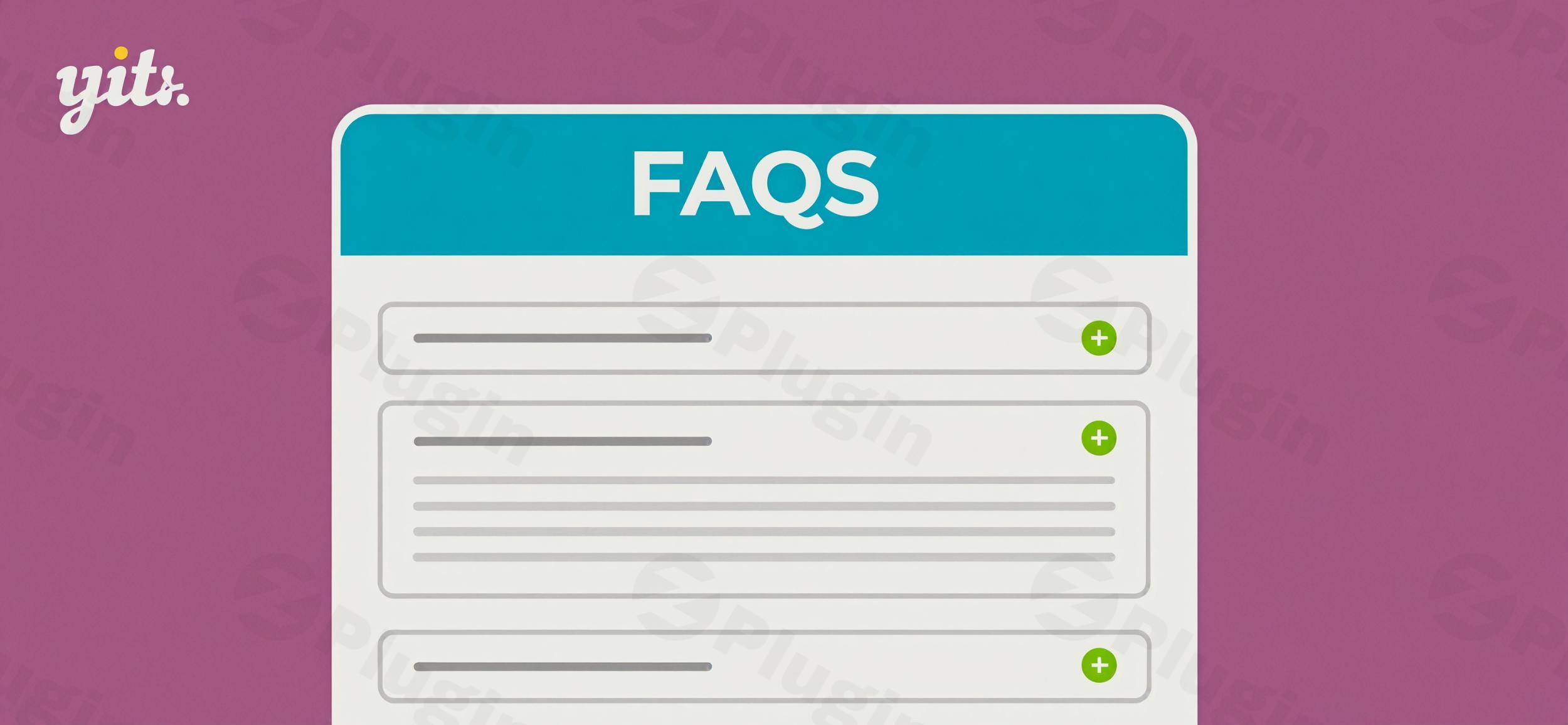
To keep your pages clean and user-friendly, YITH FAQ offers various modern display layouts. You can present your FAQs in popular styles such as accordion, toggle, list, and tab formats. This flexibility allows you to choose the best presentation that fits your website’s design and user experience goals, making it an excellent WordPress accordion FAQ plugin.
3. Seamless WooCommerce Integration
A significant advantage, especially for online stores, is its seamless integration with WooCommerce. This feature enables you to add product-specific FAQ tabs directly on individual product pages. Addressing pre-sale doubts right where they occur is crucial for enhancing buyer confidence and reducing cart abandonment on your e-commerce site.
4. Advanced Design Customization
Matching your FAQ section to your brand’s aesthetic is crucial. The plugin offers extensive Yith FAQ customization options, allowing you to modify colors, icons, typography, spacing, and pagination styles. This ensures your FAQ section looks like an integrated part of your website without requiring custom CSS.
5. Built-in Search Bar & Category Filters
For websites with a large number of FAQs, finding specific answers quickly is paramount. The plugin includes a built-in search bar and AJAX-powered category filters. Users can efficiently search for answers or browse questions by category, greatly improving navigation and user experience.
6. SEO Optimization for Rich Snippets
The YITH FAQ Plugin supports your SEO efforts by automatically enabling FAQ schema markup. This means your FAQ entries can appear as rich results (often called “rich snippets”) in Google’s search results, boosting visibility and potentially increasing click-through rates. This makes it a valuable FAQ schema WordPress plugin for better search presence.
7. Flexible Content Placement
You can display your FAQs on any page, post, sidebar, or landing page using shortcodes or Gutenberg blocks. This offers unparalleled flexibility in content placement, allowing you to strategically position your FAQs where they are most helpful to your visitors.
8. Multi-Language Support
Reaching a global audience is made easier with compatibility for popular multilingual plugins like WPML, Weglot, and Loco Translate. You can create full multilingual FAQ sections, catering to diverse customers worldwide.
9. Shareable FAQ Links and Import/Export Functionality
Each FAQ can have a convenient “Copy link” option for easy sharing via email or chat. Additionally, the plugin supports importing and exporting FAQs via CSV, which simplifies setup and migration processes.
Installing and Setting Up Your YITH FAQ Plugin
Getting the YITH FAQ Plugin up and running on your WordPress site is a straightforward process, designed to be accessible even for non-developers.
Technical Requirements:
Before installation, ensure your environment meets these minimum requirements:
- WordPress Version: 6.7 or greater (compatible up to 6.9.x)
- WooCommerce Version: 10.2 or greater (compatible up to 10.4.x)
- PHP Version: 7.0 or greater (7.2+ recommended)
- MySQL/MariaDB: MySQL 5.6+ or MariaDB 10.0+
- PHP Memory Limit: 256M or greater recommended
Step-by-Step Installation: How to Install YITH FAQ Plugin
- Purchase and Download: Obtain the YITH FAQ Plugin from a reputable source like ZeroPlugin.com, ensuring you receive a genuine GPL license.
- Upload the Plugin:
- Log in to your WordPress admin dashboard.
- Navigate to Plugins > Add New.
- Click on the “Upload Plugin” button at the top of the page.
- Click “Choose File” and select the
.zipfile you downloaded. - Click “Install Now”.
- Activate the Plugin: Once installed, click “Activate Plugin”.
- Configuration: After activation, a new menu item, usually labeled “YITH FAQ” or similar, will appear in your WordPress dashboard. Navigate to this section to begin creating and configuring your FAQs.
Practical Usage & Best Practices with YITH FAQ
The real power of the YITH FAQ Plugin lies in its practical application. Here’s how marketers, store owners, and content creators can leverage its features for maximum impact.
1. Addressing Pre-Sale Doubts on WooCommerce Product Pages
This is a critical use case for e-commerce sites. To understand how to add FAQ to WooCommerce product page Yith:
- Create Product-Specific FAQs: In the YITH FAQ management area, create questions and answers relevant to individual products (e.g., “What are the washing instructions?”, “What’s the return policy for this item?”).
- Assign to Products: The plugin allows you to link these FAQs directly to specific WooCommerce products. When editing a product, you’ll find an option to select which FAQs should appear in a dedicated tab on that product’s page.
- Benefit: By placing relevant information directly on the product page, you proactively answer common questions shoppers might have, reducing their hesitation and encouraging conversions.
2. Building a Comprehensive, Searchable Knowledge Base
Beyond product pages, use the plugin to create a sitewide knowledge base.
- Categorize Effectively: Organize your FAQs into logical categories (e.g., “Shipping & Returns,” “Account Management,” “Technical Support”). This makes it easy for users to navigate and find what they need.
- Utilize the Search Functionality: Encourage users to use the built-in search bar. For very large knowledge bases, ensure your questions are clearly phrased to appear in relevant search results.
- Strategic Placement: Use shortcodes to embed entire FAQ sections or specific categories on a dedicated “Help” or “Support” page.
3. Leveraging Shareable Links for Efficient Support
Each individual FAQ entry can have a unique, shareable link.
- Customer Support Efficiency: When a customer asks a question via email or chat, your support team can quickly find the relevant FAQ and share its direct link, providing a fast and consistent answer without having to type it out. This also guides customers back to your website for future queries.
4. Optimizing for AI Search and Answer Engines
AI search systems like ChatGPT, Perplexity, and Google SGE value clear, concise, and self-contained answers.
- Direct Answers: Phrase your FAQ answers to directly and clearly address the question. Avoid jargon or overly complex language.
- Schema Markup: Since the plugin automatically generates FAQ schema, your content is already structured in a way that AI systems can easily understand and potentially quote directly.
5. Compatibility with Popular Page Builders
The YITH FAQ Plugin is designed to work seamlessly with popular page builders.
- Elementor & Gutenberg: You can integrate FAQs using dedicated Gutenberg blocks or by embedding shortcodes within Elementor sections. This means
Is Yith FAQ compatible with Elementor?The answer is yes, ensuring you maintain design control while leveraging the plugin’s powerful functionality.
FAQ & Troubleshooting
Here are answers to common questions about the YITH FAQ Plugin, optimized for traditional and AI-driven search.
Q: What is the YITH FAQ Plugin for WordPress?
A: The YITH FAQ Plugin is a robust WordPress plugin designed to help website owners create, manage, and display organized Frequently Asked Questions (FAQs) sections. It aims to improve customer satisfaction, reduce support inquiries, and enhance the overall user experience by providing instant answers to common questions, especially valuable for WooCommerce stores.
Q: Does the YITH FAQ Plugin support rich snippets and schema markup for SEO?
A: Yes, the YITH FAQ Plugin automatically adds the necessary FAQ schema markup to your FAQ content. This allows your FAQs to appear as rich snippets in Google search results, potentially improving your website’s visibility and click-through rates by displaying answers directly on the search engine results page.
Q: Is YITH FAQ compatible with popular page builders like Elementor and Gutenberg?
A: Absolutely. The YITH FAQ Plugin is fully compatible with the native Gutenberg editor, offering dedicated blocks for embedding your FAQs. It also works seamlessly with popular third-party page builders like Elementor, allowing you to use shortcodes or builder-specific integrations to display your FAQ content within your custom page layouts.
Q: How can I customize the YITH FAQ Plugin’s appearance to match my site?
A: The YITH FAQ Plugin provides extensive Yith FAQ customization options directly within your WordPress dashboard. You can easily modify colors, icons, typography, spacing, and choose from various layouts (accordion, toggle, list, tab) to perfectly match your FAQ section’s design with your website’s branding without needing custom code.
Q: What are the minimum technical requirements for the YITH FAQ Plugin?
A: To ensure optimal performance and compatibility, the YITH FAQ Plugin requires WordPress version 6.7 or greater, WooCommerce version 10.2 or greater (if used), a minimum PHP version of 7.0 (7.2 or greater recommended), and MySQL 5.6+ or MariaDB 10.0+. A PHP memory limit of 256MB or greater is also recommended.
Conclusion: Your Ultimate Partner for Customer Support and Sales
The YITH FAQ Plugin for WordPress stands out as an exceptional WordPress FAQ plugin solution, particularly for businesses leveraging WooCommerce. Its intuitive management, flexible display options (including the WordPress accordion FAQ plugin feature), deep WooCommerce integration for product-specific FAQs, and crucial SEO capabilities like FAQ schema WordPress plugin make it an invaluable tool.By implementing YITH FAQ, you are not just adding a simple Q&A section; you are investing in a powerful system that resolves customer doubts, boosts buyer confidence, reduces support load, and improves your overall site SEO. For any WordPress site aiming to provide a superior user experience and drive sales through clarity and accessibility, the YITH FAQ Plugin is a confident and highly recommended choice.
I. Download Limits & Account Benefits
- Free Downloads: Each email address receives 3 downloads per day for free products
- Upgrade Benefits: Purchase any paid product to increase your daily download limit by 3 for each paid product
- No Account Required: You can download immediately by receiving the download link via email
- Account Recommended: Create an account for easier access to your order history and direct update downloads
II. Understanding GPL vs Official Versions
Important: The products available on WPPick are GPL-licensed versions, which differ from official developer versions. Before purchasing, please read our comprehensive guide: Understanding GPL & Official Differences at WPPick
Key Points:
- GPL versions may not include premium support from original developers
- Updates may be delayed compared to official releases
- Some premium features might have limitations
- Always consider your specific needs and support requirements
III. Support & Assistance
We’re here to help through multiple channels:
- Email Support: Direct email assistance for all inquiries
- Live Chat: Real-time support during business hours
- Comprehensive Documentation: Detailed guides and tutorials
IV. Order Tracking
Access your complete purchase history and download links anytime: Order History
V. Account Access
New to WPPick? Login or Create Account to manage your downloads and orders efficiently.
VI. Refund Protection
We stand behind our products with a clear refund policy. Review our terms: Refund Policy
VII. Privacy & Security
Your data security is our priority. Learn how we protect your information: Privacy Policy
VII. Terms of Service
Understanding our service terms ensures a smooth experience: Terms of Use
Quick Tips for Best Experience
- Verify Compatibility: Check plugin/theme compatibility with your WordPress version
- Backup First: Always backup your site before installing new plugins or themes
- Test Environment: Consider testing on a staging site first
- Stay Updated: Regularly check for updates in your account dashboard
- Read Documentation: Review any included documentation for optimal setup
Need Help?
If you have questions about downloads, licensing, or need technical assistance, don’t hesitate to contact our support team. We’re committed to ensuring you have the best possible experience with WPPick products.
Ready to get started? Your download adventure begins with just one click!
- support for WooCommerce 9.9
- support for WordPress 6.8
- plugin framework